Best Ergonomic Chairs Under $500 for 2026: 4 Picks Ranked
The Branch Ergonomic Chair Pro at $499 — 14 adjustments, 5D arms, a two-way lumbar and a 7-year warranty — is the best ergonomic chair under $500. Go Steelcase Series 1 if you need 400 lb capacity.
Our #1 Pick
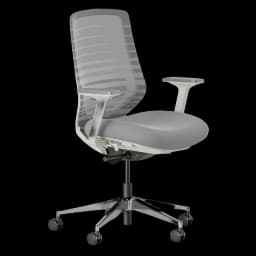
Branch Ergonomic Chair Pro
The most adjustable chair under $500: 14 points of adjustment, 5D armrests and a two-way lumbar in Branch's clean, furniture-like design, backed by a 7-year warranty. It replaces the standard Branch Ergonomic Chair, which is no longer sold on Amazon.
- 14 points of adjustment
- 5D armrests (height, width, depth, pivot, pad)
- Two-way lumbar: height and depth
Price checked Sep 12, 2026 — verify the live price on Amazon.
Also Great
Most adjustable: Sihoo Doro C300 ($299.99) — The most adjustment points under $500 and the best score-to-price ratio — a 130° recline and an included headrest.
Buy on AmazonBrand-trust pick: Steelcase Series 1 ($499) — The big-brand safety net: Steelcase build, a real service network, and 1,900+ owner ratings, right near the $500 cap.
Buy on Amazon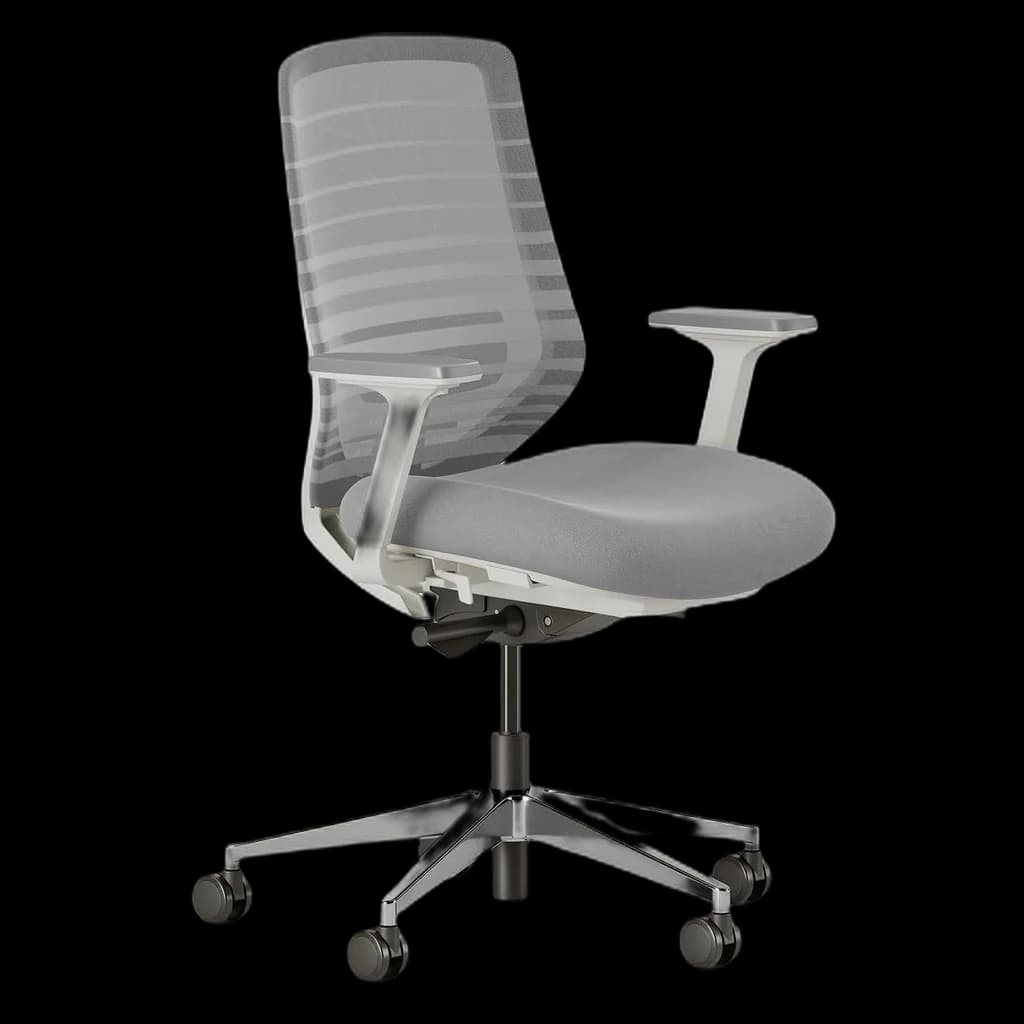 #1 4.1 | 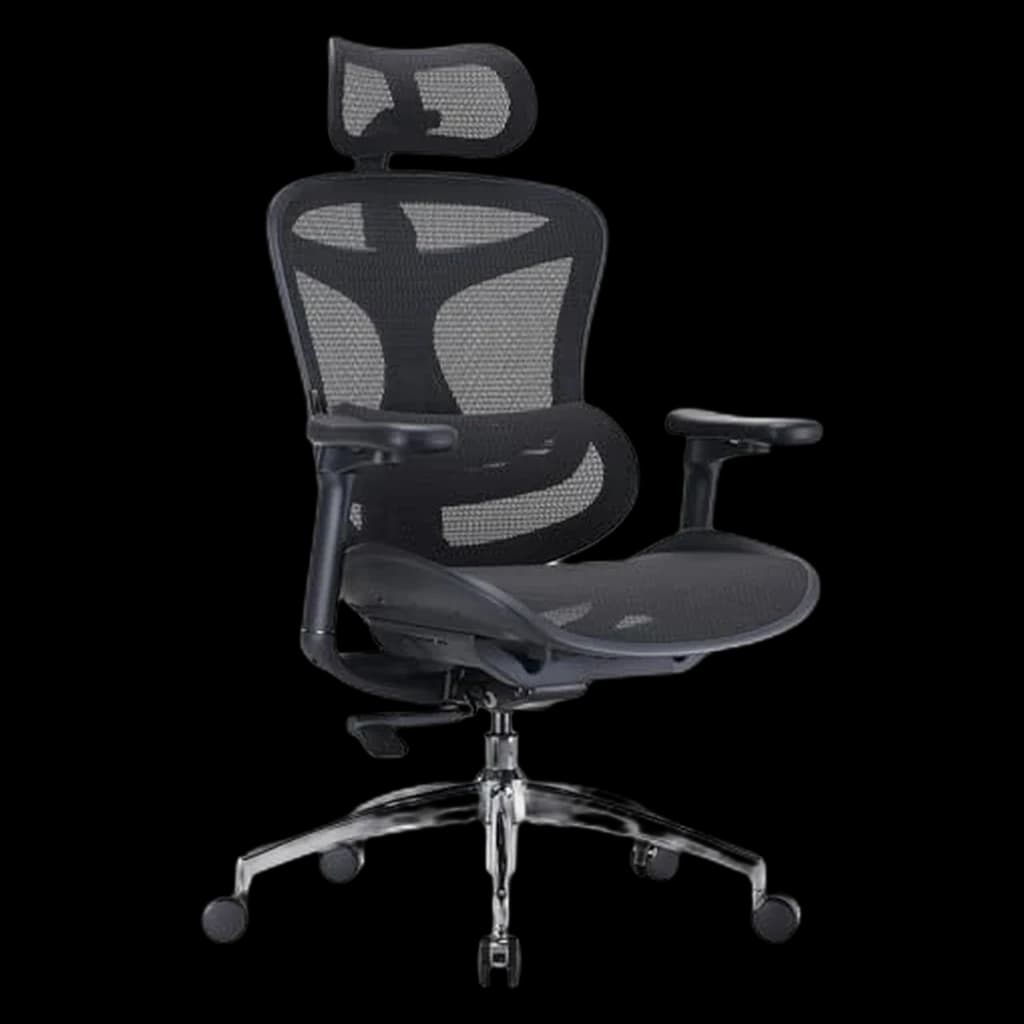 #2 4.2 | 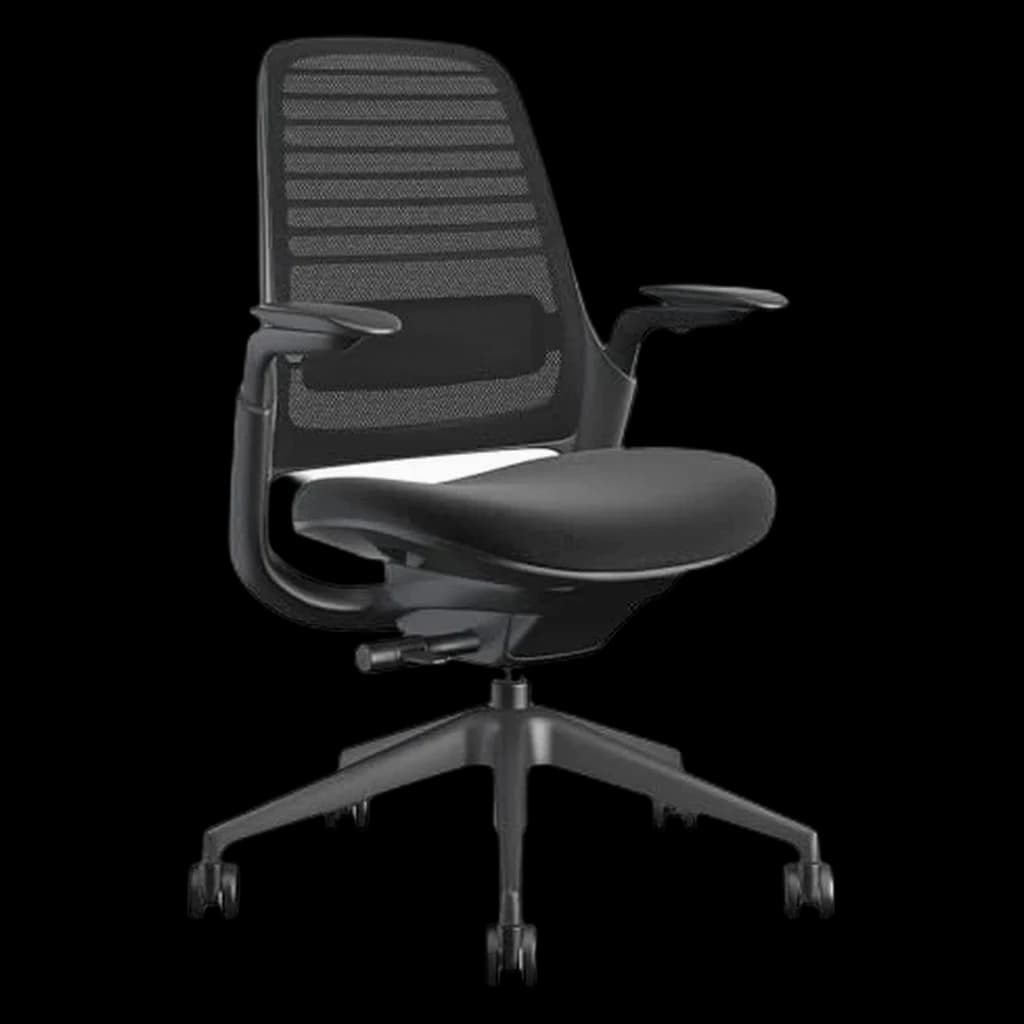 #3 4.2 | 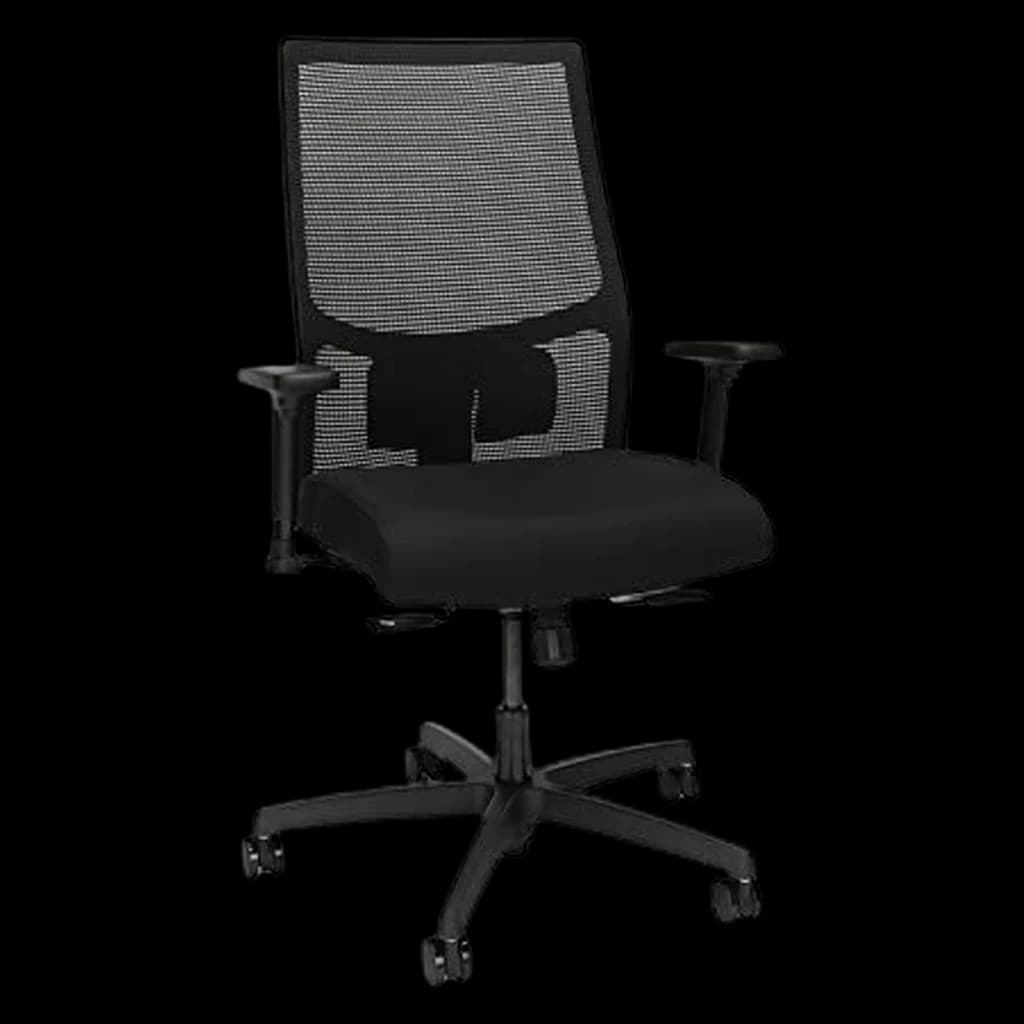 #4 4.3 | |
|---|---|---|---|---|
| Price | $499Buy on Amazon | $299.99Buy on Amazon | $499Buy on Amazon | $453.44Buy on Amazon |
| Verdict | Best overall under $500 — the most adjustable chair on this list | Most adjustable under-$500 pick | Wirecutter's most-customizable mid-tier — Leap ergonomics at a third of the price. | Proven ergonomics, lifetime warranty, fits any room. |
| Buyer sentiment | Quality Assembly Versatility Appearance Seat Cushion Buyers praise quality, assembly, versatility and appearance. Mixed feedback on adjustability and value for money. Some flag seat cushion. Based on 202 user mentions | Comfort Quality Lumbar support Assembly Buyers praise comfort, quality, lumbar support and assembly. Based on 911 user mentions | Comfort Quality Assembly Stability Buyers praise comfort, quality and assembly. Mixed feedback on adjustability and value for money. Some flag stability. Based on 1,204 user mentions | Quality Assembly Durability Buyers praise quality and assembly. Mixed feedback on comfort and back support. Some flag durability. Based on 112 user mentions |
| weight_capacity | 275 lb | — | 400 lb | 300 lb |
| warranty | 7 years | — | 12 years | Limited lifetime |
| armrests | 5D | — | — | — |
| lumbar | Two-way (height + depth) | — | — | — |
| recline | Forward tilt + tension | — | Weight-activated synchro-tilt | Standard synchro-tilt |
| Best For | — | Adjustment tinkerers | — | — |
| seat_height | — | — | 16–20.5 in | 16–21 in |
| best_for_height | — | — | 5'2"–6'2" | 5'2"–6'2" |
| Pros |
|
|
|
|
| Cons |
|
|
|
|
* Prices checked Sep 12, 2026 and may vary. Check the latest price on Amazon.
We research — never hands-on. How we research →
Cheaper alternative
Branch Ergonomic Chair Pro ($499.00)is excellent — but if the price tag makes your stomach lurch, here’s the pick we’d quietly point most home-office buyers to instead.
Worth the upgrade
Every chair on this page is a smart buy under $500. But if you can stretch a little, the Branch Verve is the executive step up — a contoured 3D-knit back and a high-density foam seat, with a near-perfect owner rating, for under $600.
Key Takeaways
Branch Ergonomic Chair Pro is our top ergonomic office chair under $500 for 2026 — with the Sihoo Doro C300, Steelcase Series 1 and HON Ignition ranked.
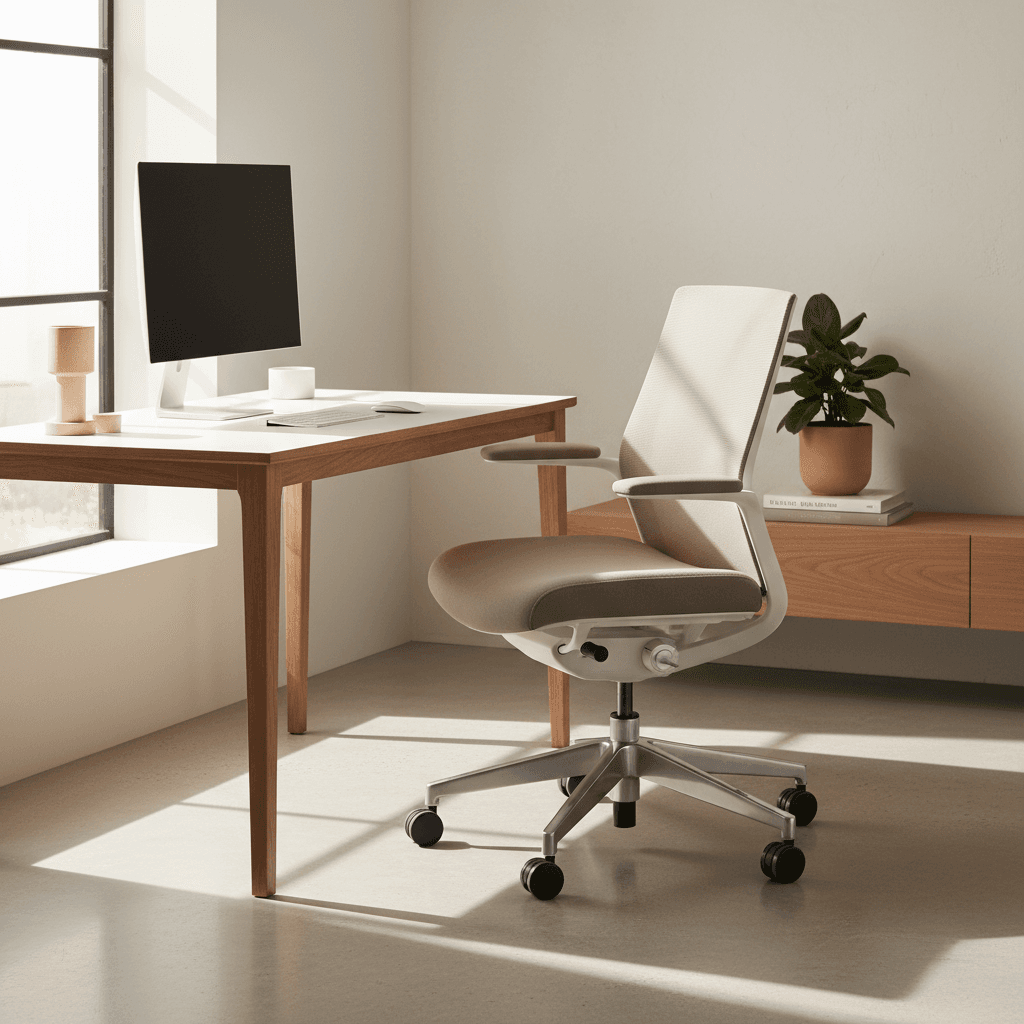
As an Amazon Associate I earn from qualifying purchases. Product prices and availability are subject to change.
The ergonomic chair market has a strange gap. Below $200, most "ergonomic" chairs have fixed armrests, no lumbar adjustment and foam that flattens within a year. Above $1,200 sit the Aeron and the Leap. Between roughly $300 and $500 is the sweet spot, and we researched four of the best-reviewed chairs in it — weighing owner feedback, warranty length and how much adjustment you actually get.
The Three Tiers Under $500
One current model per price step, at the price each listing states today.
| Tier | Model | Price | Why |
|---|---|---|---|
| Budget | Sihoo Doro C300 | $299.99 | The most adjustment points per dollar in this band — 4D arms, a seat-depth slider and a headrest in the box |
| Best overall | Branch Ergonomic Chair Pro | ~$499 | 14 points of adjustment, 5D arms and the only two-way lumbar here, on a 7-year warranty |
| Step-up (same money, more chair company) | Steelcase Series 1 | $499 | 400 lb capacity, a published seat-height range and a limited lifetime warranty with a dealer service network |
What the Research Says About Ergonomic Chairs Under $500
In the $300–$500 range you finally get chairs tested to the ANSI/BIFMA X5.1 general-purpose office chair standard, real adjustable lumbar, and meaningful armrest adjustment. The research question shifts from "is this chair safe" to "which adjustments matter most for which bodies."
What the data does support:
- Seat-depth adjustment is the most-underrated upgrade. Cornell's guide to choosing an ergonomic chair is blunt: a pan too long for your legs either catches you behind the knees or stops you leaning back against the lumbar. A fixed pan is right for one leg length. Most sub-$500 chairs add a slider; sub-$300 chairs skip it.
- Adjustable lumbar beats a moulded curve, because there is no single right setting. When researchers logged the lumbar positions 123 office workers chose over five weeks (Coleman, Hull & Ellitt, Ergonomics 41(4), 1998), preferred height and depth ran to both ends of the adjustment range, and preferred height tracked body-mass index rather than standing height or gender. A moulded curve is one of those settings, picked for you. Cornell allows the nuance: a fixed lumbar is fine if it happens to feel right and you are the chair's only user.
- Mesh tension matters more than mesh vs foam. Premium weaves are tensioned to conform; cheap mesh is stretched-tight nylon that doesn't deform. You feel it in week three, not week one.
What the research does not support: that an aftermarket lumbar pillow substitutes for built-in support. It shifts posture but doesn't track your spine through movement.
The trap: a lumbar pillow is a static fix to a dynamic problem. Your spine moves all day; the pillow doesn't move with it.
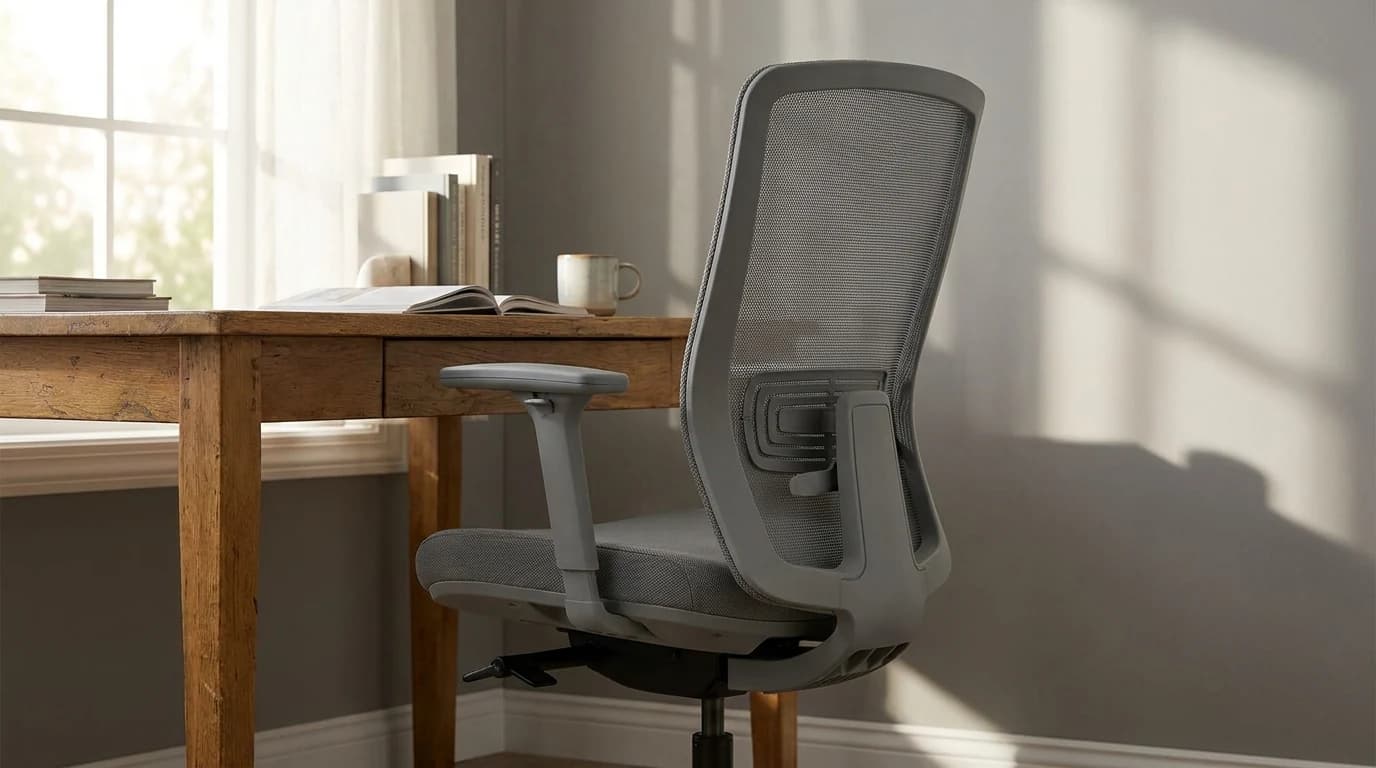
What to Look for in an Ergonomic Chair Under $500
At this price point you won't get everything, so buy in this order.
- Adjustable lumbar support: non-negotiable — height and depth, not a fixed pad.
- Seat depth adjustment: thighs supported without the pan pressing behind your knees. It makes the biggest difference over long sessions.
- Adjustable armrests: 3D is standard above $400; 4D adds forward/back slide.
- Warranty: 5 years is the minimum signal a maker trusts its own product.
Rule of thumb: a chair without adjustable lumbar supportlumbar supportA chair feature (built-in curve, adjustable knob, or strap-on pillow) that supports the inward curve of the lower spine. Cornell ergonomics: lumbar support height should land roughly at your belt line, not higher. is not ergonomic. It's a chair with a mesh back.
Our Top Picks
Ranked: the Branch Ergonomic Chair Pro ($499), the Sihoo Doro C300 ($299.99), the Steelcase Series 1 ($499) and the HON Ignition 2.0 ($453), which trades published fit specs for HON's Full Lifetime Warranty and a commercial build.
The adjustment spec table
Star ratings are easy to find; adjustment specifics are not. Below is only what each maker publishes on its own site or spec sheet, re-checked 9 September 2026. "Not stated" means the brand does not publish it — we are not filling those cells with a guess.
| Model | Seat height | Lumbar | Seat-depth slider | Armrests | Recline lock / tilt tension | Capacity | Warranty |
|---|---|---|---|---|---|---|---|
| Branch Ergonomic Chair Pro | 17–19.9 in (19.3–22.9 in, tall cylinder) | Height + depth, removable | Yes, 16.7–19.7 in | 5D | Tilt tension + forward tilt, 26° range; lock not stated | 275 lb | 7 years |
| Sihoo Doro C300 | Not stated | Self-adaptive, no manual setting | Yes, 17.13–18.11 in | 4D | Reclines to 130°; lock and tension not stated | 330 lb | 3 years |
| Steelcase Series 1 | 16.5–21.5 in | Height-adjustable, standard | Yes, range not published | 4D | Weight-activated tension, 20% boost, upright back stop | 400 lb | Limited lifetime (12 yr parts and labour) |
| HON Ignition 2.0 | Not stated | Not stated | Not stated | Not stated | Not stated | Not stated | Full Lifetime (seating controls 12 yr) |
Read the "not stated" cells: HON documents Ignition 2.0 through dealers rather than a public per-model spec page, so its whole row is unpublished bar the warranty — and HON routes warranty service through your dealer, a step an Amazon buyer has to go find. Branch and Steelcase are the two that tell you a seat-height range before you buy; Branch also states a height band, 5 ft 2 in to 6 ft 2 in and up to 275 lb at 8+ hours a day.
1. Branch Ergonomic Chair Pro — Best Overall
Buy on Amazon · $499.00Price: ~$499
The Branch Ergonomic Chair Pro is our top pick under $500 — the most adjustable chair here, in a design that balances looks, warranty and support. A note on the name: the standard Branch Ergonomic Chair we recommended until September 2026 is no longer sold on Amazon. The Pro is Branch's current listing, on the same frame and mesh with more adjustment, at $499.
It looks like furniture, not equipment, and still gets the fundamentals right.
What you get for the money: 14 points of adjustment, a two-way lumbar that moves in height as well as depth, 5D armrests, a seat-depth slider, forward seat tilt and recline tension, and a 7-year warranty. Where it gives ground: at $499 it sits right at the cap, level with the Steelcase Series 1; the headrest is a paid add-on; it is rated to 275 lb, below the 300 lb some rivals list; and it is a newer Amazon listing, so the long-term owner record is shorter than the standard chair's was.
Choose the Branch Pro if: you want the most adjustment here and will actually use it (5D arms, two-way lumbar, seat-depth slider), you are inside Branch's stated band of 5 ft 2 in to 6 ft 2 in and 275 lb, and the chair sits in a room people see.
Skip it if: you are over 275 lb — Steelcase rates the Series 1 to 400 lb and Sihoo the C300 to 330 lb; you want a headrest in the box rather than a paid add-on; or you want a long owner track record, because this listing is new.
2. Sihoo Doro C300 — Most Adjustable
Buy on Amazon · $299.99Price: ~$299.99
The Sihoo Doro C300 offers more adjustment points than almost any other chair under $500. Seat depth and height, seat tilt, back tilt, armrest height/width/angle/depth, headrest height and angle — everything moves except the lumbar, which Sihoo builds to adapt on its own. At $299.99 it is the best score-to-price ratio in the group.
Build quality sits a step below the pricier picks — the plastics feel less industrial — but the mesh is good, the foam seat holds up through 8-hour days, and Sihoo lists the recline as reaching 130°. It does not publish how many positions the tilt locks in, so we will not put a number on it. The headrest is included and adjusts in height, depth and rotation. Sihoo lists a 3-year warranty and a 30-day returns window on its own site — shorter cover than the Steelcase or the HON.
Choose the Doro C300 if: you want the most arm and seat adjustment per dollar (4D arms, a 17.13–18.11 in seat slider), you are at the heavier end of the band at up to 330 lb, or you want a headrest included and a 130° recline for breaks.
Skip it if: you want to place lumbar support yourself, since Sihoo describes the C300's lumbar as self-adaptive with no manual setting; you want the longest cover here, because Sihoo lists 3 years against Steelcase's lifetime; or assembly patience is short — it runs 30–45 minutes, and owners report the cushion firming after about 6 months.
3. Steelcase Series 1 — Best Brand-Trust Pick
Buy on Amazon · $499Price: $499
The Steelcase Series 1 is the safest pick if you want a major office-furniture brand near the top of the $500 cap, and with 1,900+ owner ratings it has the deepest track record here. It lacks the depth of the Leap or Gesture; what it gets right is the fundamentals — back flex, 4D arms, a compact footprint, and a service network Amazon-only brands cannot match.
Choose the Series 1 if: you want to check fit before you order (Steelcase publishes a 16.5–21.5 in seat-height range), you are heavier than the other picks allow (400 lb), or you want a warranty and a service network rather than a returns window — limited lifetime, 12 years, parts and labour.
Skip it if: you want lumbar tuning in two directions, since Steelcase lists height-adjustable lumbar as standard and not depth; you want the deepest adjustment Steelcase makes, which is Leap or Gesture at twice the price; or you want colour and configuration choice from an Amazon listing.
4. HON Ignition 2.0 — Commercial-Grade Alternative
Price: ~$453
The HON Ignition 2.0 is a commercial-grade chair priced for consumers because HON sells mainly to corporate procurement — the most institutional build on this list.
HON sells Ignition 2.0 largely through dealers, and its site documents the range as mix-and-match adjustment, back-height and mesh options rather than a fixed spec per model. That is why its row above is unpublished, and why we point buyers who need to confirm dimensions at Steelcase or Branch instead. It sits at #4 for a second reason: this Amazon listing has the thinnest review history of the four, so there is less long-term owner data to lean on.
Choose the Ignition 2.0 if: warranty is what you are buying (HON covers seating under its Full Lifetime Warranty, seating controls under a full 12-year term), you want a chair specified for contract use rather than a home-office listing, and black-only with no headrest suits you.
Skip it if: you need to check fit numbers first — HON publishes no per-model seat height, depth, width or capacity, which is why its row above is blank; you want a deep owner-review record, since this listing has the thinnest of the four; or you want the sink-in feel of a padded back.
What Reviewers Across the Web Agree On
Where the outside verdicts split from ours is worth knowing before you spend $400. Checked August 2026.
Where they agree with us. The reviews below cover the standard Branch Ergonomic Chair, which the Pro replaces on the same frame and mesh. TechGearLab gave it Editors' Choice as the best office chair for most people. CNN Underscored calls it a favourite budget option, singling out the same three things we do: armrests, seat depth, lumbar. Forbes Vetted named the HON Ignition 2.0 its best office chair to buy on Amazon.
Where they don't. Forbes' panel sat in the standard Branch — not the Pro — and did not warm to it, citing a thin mesh back that makes the lumbar feel intrusive. BTOD's Ryan Bald, a dealer who discloses he sells what he reviews, calls it his least favourite Branch: armrests too far forward, a back with little give. CNN's 5'2" tester never found a workable lumbar height; their 5'5" tester had no complaint. The Branch's back is the part you get on with or don't, and height is the variable. CNN's outright winner is the Steelcase Series 1 — our #3, their #1. TechRadar's Doro-C300 verdict tracks ours: comfortable all day with good lumbar support, let down by armrests that move too easily.
One point of precision: ANSI/BIFMA X5.1 is the general-purpose office-chair test standard; X5.11 is the separate large-occupant version, built around a 400 lb user.
Which Chairs Under $500 Have Adjustable Lumbar Support?
Three different mechanisms hide behind the phrase, and which one you get decides whether the chair fits you. The Branch Pro adjusts in height and depth and removes entirely — the most control here. The Steelcase Series 1 adjusts in height only, and a fixed lumbar is an option on the 3D Microknit back, so check what you are ordering. The Sihoo Doro C300 is self-adaptive, with nothing to set. HON does not state the mechanism per model, so we will not claim one.
Rule of thumb: count the directions the lumbar moves, not the number of levers on the chair.
Buying your first proper office chair? Take the Steelcase Series 1: its recline sets tension by your body weight rather than a dial you have to learn, and there is one lumbar control instead of two. If $499 is out of reach, our best ergonomic chairs under $300 covers the tier below, where seat-depth adjustment mostly disappears.
What to Skip in Sub-$500 Chairs
- Imported "ergonomic mesh" chairs from unfamiliar brands. Mesh tensioning, frame welds and gas cylinders are the failure modes.
- Chairs with 1D (height only) armrests. At $400+ you should get at least 3D. 1D armrests pin your shoulders against the chair sides.
- Gaming chairs at this price. A $500 gaming chair has worse ergonomics than a $300 task chair — you're paying for stitched leather and a logo, not for spine support.
What r/OfficeChairs actually recommends
The sub is the largest unpaid body of opinion on these exact chairs, and on one of our picks it flatly disagrees with the press. Threads read September 2026, paraphrased.
- The Steelcase Series 1 is the split. A poster set the problem out directly: every article crowns it, and the sub does not. Elsewhere it is called one of Steelcase's weaker ergonomic chairs; a two-years-later thread argues it is only barely comfortable; an upgrade thread calls it stiff and narrow and says skip it for a refurbished Leap; and a secondhand thread flags limited arm adjustment on some configurations. Our #3 ranking rests on capacity, a published fit range and a service network, not on it being the nicest chair here.
- The HON Ignition 2.0 has genuine goodwill. A Canadian owner thread rates its seat among the most comfortable at any price, and a comparison thread puts HON's build well above its cheap-import rivals. The recurring caveats are the armrests and the price — one thread trades its lifetime cover and cushioning against arms people find uncomfortable.
- Read the Branch threads knowing Branch is in them. Branch staff answer questions in the sub and hand out discount codes by DM — visible in a Verve-versus-Pro thread and a general Branch thread. That does not make the replies wrong, but it does mean the warmest comments are not all owners. Independent owner reports split on the back: a petite sitter's review found no setting that worked, and a critical review thread ends with Branch itself suggesting the lumbar be removed. The Pro's removable, two-way lumbar is the answer to most of that — which is why it is our pick and the standard chair is not.
- The Doro C300 is loved and hated in the same week. A long-term review of the Pro V2 is positive on back health, while another poster calls that same Pro V2 the worst chair they have used — note both concern the Pro V2 variant, not the plain C300 we link. On the plain chair, an owner documents a frame crack at around 154 lb and the warranty claim that followed, and a Doro comparison thread names mesh losing tension as the long-term worry.
Where we hold our ground. The sub's default at $400–500 is a refurbished Leap, Amia or Think rather than anything new, and a standing PSA argues only Steelcase and Herman Miller are worth buying at all — the case for refurb being that those frames were built for 12 years of round-the-clock use. If you can inspect a chair before paying, take that advice. If you cannot, a new chair with a returns window and a claimable warranty is the better risk — and that is what this page ranks.
FAQ
What is the best ergonomic office chair under $500?
The Branch Ergonomic Chair Pro at about $499. Branch publishes 14 points of adjustment, 5D armrests, a lumbar that moves in height and depth and comes out entirely, a 16.7–19.7 in seat-depth slider and a 7-year warranty — the only two-way lumbar in this group. Go elsewhere for two specific reasons: over 275 lb, take the Steelcase Series 1 at 400 lb; on a tighter budget, the Sihoo Doro C300 at $299.99 gives you 4D arms and a seat-depth slider for $200 less.
Is the Steelcase Series 1 worth it over a $300 chair?
For some buyers, on three things: a 400 lb capacity, a published 16.5–21.5 in seat-height range so you can check fit before ordering, and a limited lifetime warranty with 12 years of parts and labour behind a dealer network rather than a 30-day returns window. What it does not buy is more adjustment — Steelcase lists height-adjustable lumbar as standard, not depth. And r/OfficeChairs is markedly cooler on it than the review sites are, with long-term threads calling it stiff and narrow; if you want the most chair for $499, the Branch Pro is the better sit.
Branch Ergonomic Chair Pro vs Sihoo Doro C300?
The Branch Pro if you want to place your own lumbar support; the Doro C300 if you want the most hardware per dollar. Branch's lumbar adjusts in height and depth and removes completely, and its spec sheet publishes seat-height and seat-depth ranges; Sihoo's lumbar is self-adaptive with nothing to set, but the C300 lists 4D arms, a 17.13–18.11 in seat slider, a headrest in the box and 330 lb for $299.99. The tiebreakers are cover and capacity: 7 years and 275 lb against 3 years and 330 lb.
How long does a $500 office chair last?
Expect five to eight years of daily use, with the gas cylinder the usual first failure — replacements run $30–$50 and swap in about ten minutes. Warranty length is the best proxy for how long the maker expects the rest to hold: 3 years on the Doro C300, 7 on the Branch Pro, lifetime on the Series 1 (12 years parts and labour) and the Ignition 2.0. Owner threads on r/OfficeChairs name mesh losing tension and seat foam flattening well before that.
What's the best office chair under $500 for back pain?
No office chair treats back pain, and the Cochrane review of lumbar supports found moderate evidence they do not prevent it — so the honest recommendation is about fit, not relief. On that basis the Branch Ergonomic Chair Pro: it is the only chair here whose lumbar moves in both height and depth, so you put support at your curve instead of accepting a moulded one, and its seat-depth slider fixes the pressure-behind-the-knees problem a fixed pan causes. Persistent or radiating pain is a clinician's question; our desk chairs for back pain guide goes wider on what a chair can and cannot do.
The Bottom Line
You don't need to spend $1,500 on a Herman Miller to sit comfortably for 8 hours.
Buy the Branch Ergonomic Chair Pro (~$499) if you want the most adjustment available under $500 — two-way lumbar, 5D armrests, a seat-depth slider — in a chair that looks like furniture, and a 7-year warranty matters more to you than an included headrest. Buy one of the others if: you want maximum adjustability for less money, the Sihoo Doro C300 ($299.99); a big-brand safety net and 400 lb capacity, the Steelcase Series 1 ($499); commercial build and lifetime cover, the HON Ignition 2.0 (~$453).
Pair the chair with a desk that suits it — browse the office chairs category for the full ranked list, or our ergonomic home office guide for the complete picture. On a tighter budget, our best ergonomic chairs under $300 is the tier below, and the $500 WFH setup guide builds a whole workspace for the price of one chair here. For a wider field, our WFH chairs under $500 roundup ranks seven.
Sources & Research
- →Micom Laboratories — what the ANSI/BIFMA X5.1 general-purpose office chair test suite actually measuresan accredited test lab's summary. BIFMA sells the standard itself and does not publish it free.
- Coleman, Hull & Ellitt, "An empirical study of preferred settings for lumbar support on adjustable office chairs," Ergonomics 41(4), 1998
- Cornell University Ergonomics Group — Choosing an ergonomic chair
- OSHA Computer Workstations eTool — Chairs
- ChoosePT (American Physical Therapy Association) — Workplace wellness and office ergonomics
More WFH Setup Resources
Your next step
Wondering if the $1,000+ chairs are worth it?
Hilly Shore Labs
Editorial TeamWFH Lounge is published by Hilly Shore Labs. Every recommendation is built by synthesizing ergonomic research, manufacturer specs, expert reviews from outlets like Wirecutter, RTINGS, and The Verge, and aggregated long-term owner sentiment from thousands of verified buyers.
All product reviews are independently researched. Our recommendations are based on ergonomic guidelines, manufacturer specifications, and verified buyer sentiment. See our methodology.