Best WFH Office Chairs Under $500 for 2026: 7 Picks Ranked
Our #1 Pick
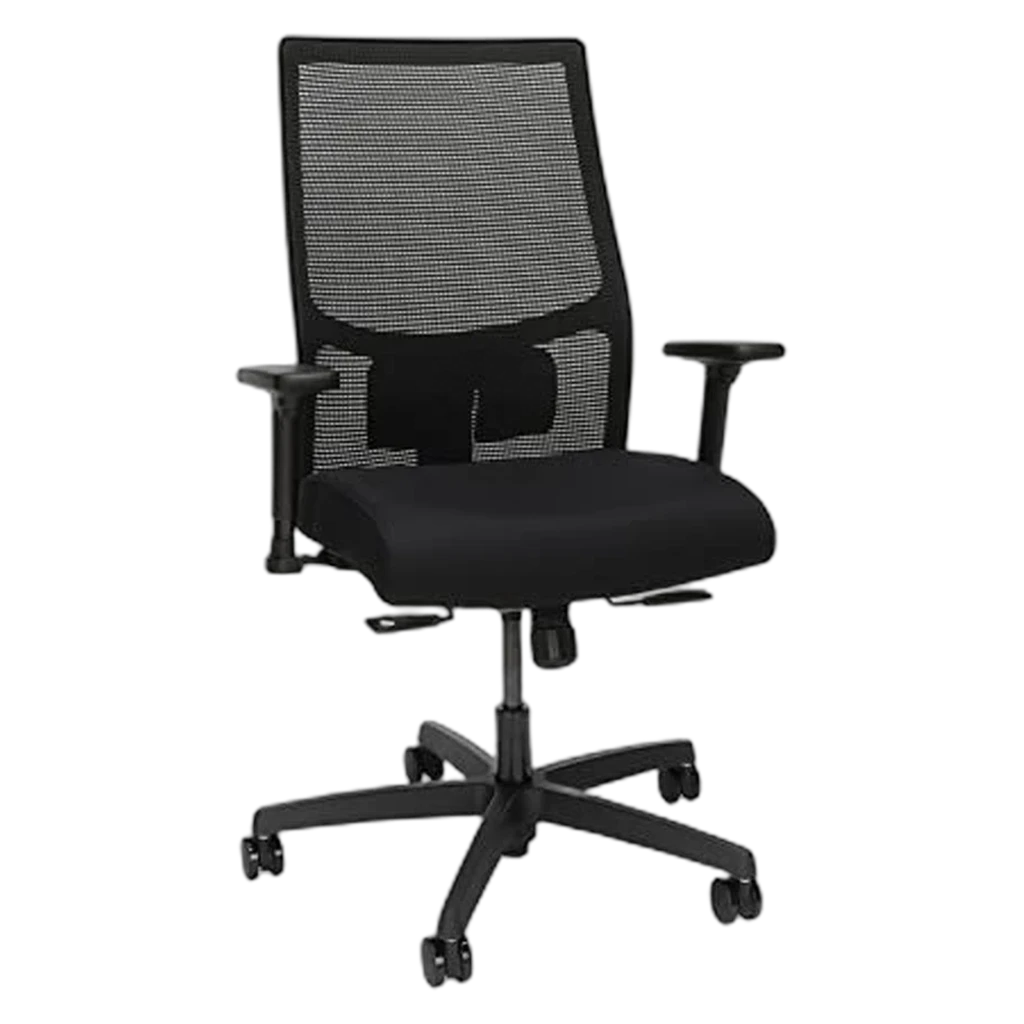
HON Ignition 2.0
Best overall value under $500: synchronized recline, adjustable lumbar and arms, and a 4.4-star track record across 1,500+ owners.
- Synchro-tilt recline matches body weight automatically
- Movable lumbar panel (height-adjustable on the 2.0)
- HON Limited Lifetime Warranty
Price checked Jun 12, 2026 — verify the live price on Amazon.
Also Great
Premium refurb: Steelcase Leap V2 (refurb) (~$400–500) — Outperforms everything at this price point — buy certified refurbished, not sketchy eBay
Budget pick: Sihoo M57 Ergonomic (~$220) — Best ergonomics-per-dollar if you need to stay under $250
Worth the upgrade
The under-$500 picks here cover most people. The honest exception: if sitting is your whole workday and back pain is already in the picture, the Leap V2's adjustment range and 12-year warranty make the math work out over a decade.
Key Takeaways
Seven ergonomic chairs under $500 ranked for full-time WFH in 2026. HON Ignition 2.0 is the top pick, Autonomous ErgoChair Pro the value runner-up.
Our Verdict
The HON Ignition 2.0 offers the best combination of durability, adjustability, and value at ~$370 — but the Sihoo Doro S300 is the better pick if breathability is your top priority.
 #1 4.3 | 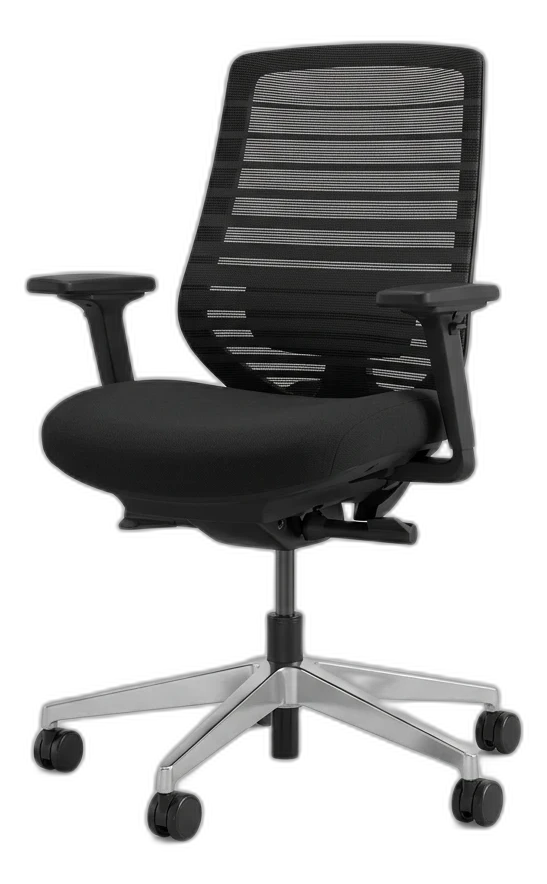 #2 4.3 | 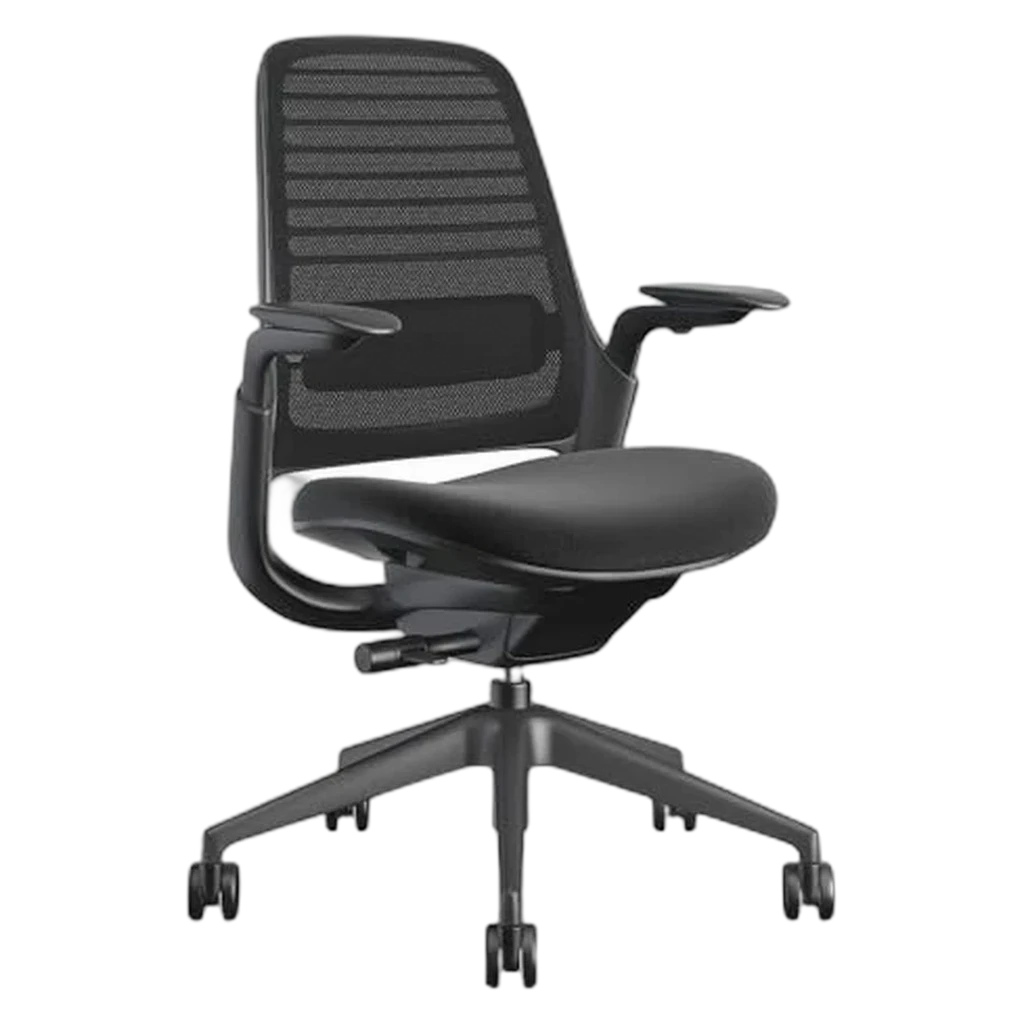 #3 4.3 | 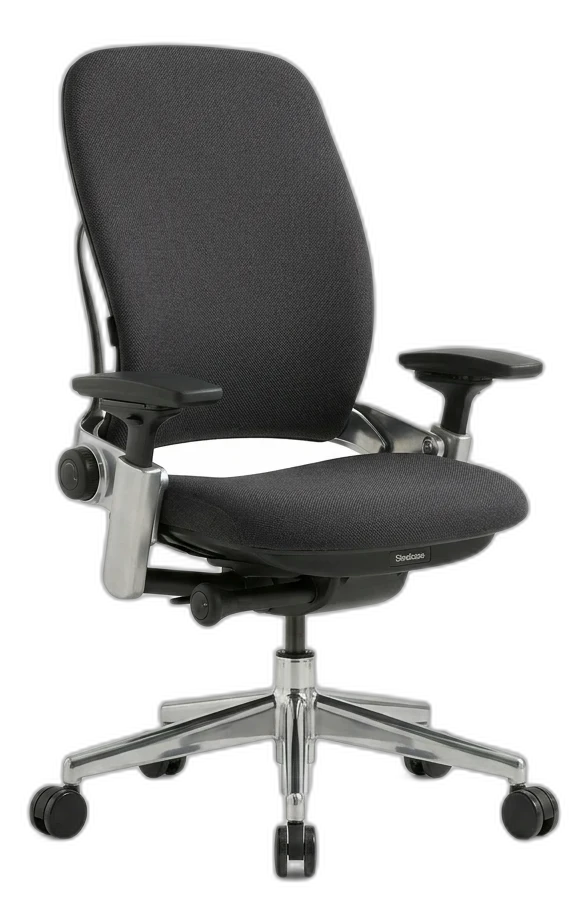 #4 4.6 | 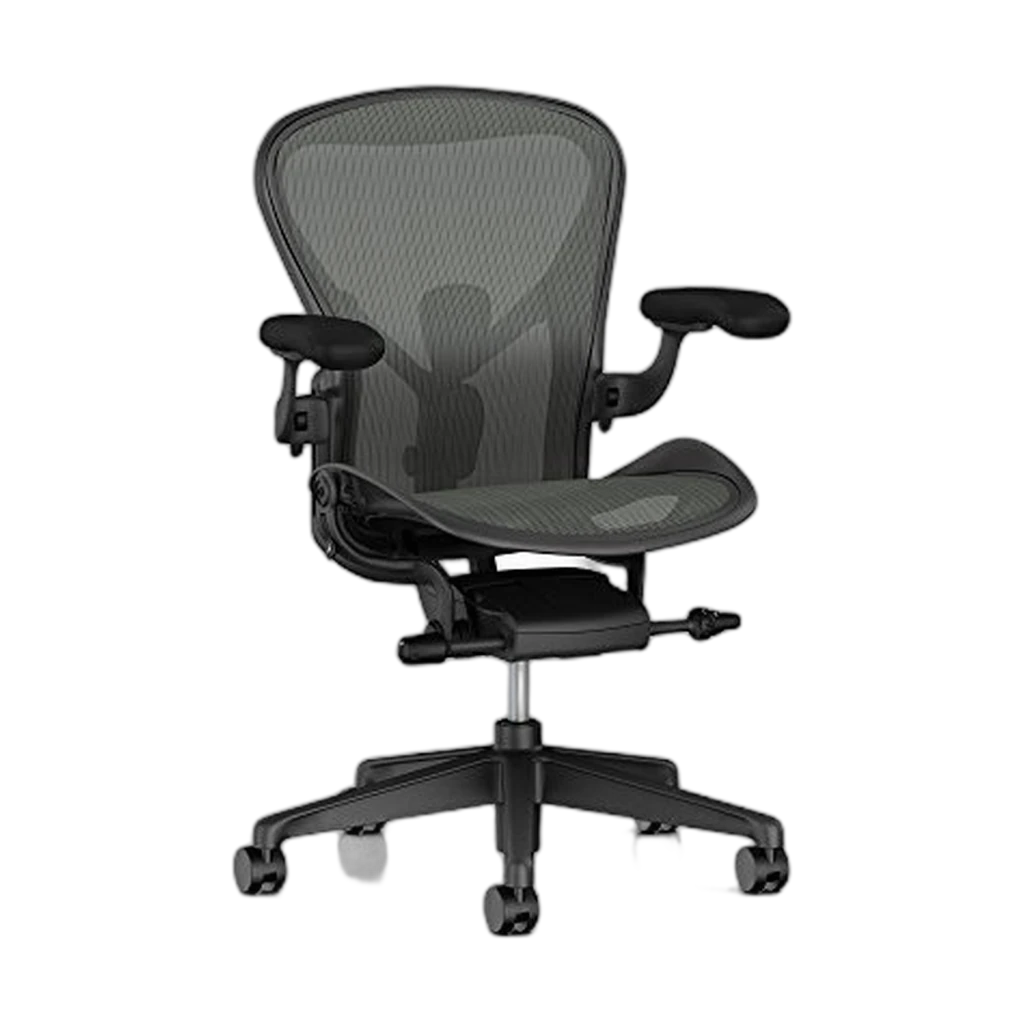 #5 3.6 | |
|---|---|---|---|---|---|
| Verdict | Proven ergonomics, lifetime warranty, fits any room. | Startup-office workhorse — adjustable lumbar, mesh, clean look. | Wirecutter's most-customizable mid-tier — Leap ergonomics at a third of the price. | Wirecutter's gold standard for fit-anyone ergonomics — LiveBack flexes with your spine. | Iconic 8Z Pellicle mesh and PostureFit SL — buyer reviews on this listing flag price + shipping concerns. |
| Buyer sentiment | Quality Assembly Durability Buyers praise quality and assembly. Mixed feedback on comfort and value for money. Some flag durability. Based on 106 user mentions | Quality Assembly Adjustability Sturdiness Stability Buyers praise quality, assembly, adjustability and sturdiness. Mixed feedback on comfort and adjustable lumbar support. Some flag stability. Based on 393 user mentions | Comfort Quality Assembly Stability Hardness Buyers praise comfort, quality and assembly. Mixed feedback on adjustability and value for money. Some flag stability and hardness. Based on 1,193 user mentions | Quality Lumbar Support Value for money Slideability Buyers praise quality, lumbar support and value for money. Mixed feedback on adjustability and comfort. Some flag slideability. Based on 73 user mentions | Size Comfort Appearance Durability Buyers praise size, comfort and appearance. Mixed feedback on back support and value for money. Some flag durability. Based on 247 user mentions |
| Price | $450.32Check price on Amazon | $1,350.96Check price on Amazon | $1,500Check price on Amazon | ||
| weight_capacity | 300 lb | 300 lb | 400 lb | 400 lb | 350 lb (Size B) |
| seat_height | 16–21 in | 17–21 in | 16–20.5 in | 15.5–20.5 in | 16–20.5 in |
| warranty | Limited lifetime | 7 years | 12 years | 12 years | 12 years (authorized retailers) |
| recline | Standard synchro-tilt | 3-position lockout | Weight-activated synchro-tilt | Synchro-tilt with adjustable tension | Tilt limiter + forward tilt |
| best_for_height | 5'2"–6'2" | 5'2"–6'2" | 5'2"–6'2" | 5'4"–6'4" | 5'3"–6'2" (Size B) |
| Pros |
|
|
|
|
|
| Cons |
|
|
|
|
|
* Prices checked Jun 12, 2026 and may vary. Check the latest price on Amazon.
As an Amazon Associate I earn from qualifying purchases. Product prices and availability are subject to change.
Your office chair is the single most-used piece of furniture in your home office. If you work eight hours a day, five days a week, you're sitting in that chair for roughly 2,000 hours a year. A bad chair doesn't just cause discomfort — it creates chronic back pain, hip tightness, and neck strain that follows you long after you close your laptop.
The good news? You don't need to spend $1,500 on a Herman Miller to get genuinely excellent ergonomic support. We evaluated over a dozen chairs under by synthesizing expert reviews and verified owner feedback$500 across months of real remote work to find the five that actually deliver on comfort, adjustability, and build quality.
For a broader look at setting up an ergonomic workspace, check out our ergonomic home office guide for any budget.
What Makes a Great WFH Chair
Before we get to the picks, here's what to prioritize — because marketing buzzwords like "ergonomic" and "lumbar supportlumbar supportA chair feature (built-in curve, adjustable knob, or strap-on pillow) that supports the inward curve of the lower spine. Cornell ergonomics: lumbar support height should land roughly at your belt line, not higher." get slapped on $100 chairs that will wreck your back.
Lumbar Support
This is non-negotiable. Your lower back has a natural inward curve, and a good chair maintains that curve without you having to think about it. Adjustable lumbar (both height and depth) is the gold standard. Fixed lumbar is acceptable if it's positioned well, but it's a gamble on whether it fits your specific spine.
Seat Depth and Width
The seat pan should be deep enough that you can sit with your back against the lumbar support while leaving 2–3 fingers of space between the seat edge and the back of your knees. Too deep, and the edge cuts into your legs, restricting blood flow. Most chairs target a 17"–20" seat depth, and adjustable seat depth is a huge plus.
Armrests
Bad armrests are worse than no armrests. They should be at least 2D adjustable (height and width) so you can position them to support your forearms while typing without shrugging your shoulders. 3D (adding pivot) and 4D (adding forward/back slide) armrests are even better.
Materials
Mesh backs breathe better and prevent the sweaty-back problem during long sessions. Foam seats offer more cushion but can compress over time. The best chairs combine a mesh back with a molded foam seat — you get airflow where it matters most and cushion where you need it.
The 5 Best WFH Chairs Under $500
#1 HON Ignition 2.0 — Best Overall Value
Price: ~$370
The Ignition 2.0 is the chair that mid-level office furniture buyers rave about — and for good reason. It features a breathable mesh back, adjustable lumbar support (height only, not depth), 4D armrests, and a seat slider for depth adjustment. The build quality is commercial-grade, meaning this chair is designed for 40+ hours a week in corporate offices.
The synchro-tilt mechanism reclines smoothly with adjustable tension, and the seat cushion uses high-density foam that holds up far better than budget alternatives after a year of use.
Pros: Commercial-grade durability, 4D arms, seat depth adjustment, 12-year warranty
Cons: Lumbar adjusts height only (no depth), headrest sold separately (~$60)
Best for: All-day workers who want office-furniture-grade quality without the markup
#2 Autonomous ErgoChair Pro — Most Adjustable
Price: ~$449
Autonomous packed this chair with adjustability: height-and-depth adjustable lumbar, seat tilt, back recline (18° range), adjustable headrest, and 3D armrests. The woven mesh back looks great and breathes well, and the build quality has improved significantly from earlier generations.
The tension knob for recline is easy to dial in, and the seat pan uses a flexible TPE material that's more forgiving than rigid mesh but breathes better than foam.
Pros: Exceptional adjustability for the price, attractive design, 5-year warranty
Cons: Seat pan feels firm for the first week, armrest pads are thin
Best for: People who want to fine-tune every aspect of their seating position
#3 SIHOO M57 — Best Mesh Seat
Price: ~$400
The Doro S300 uses an all-mesh design — both the back and the seat. If you run hot or live in a warm climate, this is the chair. The mesh seat is surprisingly comfortable, using a dual-layer suspension system that contours to your body without bottoming out.
The self-adaptive lumbar support moves with you as you shift positions, and the integrated headrest adjusts in both height and angle. Build quality is solid for the price, and Sihoo's reputation has grown considerably in the WFH market.
Pros: Full mesh keeps you cool, self-adjusting lumbar, smooth recline
Cons: No seat depth adjustment, some users find the mesh seat too firm
Best for: People who sweat through foam seats and want maximum airflow
#4 Steelcase Series 1 Office Chair — Best for Bigger Frames
Check price on Amazon · $499Price: ~$449
Secretlab made their name in gaming chairs, but the Titan Evo Lite is designed for work. It accommodates users up to 6'2" and 285 lbs with a wider seat pan (20.5") and deeper bucket design than most office chairs. The cold-cure foam is dense and supportive, and the integrated adjustable lumbar uses a dial system that's intuitive to adjust.
4D armrests with magnetic top pads are a nice premium touch, and the PU-coated fabric is more breathable than the leather options while being easy to wipe clean.
Pros: Generous sizing, premium build quality, 4D magnetic armrests, 5-year warranty
Cons: No mesh option, heavier than competitors (~70 lbs), gaming-brand stigma
Best for: Larger or taller users who need a wider, deeper seat with premium support
#5 Modway Articulate — Best Budget Pick
Price: ~$185
If your budget is tight, the Articulate is the chair to buy. It won't compete with the HON or Autonomous on adjustability, but it nails the fundamentals: mesh back for breathability, reasonable lumbar curve, flip-up armrests, and pneumatic height adjustment. At under $200, it's the best "real" ergonomic chair you'll find.
The seat cushion is adequate — not plush, but supportive enough for 6–8 hour days. The tilt mechanism is basic but functional, and the overall build quality punches well above the price point.
Pros: Incredible value, mesh back, flip-up arms for tucking under desk, lightweight
Cons: No lumbar adjustment, no seat depth slider, armrests aren't adjustable
Best for: Budget-conscious WFH workers or anyone furnishing a secondary workspace
FAQ
How long does a sub-$500 office chair last?
A quality chair in this range — like the HON Ignition 2.0 or Autonomous ErgoChair Pro — should last 5–7 years of daily use. Budget options like the Modway may start showing wear at the 2–3 year mark. The warranty length is usually a good indicator of expected lifespan.
Is mesh or foam better for all-day sitting?
Mesh breathes better and doesn't retain heat, but some people find it too firm. Foam is cushier initially but compresses over time. If you tend to run hot, mesh wins. If you prefer a softer feel, look for high-density foam seats.
Should I pair my chair with a standing desk?
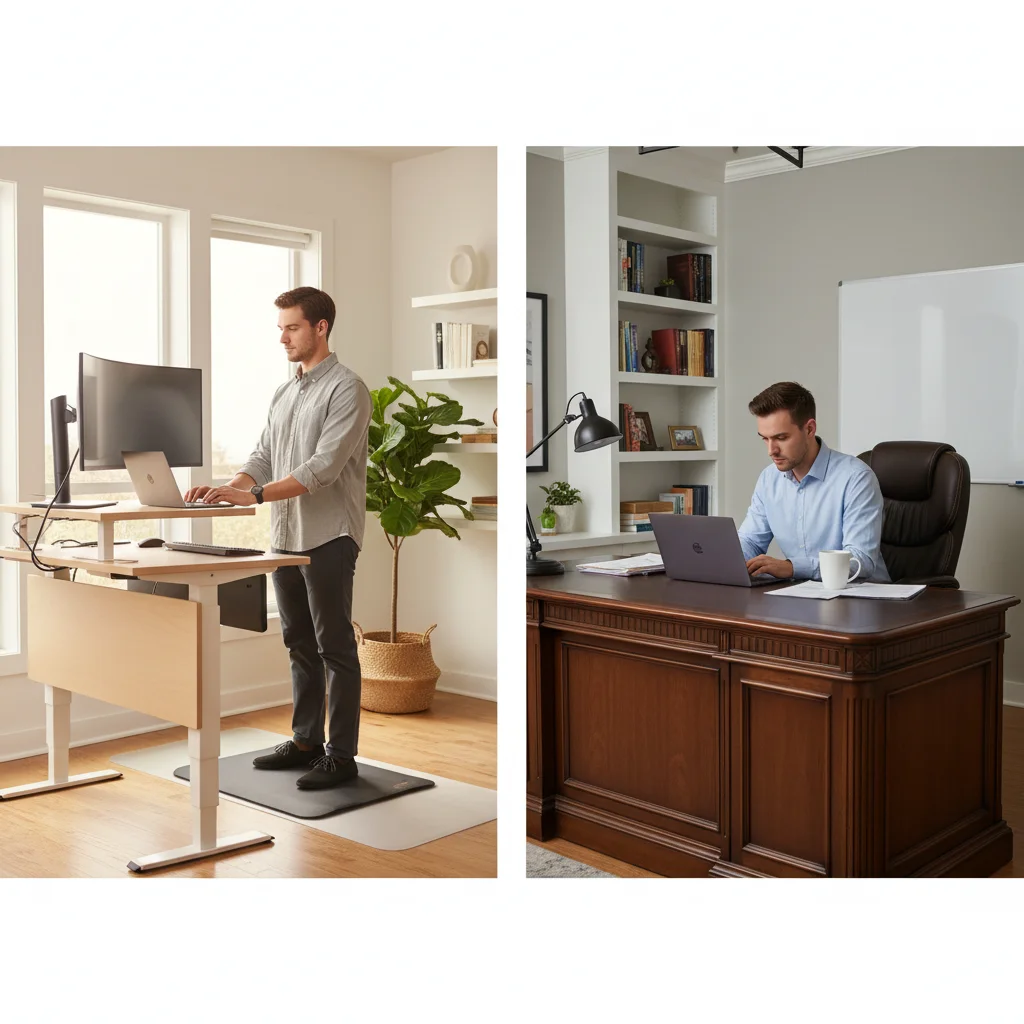
Absolutely. No chair, regardless of price, eliminates the health risks of sitting all day. Alternating between sitting and standing is the most effective strategy — read our standing desk vs. sitting analysis for the science behind it.
Do I really need a headrest?
For focused desk work, a headrest isn't essential. But if you spend a lot of time on video calls leaning back, or if you deal with neck tension, a headrest makes a significant difference. Several of our picks offer headrests as optional add-ons.
The Bottom Line
The HON Ignition 2.0 is our top pick for most remote workers — it delivers commercial-grade durability and thoughtful ergonomics at a price that's hard to beat. But every chair fits differently, so consider your body type, temperature preferences, and which adjustments matter most to you. A $370 chair you sit in correctly will always beat a $1,500 chair you slouch in.
Related Reading
- →Best Ergonomic Chairs Under $500Another take on budget ergonomic chairs
- →How to Build an Ergonomic Home Office on Any BudgetComplete ergonomic setup guide
- →Standing Desk vs. Sitting: What the Science SaysPair your chair with a sit-stand option
- →WFH Posture Fix: The 5 Products That Saved My BackAccessories that help
- →Office ChairsBrowse all our chair reviews
- →Standing DesksSit-stand desks for every budget
More WFH Setup Resources
Your next step
Premium-chair curious? The Aeron vs Leap breakdown.
Hilly Shore Labs
Editorial TeamWFH Lounge is published by Hilly Shore Labs. Every recommendation is built by synthesizing ergonomic research, manufacturer specs, expert reviews from outlets like Wirecutter, RTINGS, and The Verge, and aggregated long-term owner sentiment from thousands of verified buyers.
All product reviews are independently researched. Our recommendations are based on ergonomic guidelines, manufacturer specifications, and verified buyer sentiment. See our methodology.