Best Headphones for Zoom Calls 2026: AirPods Pro 3 + 4 More
The Apple AirPods Pro 3 at $199 — dual beamforming mics and best-in-class in-ear ANC — are the best headphones for Zoom calls; go to the boom-mic Jabra Evolve2 65 if your room is noisy.
Our #1 Pick
Apple AirPods Pro 3
Best for most people on mixed call days, especially on a Mac or iPhone: voice-isolation processing strips keyboard clatter and background speech so you come through clean on Zoom, Meet and Teams, ANC is a genuine step up on the Pro 2, and pairing is instant across Apple devices. Expect about $199. If your room is noisy or your days are back-to-back calls, buy the boom-mic Jabra Evolve2 65 instead.
- Voice isolation mic among cleanest of any earbud
- Seamless multi-device handoff
- H2 chip ANC excellent for an earbud
Price checked Sep 19, 2026 — verify the live price on Amazon.
Also Great
Best boom mic: Jabra Evolve2 65 UC ($290.47) — Dedicated boom mic, Link380a USB dongle, 37-hour battery and a busylight — the pick for heavy call days in a noisy room
Buy on AmazonBest budget: Logitech Zone Vibe 100 ($99.99) — Flip-down boom mic, 18-hour battery, multipoint Bluetooth and Zoom/Teams/Meet certification for $99.99 — the cheapest headset here we would put on a full call day
Buy on Amazon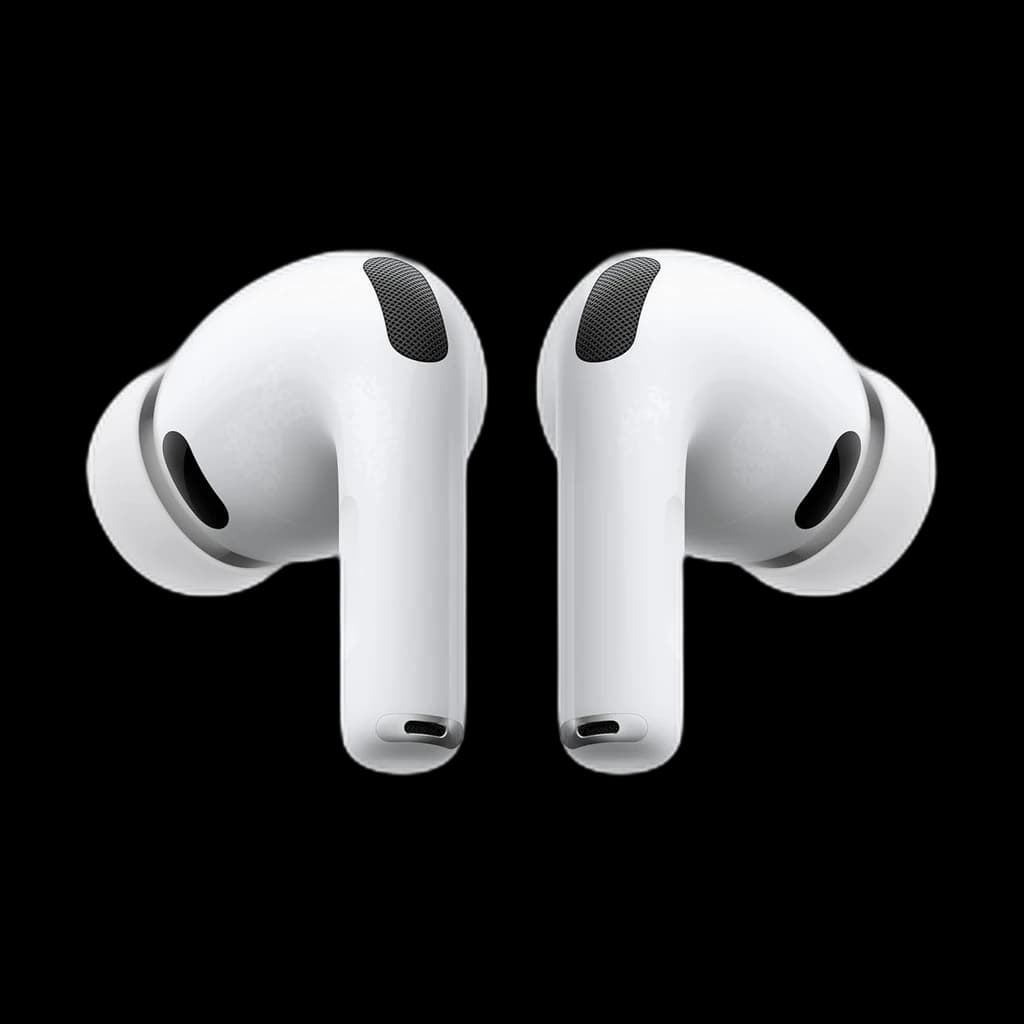 #1 4.5 | 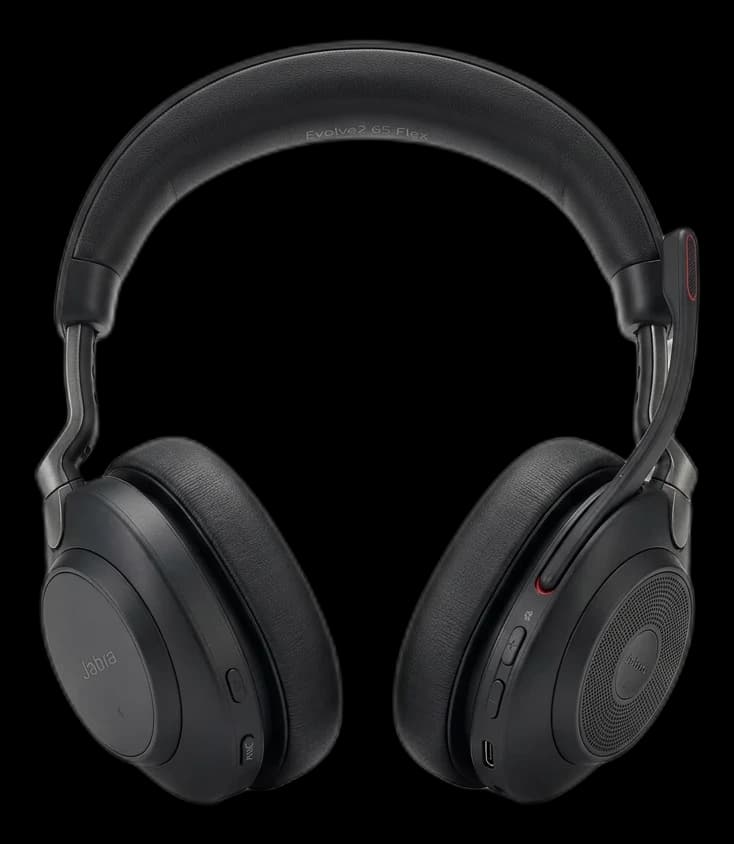 #2 3.3 | 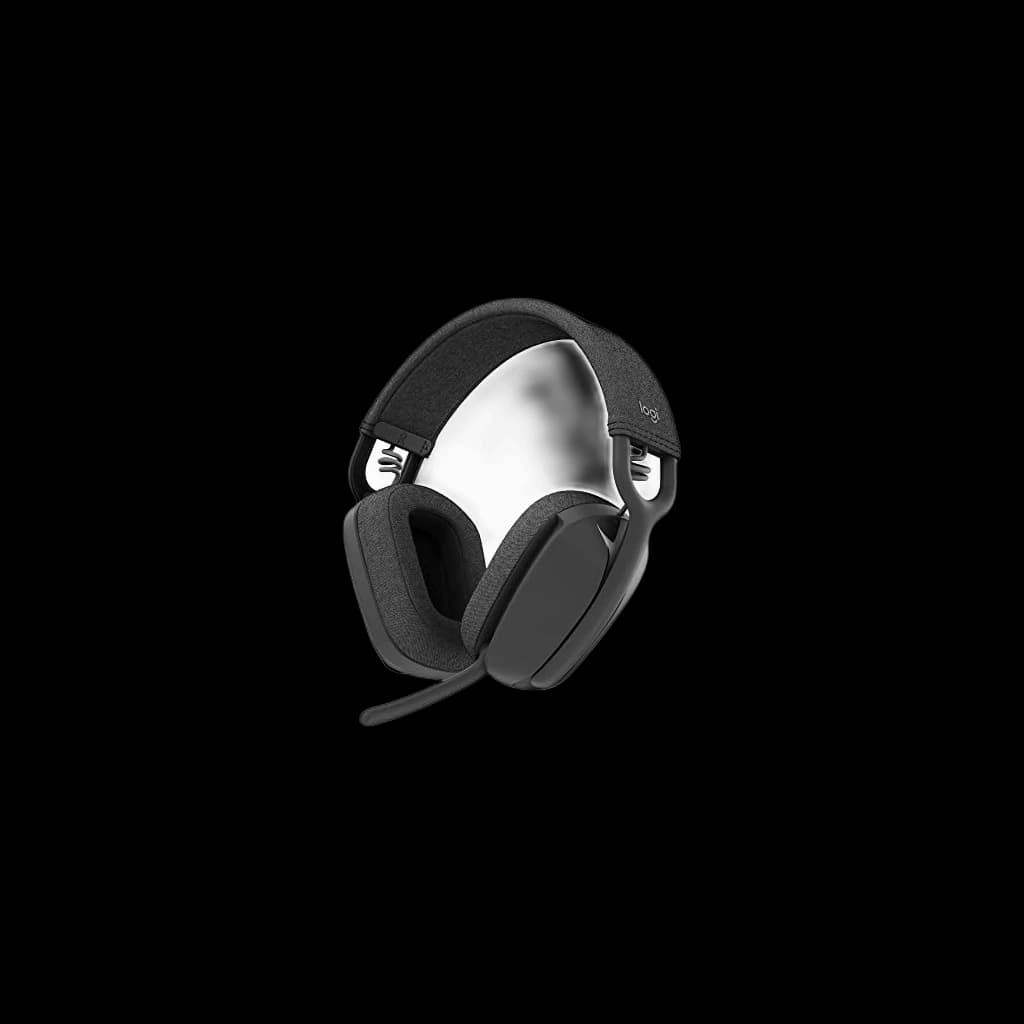 #3 4 | 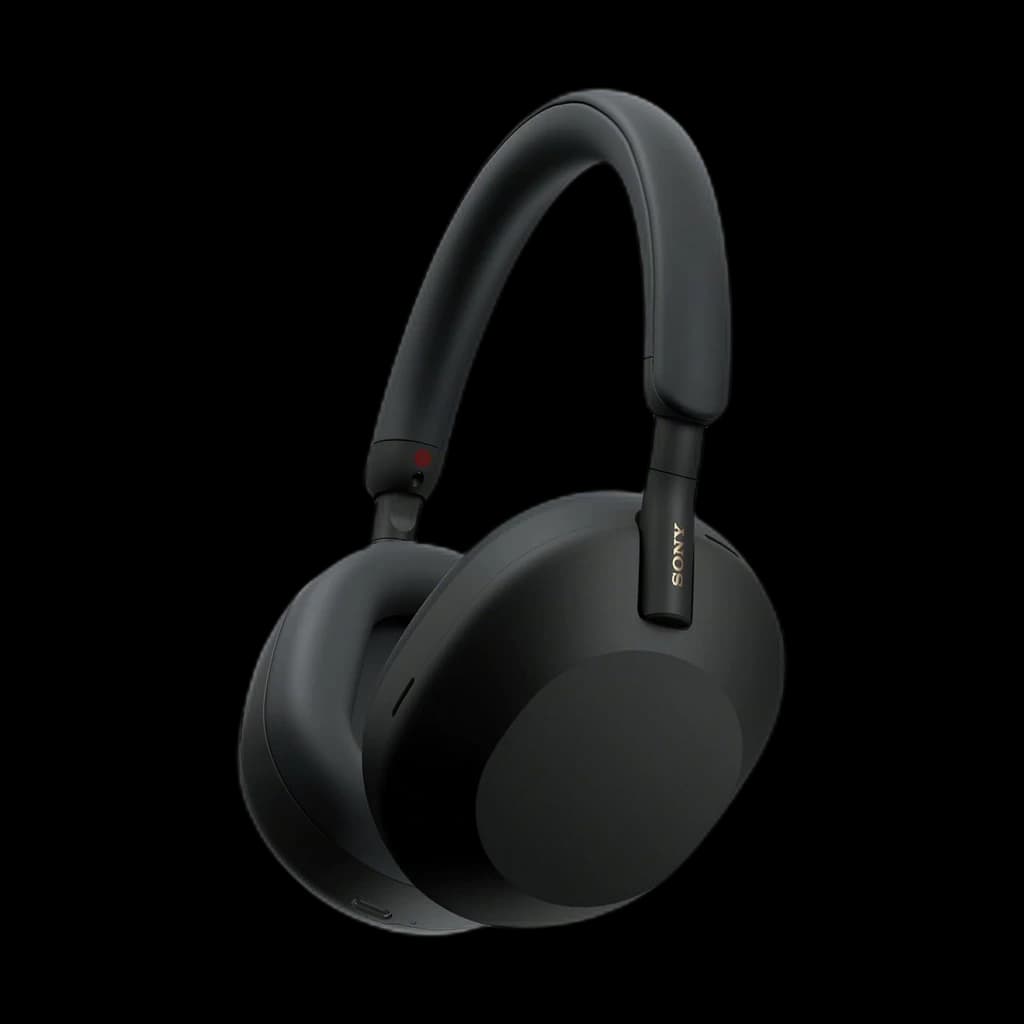 #4 4.2 | 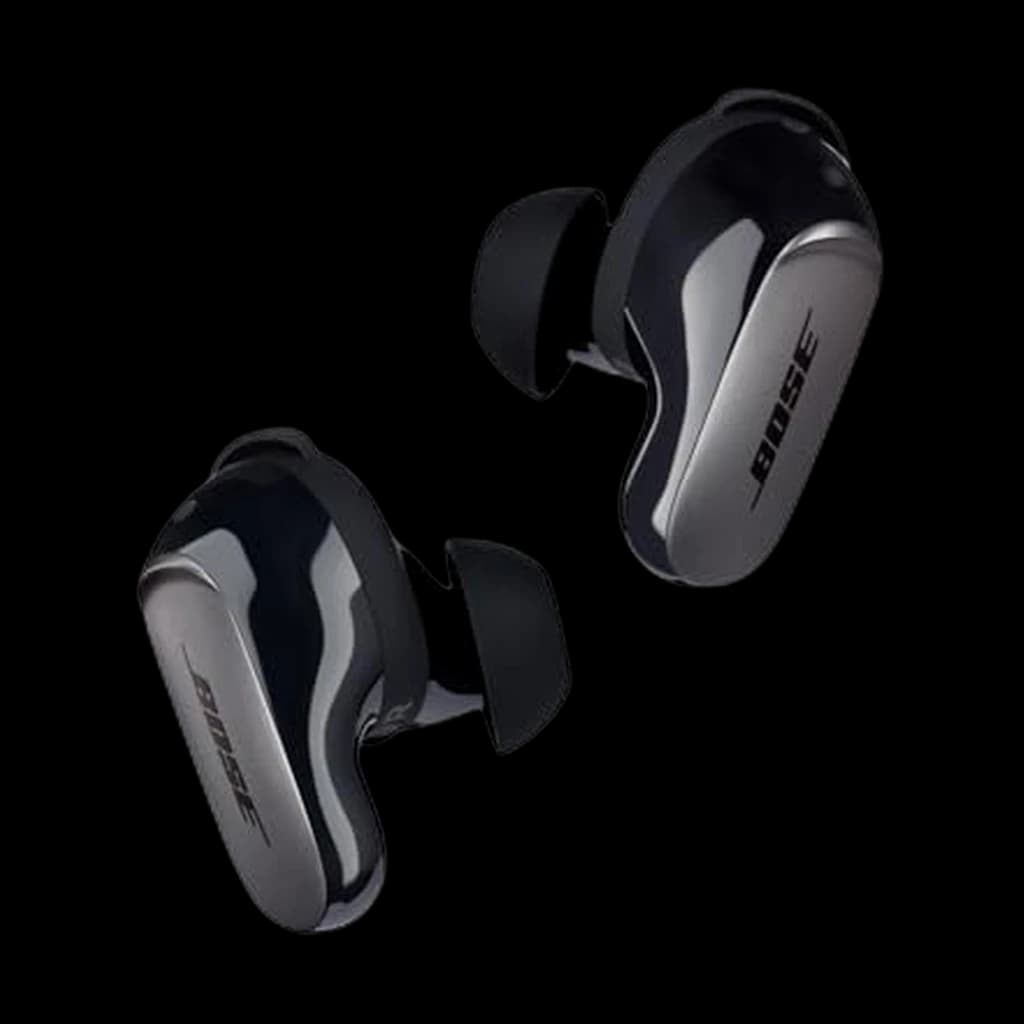 #5 3.4 | |
|---|---|---|---|---|---|
| Price | $199Buy on Amazon | $290.47Buy on Amazon | $99.99Buy on Amazon | $298Buy on Amazon | $299Buy on Amazon |
| Verdict | Best overall for calls | If colleagues complain they can't hear you, this is the fix — 3-mic noise-canceling boom. | Value pick at well under $100. Flip-down boom mic, multipoint Bluetooth, and Zoom/Teams/Meet certification — covers the basics without the Jabra premium. | The all-day over-ear option — class-leading ANC and a clean beamforming mic, but no boom. | Best earbuds alternative — the strongest call-quality earbud here if over-ears aren't for you. |
| Buyer sentiment | Sound Quality Quality Noise Cancellation Buyers praise sound quality, quality and noise cancellation. Mixed feedback on fit and reliability. Based on 4,564 user mentions | Sound Quality Quality Battery Life Buyers praise sound quality, quality and battery life. Mixed feedback on comfort and bluetooth connectivity. Based on 613 user mentions | Comfort Lightweight Noise Cancellation Buyers praise comfort and lightweight. Mixed feedback on sound quality and connectivity. Some flag noise cancellation. Based on 1,112 user mentions | Noise Cancellation Battery Life Value for money Durability Connectivity Buyers praise noise cancellation and battery life. Mixed feedback on sound quality and comfort. Some flag value for money and durability. Based on 7,465 user mentions | Connectivity Value for money Reliability Mixed feedback on noise cancellation and fit. Some flag connectivity and value for money. Based on 3,702 user mentions |
| Type | In-ear ANC earbuds | — | — | — | In-ear ANC earbuds |
| Mic | Voice Isolation array | 3-mic noise-canceling boom | Flip-down boom with noise reduction | 4-mic beamforming array | Noise-rejecting mic array |
| ANC | World's best in-ear (2x Pro 2) | — | — | — | CustomTune adaptive — Quiet / Aware / Immersion modes |
| Battery | Up to 8 hrs (ANC on) | 37 hr | 18 hours | 30 hr (ANC on) | Up to 6 hr (about 4 hr with Immersive Audio) |
| Connectivity | Bluetooth + USB-C case | Bluetooth 5.0 + Link380a USB-A | — | Bluetooth 5.2 multipoint | Bluetooth multipoint |
| Extras | Heart-rate, Live Translation, IP57 | — | — | — | Nine eartip + stability-band combinations |
| Weight | — | 176 g | 185g | 250 g | — |
| Codecs | — | SBC | — | LDAC, AAC, SBC | — |
| Wireless | — | — | Bluetooth 5.2 multipoint | — | — |
| Certifications | — | — | Zoom, Teams, Google Meet | — | — |
| Pros |
|
|
|
|
|
| Cons |
|
|
|
|
|
* Prices checked Sep 19, 2026 and may vary. Check the latest price on Amazon.
We research — never hands-on. How we research →
Key Takeaways
5 headphones ranked for Zoom, Meet, and Teams. AirPods Pro 3 wins overall, Jabra Evolve2 65 wins on mic for noisy rooms and back-to-back call days.
As an Amazon Associate I earn from qualifying purchases. Product prices and availability are subject to change.
If you have ever been on a Zoom call where someone sounds like they are speaking from inside a tin can while a dog barks in the background, you understand why a good headset matters. Your laptop's built-in microphone picks up everything — the HVAC system, your mechanical keyboard, the neighbor's lawnmower. Better call gear fixes all of that. For most people in 2026 that is a modern earbud with voice-isolation processing; for a noisy room or a wall-to-wall call calendar it is still a boom-mic headset.
We synthesized this guide from the headset reviews that actually focus on call quality — Jabra and Poly's own engineering whitepapers, RTINGS' microphone test data, Wirecutter's long-term picks, and the recurring Reddit threads on r/WFH and r/sysadmin where IT teams compare what they roll out at scale.
Every pick had to clear three bars:
- A boom or beamforming mic that records cleanly under noise
- Comfort verified across 100+ long-term owner reviews
- Microsoft Teams or Zoom certification, or both
What the Research Says About Call Audio Quality
Start here — one model per tier, all ranked in full below:
| Tier | Model | Price | Why |
|---|---|---|---|
| Budget | Logitech Zone Vibe 100 | $99.99 | Flip-to-mute beamforming boom, 18-hour talk time and Teams certification under $100 |
| Best overall | Apple AirPods Pro 3 | $199 | Dual beamforming mics and voice isolation keep you clear in a normal home office; instant pairing across Mac, iPhone and iPad |
| Best mic for noisy rooms | Jabra Evolve2 65 UC | $290.47 | Three-mic boom arm inches from your mouth; Jabra states it meets Microsoft Teams Open Office requirements |
Mic and ANC specs, manufacturer-stated only. Every figure below comes from the maker's own spec page; where a manufacturer publishes no number, we say so.
| Model | Mic type | ANC | Battery on calls | Multipoint | Weight |
|---|---|---|---|---|---|
| Apple AirPods Pro 3 | Dual beamforming mics per bud, plus an inward-facing mic | Yes | Not stated (Apple publishes listening time only: up to 8 hrs with ANC on) | Not stated | 5.55 g per bud |
| Jabra Evolve2 65 UC | 3 digital MEMS mics on a boom arm | No | Up to 35 hrs with the busylight off, up to 24 hrs with it on | Yes — 2 simultaneous Bluetooth connections | 176.4 g |
| Logitech Zone Vibe 100 | 2 omnidirectional MEMS mics with directional beamforming and DSP, on a flip-to-mute boom | Not stated | Up to 18 hrs | Yes | 185 g |
| Sony WH-1000XM5 | 4 beamforming mics for voice, 8 mics in total | Yes | Up to 24 hrs with noise cancelling on | Yes — two devices at once | Approx. 8.82 oz (250 g) |
| Bose QuietComfort Ultra Earbuds | Adaptive microphone system; Bose does not publish a mic count | Yes | Not stated (Bose publishes play time only: up to 6 hrs) | Yes | Not stated |
Two things stand out. Jabra's headline 37 hours is music time; for calls it publishes 35 hours with the busylight off, 24 with it on — still far ahead of the field. And neither Apple nor Bose publishes a talk-time figure at all — a fair signal that all-day call duty is not what earbuds are specified for.
Microphone position matters more than microphone prestige for call clarity. The closer the capsule sits to your mouth, the more of your voice and the less of your room it picks up, which is why a headset mic of any kind beats a laptop mic sitting two feet away.
Rule of thumb: pay for placement, not for capsule prestige. A modest microphone a couple of inches from your mouth will out-perform an expensive one across the desk on the calls your colleagues actually hear.
The standards that actually matter for WFH:
- Cardioid polar pattern. Rejects sound from behind the mic — important if you have a dog, a partner on calls, or an HVAC unit in the room.
- Microsoft Teams Open Office certification. Verifies a headset passes Microsoft's noise-rejection tests. Zoom and Google Meet do not have equivalent programs, so Teams certification is the most rigorous bar in the category.
- DSP-based noise suppression. Built into Jabra Evolve2 and Poly Voyager — handles keyboard click, mouse click, and breath noise that no microphone polar pattern can filter on its own.
What the research does not support:
- That "studio quality" condenser microphones make you sound better on Zoom. Call platforms transmit voice as a heavily compressed stream, which flattens most of the difference between an expensive studio capsule and a well-placed headset mic.
What Makes a Great Zoom Headset
What actually decides how you come across:
- Microphone position — a boom that sits close to your mouth almost always beats an array mic built into earbuds
- Background-noise rejection on the microphone side
- A stable connection, which usually means the USB dongle rather than Bluetooth
- Comfort that survives four or five straight hours of meetings
What buyers over-weight:
- Listening sound quality — most headphone reviews spend 90% of their attention here and barely mention the mic
- ANCANCActive Noise Cancellation: microphones sample ambient sound and the headphones generate an inverted waveform to cancel it. Best on steady low-frequency noise (planes, HVAC). Less effective on speech, which is why open-plan office chatter still gets through. depth, which changes what you hear and nothing about what your coworkers hear
- Capsule prestige, which Zoom's audio pipeline flattens anyway
The trap: ANC and mic noise rejection are two different technologies solving two different problems. Strong ANC does nothing for the people listening to you.
Weight distribution and breathable materials matter more than they sound like they should. A headset that clamps too tightly or has shallow ear cups becomes a real problem by the fourth call of the day. And Bluetooth dropouts during a client presentation are not acceptable — the best Zoom headsets use a USB dongle for a stable wireless connection, with Bluetooth as a backup.
Our Top Picks
1. Best Overall: Apple AirPods Pro 3
Buy on Amazon · $199For most remote workers, the Apple AirPods Pro 3 are now the best all-around pick for calls. Apple's voice-isolation processing — backed by the H2-class silicon and a refined mic array — does a remarkable job of stripping out keyboard clatter and background voices so you come through clean on Zoom, Meet, and Teams.
- Price: $199
- Calls: voice isolation tuned to strip keyboard clatter and background speech
- ANC: what Apple calls the world's best in-ear active noise cancellation, roughly twice the noise reduction of the AirPods Pro 2
- Battery: up to 8 hours with ANC on, topped up from the USB-C case
- WFH extras: IP57 sweat and water resistance, Live Translation, heart-rate sensing for workout breaks
For anyone in the Apple ecosystem, instant pairing across Mac, iPhone, and iPad makes them the frictionless default — the easiest pick to recommend for 2026.
Where they give ground is exactly why the Jabra below still has a place: no boom mic, no busylight, and an in-ear fit that not everyone wants on a five-call day. They are also at their best inside the Apple ecosystem.
2. Best for Noisy Rooms and Back-to-Back Call Days: Jabra Evolve2 65
The Jabra Evolve2 65 is the pick when the room works against you. It is purpose-built for professional calls, and it shows. The boom microphone is exceptional — the reviews we synthesized consistently report that callers cannot tell when a loud TV is playing in the next room. One thing to be clear about: the Evolve2 65 does not have active noise cancellation. Jabra's claim is passive isolation — an angled earcup and memory-foam cushions the company says block 48% more surrounding noise than the previous generation. That governs what you hear; the boom mic governs what your colleagues hear, and the boom mic is why this headset is on the list. The cushions stay comfortable through a full day of meetings.
- Price: $290.47
- Battery: 37 hours on a charge, with a 15-minute top-up good for about 8 more
- Connectivity: Link380a USB-A dongle with virtually zero latency, plus simultaneous Bluetooth to your phone
- The party trick: a busylight on the earpiece that tells housemates you are on a call
If your room is noisy or your calendar is wall-to-wall calls, this is the more focused tool, and the reason we keep it in the lineup above cheaper over-ears.
3. Best Budget Pick: Logitech Zone Vibe 100
For under $100, the Logitech Zone Vibe 100 delivers surprisingly good call quality. The flip-down boom mic with noise reduction does a solid job on background noise, though not at the Jabra's level, and there is no active noise cancellation to speak of.
- Weight: 185 grams
- Battery: 18 hours
- Connectivity: Bluetooth 5.2 multipoint — laptop and phone paired at once
- Certified: Microsoft Teams (Google Meet call controls over Bluetooth; Logitech does not list Zoom certification)
If you take fewer than 10 hours of calls per week and want something that works well without spending a fortune, this is the one.
4. Best Over-Ear for All-Day Comfort: Sony WH-1000XM5
Buy on Amazon · $298The Sony WH-1000XM5 are not built specifically for calls, but Sony improved the microphone significantly over the XM4 generation. Across the reviews we analyzed, voice clarity was good in quiet environments and acceptable in moderately noisy ones.
Where these headphones truly shine is ANC and comfort — the cushioning is excellent and they weigh only 250 grams.
The caveat is the missing boom mic: without one, they struggle more with background noise rejection than our top pick. If your home office is quiet and you want one headphone that works for both music and calls, these are a strong choice. If you work in a noisy environment, stick with a boom mic headset.
For a deeper dive on noise-canceling options, check out our full guide to noise-canceling headphones for WFH.
5. Best Non-Apple Earbuds: Bose QuietComfort Ultra Earbuds
Buy on Amazon · $299If you want the earbud form factor without an Apple device to pair it to, the Bose QC Ultra Earbuds are the strongest alternative to our top pick. Bose's noise-rejecting mic array does an impressive job of filtering the room out of your voice, and CustomTune adapts the noise cancellation to your ear.
The honest caveats: up to six hours of listening is the shortest runtime here, and owner reviews flag connectivity and reliability more often than the rest of these picks. In a genuinely noisy room no earbud matches a boom mic for raw call quality — that is the Jabra's job on this list.
Quick Comparison
| Headset | Mic Quality | Comfort | ANC | Battery | Price |
|---|---|---|---|---|---|
| Apple AirPods Pro 3 | Very Good | Good | Best-in-class in-ear | 8 hrs | $199 |
| Jabra Evolve2 65 | Excellent | Excellent | Passive only | 37 hrs | $290.47 |
| Logitech Zone Vibe 100 | Good | Good | None | 18 hrs | $99.99 |
| Sony WH-1000XM5 | Good | Excellent | Best-in-class | 30 hrs | $198 |
| Bose QC Ultra Earbuds | Very Good | Good | Strong | 6 hrs | $299 |
Tips for Better Zoom Audio (Regardless of Headset)
Even the best headset cannot fix everything. Here are a few quick tips:
- Use the headset's USB dongle instead of Bluetooth when on your computer. The connection is more stable and latency is lower.
- Position your boom mic correctly. It should sit about two finger-widths from the corner of your mouth, not directly in front.
- Update your Zoom audio settings. Go to Settings > Audio and make sure your headset is selected as both the speaker and the microphone. "High fidelity music mode" is there if you want richer audio; for most calls the default is fine.
- Pair your audio with good video. A great headset plus a bad webcam still looks unprofessional. We ranked the best webcams for video calls if you need an upgrade there too, and our webcam finder narrows it to one pick in about a minute.
What to Skip for Zoom and Teams Calls
- Any earbud as your only option on marathon meeting days. Earbuds are our overall pick for call quality, but 6 to 8 hours of runtime is the ceiling; a wall-to-wall calendar wants the 37-hour boom-mic headset in the drawer as backup.
- Gaming headsets with LED-lit boom mics. Tuned for shouted callouts over Discord, not conversational tone in a recorded meeting.
- USB condenser microphones if you wear earbuds. Zoom's echo cancellation assumes mic and speakers are paired in one headset. Splitting them often introduces a feedback loop that nobody on the call enjoys.
- Bone-conduction headsets for work. Built to prioritize ambient awareness over voice clarity — wrong tradeoff for sit-down meeting work.
- Wireless headsets without a charging cradle. You will run out of battery mid-call at least once a week. The cradle is worth the upcharge.
Our Recommendation
For most remote workers who spend meaningful time on Zoom, Google Meet, or Teams, the Apple AirPods Pro 3 are the best overall pick — they make you sound clean, cancel distractions, and pair instantly across your devices.
Pick a different one if:
- You take heavy back-to-back call days and want a boom mic and a busylight — Jabra Evolve2 65
- Budget is tight — Logitech Zone Vibe 100 gets you most of the way for a fraction of the price
- You want one pair for music and calls in a quiet room — Sony WH-1000XM5
Either way, upgrading from your laptop mic or basic earbuds is one of the highest-impact WFH upgrades you can make. Check out our broader guide to WFH headphones for even more options.
What r/Zoom, r/headphones and r/WorkFromHome actually recommend
Reviewers and people who sit on six calls a day do not always agree. Paraphrasing the recurring threads:
-
The boom mic wins the noisy-room argument, repeatedly. In an r/sysadmin thread on noise-cancelling headphones for shared office calls, an open-office user reports the Jabra Evolve2 65 keeps background noise off calls well — and makes our own point, that it is not a noise-cancelling headset. In r/workfromhome's headset recommendation thread, Yealink BH74 and Poly Voyager Focus 2 owners say colleagues cannot hear their dogs barking.
-
Where Reddit disagrees with our top pick. The r/headphones thread on AirPods Pro 3 microphone quality is no coronation: at least one regular Teams user says the wired USB-C EarPods are the clearer mic and uses those for work instead. If being heard perfectly matters more than convenience, the community's answer is a boom-mic headset — Jabra, Poly, Yealink or EPOS — not earbuds.
-
Reddit is not uniformly pro-Jabra either. In r/Headsets' Poly versus Jabra for all-day calls thread, one poster returned an Evolve2 65 Flex because colleagues kept struggling to understand them, and moved to a Poly Voyager Focus 2. In both r/Headsets and r/Jabra, the pick that keeps coming back at the same money is the newer Evolve2 55, on better-mic grounds. We keep the 65 for its battery and busylight, but that is an open argument.
-
r/Zoom's contrarian position: go wired. An r/Zoom thread on getting good audio out of Bluetooth headsets argues the pragmatic fix is a wired headset or wired desk mic, sidestepping Bluetooth codec and pairing problems entirely. Fair point — and the reason we push the USB dongle over laptop Bluetooth throughout this guide.
-
Plenty of people are happy on far less. The top answer in r/WFH's favourite headset or buds for Teams and Zoom thread is a sub-$100 pair of Soundcore earbuds, picked mainly for holding phone and laptop connected at once. In r/sysadmin's wireless headphone thread, a five-hours-a-day meeting user is delighted with the Sony WH-1000XM5 — exactly the quiet-room, music-plus-calls case we rank it for.
Sources & Research
- Journal of the Acoustical Society of America — journal hub, not a specific paper
- Microsoft — Personal peripherals certified for Microsoft Teams
- Jabra — business headset range (hub page)
- Zoom — Audio codec and bandwidth documentation
- HP Poly — Video and voice solutions (Acoustic Fence DSP)
Manufacturer spec pages behind the mic and ANC table (checked 2026-09-09):
- Apple — AirPods Pro 3 technical specifications
- Jabra — Evolve2 65 technical specifications
- Logitech — Zone Vibe 100 specifications
- Sony — WH-1000XM5 specifications
- Bose — QuietComfort Ultra Earbuds specifications
Related Reading
- Best Noise-Canceling Headphones for WFH
- Best WFH Headphones for Every Budget
- Best Webcams for Video Calls in 2026
FAQ
Which headphones are best for Zoom calls in noisy environments?
A boom-mic headset, and among our picks that is the Jabra Evolve2 65 UC at $290.47. Jabra states three digital MEMS microphones on the boom arm and says the headset meets Microsoft Teams Open Office requirements, the strictest published noise-rejection bar in this category. Active noise cancellation is beside the point here: it changes what you hear, not what your colleagues hear, and Jabra states the Evolve2 65 has no ANC at all. Beamforming earbuds close much of the gap in a normal home office, but not in a genuinely loud room.
Are wireless headphones good enough for Zoom and Teams calls?
Yes, with one condition — use the manufacturer's USB dongle rather than your laptop's own Bluetooth radio whenever you are at your desk. That is what the Jabra's included Link380a adapter is for, and it removes the pairing and codec flakiness that makes people distrust Bluetooth for meetings. If you want zero variables, r/Zoom's recurring advice is a wired headset — a legitimate choice, not a compromise.
What are the best budget headphones for Zoom meetings?
The Logitech Zone Vibe 100 at $99.99. Logitech states two omnidirectional MEMS mics with directional beamforming and DSP on a flip-to-mute boom, up to 18 hours of talk time, multipoint Bluetooth so laptop and phone stay connected at once, and 185 grams. It is Teams certified — the part cheap unbranded headsets almost always get wrong.
Do I need a boom mic for Zoom, or is a headphone mic fine?
A headphone mic is fine in a quiet room and a boom mic is better in a loud one, because mouth-to-mic distance is the single biggest predictor of how clear you sound. Earbuds with beamforming arrays — Apple states dual beamforming mics per bud on the AirPods Pro 3 — handle a typical spare-bedroom office well. If people regularly ask you to repeat yourself, that is the signal to move to a boom.
Do noise-cancelling headphones cancel noise for the other person on the call?
No. Active noise cancellation works on the sound reaching your ears and does nothing for the people listening to you. What helps them is microphone-side noise rejection: mic placement, a directional or beamforming array, and DSP noise suppression. That is why our noisiest-room pick has no ANC at all and still sounds best on a call.
Which headphones work best with Teams (certified)?
Only two of these five carry certification. Logitech states the Zone Vibe 100 is certified for Microsoft Teams, and Jabra states the Evolve2 65 meets Microsoft Teams Open Office requirements and ships in two variants — the UC version we link, which Jabra lists as Zoom-certified, and a separate Teams-certified version. The AirPods Pro 3, WH-1000XM5 and QuietComfort Ultra Earbuds work fine in Teams but are not certified devices, so pick from the first two if your IT department requires it.
Your next step
Complete the call setup — camera next.
Hilly Shore Labs
Editorial TeamWFH Lounge is published by Hilly Shore Labs. Every recommendation is built by synthesizing ergonomic research, manufacturer specs, expert reviews from outlets like Wirecutter, RTINGS, and The Verge, and aggregated long-term owner sentiment from thousands of verified buyers.
All product reviews are independently researched. Our recommendations are based on ergonomic guidelines, manufacturer specifications, and verified buyer sentiment. See our methodology.