WFH Lounge · Best Picks

Best Laptop Cooling Pads for Working From Home

Laptop cooling pads and vacuum coolers that reduce thermal throttling on MacBooks, gaming laptops, and any chassis that gets hot under sustained load.

The 30-Second Answer

Most laptop cooling pads only drop CPU temps 2-5 degrees - vacuum coolers that clip onto the exhaust vent drop temps 8-12 degrees because they pull hot air out instead of blowing room-temperature air at a sealed underside.

Top pick

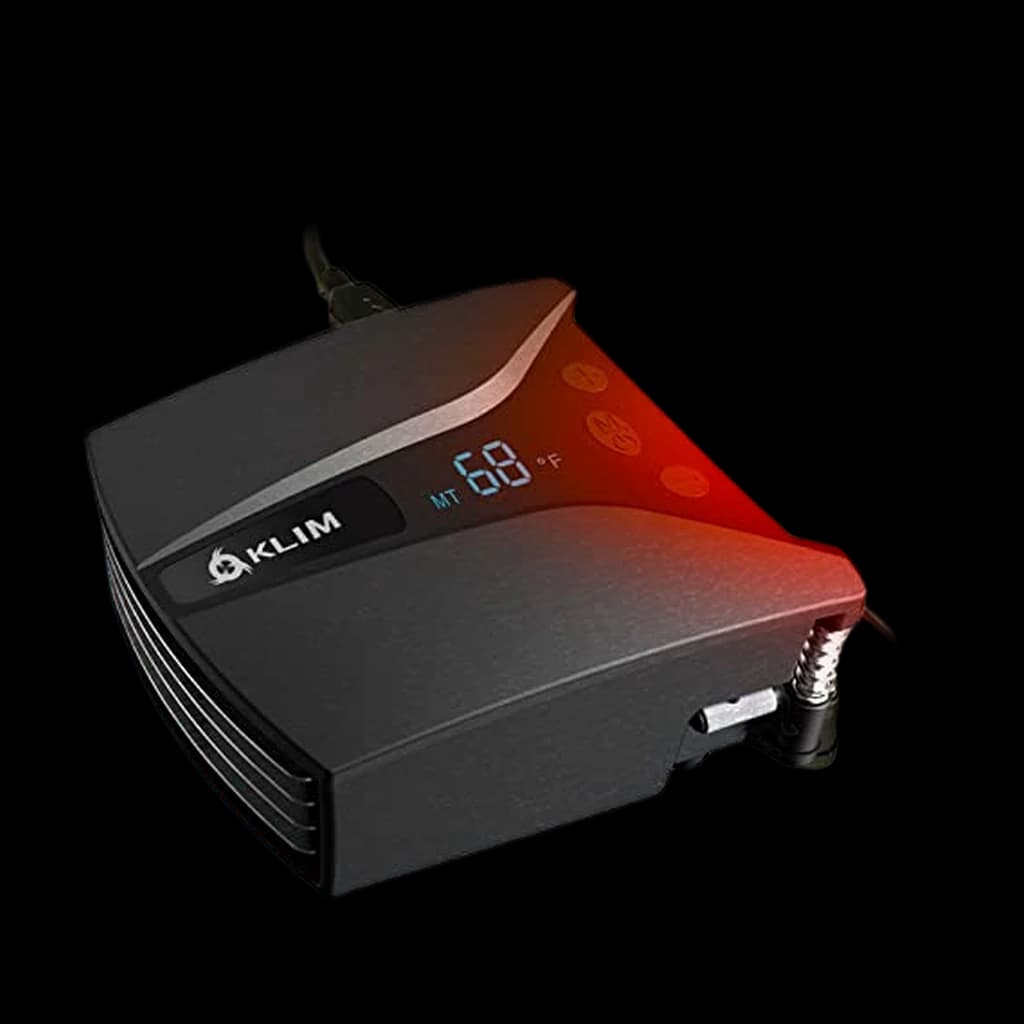
KLIM Tempest Laptop Vacuum Cooler

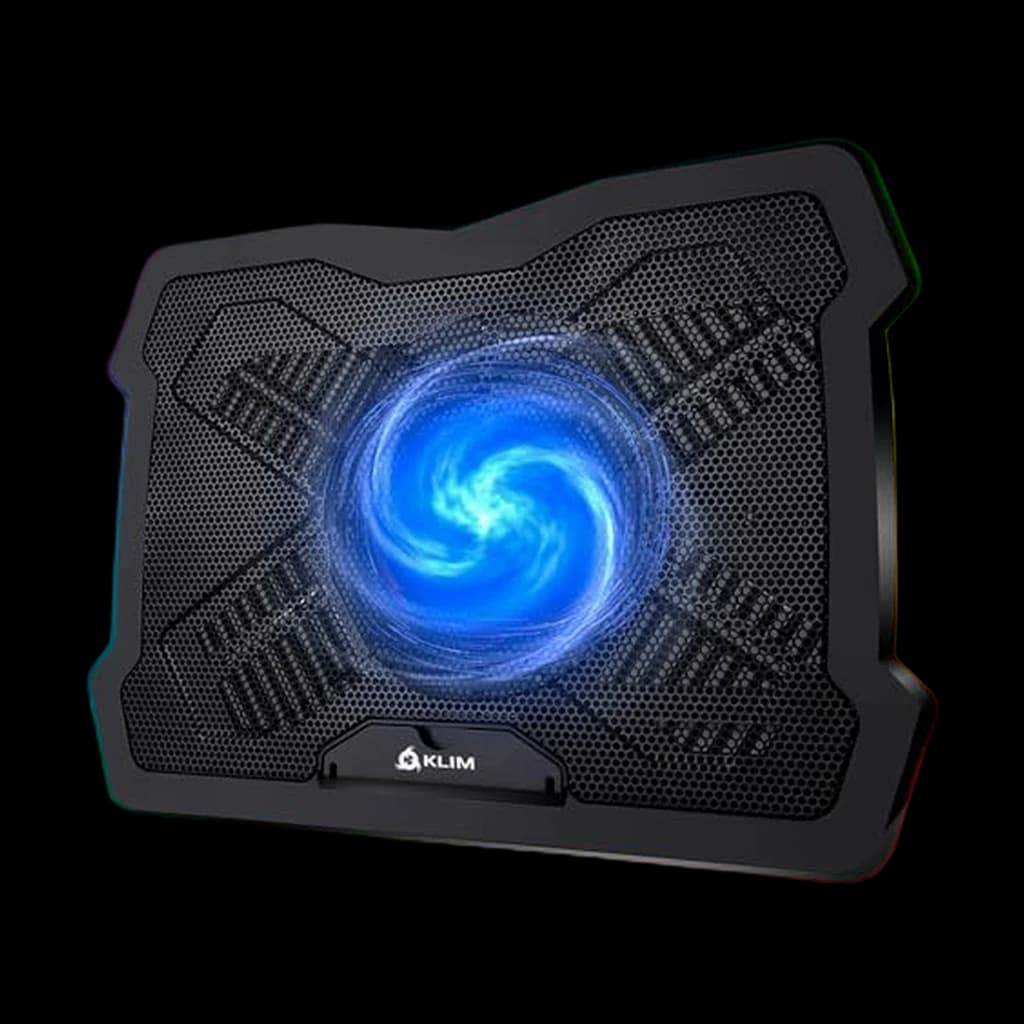
Clips onto the laptop's side or rear exhaust vent and pulls hot air out at 4000 RPM with a temperature display - independent thermal tests show 8 to 12 degrees of CPU drop on gaming laptops, far beyond what any fan pad delivers.

Buy on Amazon

Skip this

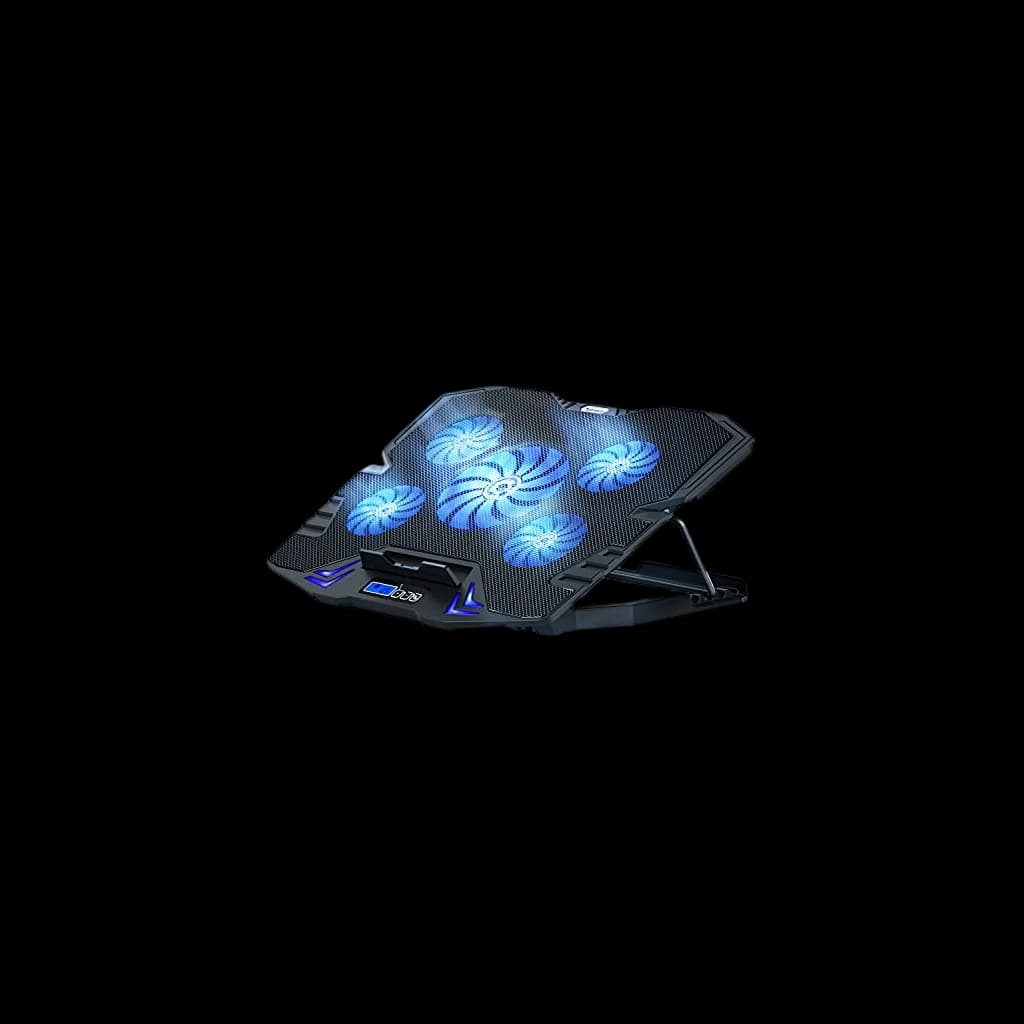
RGB cooling pads with 5+ small 70mm fans under $25

Sleeve-bearing 70mm fans develop a high-pitched whine within 60 days of daily use, the multi-fan layout creates noise without meaningful airflow gain over a single 200mm fan, and the RGB lighting contributes nothing thermal. Independent testing shows these pads typically drop temps 2-3 degrees Celsius, less than just lifting the laptop on a stand to allow ambient airflow underneath.

What Remote Workers Actually Say

Notebookcheck's controlled thermal test on the HAVIT HV-F2056 measured a 12 degree Celsius drop on the CPU and 6 degree Celsius drop on the GPU under sustained load on an MSI GP65 10SFK with a Core i7-10750H and RTX 2070 Max-P, but only with the laptop's bottom intake fully exposed to the pad's fan column. Sealed-bottom laptops in the same test saw 2 to 4 degree drops.

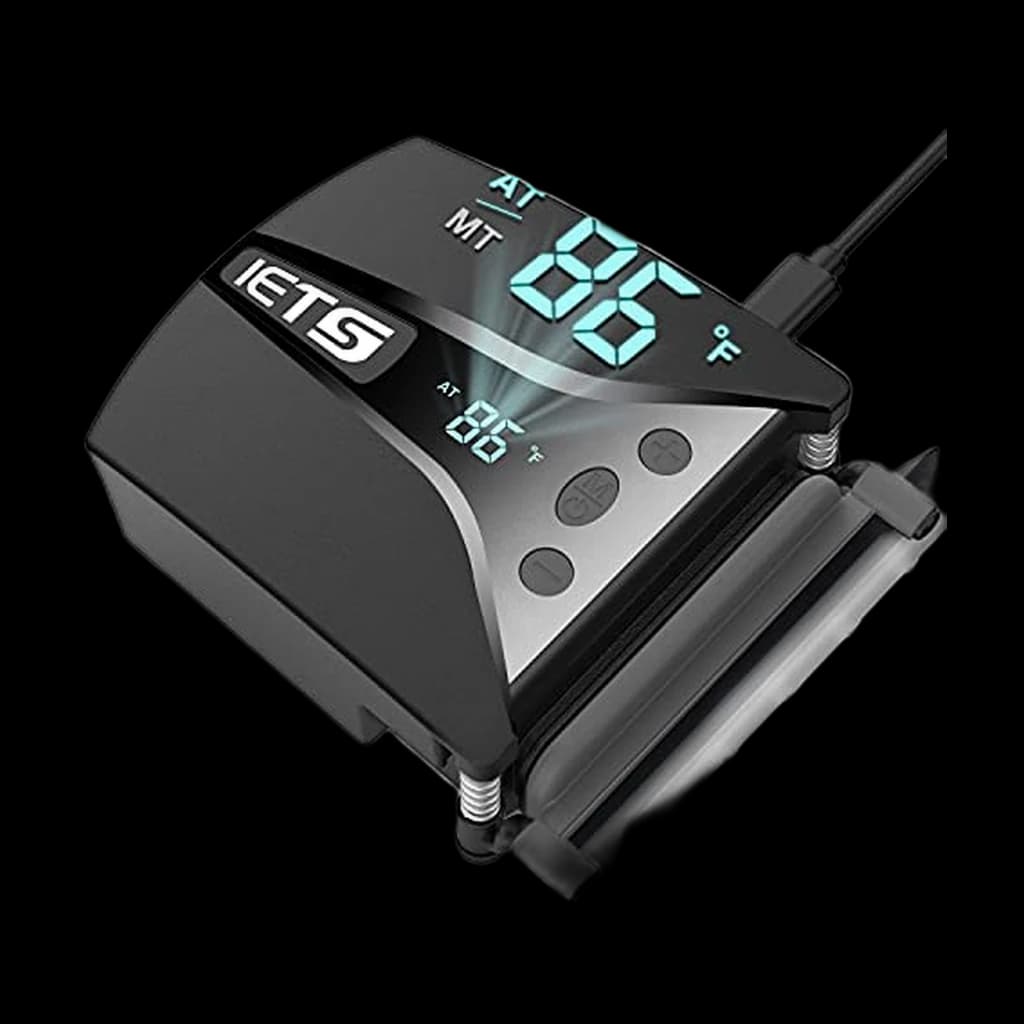
r/gaminglaptops and r/HomeOffice consistently land on two answers: KLIM Tempest or IETS GT202UB for vacuum cooling on gaming laptops with side or rear exhaust vents, and the HAVIT HV-F2056 as the safe budget fan pad pick for laptops with bottom-vent intakes. r/macbookpro is more skeptical of the entire category - the consensus there is that an open-frame stand plus ambient airflow beats any active cooler for closed-chassis MacBooks, since Apple's slit exhaust is incompatible with clip-on vacuum coolers.

Community favorites

  • KLIM Tempest Laptop Vacuum CoolerThe vacuum cooler that pulls hot air directly out of the exhaust vent at 4000 RPM with a digital temperature readout - the only category that consistently delivers double-digit CPU temperature drops on gaming laptops
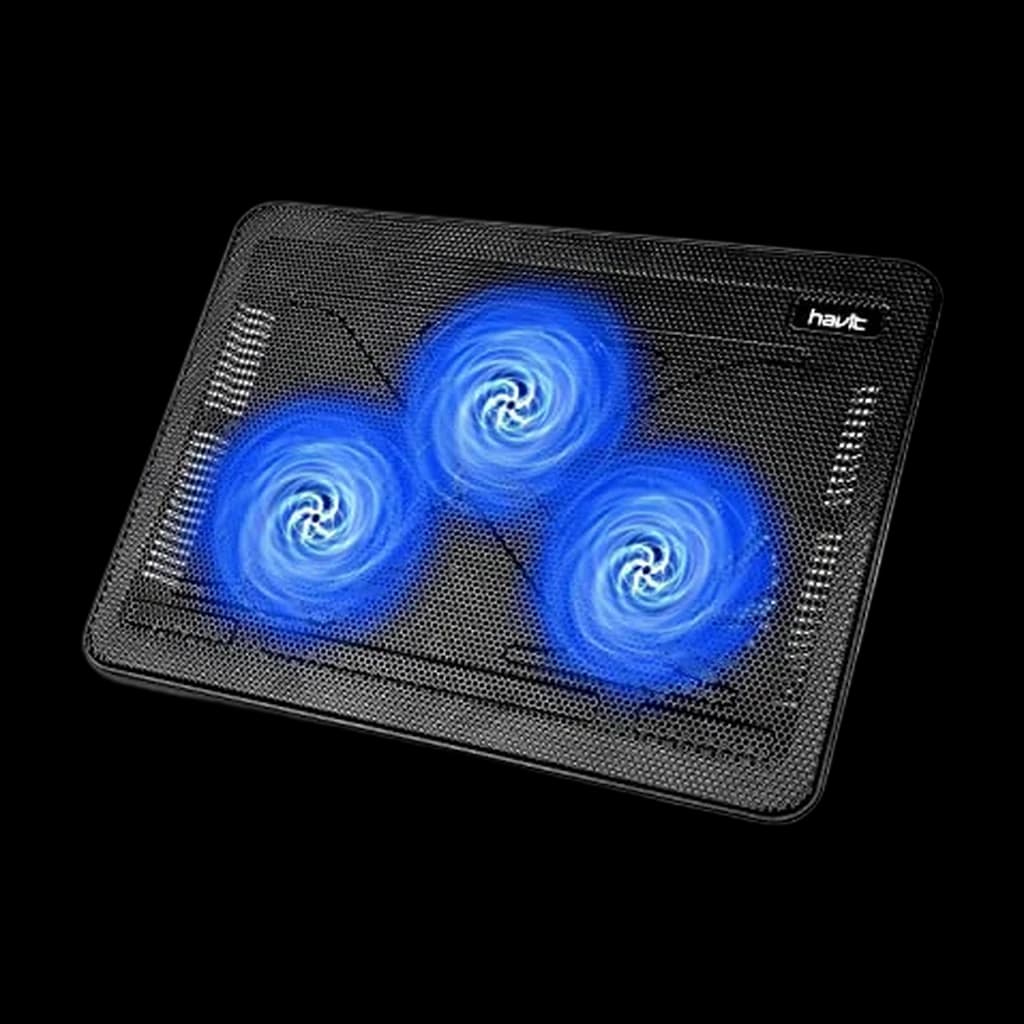
  • HAVIT HV-F2056Notebookcheck's own test on this exact unit measured a 12 degree CPU drop and 6 degree GPU drop on an RTX 2070 Max-P MSI gaming laptop - the buy-it-and-stop-thinking pick for fan pads under $30
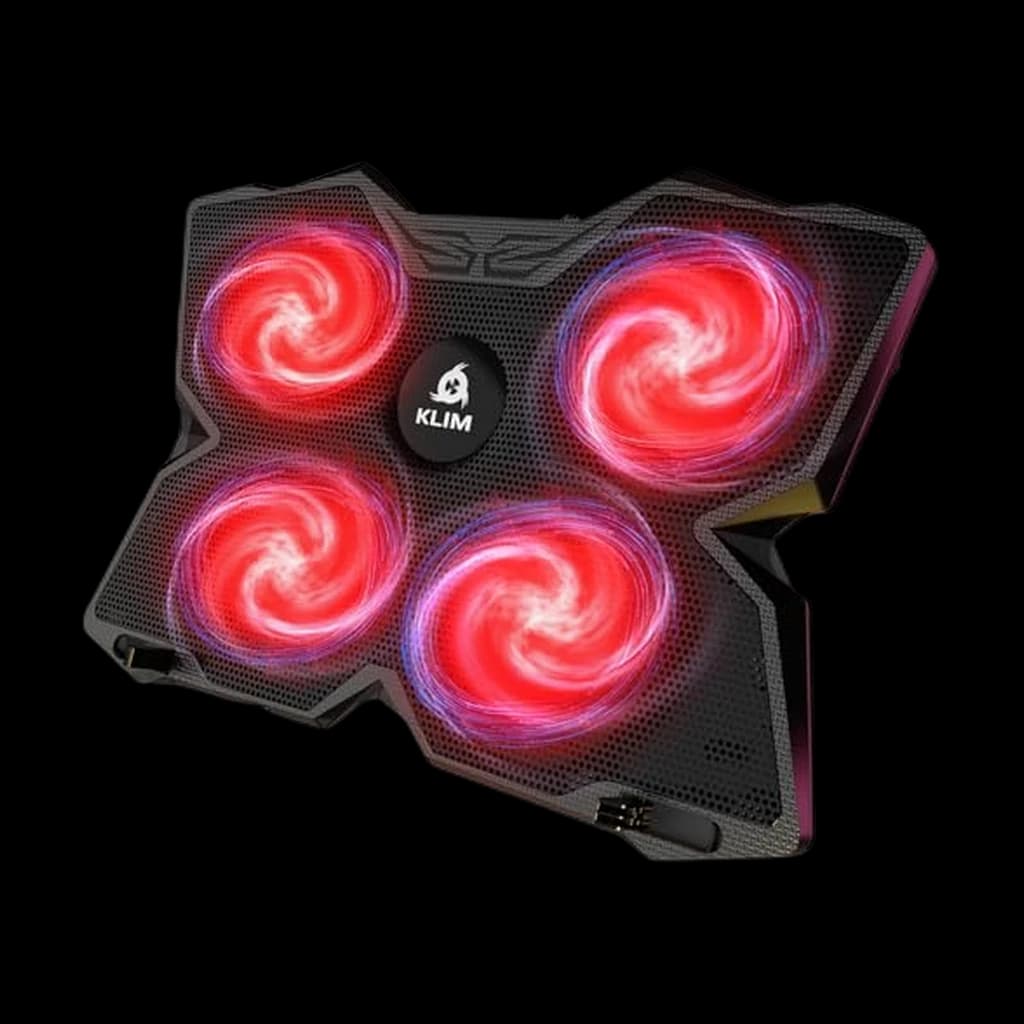
  • KLIM WindOver 500,000 units sold and a 5-year track record of holding up to daily use - the four 1200 RPM fans plus 2 USB passthrough ports is the long-running r/gaminglaptops budget recommendation

Commonly warned against

  • RGB cooling pads with 5-6 small fans under $25Tiny sleeve-bearing fans whine within 60 days and a row of 70mm fans pushes less air than a single 200mm at lower noise
  • Vacuum coolers on MacBook Pro M-seriesApple's slit exhaust behind the hinge is not compatible with any clip-on vacuum cooler - use an open-frame laptop stand instead
  • Cooling pads with no bottom intakeIf your laptop's air intake is on the bottom and the pad's fans blow against a closed surface, you are recirculating warm air rather than cooling anything
Spec
KLIM Tempest Laptop Vacuum Cooler#1
#1👑 Premium Pick
KLIM Tempest Laptop Vacuum Cooler
4.4
HAVIT HV-F2056 Laptop Cooling Pad#2
#2💰 Best Budget
HAVIT HV-F2056 Laptop Cooling Pad
4.4
IETS GT202UB Laptop Vacuum Cooler#5
#5👑 Premium Pick
IETS GT202UB Laptop Vacuum Cooler
4.3
Buy
Quality
70
Ergonomics
70
Features
70
Value
63
Owner Satisfaction
69
Quality
70
Ergonomics
70
Features
70
Value
86
Owner Satisfaction
77
Quality
72
Ergonomics
78
Features
72
Value
72
Owner Satisfaction
81
Quality
70
Ergonomics
76
Features
70
Value
71
Owner Satisfaction
69
Quality
68
Ergonomics
68
Features
68
Value
62
Owner Satisfaction
59
Quality
70
Ergonomics
70
Features
70
Value
71
Owner Satisfaction
75
Quality
70
Ergonomics
76
Features
76
Value
71
Owner Satisfaction
70
Buyer sentiment
Cooling Performance Airflow Temperature Monitoring Compatibility
Mounting Fit

Buyers praise cooling performance, airflow, temperature monitoring and compatibility. Mixed feedback on noise level and installation. Some flag mounting and fit.

Based on 205 user mentions

Cooling Noise Level Functionality Quality
Durability

Buyers praise cooling, noise level, functionality and quality. Mixed feedback on airflow. Some flag durability.

Based on 16,833 user mentions

Cooling Noise Level Functionality Cooling Performance
Reliability

Buyers praise cooling, noise level, functionality and cooling performance. Mixed feedback on airflow. Some flag reliability.

Based on 4,533 user mentions

Adjustability
Stability Instructions

Buyers praise adjustability. Mixed feedback on cooling performance and temperature monitoring. Some flag stability and instructions.

Based on 188 user mentions

Quality Quiet Reliability Appearance

Buyers praise quality, quiet, reliability and appearance. Mixed feedback on cooling performance and value for money.

Based on 1,075 user mentions

Cooling Performance Functionality Lighting Control

Buyers praise cooling performance, functionality and lighting control. Mixed feedback on noise level and airflow.

Based on 532 user mentions

Cooling TypeVacuum exhaust extraction3-fan blow-up pad4-fan blow-up padSingle 200mm fanVacuum exhaust extractionSingle 200mm fanDual 140mm fans
Fan SpeedUp to 4000 RPM1200 RPMConstant (silent)2600 to 5000 RPM (13 levels)750 RPM (quiet)Up to 1200 RPM (adjustable)
DisplayDigital temperature readoutDigital temperature readout
CompatibilitySide or rear exhaust laptops15.6 to 17 inch laptops11 to 17 inch laptopsUp to 15.6 inchSide or rear exhaust laptops10 to 17.3 inch laptops10 to 17 inch laptops
Weight12 oz24 oz26 oz23 oz16 oz32 oz33 oz
Fan SizeThree large fans
USB Ports2 (passthrough)2 (passthrough)1 (passthrough)2 (passthrough)2 (passthrough)

* Prices are approximate and may not reflect current rates. As an Amazon Associate I earn from qualifying purchases.

As an Amazon Associate I earn from qualifying purchases. Product prices and availability are subject to change.

KLIM Tempest Laptop Vacuum Cooler
🏆 Top Pick

KLIM Tempest Laptop Vacuum Cooler

👑 Premium Pick
4.4

The vacuum cooler that actually moves the needle - clips onto exhaust vent, pulls hot air out at 4000 RPM, drops CPU temps 8-12 degrees on gaming laptops

Pros

  • Direct exhaust extraction at 4000 RPM beats fan-pad airflow geometry for thermally throttled laptops
  • Built-in temperature display shows real-time CPU intake temp with auto and manual fan modes
  • Includes rubber sleeves, fastening plates, hooks, and foam pads to fit most side and rear exhaust shapes
  • Portable - fits in a laptop bag and weighs about 12 ounces

Cons

  • Only works on laptops with a side or rear exhaust vent (most MacBooks excluded)
  • Audible at full speed - keep on auto mode for office use
68B−WFH
Score
Quality
70
Ergonomics
70
Features
70
Value
63
Owner Satisfaction
69
How we score →

Cooling Type

Vacuum exhaust extraction

Fan Speed

Up to 4000 RPM

Display

Digital temperature readout

Compatibility

Side or rear exhaust laptops

Weight

12 oz

HAVIT HV-F2056 Laptop Cooling Pad
⭐ Runner Up

HAVIT HV-F2056 Laptop Cooling Pad

💰 Best Budget
4.4

The Notebookcheck-tested fan pad with a real 12 degree CPU drop on gaming laptops - the safe sub-$30 default

Pros

  • Independent Notebookcheck testing measured 12 degree CPU and 6 degree GPU drop on RTX 2070 Max-P laptop
  • Three large fans pass enough air for laptops with bottom-vent intakes
  • Two USB passthrough ports keep the cable-management trade-off neutral
  • Slim 1-inch profile fits in a laptop bag for travel

Cons

  • Single power switch controls fans and lights together (no separate light toggle)
  • Fan noise climbs from 54 to 60 dB(A) at full speed during heavy load
75BWFH
Score
Quality
70
Ergonomics
70
Features
70
Value
86
Owner Satisfaction
77
How we score →

Cooling Type

3-fan blow-up pad

Fan Size

Three large fans

Compatibility

15.6 to 17 inch laptops

USB Ports

2 (passthrough)

Weight

24 oz

KLIM Wind Laptop Cooling Pad
💡 Great Value

KLIM Wind Laptop Cooling Pad

4.5

Over 500,000 sold and a 5-year track record - the long-running r/gaminglaptops budget recommendation

Pros

  • Four 1200 RPM fans cover 11 to 17 inch laptops with even airflow
  • Two USB passthrough ports keep desk cable count neutral
  • Two-position rear legs add a small ergonomic tilt
  • Sturdy plastic build with a 5-year track record from 500,000+ buyers

Cons

  • 1200 RPM is modest - expect 3 to 5 degree drops, not double-digit
  • Smaller fans get audibly louder than single-fan 200mm pads
75BWFH
Score
Quality
72
Ergonomics
78
Features
72
Value
72
Owner Satisfaction
81
How we score →

Cooling Type

4-fan blow-up pad

Fan Speed

1200 RPM

Compatibility

11 to 17 inch laptops

USB Ports

2 (passthrough)

Weight

26 oz

Cooler Master NotePal X-Slim II
#4

Cooler Master NotePal X-Slim II

4.4

Single 200mm fan moves more air at lower noise than 5 small fans - the quiet pick for video calls

Pros

  • One 200mm fan pushes high CFM at low RPM, which keeps it nearly silent
  • Ergonomic 4-degree typing tilt without lifting the screen too high
  • Slim profile and lightweight at under 1.5 lbs
  • USB passthrough port keeps your free port count even

Cons

  • Capped at 15.6 inch laptops
  • No fan speed control - one constant RPM
71B−WFH
Score
Quality
70
Ergonomics
76
Features
70
Value
71
Owner Satisfaction
69
How we score →

Cooling Type

Single 200mm fan

Fan Speed

Constant (silent)

Compatibility

Up to 15.6 inch

USB Ports

1 (passthrough)

Weight

23 oz

IETS GT202UB Laptop Vacuum Cooler
#5

IETS GT202UB Laptop Vacuum Cooler

👑 Premium Pick
4.3

13-speed vacuum cooler with retractable clip arm - the gaming-laptop pick when KLIM Tempest is out of stock

Pros

  • 13 speed settings from 2600 to 5000 RPM with a digital temperature display
  • Retractable clip arm secures cooler to most chassis exhaust shapes
  • Real-time intelligent temperature mode auto-adjusts fan speed
  • Higher peak RPM than KLIM Tempest for the most thermally constrained laptops

Cons

  • Bulkier than KLIM Tempest - less portable
  • Loud at the top of the speed range (use auto mode in offices)
65C+WFH
Score
Quality
68
Ergonomics
68
Features
68
Value
62
Owner Satisfaction
59
How we score →

Cooling Type

Vacuum exhaust extraction

Fan Speed

2600 to 5000 RPM (13 levels)

Display

Digital temperature readout

Compatibility

Side or rear exhaust laptops

Weight

16 oz

KLIM Ultimate RGB Laptop Cooling Pad
#6

KLIM Ultimate RGB Laptop Cooling Pad

4.4

200mm fan at 750 RPM with RGB rim - the quiet large-fan pad that doubles as an aesthetic upgrade

Pros

  • Single 200mm fan at 750 RPM is one of the quietest options at this airflow
  • 5 RGB lighting effects and 7 colors with on-pad controls
  • Sturdy metal grid build for daily use under heavy laptops
  • 4 inclination levels with frontal stopper to prevent slide

Cons

  • RGB adds nothing thermal - skip if you want pure cooling per dollar
  • Heavier and bulkier than the slim Cooler Master pick
71B−WFH
Score
Quality
70
Ergonomics
70
Features
70
Value
71
Owner Satisfaction
75
How we score →

Cooling Type

Single 200mm fan

Fan Speed

750 RPM (quiet)

Compatibility

10 to 17.3 inch laptops

USB Ports

2 (passthrough)

Weight

32 oz

Thermaltake Massive 14 Laptop Cooling Pad
#7

Thermaltake Massive 14 Laptop Cooling Pad

4.4

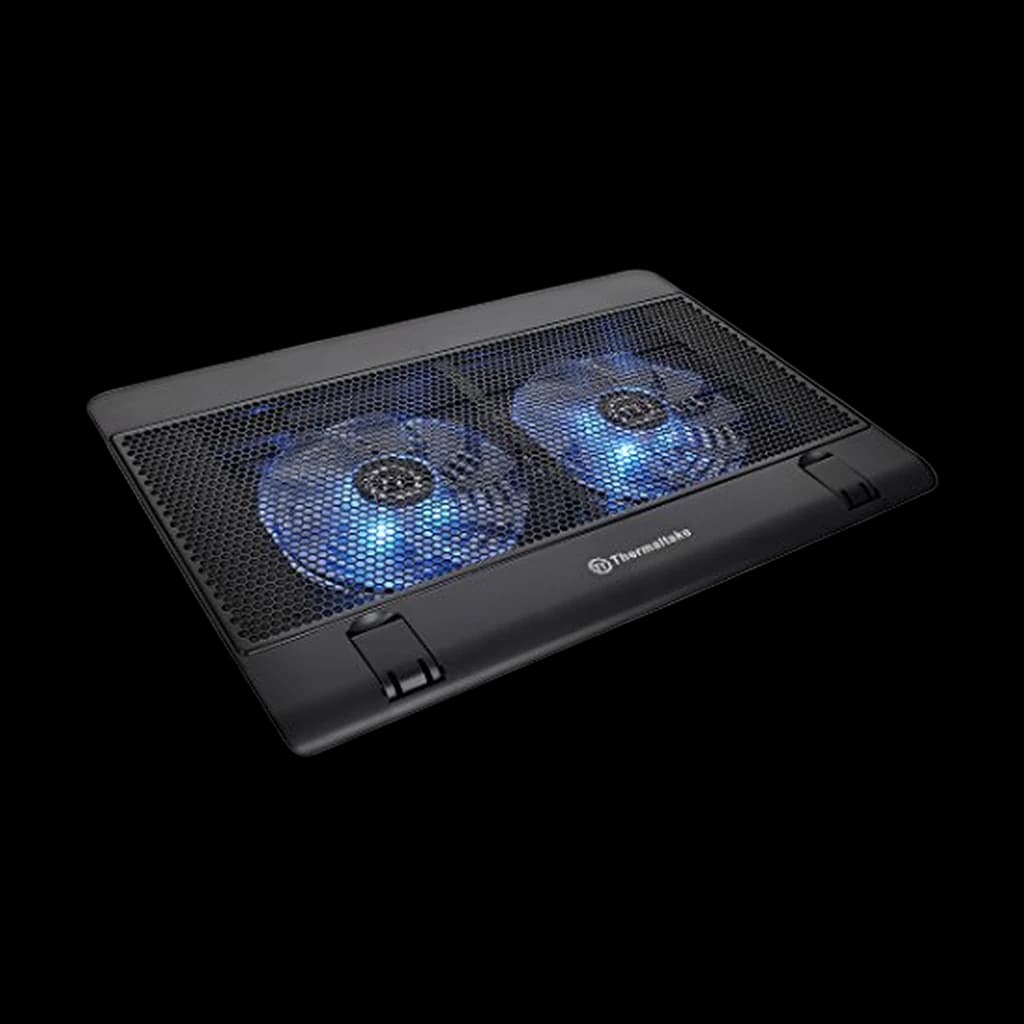
Two 140mm blue LED fans with adjustable speed - the dual-fan workhorse with a steel mesh top

Pros

  • Two 140mm fans up to 1200 RPM with on-pad speed control
  • Steel mesh contact surface dissipates heat better than plastic tops
  • Dual laptop levers prevent slide on tilted positions
  • Three ergonomic height settings and two USB passthroughs

Cons

  • Speed knob feels notchy and can get bumped accidentally
  • Blue LED lights cannot be turned off independently
72BWFH
Score
Quality
70
Ergonomics
76
Features
76
Value
71
Owner Satisfaction
70
How we score →

Cooling Type

Dual 140mm fans

Fan Speed

Up to 1200 RPM (adjustable)

Compatibility

10 to 17 inch laptops

USB Ports

2 (passthrough)

Weight

33 oz

How to Pick the Right One

Most laptop cooling pads work by blowing room-temperature air at the underside of the chassis. That helps a small amount - typically 2 to 5 degrees Celsius on the CPU - but it has a structural weakness: a sealed laptop bottom does not pass air through to the heatsink. The fans push air at a flat panel and most of it deflects sideways. The category that actually moves the needle is vacuum coolers, which clip onto the laptop's exhaust vent and pull hot air out of the chassis directly. Independent testing from Notebookcheck and a long trail of Reddit thermal logs put vacuum coolers at 8 to 12 degrees of CPU drop on thermally constrained gaming laptops, versus 2 to 5 degrees for a fan pad. The catch is fit: vacuum coolers only work if your laptop has a side or rear exhaust vent, which rules out most modern MacBooks (Apple's exhaust is a thin slit behind the hinge that does not accept clip-on coolers). For MacBook Pro M-series users, the most useful upgrade is an open-frame stand that lets ambient air circulate under the chassis - any of our laptop stand picks paired with a quiet desktop fan beats a flat cooling pad. Fan pads still earn their place in two scenarios: gaming laptops with fully ventilated bottom panels (every Razer Blade, MSI GS, ASUS ROG, and Lenovo Legion has these), and any laptop pushed hard enough to thermal throttle on battery away from a desk fan. Within fan pads, size and fan count matter less than airflow geometry. A single 200mm fan (Cooler Master NotePal X-Slim II, Thermaltake Massive 20 RGB) pushes more cubic feet per minute at lower noise than a row of small 70mm fans, and lower fan RPM is what keeps the pad usable on Zoom calls. RGB lighting and LCD screens are aesthetic; they have no thermal contribution. Skip them if you care about noise. Watch out for: cheap pads under $20 with bearing-grade fans that develop a high-pitched whine within 60 days, pads that block their own intake when the laptop sits flat against the surface, and any pad rated for under 17 inches if you run a 17-inch gaming laptop. Capacity ratings on the cheap end are often marketing - test under real load before committing.

Sources & Research (4)Show

Related Reading

All guides →
Best Laptops for WFH 2026: 10 Picks Across Mac, Windows, ChromebookFeatured

Best Laptops for WFH 2026: 10 Picks Across Mac, Windows, Chromebook

The 10 best laptops for working from home in 2026 across every budget and use case. MacBook Air M4 wins for 80 percent of buyers. Snapdragon X Elite wins for Wi...

Hilly Shore Labs
17 min read·May 2, 2026
Best Wireless Chargers for the Home Office 2026: 6 Picks Ranked

Best Wireless Chargers for the Home Office 2026: 6 Picks Ranked

Six Qi2 and MagSafe wireless chargers ranked for the home office in 2026. Anker MagGo 3-in-1 is the top pick, ESR HaloLock the budget runner-up at $25.

WFH Lounge Team
8 min read·May 2, 2026
Best Desktops & Mini PCs for WFH 2026: 10 Picks Ranked

Best Desktops & Mini PCs for WFH 2026: 10 Picks Ranked

Mac mini M4 wins overall ($599). Geekom A8 best Windows mini PC under $700. Beelink SER9 best Ryzen AI 9. Asus NUC 14 Pro+ best premium. Ten desktops ranked.

Hilly Shore Labs
15 min read·May 2, 2026