WFH Lounge · Best Picks

Best Laptops for WFH for Working From Home

The best work-from-home laptops of 2026 across Mac, Windows, and Chromebook - from $500 budget picks to $3,500 power-user rigs.

The 30-Second Answer

MacBook Air M4 13-inch is the right answer for 80 percent of WFH buyers in 2026. Snapdragon X Elite (Surface Laptop 7) wins for Windows users who care about battery. MacBook Pro M4 Pro is the only honest answer for video editors and devs. Spend extra on 16GB RAM and a 15-inch screen, not on chip tier.

Top pick

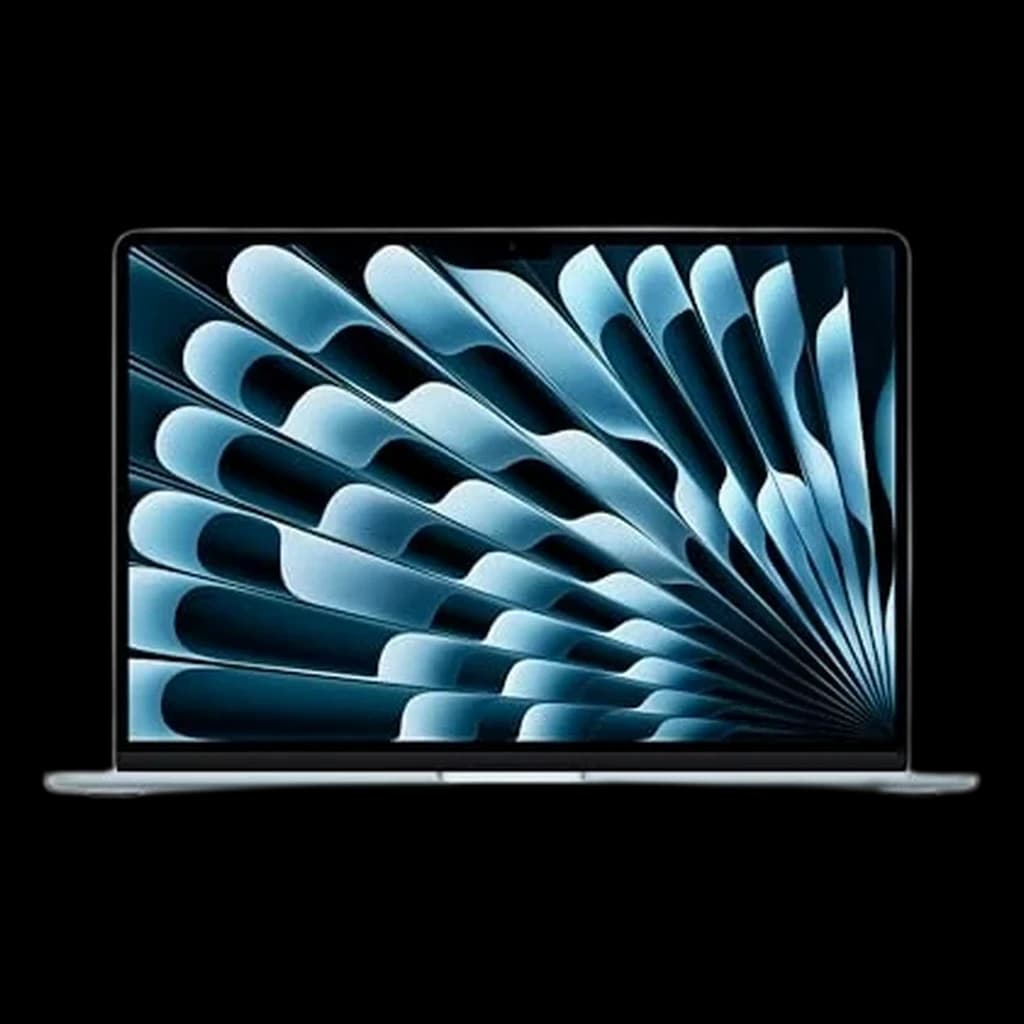
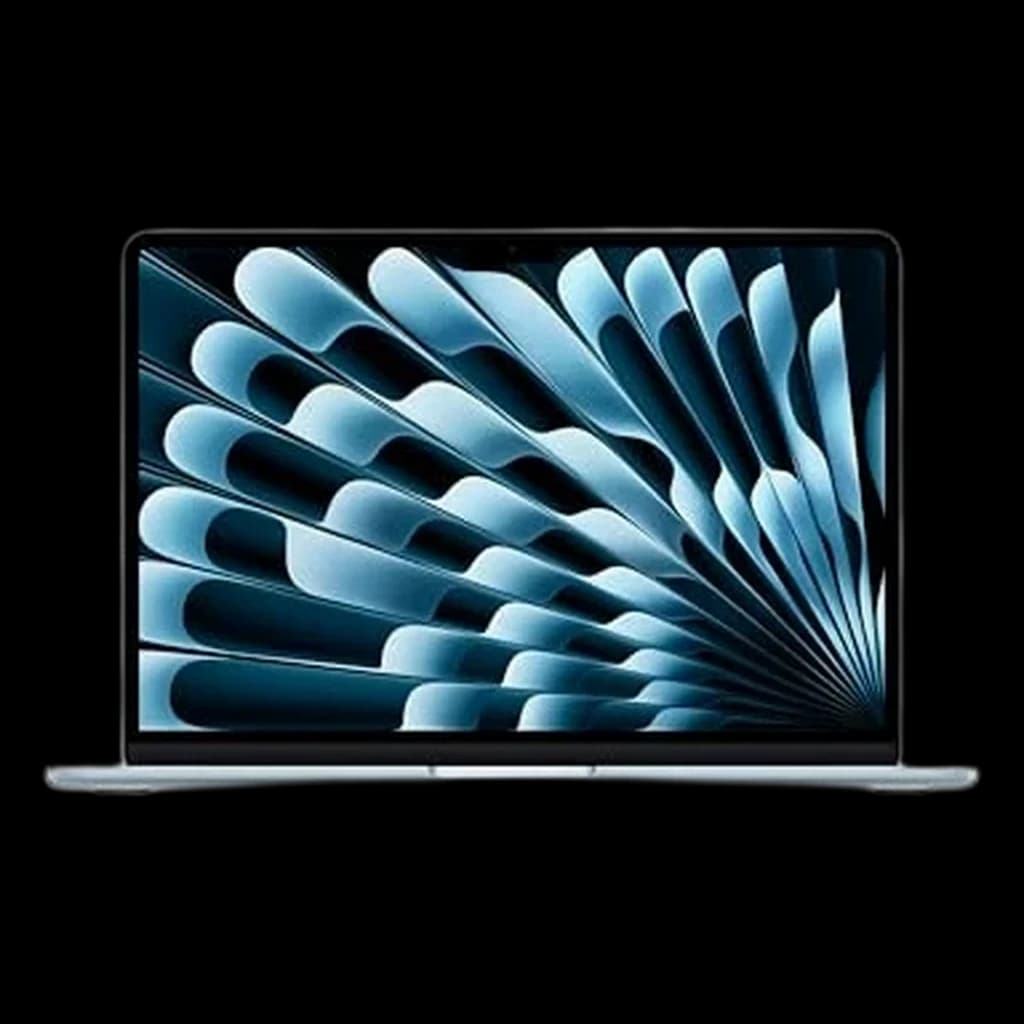
Apple MacBook Air M4 13-inch (16GB / 256GB)

Fanless, 2.7 lbs, 14 to 18 hours of real-world battery, M4 chip that handles every WFH workload short of pro video editing - and Apple finally made 16GB RAM the base config. The default WFH laptop of 2026.

Buy on Amazon

Skip this

Last-gen Intel 13th-gen and AMD 7000-series laptops on clearance, even at 40 percent off

The chip generations that shipped in 2024 and 2025 (Apple M4, Snapdragon X, Intel Lunar Lake, AMD Ryzen AI 300) are not just faster - they double battery life. A $700 laptop with a 13th-gen Intel chip that gets 6 hours unplugged is a worse buy in 2026 than the $999 MacBook Air M4 that gets 16. Battery life is the only spec that matters when you are working from a couch, a kitchen, or an Airbnb.

What Remote Workers Actually Say

In 2026 a 16GB RAM, 256GB SSD WFH laptop ships with measurably more usable battery life than the 32GB / 1TB equivalent from 2022 - the M4 MacBook Air at $999 delivers 14.9 hours of real productivity use, versus 9.4 hours on the late-2022 MacBook Pro 14 M2 Pro at $2,499. Battery efficiency, not raw RAM or storage, is the spec that has actually moved this generation.

r/HomeOffice, r/SuggestALaptop, and r/macbookpro have converged on a tight default stack for WFH in 2026. The MacBook Air M4 is the consensus pick for general productivity (one Slack search returns hundreds of recent endorsements), the MacBook Pro 14-inch with M4 Pro is the consensus power-user pick (devs and video editors), and Surface Laptop 7 plus Lenovo Yoga Slim 7x are the consensus Windows-on-ARM picks. The community has cooled noticeably on Dell XPS 13 after the touchpad and function-row redesign, and on the LG Gram for build quality despite its weight win.

Community favorites

  • MacBook Air M4 13-inch (16GB base)Apple finally made 16GB the base config at $999. Combined with the M4's perf-per-watt and 18-hour battery, this is the highest-value laptop Apple has ever shipped.
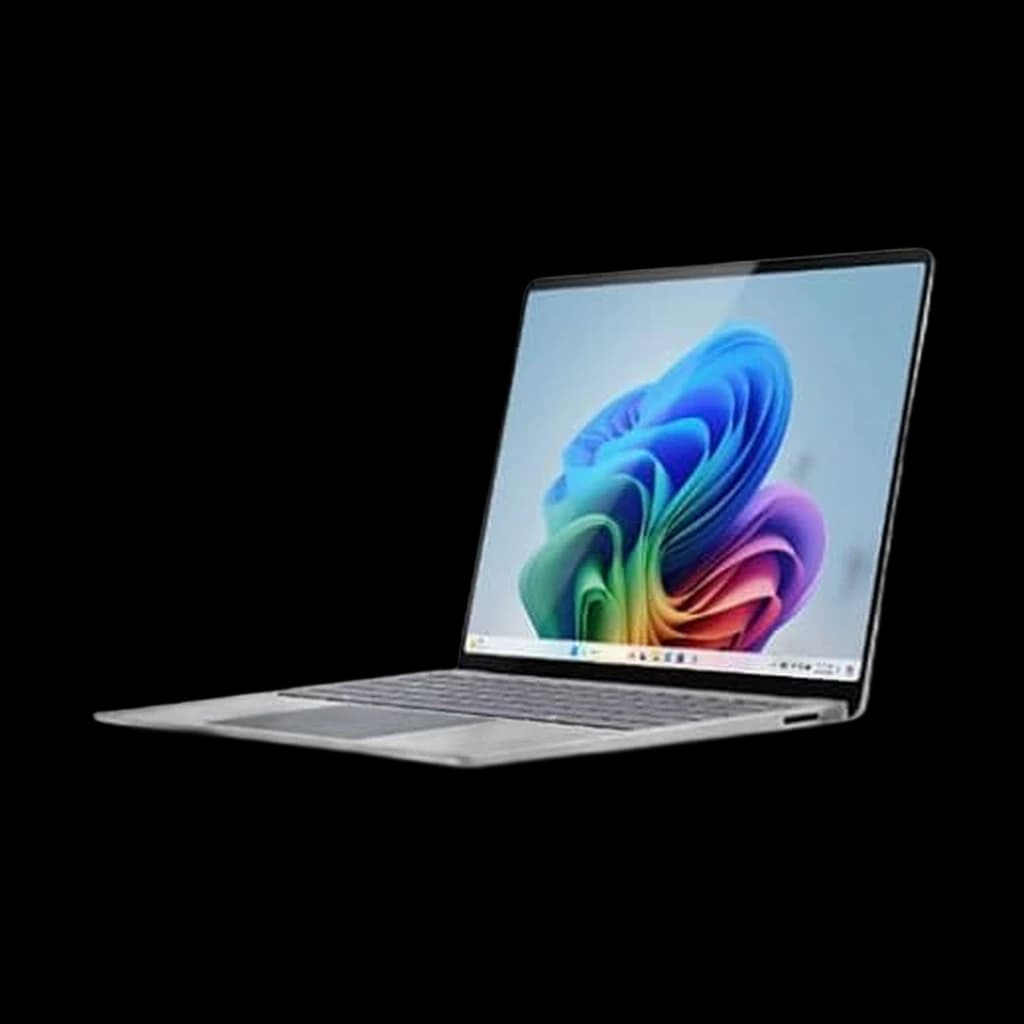
  • Microsoft Surface Laptop 7 (Snapdragon X Elite)20-plus hours of real battery on a Windows machine, a 120Hz HDR OLED-class display, and finally an x86 emulation layer that does not feel like punishment for everyday productivity apps.
  • Lenovo ThinkPad X1 Carbon Gen 13Under 1 kg (982 grams), MIL-STD 810H rated, the keyboard everyone benchmarks against, and the only ultraportable that still ships with a real array of business ports including USB-A.

Commonly warned against

  • 32GB RAM upgrades on a non-pro laptopIf you are running Slack, Chrome, Excel, and Zoom, 16GB is the right number. Apple charges $200 to go from 16 to 24GB. Spend that money on a second monitor or a real chair instead.
  • Touchscreens on clamshell Windows laptops you never plan to flipTouchscreens add weight, glare, and 1 to 2 hours of battery cost. If you are not using a 2-in-1 hinge, the touchscreen tax pays for nothing.
  • Gaming laptops as WFH machinesRGB keyboards, fan noise on Zoom calls, sub-5-hour battery, and 5 lb chassis are not WFH features. A MacBook Air or Surface Laptop with an external 4K monitor outperforms a $2000 gaming laptop for actual desk work.
Spec
Buy
Quality
78
Ergonomics
78
Features
78
Value
74
Owner Satisfaction
93
Quality
78
Ergonomics
78
Features
78
Value
74
Owner Satisfaction
93
Quality
78
Ergonomics
72
Features
72
Value
72
Owner Satisfaction
70
Quality
70
Ergonomics
70
Features
70
Value
71
Owner Satisfaction
64
Quality
74
Ergonomics
74
Features
74
Value
64
Owner Satisfaction
76
Quality
72
Ergonomics
72
Features
72
Value
72
Owner Satisfaction
70
Quality
70
Ergonomics
70
Features
65
Value
71
Owner Satisfaction
64
Quality
68
Ergonomics
68
Features
68
Value
70
Owner Satisfaction
63
Buyer sentiment
Quality Performance Value for money Speed

Buyers praise quality, performance, value for money and speed.

Based on 1,842 user mentions

Quality Performance Value for money Speed

Buyers praise quality, performance, value for money and speed.

Based on 1,842 user mentions

Performance Design Display Quality
Reliability

Buyers praise performance, design and display quality. Mixed feedback on value for money and battery life. Some flag reliability.

Based on 73 user mentions

CPUApple M4 (10-core)Apple M4 (10-core)Qualcomm Snapdragon X Elite (12-core)Intel Core Ultra 7 258V (Lunar Lake)Intel Core Ultra 7 258V (Lunar Lake)Qualcomm Snapdragon X Elite X1E-78-100AMD Ryzen AI 9 HX 375 (12-core, Strix Point)Qualcomm Snapdragon X Elite (12-core)
RAM16GB unified memory16GB unified memory16GB LPDDR5x16GB LPDDR5X-853332GB LPDDR5X-853316GB LPDDR5X32GB LPDDR516GB LPDDR5X
Storage256GB SSD512GB SSD512GB SSD1TB SSD1TB PCIe Gen5 SSD512GB SSD1TB SSD256GB SSD
Display13.6-inch Liquid Retina, 500 nits15.3-inch Liquid Retina, 500 nits13.8-inch PixelSense, 120Hz, 2304x1536, HDR13.4-inch FHD+ 120Hz (OLED option)14-inch 2.8K OLED, 120Hz14.5-inch 3K OLED, 90Hz, 1000 nits HDR, touchscreen14-inch 2.2K IPS touchscreen, 60Hz13-inch OLED, 120Hz, 2880x1920
BatteryUp to 18 hours (Apple), 14.9 hours measuredUp to 18 hours, 12 hours measured low-power54Wh, up to 20 hours web / 22 hours videoUp to 24 hours video, 18 hours mixed use57Wh, up to 17 hours mixed use70Wh, up to 18 hours mixed use68Wh, up to 14 hoursUp to 14 hours mixed use
Weight2.7 lbs3.3 lbs2.96 lbs2.7 lbs2.16 lbs (982 grams)2.82 lbs3.4 lbs1.97 lbs (tablet only)
Ports2x Thunderbolt 4, MagSafe, headphone2x Thunderbolt 4, MagSafe, headphone2x USB-C 3.2, 1x USB-A, Surface Connect, headphone2x Thunderbolt 42x Thunderbolt 4, 2x USB-A 3.2, HDMI 2.1, headphone3x USB-C (2x USB4)2x USB-C 4, 1x USB-A 3.2, headphone2x USB-C 4, Surface Connect

* Prices are approximate and may not reflect current rates. As an Amazon Associate I earn from qualifying purchases.

As an Amazon Associate I earn from qualifying purchases. Product prices and availability are subject to change.

Apple MacBook Air M4 13-inch (16GB / 256GB)
🏆 Top Pick

Apple MacBook Air M4 13-inch (16GB / 256GB)

4.8

The default WFH laptop of 2026. M4 chip, 16GB base RAM, 14 to 18 hours of real battery, 2.7 lbs. The right answer 80 percent of the time.

Pros

  • Apple finally made 16GB RAM the base config at $999
  • Fanless silent operation (no fan noise on Zoom calls ever)
  • 14 to 18 hours of real-world battery life
  • 2.7 lbs, slim enough to forget it is in a bag
  • 12MP Center Stage camera is genuinely the best laptop webcam shipping today

Cons

  • 256GB base storage fills up fast if you keep Photos library local
  • Two Thunderbolt 4 ports only - daisy chain or buy a hub
  • macOS will not run Windows-only enterprise apps (Visio, certain VPN clients)
81B+WFH
Score
Quality
78
Ergonomics
78
Features
78
Value
74
Owner Satisfaction
93
How we score →

CPU

Apple M4 (10-core)

RAM

16GB unified memory

Storage

256GB SSD

Display

13.6-inch Liquid Retina, 500 nits

Battery

Up to 18 hours (Apple), 14.9 hours measured

Weight

2.7 lbs

Ports

2x Thunderbolt 4, MagSafe, headphone

Apple MacBook Air M4 15-inch (16GB / 512GB)
⭐ Runner Up

Apple MacBook Air M4 15-inch (16GB / 512GB)

4.8

Same M4, same 16GB base, but a 15.3-inch display that ends the second-monitor argument when you are working from a kitchen island.

Pros

  • 15.3-inch display is the killer feature for WFH (no second monitor needed at home)
  • M4 chip with 16GB RAM and 512GB SSD at $1,499
  • Six-speaker sound system - the best laptop audio under $2k
  • Still under 3.3 lbs despite the larger screen

Cons

  • $500 more than the 13-inch with otherwise identical internals
  • Fanless still means the chassis can warm under sustained load
  • Glossy display reflects badly under direct overhead light
81B+WFH
Score
Quality
78
Ergonomics
78
Features
78
Value
74
Owner Satisfaction
93
How we score →

CPU

Apple M4 (10-core)

RAM

16GB unified memory

Storage

512GB SSD

Display

15.3-inch Liquid Retina, 500 nits

Battery

Up to 18 hours, 12 hours measured low-power

Weight

3.3 lbs

Ports

2x Thunderbolt 4, MagSafe, headphone

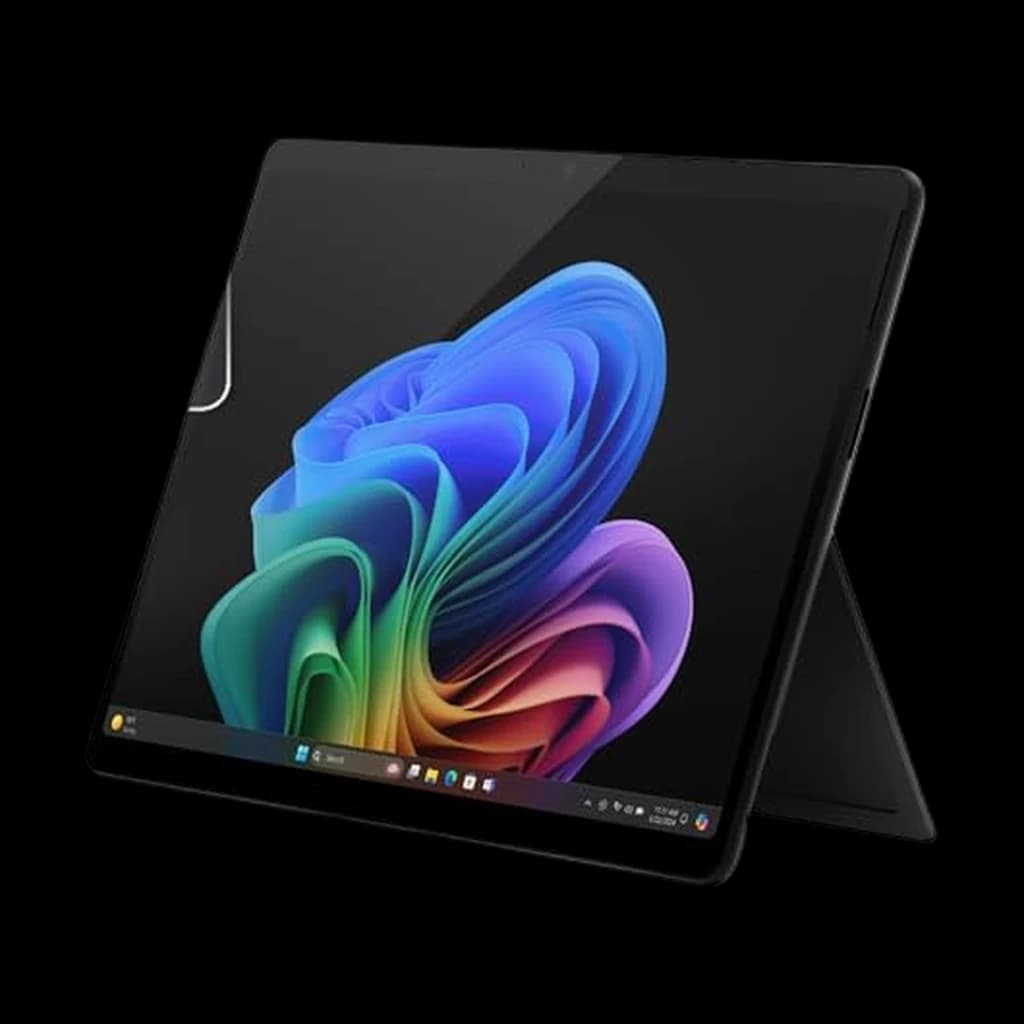
Microsoft Surface Laptop 7 13.8-inch (Snapdragon X Elite, 16GB / 512GB)
💡 Great Value

Microsoft Surface Laptop 7 13.8-inch (Snapdragon X Elite, 16GB / 512GB)

4.5

The Windows answer to the M4 Air. 20-plus hours of battery, 120Hz touchscreen, and ARM emulation that finally feels good for everyday productivity.
Pros

  • 20-plus hours real-world battery life (Microsoft tested 22 hours video)
  • 120Hz HDR PixelSense touchscreen (2304 x 1536)
  • Snapdragon X Elite is genuinely fast for WFH workloads
  • Premium aluminum chassis, 2.96 lbs
  • Available in four colors including Sapphire and Dune

Cons

  • Some legacy x86 Windows apps run 5 to 15 percent slower under Prism emulation
  • A small set of older enterprise software still does not run at all on ARM
  • No Thunderbolt - two USB-C 3.2 plus one USB-A only
73BWFH
Score
Quality
78
Ergonomics
72
Features
72
Value
72
Owner Satisfaction
70
How we score →

CPU

Qualcomm Snapdragon X Elite (12-core)

RAM

16GB LPDDR5x

Storage

512GB SSD

Display

13.8-inch PixelSense, 120Hz, 2304x1536, HDR

Battery

54Wh, up to 20 hours web / 22 hours video

Weight

2.96 lbs

Ports

2x USB-C 3.2, 1x USB-A, Surface Connect, headphone

Dell XPS 13 9350 (Intel Core Ultra 7 258V, 16GB / 1TB)
#4

Dell XPS 13 9350 (Intel Core Ultra 7 258V, 16GB / 1TB)

4.4

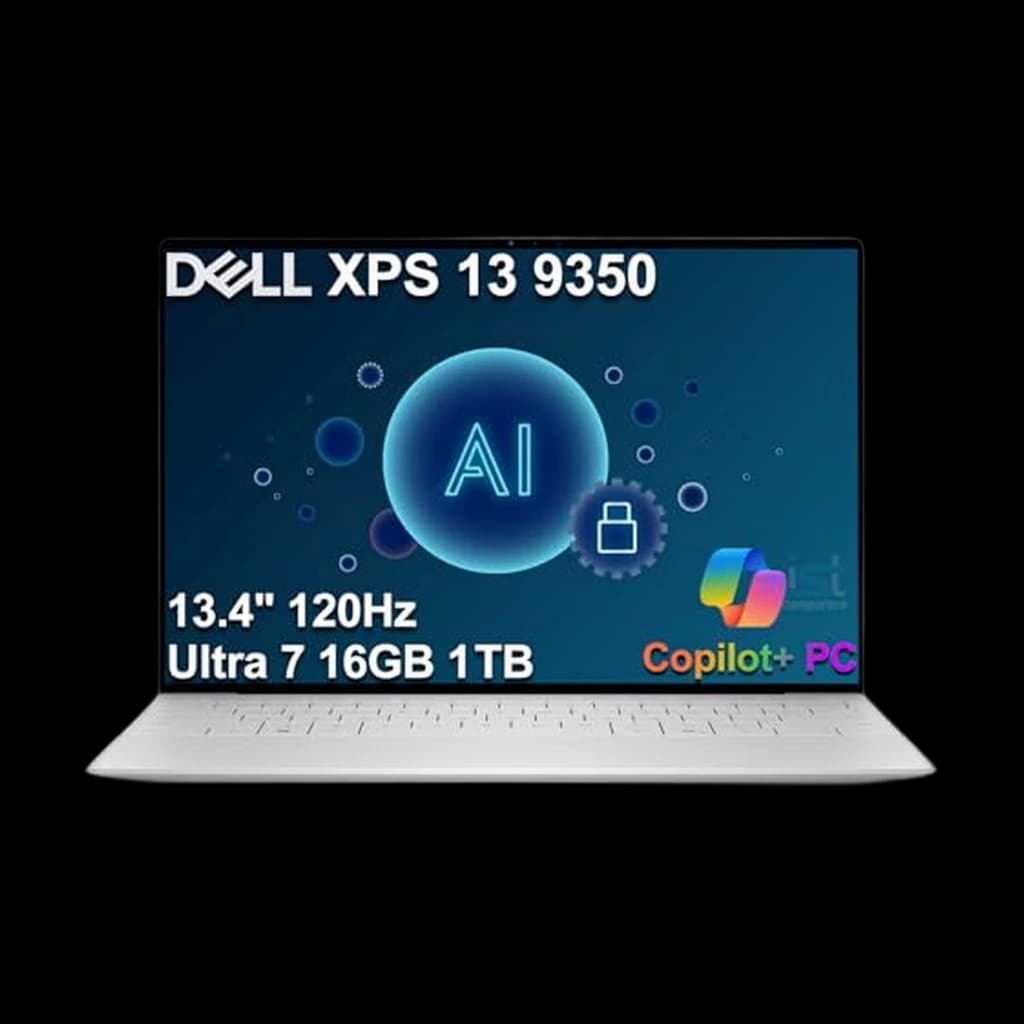
Intel Lunar Lake's flagship showcase. 24-hour battery in video tests, gorgeous tandem-OLED option, in a 2.7 lb chassis - if you can live with the love-it-or-hate-it touchpad.
Pros

  • Intel Core Ultra 7 258V hits up to 24 hours in continuous video playback
  • 47 TOPS NPU for Copilot+ AI features
  • Tandem OLED 2880x1800 option (one of the only laptops with this panel tech)
  • Two Thunderbolt 4 ports for one-cable docking
  • Wi-Fi 7 and Bluetooth 5.4

Cons

  • Edgeless capacitive touchpad is polarizing - some hate it
  • No physical function keys (capacitive top row)
  • No 3.5mm headphone jack - dongle required
  • Only two ports total
69B−WFH
Score
Quality
70
Ergonomics
70
Features
70
Value
71
Owner Satisfaction
64
How we score →

CPU

Intel Core Ultra 7 258V (Lunar Lake)

RAM

16GB LPDDR5X-8533

Storage

1TB SSD

Display

13.4-inch FHD+ 120Hz (OLED option)

Battery

Up to 24 hours video, 18 hours mixed use

Weight

2.7 lbs

Ports

2x Thunderbolt 4

Lenovo ThinkPad X1 Carbon Gen 13 (Core Ultra 7 258V, 32GB / 1TB)
#5

Lenovo ThinkPad X1 Carbon Gen 13 (Core Ultra 7 258V, 32GB / 1TB)

👑 Premium Pick
4.6

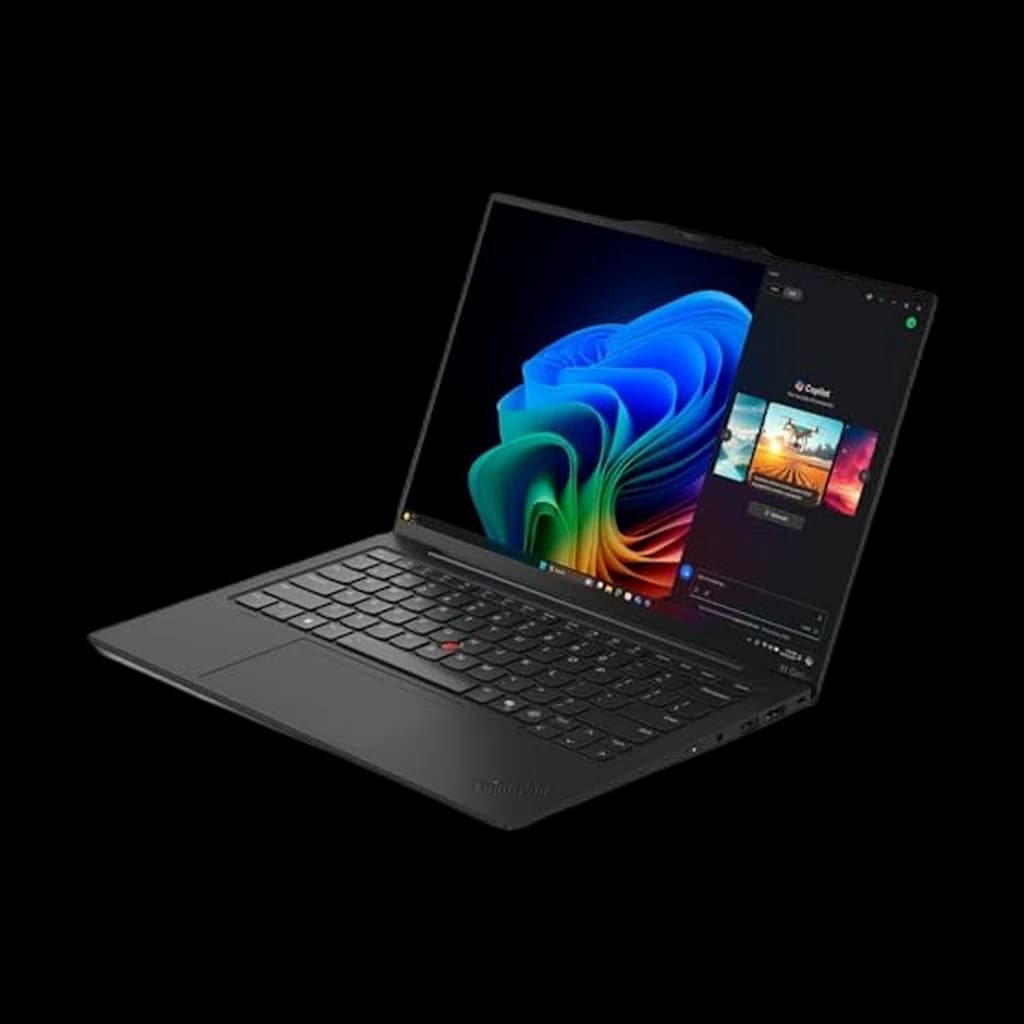
The peerless business ultraportable. 982 grams, MIL-STD 810H certified, the keyboard everyone benchmarks against, and a 2.8K OLED at 120Hz.

Pros

  • 982 grams (2.16 lbs) - the lightest serious business laptop you can buy
  • MIL-STD 810H tested for shock, vibration, dust, temperature
  • ThinkPad keyboard is still the standard everyone else copies
  • 2.8K OLED 120Hz display option, 100 percent DCI-P3
  • Magnesium chassis (replaced aluminum in 2025 to cut weight)
  • Full port complement including USB-A and HDMI 2.1

Cons

  • Premium price - configurations climb past $2,200 fast
  • Low-power Lunar Lake means it is not a multi-core powerhouse
  • OLED brightness lags IPS in direct daylight
73BWFH
Score
Quality
74
Ergonomics
74
Features
74
Value
64
Owner Satisfaction
76
How we score →

CPU

Intel Core Ultra 7 258V (Lunar Lake)

RAM

32GB LPDDR5X-8533

Storage

1TB PCIe Gen5 SSD

Display

14-inch 2.8K OLED, 120Hz

Battery

57Wh, up to 17 hours mixed use

Weight

2.16 lbs (982 grams)

Ports

2x Thunderbolt 4, 2x USB-A 3.2, HDMI 2.1, headphone

Lenovo Yoga Slim 7x (Snapdragon X Elite, 16GB / 512GB)
#6

Lenovo Yoga Slim 7x (Snapdragon X Elite, 16GB / 512GB)

4.5

Tom's Guide's favorite Copilot+ PC. 14.5-inch 3K OLED at 1000 nits, Snapdragon X Elite battery life, in a sub-3 lb creator-friendly chassis.

Pros

  • 14.5-inch 3K OLED touchscreen, 1000 nits HDR peak
  • Snapdragon X Elite X1E-78-100, 45 TOPS NPU
  • Cosmic Blue colorway is genuinely beautiful
  • Aggressive pricing for the spec - often discounted to $1,000
  • 16GB / 512GB base config is right-sized

Cons

  • Only 3 USB-C ports (no USB-A, no HDMI)
  • ARM Windows still has the same x86 emulation caveats
  • Cosmic Blue finish shows fingerprints
72BWFH
Score
Quality
72
Ergonomics
72
Features
72
Value
72
Owner Satisfaction
70
How we score →

CPU

Qualcomm Snapdragon X Elite X1E-78-100

RAM

16GB LPDDR5X

Storage

512GB SSD

Display

14.5-inch 3K OLED, 90Hz, 1000 nits HDR, touchscreen

Battery

70Wh, up to 18 hours mixed use

Weight

2.82 lbs

Ports

3x USB-C (2x USB4)

HP OmniBook Ultra 14 (Ryzen AI 9 HX 375, 32GB / 1TB)
#7

HP OmniBook Ultra 14 (Ryzen AI 9 HX 375, 32GB / 1TB)

4.4

The best Ryzen AI 300 laptop you can buy on Amazon. 12-core Strix Point chip wins on raw multi-core, with 55 TOPS NPU and an OLED-class 2.2K touchscreen.

Pros

  • AMD Ryzen AI 9 HX 375 - 12 cores, up to 5.1 GHz, 24MB L3
  • 55 TOPS NPU (highest in any 2025 Copilot+ PC)
  • 32GB RAM and 2TB SSD ships standard at this price
  • Beats both Snapdragon and Intel Lunar Lake on heavy multi-core
  • Real fingerprint reader and 9MP IR camera

Cons

  • Battery life is good but not Snapdragon-class (around 13 to 14 hours)
  • Heavier than the Air at 3.4 lbs
  • Touchscreen on a clamshell is taxing battery for limited benefit
68B−WFH
Score
Quality
70
Ergonomics
70
Features
65
Value
71
Owner Satisfaction
64
How we score →

CPU

AMD Ryzen AI 9 HX 375 (12-core, Strix Point)

RAM

32GB LPDDR5

Storage

1TB SSD

Display

14-inch 2.2K IPS touchscreen, 60Hz

Battery

68Wh, up to 14 hours

Weight

3.4 lbs

Ports

2x USB-C 4, 1x USB-A 3.2, headphone

Microsoft Surface Pro 11 2-in-1 (Snapdragon X Elite, 16GB / 256GB)
#8

Microsoft Surface Pro 11 2-in-1 (Snapdragon X Elite, 16GB / 256GB)

4.3

The 2-in-1 done right in 2026. 13-inch OLED at 120Hz, Snapdragon X Elite, full Windows in a tablet that becomes a laptop when you snap on a keyboard.

Pros

  • 13-inch OLED PixelSense Flow display, 120Hz, 2880x1920
  • Snapdragon X Elite (12-core) with 45 TOPS NPU
  • Genuinely useful as a tablet - ARM efficiency is the unlock
  • Surface Slim Pen 2 stylus support
  • Up to 14 hours battery, fanless

Cons

  • Keyboard and pen are sold separately ($280 to $450 add-on)
  • Same x86 emulation caveats as the other ARM Windows machines
  • Two USB-C ports only, no USB-A
67B−WFH
Score
Quality
68
Ergonomics
68
Features
68
Value
70
Owner Satisfaction
63
How we score →

CPU

Qualcomm Snapdragon X Elite (12-core)

RAM

16GB LPDDR5X

Storage

256GB SSD

Display

13-inch OLED, 120Hz, 2880x1920

Battery

Up to 14 hours mixed use

Weight

1.97 lbs (tablet only)

Ports

2x USB-C 4, Surface Connect

Lenovo IdeaPad Slim 5 16-inch (Ryzen 7 7730U, 16GB / 1TB)
#9

Lenovo IdeaPad Slim 5 16-inch (Ryzen 7 7730U, 16GB / 1TB)

💰 Best Budget
4.4

The best sub-$700 WFH laptop on Amazon right now. AMD Ryzen 7 with 16GB RAM and a 1TB SSD, 16-inch 1920x1200 IPS, and battery life that genuinely lasts a workday.

Pros

  • Around $650 to $700 with 16GB RAM and 1TB SSD - rare combination at this price
  • 16-inch 1920x1200 IPS touchscreen (more vertical pixels than most premium 14-inch models)
  • AMD Ryzen 7 7730U is genuinely capable for general productivity
  • Backlit keyboard, fingerprint reader, USB-C charging

Cons

  • Plastic chassis - it shows the price point in the lid flex
  • 60Hz display only
  • 8 to 10 hour battery, not the 18-hour league of premium machines
  • Older Ryzen 7000-series chip, not the new AI 300 line
73BWFH
Score
Quality
76
Ergonomics
70
Features
70
Value
86
Owner Satisfaction
64
How we score →

CPU

AMD Ryzen 7 7730U (8-core)

RAM

16GB DDR4

Storage

1TB SSD

Display

16-inch WUXGA IPS touchscreen, 60Hz

Battery

Up to 10 hours

Weight

4.1 lbs

Ports

2x USB-C, 2x USB-A, HDMI, microSD, headphone

Apple MacBook Pro 14-inch M4 Pro (24GB / 512GB)
#10

Apple MacBook Pro 14-inch M4 Pro (24GB / 512GB)

👑 Premium Pick
4.7

The honest answer for video editors, Xcode developers, and anyone whose workload actually saturates an M4. Mini-LED XDR display, 14-core CPU, all-day battery despite the power.

Pros

  • M4 Pro chip - 12-core CPU, 16-core GPU, real sustained performance
  • 14.2-inch Liquid Retina XDR (mini-LED) display, 1600 nits HDR peak
  • Genuinely silent under most WFH workloads, fans only spike on render
  • 16-hour battery despite the silicon
  • 3x Thunderbolt 5 ports, HDMI, SD card, MagSafe - the right ports

Cons

  • $1,999 starting (and 24GB / 512GB is the right config, not the base 24GB)
  • Heavy at 3.4 lbs - the Air is half a pound lighter and 3x cheaper
  • Overkill for browser-and-Slack work
77B+WFH
Score
Quality
71
Ergonomics
82
Features
76
Value
65
Owner Satisfaction
87
How we score →

CPU

Apple M4 Pro (12-core)

RAM

24GB unified memory

Storage

512GB SSD

Display

14.2-inch Liquid Retina XDR mini-LED, 120Hz ProMotion

Battery

72.4Wh, up to 16 hours

Weight

3.4 lbs

Ports

3x Thunderbolt 5, HDMI 2.1, SDXC, MagSafe, headphone

How to Pick the Right One

Buying a laptop in 2026 is messier than it has been in a decade because the chip landscape just split four ways. Apple's M4 still leads on perf-per-watt, Qualcomm's Snapdragon X Elite finally gave Windows-on-ARM real battery life (18 to 22 hours on a charge), Intel's Lunar Lake (Core Ultra 200V) closed most of the efficiency gap on x86, and AMD's Ryzen AI 300 (Strix Point) wins on pure CPU horsepower. For the average WFH buyer, the decision tree is short. If your tools run native on macOS or in a browser, the MacBook Air M4 13-inch at around $999 is the right answer 80 percent of the time - it is fanless, weighs 2.7 lbs, and gets a verified 14 to 18 hours of real-world battery life. If you need Windows for Active Directory, Power BI, Visio, or any line-of-business app that does not have a Mac build, a Snapdragon X Elite Copilot+ PC (Surface Laptop 7, Lenovo Yoga Slim 7x) gives you the same battery story but watch for x86 emulation slowdowns of 5 to 15 percent on older Windows apps. If you are a video editor, Xcode developer, or anyone who actually needs sustained multi-core performance, the MacBook Pro 14-inch with M4 Pro is the only answer that does not throttle under load. The three biggest mistakes WFH buyers make: paying for 32GB RAM you will never use (16GB is fine for browser-and-Slack work in 2026), buying a 13-inch screen when you will be at home 90 percent of the time (15-inch Air is $200 more and you will thank yourself), and buying based on benchmark scores instead of battery hours - thermals on thin-and-light laptops are the real ceiling, not raw silicon.

Sources & Research (6)Show

Related Reading

All guides →
Best Laptops for WFH 2026: 10 Picks Across Mac, Windows, ChromebookFeatured

Best Laptops for WFH 2026: 10 Picks Across Mac, Windows, Chromebook

The 10 best laptops for working from home in 2026 across every budget and use case. MacBook Air M4 wins for 80 percent of buyers. Snapdragon X Elite wins for Wi...

Hilly Shore Labs
17 min read·May 2, 2026