WFH Lounge · Best Picks

Best Home Office Printers for Working From Home

Reliable laser, inkjet, and all-in-one printers sized for the volume and rhythm of a real WFH setup.

The 30-Second Answer

If you print mostly black-and-white documents under 200 pages a month, get a monochrome laser printer; if you need color or photos with any regularity, get an Epson EcoTank refillable inkjet - both sidestep the dried-ink and cost-per-page traps that wreck cheap inkjets.

Top pick

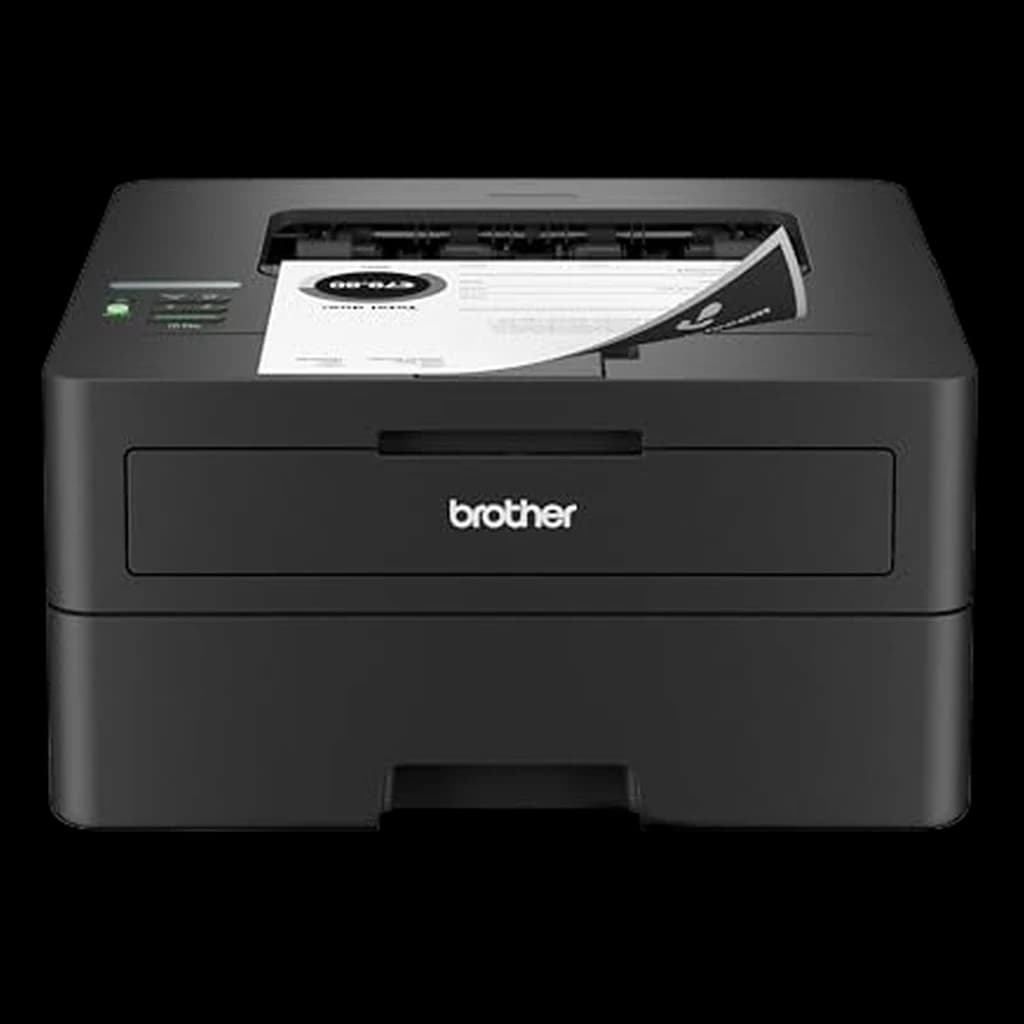
Brother HL-L2350DW

Compact monochrome laser that has held the WFH and Wirecutter top spot for years - auto duplex, wireless, near-zero maintenance, prints two cents per page and never clogs from sitting idle.

Buy on Amazon

Skip this

Sub-$80 traditional inkjet all-in-ones from any brand

Cartridge ink runs roughly $0.06-$0.10 per black page and $0.20-$0.30 per color page, so the printer pays for itself in ink within a few hundred pages and then keeps charging. The bigger problem is that inkjet print heads dry out when the printer sits unused for two to three weeks, which is the normal WFH cadence. Once the head clogs, head-cleaning cycles burn through more ink trying to recover, and a $79 printer can become a $200 paperweight inside a year. If you genuinely need color, spend the extra money on an EcoTank or a color laser. Otherwise buy mono laser and stop thinking about it.

What Remote Workers Actually Say

Cost-per-page math researched across Brother, HP, and Epson published yields: monochrome laser averages roughly $0.02 per page using high-yield toner (Brother TN760, HP 58X), traditional cartridge inkjet averages $0.05-$0.08 per black page and $0.15-$0.30 per color page, and Epson EcoTank refillable bottles average under $0.005 per black page and roughly $0.01 per color page. Over a 5,000-page printer life, the difference between a cartridge inkjet and a mono laser is roughly $250-$400 in consumables alone - research-backed.

r/HomeOffice and r/printers converge on two recommendations almost without dissent. For mostly-text WFH, the Brother HL-L2350DW (or its near-identical successors) is the default answer in nearly every thread. For color and photo households, the Epson EcoTank line wins, with the ET-2850 and ET-4850 cited as the right size for home use. r/printers is unusually skeptical of HP consumer inkjets due to HP+ subscription lock-in and frequent driver issues, with the LaserJet Pro M404dn being the consensus HP exception worth buying.

Community favorites

  • Brother HL-L2350DWPrint 4 pages a month or 400, set it up once, and it just works for years - the rare WFH purchase with no asterisks
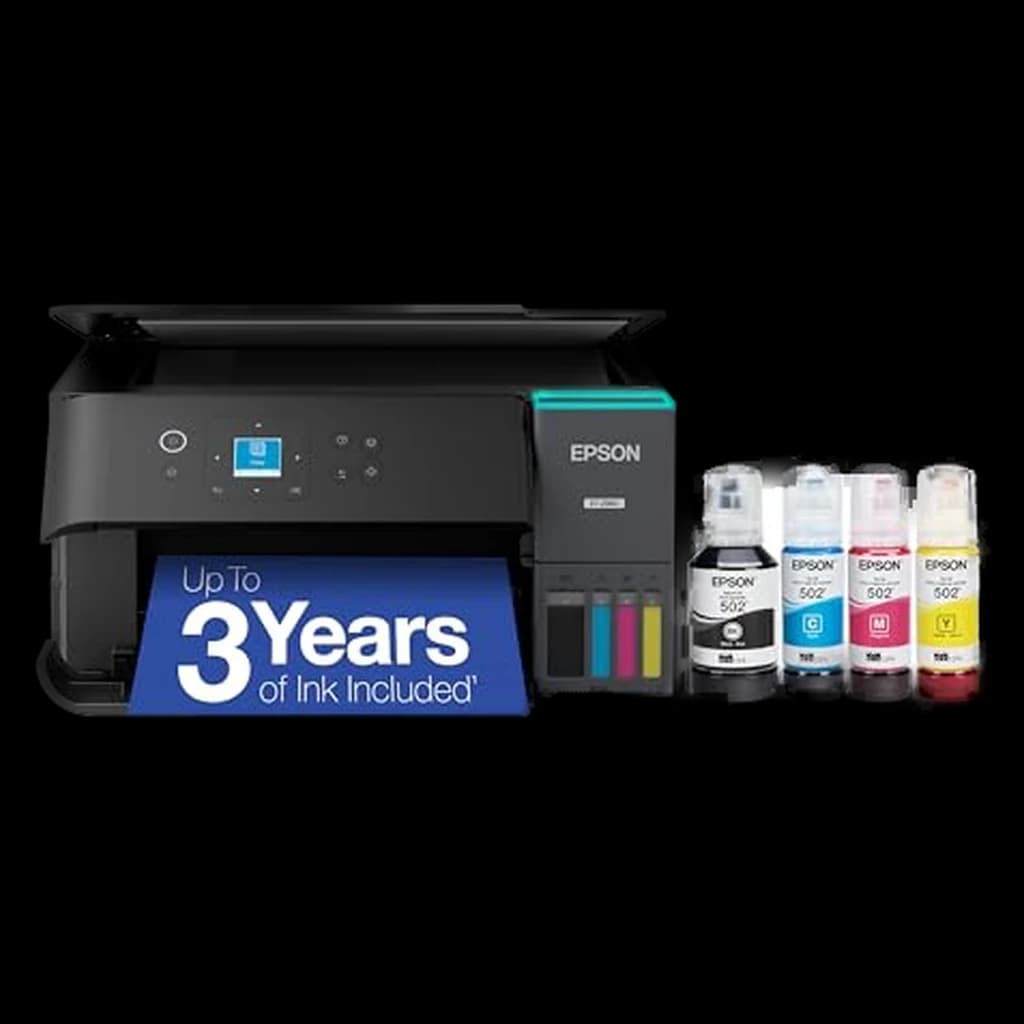
  • Epson EcoTank ET-2850Two years of ink in the box at roughly one cent per color page - the only inkjet that actually makes sense for low-volume home use
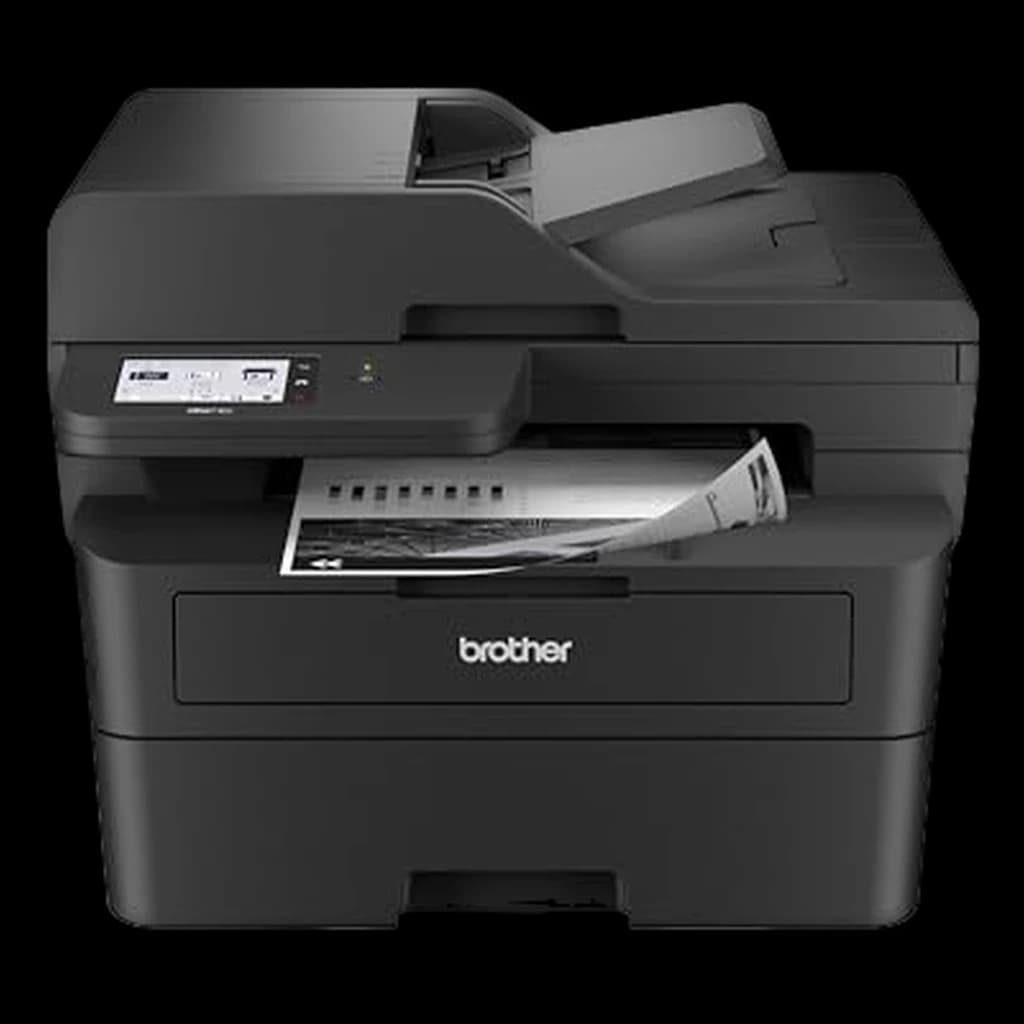
  • Brother MFC-L2750DWMono laser plus a real automatic document feeder for scanning multi-page contracts - the WFH all-in-one that does not compromise on the print engine

Commonly warned against

  • Sub-$80 cartridge inkjet all-in-onesPrint heads clog from disuse on a typical WFH printing cadence and ink cost-per-page is 5-10x what laser or EcoTank delivers
  • HP+ subscription printersActivating HP+ during setup permanently locks the printer to genuine HP cartridges and the included terms - a real reason r/printers steers WFH buyers toward Brother and Epson by default
Spec
Brother HL-L2350DW#1
#1💰 Best Budget
Brother HL-L2350DW
4.1
Epson EcoTank ET-4850#6
#6👑 Premium Pick
Epson EcoTank ET-4850
4.2
Canon Color imageCLASS LBP633Cdw#7
#7👑 Premium Pick
Canon Color imageCLASS LBP633Cdw
4.5
Buy
Quality
64
Ergonomics
64
Features
70
Value
83
Owner Satisfaction
64
Quality
68
Ergonomics
68
Features
68
Value
70
Owner Satisfaction
71
Quality
64
Ergonomics
64
Features
70
Value
68
Owner Satisfaction
55
Quality
70
Ergonomics
70
Features
70
Value
71
Owner Satisfaction
64
Quality
52
Ergonomics
52
Features
58
Value
64
Owner Satisfaction
42
Quality
66
Ergonomics
66
Features
72
Value
61
Owner Satisfaction
55
Quality
72
Ergonomics
72
Features
72
Value
64
Owner Satisfaction
73
Buyer sentiment
Printer Quality Ease Of Use Value for money Setup
Connectivity

Buyers praise printer quality, ease of use, value for money and setup. Mixed feedback on reliability and printability. Some flag connectivity.

Based on 5,431 user mentions

Quality Setup Speed Value for money

Buyers praise quality, setup, speed and value for money. Mixed feedback on reliability and print quality.

Based on 1,547 user mentions

Setup
Connectivity Color Quality

Buyers praise setup. Mixed feedback on print quality and reliability. Some flag connectivity and color quality.

Based on 3,015 user mentions

Print Quality Print Speed Setup
Wireless Connectivity Durability

Buyers praise print quality, print speed and setup. Mixed feedback on reliability and value for money. Some flag wireless connectivity and durability.

Based on 178 user mentions

Reliability Connectivity Value for money

Mixed feedback on printer quality and setup. Some flag reliability and connectivity.

Based on 1,996 user mentions

Connectivity Print Speed Screen Size

Mixed feedback on print quality and reliability. Some flag connectivity and print speed.

Based on 818 user mentions

TypeMonochrome laserMonochrome laser all-in-oneColor inkjet all-in-one (EcoTank)Monochrome laserColor inkjet all-in-oneColor inkjet all-in-one (EcoTank)Color laser
Print Speed32 ppm36 ppm10 ppm black / 5 ppm color40 ppm22 ppm black / 18 ppm color15.5 ppm black / 8.5 ppm color22 ppm black / 22 ppm color
DuplexAutomatic two-sidedAuto print and auto scanAutomatic two-sidedAutomatic two-sidedAutomatic two-sided
ConnectivityWireless, USB, AirPrintGigabit Ethernet, USBWireless, Ethernet, USBWireless, Ethernet, USBWireless, USB, Ethernet, AirPrint
Paper Tray250 sheets250 sheets250 sheets
FunctionsPrint, scan, copy, faxPrint, scan, copyPrint, scan, copy, faxPrint, scan, copy, fax
Ink YieldUp to 4,500 black / 7,500 color pages per ink set
Paper Capacity350 sheets total
ADF35 pages with auto duplex scan30-page with auto duplex print

* Prices are approximate and may not reflect current rates. As an Amazon Associate I earn from qualifying purchases.

As an Amazon Associate I earn from qualifying purchases. Product prices and availability are subject to change.

Find the right pick in 5 seconds

Brother HL-L2350DW
🏆 Top Pick

Brother HL-L2350DW

💰 Best Budget
4.1

The default WFH printer - compact mono laser with auto duplex, wireless, and near-zero maintenance

Pros

  • Auto two-sided printing built in at this price point is rare
  • Wireless plus AirPrint plus Mopria - set up once on phone and laptop, never reconfigure
  • TN760 high-yield toner brings cost-per-page to roughly 2 cents
  • Toner does not dry out from disuse, unlike inkjet heads

Cons

  • Print only - no scan, no copy, no fax
  • Black and white only
69B−WFH
Score
Quality
64
Ergonomics
64
Features
70
Value
83
Owner Satisfaction
64
How we score →

Type

Monochrome laser

Print Speed

32 ppm

Duplex

Automatic two-sided

Connectivity

Wireless, USB, AirPrint

Paper Tray

250 sheets

Brother MFC-L2750DW
⭐ Runner Up

Brother MFC-L2750DW

4.3

The no-compromise WFH all-in-one - same reliable mono laser engine plus a real ADF for scanning contracts

Pros

  • 50-sheet automatic document feeder with single-pass duplex scan
  • 2.7-inch color touchscreen for setup and direct cloud scanning
  • 36 ppm print speed - fastest in the home laser range
  • NFC tap-to-print for Android phones

Cons

  • Larger desk footprint than print-only laser
  • Color scanning, but still mono printing only
69B−WFH
Score
Quality
68
Ergonomics
68
Features
68
Value
70
Owner Satisfaction
71
How we score →

Type

Monochrome laser all-in-one

Print Speed

36 ppm

Functions

Print, scan, copy, fax

Duplex

Auto print and auto scan

Paper Tray

250 sheets

Epson EcoTank ET-2850
💡 Great Value

Epson EcoTank ET-2850

4.1

The refillable inkjet that finally makes color printing economical for home use - two years of ink in the box

Pros

  • Refillable ink bottles bring cost-per-color-page under 1 cent
  • Heat-free PrecisionCore design clogs less than traditional inkjet heads
  • 1.44-inch color display and full Epson Smart Panel mobile app
  • Auto two-sided printing and 1.5-inch flatbed scanner

Cons

  • Slower than laser at 10 ppm black, 5 ppm color
  • Still inkjet - needs to be used at least monthly to avoid head issues
64C+WFH
Score
Quality
64
Ergonomics
64
Features
70
Value
68
Owner Satisfaction
55
How we score →

Type

Color inkjet all-in-one (EcoTank)

Print Speed

10 ppm black / 5 ppm color

Functions

Print, scan, copy

Duplex

Automatic two-sided

Ink Yield

Up to 4,500 black / 7,500 color pages per ink set

HP LaserJet Pro M404dn
#4

HP LaserJet Pro M404dn

4.4

Workhorse mono laser for the heavier WFH printer - 40 ppm and Gigabit Ethernet for wired-network home offices

Pros

  • 40 ppm print speed - fastest in this lineup
  • Built-in Gigabit Ethernet for hardwired home networks
  • Two input trays totaling 350 sheets for low refill frequency
  • 80,000-page monthly duty cycle handles any WFH volume

Cons

  • Print only, no scan or copy
  • No built-in Wi-Fi on the M404dn (Ethernet only) - get the M404dw for wireless
69B−WFH
Score
Quality
70
Ergonomics
70
Features
70
Value
71
Owner Satisfaction
64
How we score →

Type

Monochrome laser

Print Speed

40 ppm

Duplex

Automatic two-sided

Connectivity

Gigabit Ethernet, USB

Paper Capacity

350 sheets total

HP OfficeJet Pro 9015e
#5

HP OfficeJet Pro 9015e

3.5

Color inkjet AIO with the best mobile app of any home printer - only buy if you skip HP+ activation

Pros

  • 22 ppm black, 18 ppm color - fast for an inkjet
  • 35-page automatic document feeder with auto two-sided scan
  • Excellent HP Smart mobile app for phone scanning
  • Wirecutter-cited as best all-in-one for moderate-volume color

Cons

  • HP+ subscription enrollment locks the printer to genuine HP cartridges - decline at setup
  • Cartridge ink cost-per-page far higher than EcoTank
53DWFH
Score
Quality
52
Ergonomics
52
Features
58
Value
64
Owner Satisfaction
42
How we score →

Type

Color inkjet all-in-one

Print Speed

22 ppm black / 18 ppm color

Functions

Print, scan, copy, fax

ADF

35 pages with auto duplex scan

Connectivity

Wireless, Ethernet, USB

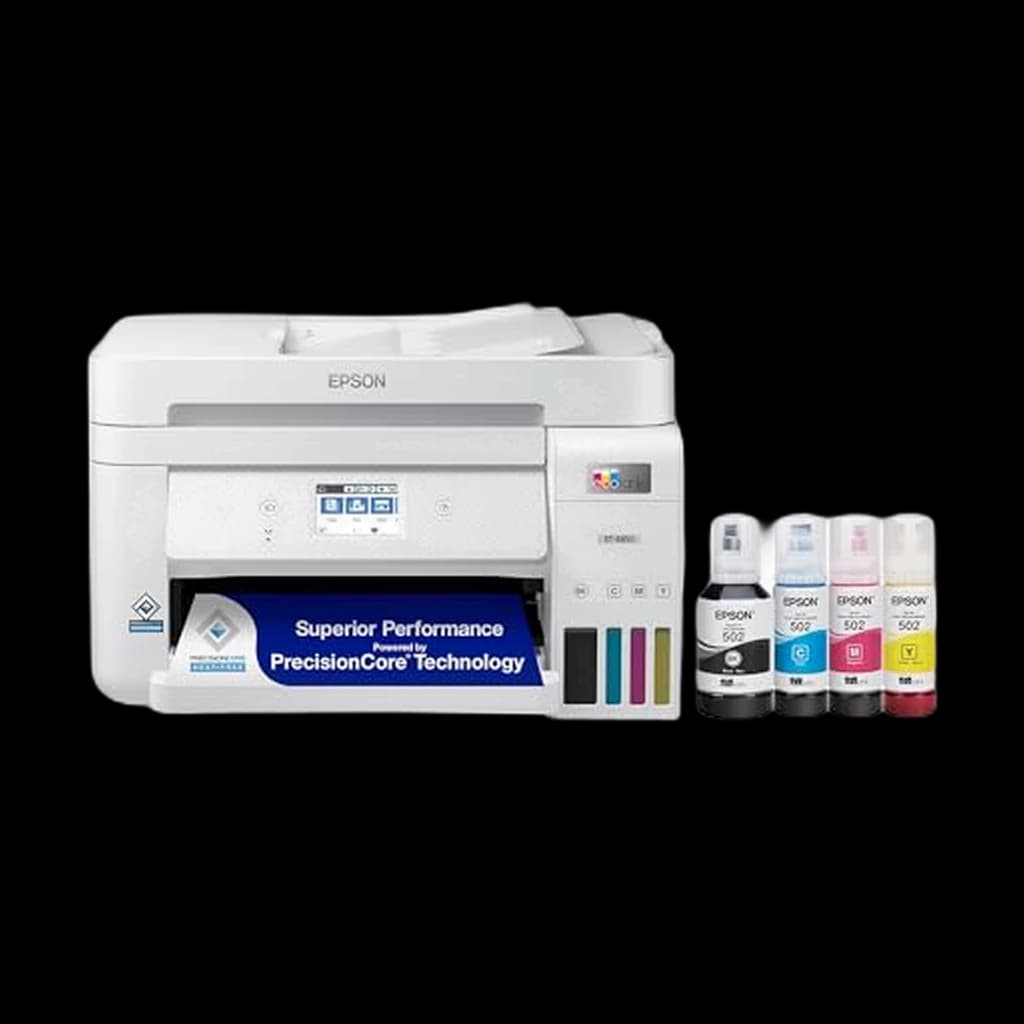
Epson EcoTank ET-4850
#6

Epson EcoTank ET-4850

👑 Premium Pick
4.2

EcoTank with a real ADF and Ethernet - the upgrade pick for a color WFH AIO that prints high volume cheaply

Pros

  • 30-page ADF and 2.4-inch color touchscreen
  • Built-in Ethernet plus wireless for wired-or-wireless flexibility
  • Up to 7,500 black / 6,000 color pages per included ink set
  • Fax for the small percentage of WFH workers who still need it

Cons

  • Slower than HP OfficeJet at 15.5 ppm black, 8.5 ppm color
  • Larger and pricier than the ET-2850
63C+WFH
Score
Quality
66
Ergonomics
66
Features
72
Value
61
Owner Satisfaction
55
How we score →

Type

Color inkjet all-in-one (EcoTank)

Print Speed

15.5 ppm black / 8.5 ppm color

Functions

Print, scan, copy, fax

ADF

30-page with auto duplex print

Connectivity

Wireless, Ethernet, USB

Canon Color imageCLASS LBP633Cdw
#7

Canon Color imageCLASS LBP633Cdw

👑 Premium Pick
4.5

Color laser for the WFH worker who needs sharp color charts and never wants to think about clogged heads

Pros

  • Color laser - no head-clog risk from disuse, unlike any color inkjet
  • 22 ppm in both black and color
  • 5-line color LCD and full mobile app support
  • Single-cartridge toner system makes refills simple

Cons

  • Toner cost-per-page higher than mono laser
  • Photo quality is decent but inferior to a good inkjet
71B−WFH
Score
Quality
72
Ergonomics
72
Features
72
Value
64
Owner Satisfaction
73
How we score →

Type

Color laser

Print Speed

22 ppm black / 22 ppm color

Duplex

Automatic two-sided

Connectivity

Wireless, USB, Ethernet, AirPrint

Paper Tray

250 sheets

How to Pick the Right One

Home office printing is a different problem than the one most printer reviews solve. Office printers are sized for hundreds of pages a day; consumer photo printers are sized for occasional snapshots. The WFH worker sits in the middle and prints unpredictably, often nothing for weeks at a time and then a small batch of contracts, shipping labels, or school forms. That single rhythm decides almost every other choice. Inkjet printers that sit unused for two weeks at a time clog. Laser printers do not, because toner is a powder and there is nothing to dry out. For most WFH workers who print a handful of black-and-white pages a month, a monochrome laser printer is the right call almost regardless of brand, because it solves the only reliability problem that actually bites at this volume. The exception is the household that prints color documents, kid art, or photos with any regularity. For that profile, an Epson EcoTank refillable inkjet is the answer, because it sidesteps both the sky-high ink-cartridge cost-per-page of traditional inkjets and the at-rest clogging risk through Epson's PrecisionCore Heat-Free design and high-volume usage of the same nozzles. Connectivity is no longer a differentiator. Every modern home office printer supports wireless, AirPrint, Mopria, and a vendor mobile app. Where they actually differ at the WFH level is duplex (auto two-sided printing, which most buyers want and many cheap printers skip), an automatic document feeder for scanning multi-page contracts on an all-in-one, and the long-term cost-per-page of consumables. A laser printer that costs $130 and prints at 2 cents per page beats a $79 inkjet that prints at 8 cents per page within the first 1,000 pages, and most WFH printers print far more than 1,000 pages over their lifetime. The hidden cost almost no review covers is the printer-not-recognized error after macOS or Windows software updates, which inkjet drivers cause more often than laser drivers do. If you have ever been late for a meeting because your printer needed a driver re-install, that is the cost - and it argues quietly but clearly for laser over inkjet for any WFH worker who needs the printer to just work on Tuesday at 8:55 AM.
Sources & Research (4)Show

Related Reading

All guides →
The Hybrid Worker's Setup Guide: Tools for Home and Office Days

The Hybrid Worker's Setup Guide: Tools for Home and Office Days

Hybrid work setup guide for 2026 — the tools, bags, and habits that make switching between home and office seamless without hauling gear or losing productivity.

WFH Lounge Team
4 min read·April 7, 2026