How to Build a $500 Home Office Setup That Actually Works
Quick Answer
Five hundred dollars works if you spend it in the right order: ergonomics first, aesthetics never. Allocate roughly $155 to the chair (Staples Hyken tier), $130 to a 24-inch monitor, and the rest to keyboard, mouse, and lighting. The classic mistake is a nice-looking desk accessory budget paired with a chair that wrecks your back.
Key Takeaways
You can build a genuinely good home office setup for $500 if you spend on the right things. Here is the exact gear, in order of impact.
As an Amazon Associate I earn from qualifying purchases. Product prices and availability are subject to change.
Five hundred dollars sounds limiting. It's not — if you spend it in the right order.
The Rule: Ergonomics First, Aesthetics Never
At $500, every dollar has to do real work. The biggest mistake is spending $150 on a monitor stand that looks nice and $80 on a basic chair that destroys your back. Flip that ratio.
The $500 Budget Allocation
| Item | Pick | Price |
|---|---|---|
| Chair | Staples Hyken Mesh Task Chair | ~$155 |
| Monitor | AOC 24B2XHM 24″ FHD | ~$130 |
| Keyboard + Mouse | Logitech MK470 combo | ~$60 |
| Headset | Jabra Evolve2 20 USB | ~$70 |
| Webcam | Anker PowerConf C200 | ~$50 |
| Total | ~$530 |
Trim the webcam if you're primarily audio-call only. Trim the headset if you already own earbuds.
Each Pick Explained
🪑 Chair — Staples Hyken (~$155) Adjustable lumbar support, height-adjustable armrests, mesh back, headrest. At ~$155 new it punches above its class. The lumbar system is the key feature — most budget chairs give you a fixed pad that doesn't actually sit at your lumbar curve.
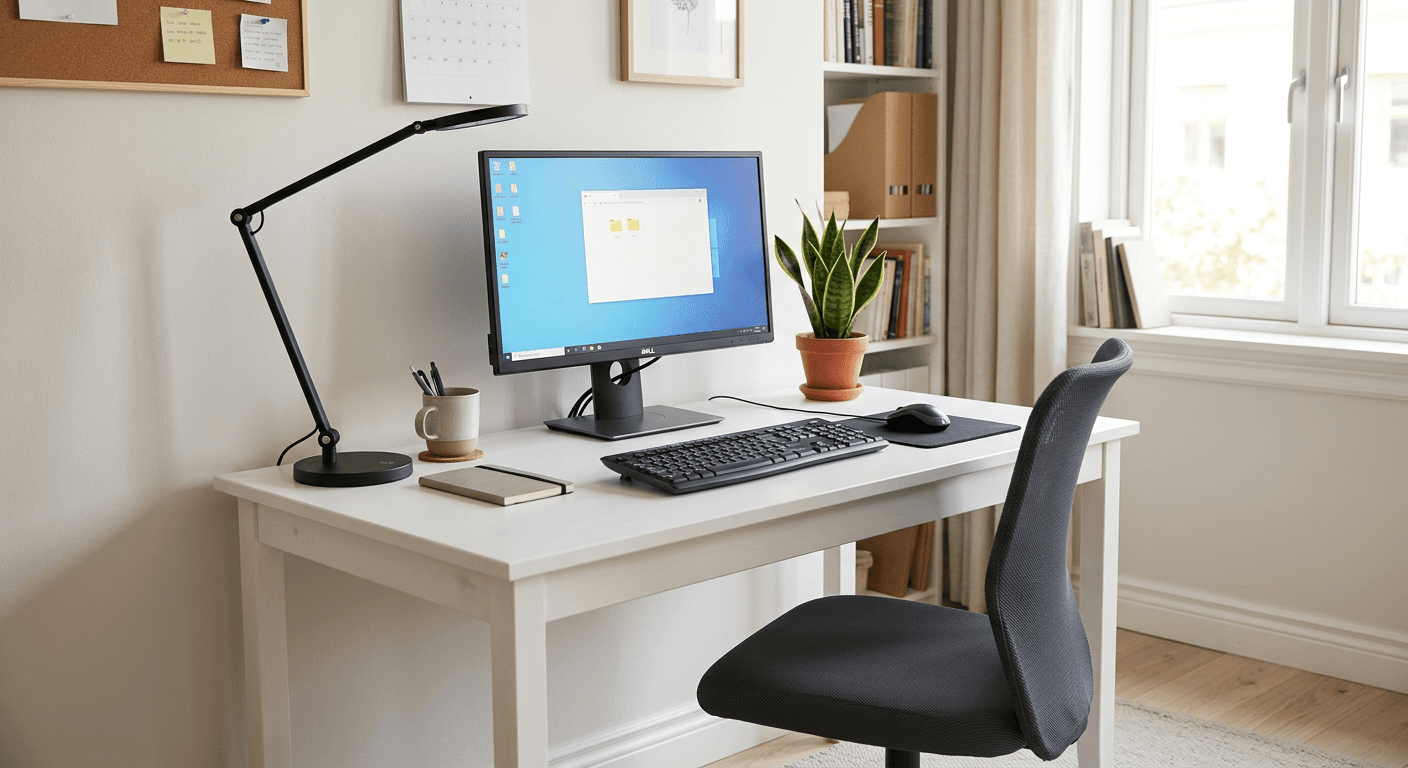
🖥️ Monitor — AOC 24B2XHM (~$130) 24″ 1080p IPS. Not exciting, but IPS color at this price is genuinely solid for reading and video calls. Full HD at 24″ looks sharp enough for all-day use. VESA-mountable if you want to add a monitor arm later.
⌨️ Keyboard + Mouse — Logitech MK470 (~$60) Slim wireless combo, single USB receiver. Ultra-quiet keys, compact design. It's not a mechanical keyboard — you're saving that upgrade for when you have more budget.
🎧 Headset — Jabra Evolve2 20 (~$70) USB wired, certified for Teams and Zoom, over-ear foam that blocks ambient sound. Best call quality under $80, period. Wired means zero latency, zero battery anxiety.
📷 Webcam — Anker PowerConf C200 (~$70) 1080p, built-in noise reduction, automatic exposure. Significantly better than any built-in laptop camera. Plug-and-play.
What to Skip at This Budget
- ❌ Standing desk (even budget ones are $300+, too much here)
- ❌ Premium mechanical keyboard (save for your next upgrade)
- ❌ Monitor arm (add it at the next budget tier)
- ❌ Ring light or key light (natural light + webcam exposure handles most people fine)
Your First Upgrade ($100 Later)
Once you have the base setup, the highest-ROI next purchase is a laptop stand + external keyboard if you're working from a laptop. Raising the screen to eye level eliminates the single biggest posture problem in home offices.
Frequently Asked Questions
Should I spend more on the chair or the monitor?
Chair. Back pain at hour 6 is more debilitating than a slightly lower-res monitor. You can always squint; you can't un-hurt a bad back.
Is a $130 monitor good enough?
For email, documents, video calls, and web browsing — yes, 1080p at 24″ is fine. It becomes limiting for design, photo editing, or coding on multiple split windows. That's a problem for the $1,000 budget.
Can I use my existing laptop instead of buying a monitor?
Absolutely. If your laptop screen is 15″+ and you position it correctly on a stand, that frees the monitor budget for a better chair or a standing desk converter.
What's the best way to save money on this list?
Buy the chair refurbished or during a sale. That's where the real money is — a Staples Hyken at ~$155 new — or a used Sihoo M57 around $120 — beats a $60 budget chair every time.
Buying this setup through a business?
If you’re self-employed and expensing the build, a free Amazon Business account is worth opening before you order — business-only pricing on the same gear, and itemized invoices instead of a pile of personal receipts to reconcile later.
- Free to open — no Prime or membership required
- Business-only pricing + quantity discounts on office gear
- Itemized invoices with tax detail, so write-offs are painless at filing time
Your next step
See the full $500 build, line by line.
Hilly Shore Labs
Editorial TeamWFH Lounge is published by Hilly Shore Labs. Every recommendation is built by synthesizing ergonomic research, manufacturer specs, expert reviews from outlets like Wirecutter, RTINGS, and The Verge, and aggregated long-term owner sentiment from thousands of verified buyers.
All product reviews are independently researched. Our recommendations are based on ergonomic guidelines, manufacturer specifications, and verified buyer sentiment. See our methodology.