How to Power Your Whole WFH Desk From One Charger
You don't need more power to consolidate your desk, you need the right amount from one source. Tally your gear (most desks land at 100-145W of USB-C demand), match or beat your laptop's original adapter, and use a 5A/240W cable so the wire isn't the bottleneck. One correctly-sized GaN charger or power-delivery dock replaces three bricks. Bigger is not the goal; correctly-sized is.
Quick Answer
Yes — one USB-C Power Delivery source can run your whole desk. A single USB-C cable carries power, data, and video at once, so it can charge a laptop and drive a monitor together. Add up your real draw first: most WFH desks need only a single 100W-145W source, not the 300W people assume. USB-PD now goes up to 240W, but a 16-inch laptop tops out around 140W. Pick one multi-port GaN charger (for a laptop plus phone) or one power-delivery dock (for monitors and peripherals), and make sure the cable is rated for the wattage.
Key Takeaways
USB-C Power Delivery can run a laptop, charge a phone, and drive a monitor down one cable. Here is how to size the watts and ditch the brick pile.
As an Amazon Associate I earn from qualifying purchases. Product prices and availability are subject to change.
Look under your desk. If there's a tangle of three or four power bricks fighting over a strip — one for the laptop, one for the monitor, a phone charger, maybe a desk lamp — you don't have a cable problem. You have a power-delivery problem, and it's now genuinely solvable.
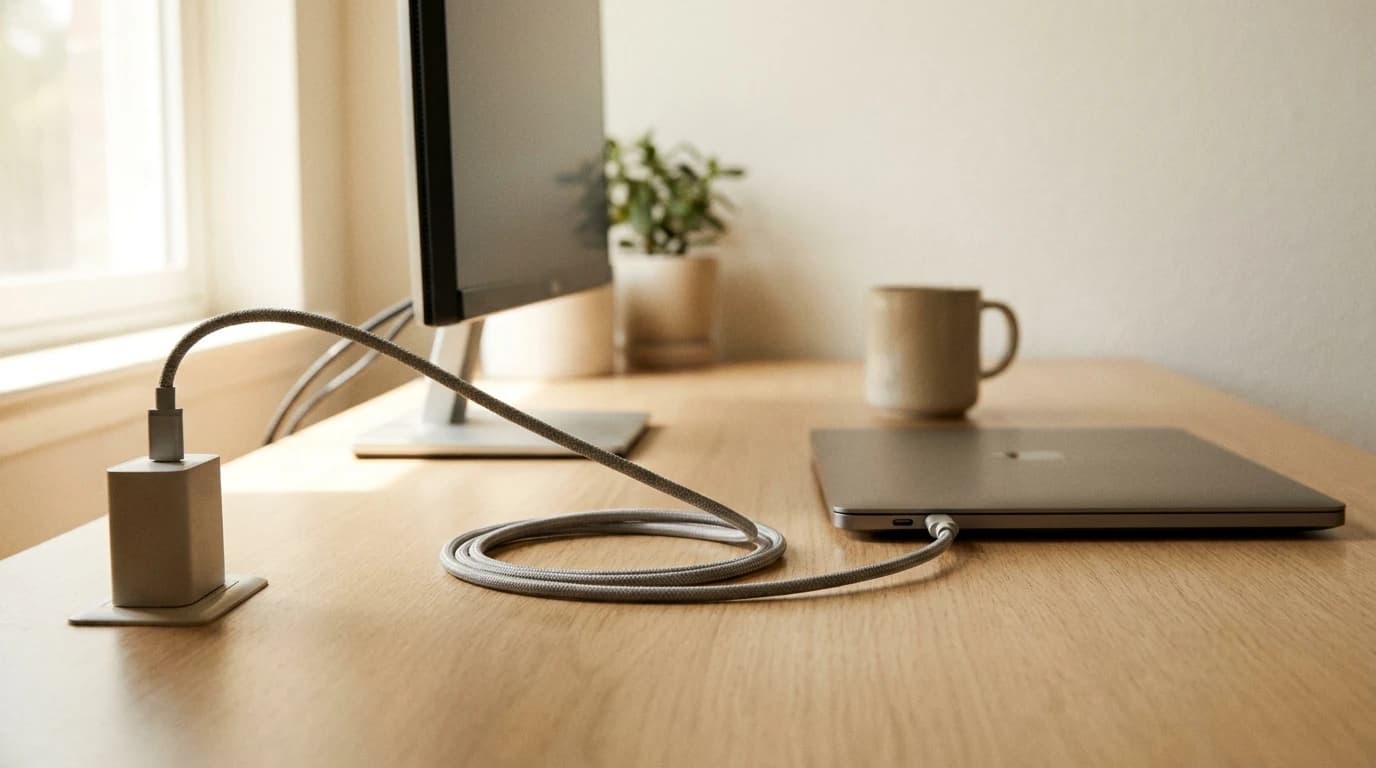
Modern USB-C Power DeliveryUSB-C PDUSB Power Delivery: the spec that lets USB-C deliver up to 100W (240W on PD 3.1) of charging power. A 90W+ PD monitor can charge most laptops while also handling video and peripherals over a single cable. (USB-PD) can run a laptop, charge your phone, and even carry video to a monitor down a single cable. The trick isn't buying more gear. It's understanding how many watts your desk actually needs, then choosing one source that can deliver them. Here's how to do the math and consolidate, without guessing.
What to know before you shop
- A single USB-C cable can carry power, data, and video at the same time — that's why one cable can charge a laptop and drive a monitor.
- USB-PD now goes up to 240W. It was capped at 100W for years; the 2021 spec update unlocked 140W, 180W, and 240W tiers.
- Add up your real watt draw first. Most WFH desks need a single 100W–145W source — not the 300W people assume.
- One good charger or a power-delivery dock replaces three bricks. The win is fewer wall plugs, not a faster laptop.
Why One Cable Can Do Three Jobs
USB-C is a connector, not a single feature. Over one cable it can move three different things simultaneously: power, USB data, and a DisplayPort video signal (a feature called DisplayPort Alt Mode). VESAVESA mountStandardized screw-hole pattern on the back of a monitor (typically 75x75mm or 100x100mm) for attaching arms, wall mounts, or stands. Almost every monitor over 24" supports it; check before buying an arm., which owns the DisplayPort standard, confirms a single USB-C cable can carry full DisplayPort A/V up to 8K at 60Hz, SuperSpeed USB data, and up to 100W of power at once.
That's the whole magic of a one-cable desk. Plug one cable into a USB-C monitor and your laptop can receive its picture and its charge through that same wire — no separate power brick, no separate HDMI run. The catch is that everything in the chain (the laptop port, the cable, the monitor or dock) has to support enough wattage. That's the part worth getting right.
Step 1: Add Up the Watts You Actually Need
Don't buy by gut feel. Tally your desk's draw. These are typical sustained figures for common WFH gear:
| Device | Typical power draw |
|---|---|
| 13–14" ultrabook (charging) | 30–65W |
| 16" performance laptop (charging) | 90–140W |
| Phone (fast charge) | 18–30W |
| Tablet / earbuds case | 10–20W |
| USB-powered monitor light bar | 5–12W |
A solo ultrabook desk often needs 65W. A 16-inch laptop that you also want to top your phone off from lands around 120–145W. Very few home desks ever cross 150W of USB-C demand. The 240W ceiling exists for gaming laptops and workstation rigs — most readers will never touch it.
The mistake to avoid: buying a charger rated below your laptop's own brick. A 65W charger plugged into a 16-inch laptop will still "work," but the laptop will charge slowly or drain under heavy load. Match or beat the wattage on your laptop's original adapter.
Step 2: Know the USB-PD Tiers
USB Power Delivery used to top out at 100W. The USB Implementers Forum (the body that owns the spec) updated it so that, per its own brief, USB-PD now delivers up to 240W over a full-featured USB-C cable — adding 28V, 36V, and 48V voltage levels for the 140W, 180W, and 240W tiers respectively.
What that means in plain terms:
- Up to 100W — fine for nearly every ultrabook and most 14" laptops.
- 140W — the sweet spot for 16" laptops (it's the exact tier Apple uses for the 16" MacBook Pro fast charge).
- 180W / 240W — gaming and mobile-workstation territory; overkill for typing and Zoom.
One more spec to look for: PPS (Programmable Power Supply). It lets a charger fine-tune voltage on the fly, which is what enables the fastest, coolest phone charging. A charger with PPS will treat your phone and your laptop well off the same port.
Step 3: Pick Your One Source
There are two clean ways to collapse the pile of bricks. Choose based on how many things plug into your laptop.
Path A — A multi-port GaN charger (cleanest for a laptop + phone)
If your desk is mostly "charge my laptop, charge my phone, maybe a tablet," a single multi-port charger is the simplest swap. It sits on the desk (or mounts under it), and one cable goes to the laptop.
For a 16" laptop that also needs to top a phone, the Anker 737 Power Bank (140W, 24,000mAh) doubles as a desk charger and a battery — useful if your home loses power mid-meeting, since it keeps the laptop alive without a UPS. If you want maximum total output to feed a laptop plus two or three other devices at once, the UGREEN Nexode 25,000mAh 145W Power Bank pushes 145W across three USB-C ports — enough headroom that nothing throttles when everything's plugged in. (It's also the value pick in our power banks roundup.) Both back up the desk and travel, which a wall charger can't.
Path B — A power-delivery dock (cleanest for monitors + peripherals)
If your laptop also drives a monitor, a keyboard, an Ethernet line, and a webcam, you don't want four cables — you want one. A dock with USB-C Power Delivery takes a single cable to your laptop and hands back power plus every peripheral. The Anker 13-in-1 USB-C Docking Station is a good example of the breed: it charges the laptop while running displays, USB devices, and wired internet over that one upstream cable.
This is the literal answer to the most specific version of the question — "I have two monitors and want to charge my laptop too." A power-delivery dock makes the laptop side a single cable and pushes the displays out the dock. For higher-bandwidth setups (dual 4K, Thunderbolt speeds), step up to a dedicated dock from our docking stations guide.
Step 4: Don't Let the Cable Be the Weak Link
A charger and a laptop can both be rated for 140W and you'll still get slow charging if the cable can't carry it. Power above 100W requires a cable rated for 5A / 240W (USB-PD EPR). A random USB-C cable from a drawer is often a 60W data cable — it'll connect, but cap your power. When in doubt, use the cable that came with a high-wattage charger, and if you're buying one, look for "240W" or "5A" printed on the connector or listing. (We break down how to read these markings in our USB-C cable spec guide.)
What Most People Get Wrong
The popular assumption is that consolidating means more power — a giant 300W brick to be safe. The opposite is true. The research-backed reality is that USB-PD is a negotiation: the laptop and charger agree on the highest tier both support, and the laptop draws only what it needs. A 145W source feeding a 96W laptop doesn't run hot or waste energy; it just has headroom for your phone. So the goal isn't a bigger brick — it's one correctly-sized source plus a cable rated to carry it. Get those two right and three power bricks become one.
Sources
Hilly Shore Labs
Editorial TeamWFH Lounge is published by Hilly Shore Labs. Every recommendation is built by synthesizing ergonomic research, manufacturer specs, expert reviews from outlets like Wirecutter, RTINGS, and The Verge, and aggregated long-term owner sentiment from thousands of verified buyers.
All product reviews are independently researched. Our recommendations are based on ergonomic guidelines, manufacturer specifications, and verified buyer sentiment. See our methodology.