How to Keep Your Home Office Cool in Summer (No AC)
Aim a fan at yourself and close the sun-facing blinds before you reach for the AC. A fan cools the person for cents a month and lets you run the AC ~4°F warmer; passive moves (night-flush ventilation, blocked sun) do the rest. Cool your office for comfort, not for a magic 72°F — that productivity number doesn't hold up.
Quick Answer
Cool yourself, not the whole room. In a one-person home office a fan aimed at you is far cheaper and just as comfortable as AC — it creates a wind-chill effect on your skin, and the U.S. Department of Energy says it lets you raise the thermostat about 4°F with no loss of comfort. Block the sun with blinds during peak hours, flush the room with cool night air, and treat the AC as the last, most expensive lever. Don't chill the room to hit a 'productive' temperature — a 2021 Berkeley meta-analysis found no reliable link between office temperature and work performance.
Key Takeaways
Cool the person, not the room: a fan beats AC for a one-desk office, and the '72°F is optimal for focus' rule was debunked. The cheap fixes that work.
As an Amazon Associate I earn from qualifying purchases. Product prices and availability are subject to change.
Search "keep home office cool" and you get two kinds of advice: buy a bigger air conditioner, or chill the room to some magic temperature so you "work better." Both miss the point. The cheapest, most effective move in a one-person home office is to cool the person, not the room — and the "ideal work temperature" the second camp chases rests on a study that was quietly debunked.
A whole-room AC fights physics: it has to drag the temperature of every cubic foot down, including the corners you never sit in. A fan does something cheaper — it moves air across your skin, speeding up evaporation so you feel several degrees cooler without changing the room's temperature at all.
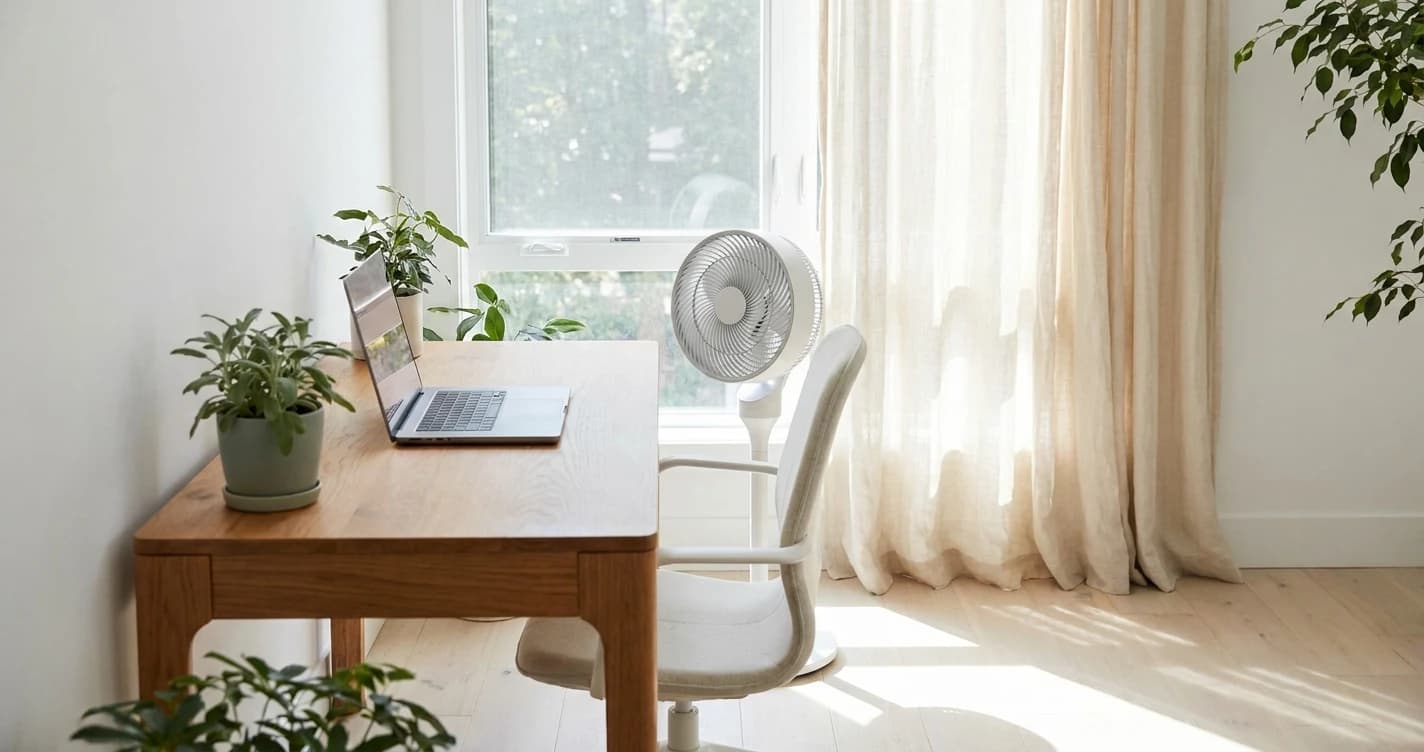
The order of operations for a hot home office: block the heat getting in, flush the room with cool night air, then aim a fan at yourself. Reach for the AC last — and when you do, let the fan carry most of the work. The U.S. Department of Energy says running a fan lets you raise the thermostat about 4°F with no loss of comfort.
The four things that actually work
- Fans cool people, not rooms. A fan "creates a wind chill effect," per the DOE — it doesn't lower air temperature. Point it at your body; turn it off when you leave.
- A fan buys you ~4°F on the AC for free. The DOE's own number; in moderate climates a fan can replace AC entirely.
- Passive cooling does the heavy lifting. Closing blinds during sunny hours is, per Efficiency Vermont, "one of the cheapest and simplest" ways to keep a room cool. Night-flush ventilation banks cool air before the day heats up.
- The "72°F is optimal for focus" rule was debunked. A 2021 Berkeley meta-analysis found no reliable link between office temperature and work performance — so cool for comfort, not for a productivity number.
Cool the person first: why a fan beats AC for one desk
The highest-leverage tool for a home office is a fan aimed at you. The Department of Energy is blunt about how fans work: they "create a wind chill effect that makes you feel more comfortable." They don't cool the air — they move it across your skin so sweat evaporates faster, which your body reads as cooler. Efficiency Vermont says it the same way: "Blow air directly on people to get a cooling effect."
That distinction is the whole game in a one-person room: an AC cools the entire space to reach you; a fan reaches only you, which is all you need at a desk. The payoff is comfort and cost — per the DOE, a fan lets you "raise the thermostat setting by about 4°F without reducing comfort," and in moderate climates can "replace air conditioning altogether." A small desk fan runs for cents per month.
Two fan rules:
- Aim it at yourself, not the room. A fan blowing into an empty corner is just spending electricity — same reason to switch it off when you step away.
- Set ceiling fans counterclockwise in summer (looking up), so they push air straight down on you, per the DOE.
Block the heat before it gets in
The cheapest cooling is the heat you never let inside. Two passive moves, both from Efficiency Vermont:
| Move | What it does | When |
|---|---|---|
| Close blinds on sun-facing windows | Stops solar heat through the glass — "one of the cheapest and simplest" methods | The sunniest hours (late morning to late afternoon) |
| Night-flush ventilation | Open windows after dusk for a cross-breeze; close before the morning heat | Overnight, then shut by mid-morning |
A west-facing window in the afternoon is, in their words, "like a heater" — if your desk faces one, a closed blind during peak sun beats any gadget. One more lever: delay the heat-makers. Ovens, dryers, and dishwashers dump real heat in, so run them in the cooler evening — a free win when you're home all day.
The myth that makes people overcool the room
The advice to keep your office at exactly 72°F traces to a single 2006 Lawrence Berkeley National Laboratory study, which concluded performance peaks around 22°C (72°F) and falls as you move away — dropping to ~91% of peak at 30°C (86°F). That number got baked into the ASHRAE building-design handbook and repeated everywhere.
Then in 2021, a team including Berkeley's own Center for the Built Environment re-ran the analysis with better methods — 358 performance measures across 35 studies from 1946 to 2020 — and found no reliable relationship between temperature and work performance within the range of temperatures normally found in offices. The authors went further: the old 2006 model "should not be used to design or control buildings."
So don't chill the room to hit a number. Within a normal comfortable range, there's no evidence a slightly warmer office is making you dumber. Cool the room because you're uncomfortable, not because you're chasing a productivity score — and "comfortable" is exactly what a fan delivers for pennies. A genuinely hot room is still a comfort and health problem worth fixing; a 75°F office with a fan on you is not.
A 5-minute hot-office fix order
When the room heats up, work the levers cheapest-and-most-effective first:
- Close the blinds on any sun-facing window.
- Aim a fan at yourself (not the room). Counterclockwise if it's a ceiling fan.
- Open the opposite window if outside is cooler, to pull a cross-breeze across the desk.
- Hold off on the oven/dryer until evening.
- Only then turn on the AC — and leave the fan running so you can set it ~4°F warmer.
What most people get wrong
They buy a bigger AC to cool a room they barely occupy, then set it cold "to focus better." Both halves are backwards: you don't need the room cold, you need you comfortable — and the focus rationale rests on research that no longer holds up.
FAQ
Is a fan really cheaper than air conditioning for a home office?
Dramatically. A fan only moves air across your skin instead of cooling the whole room, so it draws a tiny fraction of an AC's power — a small desk fan costs roughly cents per month. The DOE also notes a fan lets you raise the thermostat about 4°F with no loss of comfort, so even when you run the AC, a fan cuts how hard it works.
What's the ideal temperature for a home office?
There's no magic productivity number. A 2021 Berkeley meta-analysis found no reliable link between office temperature and work performance within normal ranges, debunking the long-cited "72°F is optimal" rule. Set your office to whatever's comfortable, and use a fan to feel cooler without overcooling the room.
Which way should a ceiling fan spin in summer?
Counterclockwise as you look up at it, per the DOE. That pushes air straight down so it blows across you and creates the cooling wind-chill effect. (In winter you reverse it to clockwise on low.)
Does closing the blinds actually keep a room cooler?
Yes — one of the highest-value passive moves. Efficiency Vermont calls blocking sun with shades or blinds during the sunniest hours "one of the cheapest and simplest" ways to keep a home cool, because it stops solar heat before it enters through the glass.
Sources
- →U.S. Department of Energy — Fans for Coolingfans create a wind-chill effect that cools people not rooms; a fan lets you raise the thermostat ~4°F without losing comfort; run summer fans counterclockwise.
- →Center for the Built Environment, UC Berkeley — Temperature and Work Performance2021 meta-analysis (358 measures, 35 studies) found no reliable temperature–performance link; the 2006 model "should not be used."
- →Lawrence Berkeley National Laboratory — Effect of Temperature on Task Performance (Seppänen 2006)the original finding that performance peaks ~22°C and drops ~8.9% at 30°C.
- →Efficiency Vermont — Summer Guide to Energy Savings & Comfortclose blinds during sunny hours ("cheapest and simplest"); night-flush ventilation; delay heat-producing appliances.
Hilly Shore Labs
Editorial TeamWFH Lounge is published by Hilly Shore Labs. Every recommendation is built by synthesizing ergonomic research, manufacturer specs, expert reviews from outlets like Wirecutter, RTINGS, and The Verge, and aggregated long-term owner sentiment from thousands of verified buyers.
All product reviews are independently researched. Our recommendations are based on ergonomic guidelines, manufacturer specifications, and verified buyer sentiment. See our methodology.