Best Home Office Printers 2026: 5 WFH Picks Ranked
Our #1 Pick
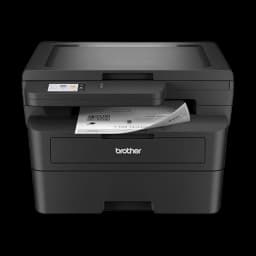
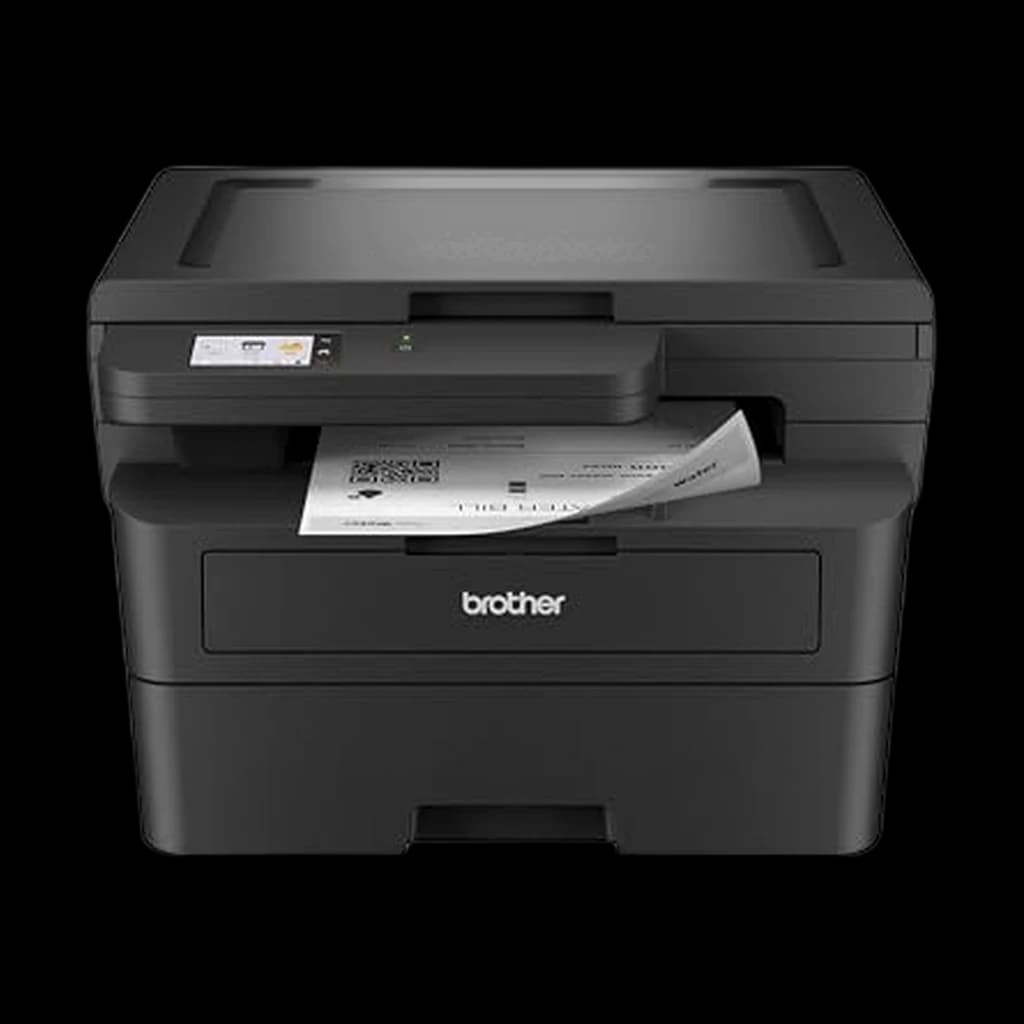
Brother HL-L2480DW Mono Laser 3-in-1 (Print/Copy/Scan)
Brother's compact mono laser with a flatbed scanner and copier added to the HL-L2460DW's print engine. For a home office that prints text and occasionally scans a page, it is the set-and-forget pick on this page; Brother rates it at 36 ppm with auto duplex and a 2.7-inch touchscreen.
- Brother rates print speed at up to 36 ppm mono with automatic duplex on by default
- Flatbed scan glass adds copy and scan to the single-function HL-L2460DW it replaces
- Dual-band Wi-Fi (2.4/5 GHz), Ethernet and USB 2.0, plus AirPrint and Brother Mobile Connect
Price checked Oct 19, 2026 — verify the live price on Amazon.
 #1 Owner rating | 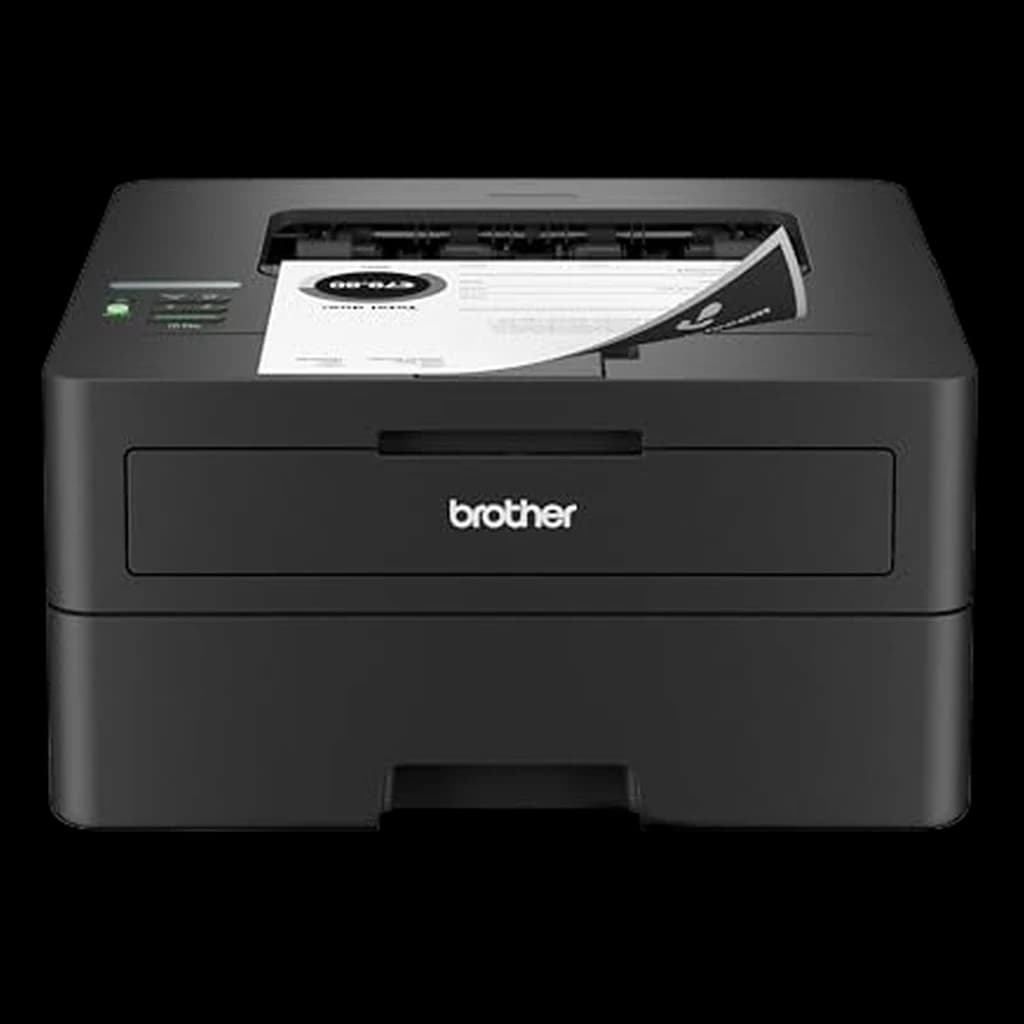 #2 Owner rating | 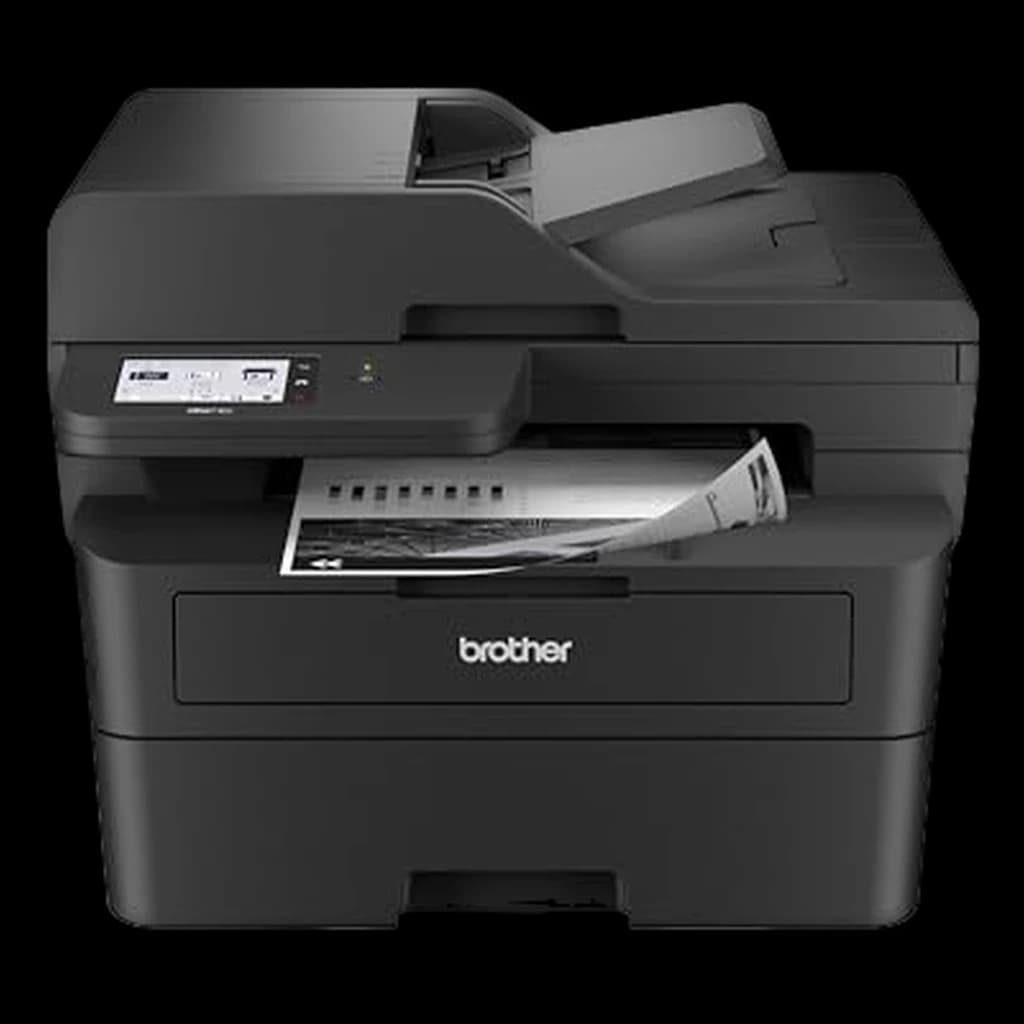 #3 Owner rating | 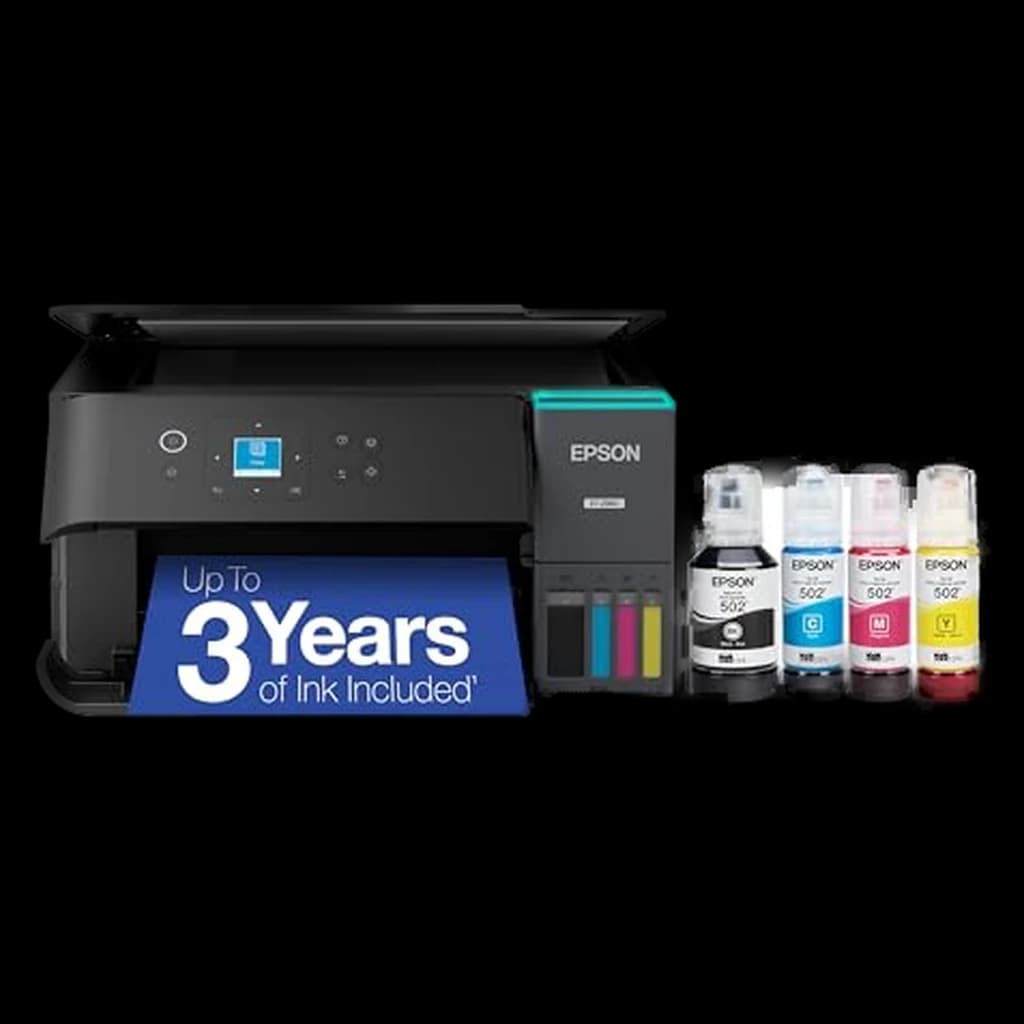 #4 Owner rating | |
|---|---|---|---|---|
| Price | $249.99Buy on Amazon | $179.99Buy on Amazon | $329.99Buy on Amazon | $299Buy on Amazon |
| Verdict | Brother's compact mono laser with a flatbed scanner and copier added to the HL-L2460DW's print engine. For a home office that prints text and occasionally scans a page, it is the set-and-forget pick on this page; Brother rates it at 36 ppm with auto duplex and a 2.7-inch touchscreen. | The default WFH mono laser — compact, reliable, near-zero maintenance. | No-compromise mono laser AIO — same engine plus a 50-sheet ADF for real scanning. | The only inkjet that makes WFH economic sense — refillable tanks, color under a cent a page. |
| Buyer sentiment | Reliability Value for money Print Speed Wireless Connectivity Buyers praise reliability, value for money, print speed and wireless connectivity. Mixed feedback on print quality and connectivity. Based on 346 user mentions | Print Quality Print Speed Value for money Wireless Connectivity Buyers praise print quality, print speed and value for money. Mixed feedback on reliability and quality. Some flag wireless connectivity. Based on 1,606 user mentions | Printer Quality Reliability Setup Print Speed Buyers praise printer quality, reliability, setup and print speed. Mixed feedback on value for money and print quality. Based on 279 user mentions | Printer quality Printability Setup Print quality Screen size Paper jamming Buyers praise printer quality, printability, setup and print quality. Some flag screen size and paper jamming. Based on 468 user mentions |
| Type | Monochrome laser 3-in-1 (print, copy, scan) | Mono laser | Mono laser AIO | Color inkjet (EcoTank) |
| Speed | 36 ppm mono | 36 ppm | 36 ppm | ~10 ppm black |
| Duplex | Automatic two-sided printing | Auto two-sided | — | — |
| Connectivity | Dual-band WiFi + Ethernet + USB 2.0 | WiFi + Ethernet + USB | WiFi + Ethernet + USB | WiFi + USB |
| Duty Cycle | 35,000 pages/month max (2,500 recommended) | — | — | — |
| Input Tray | 250 sheets + 1-sheet manual feed | — | — | — |
| ADF | None (flatbed only) | — | 50-sheet | — |
| Functions | Print, copy, scan; 2.7-inch touchscreen | — | Print / scan / copy / fax | Print / scan / copy |
| Duty cycle | — | ~2,000 pages/mo | — | — |
| Ink yield | — | — | — | ~7,500 b&w / 6,000 color |
| Pros |
|
|
|
|
| Cons |
|
|
|
|
* Prices checked Oct 17, 2026 and may vary. Check the latest price on Amazon.
We research — never hands-on. How we research →
Worth the upgrade
If the office prints client-facing documents or you're scanning regularly, the color laser all-in-one tier is the buy-once move — the MFC-L3780CDW adds color, duplex scanning, and a heavier duty cycle the budget mono picks aren't built for.
Key Takeaways
The best home office printers for 2026, ranked for real WFH volume. Top pick: Brother HL-L2460DW mono laser (~$180) — auto-duplex, no clogs, just works.
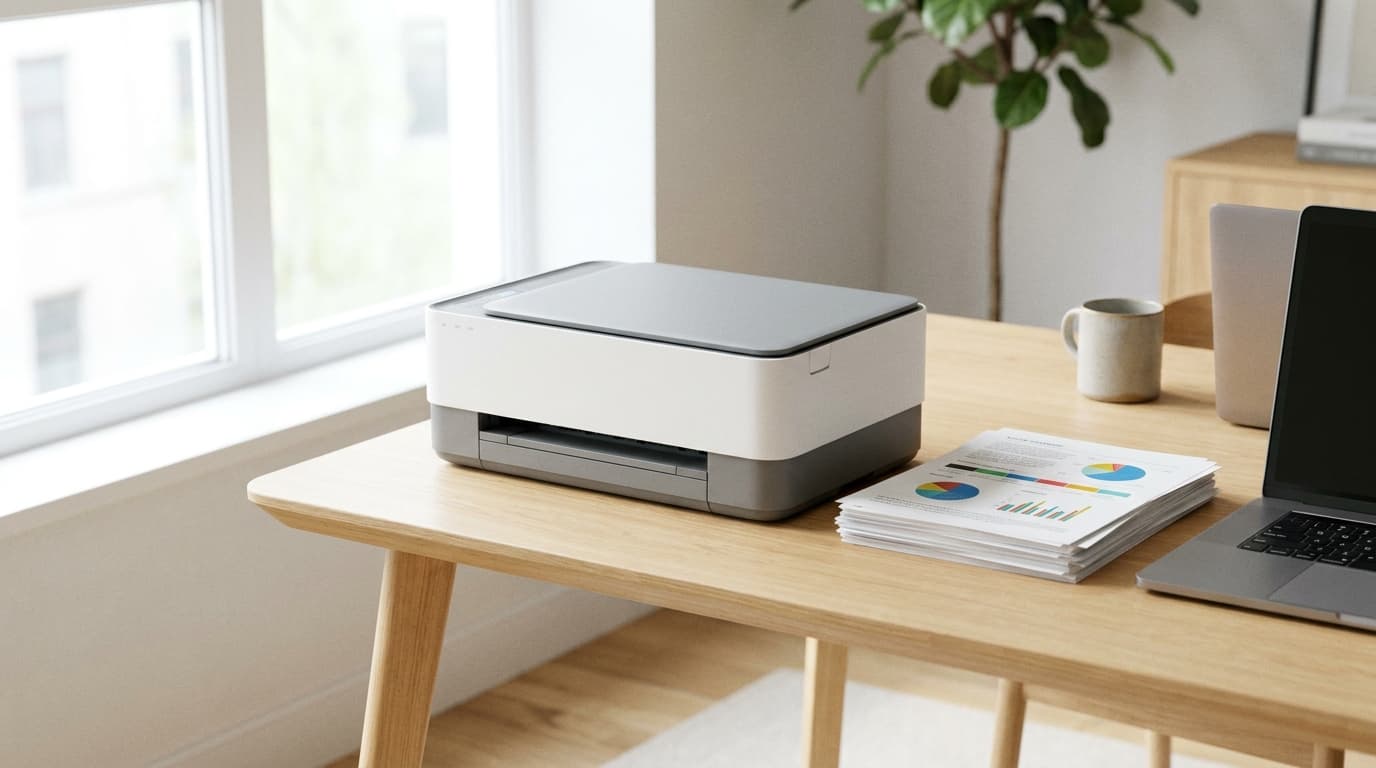
As an Amazon Associate I earn from qualifying purchases. Product prices and availability are subject to change.
Most printer reviews are written for offices that run hundreds of pages a day. WFH workers do not. Brother and HP's own usage data puts typical home-worker volume at 4 to 12 pages a month — long stretches of nothing, then a small batch of contracts, shipping labels, school forms, or boarding passes. That rhythm should drive the buying decision more than any spec sheet.
Buy for the rhythm, not the spec sheet: cheap inkjets that sit idle for weeks at a time clog. Lasers don't.
We cross-referenced current WFH-printer recommendations across Wirecutter, PCMag, RTINGS, and the long-running r/HomeOffice and r/printers consensus threads, against cost-per-page math from each manufacturer's published toner and ink yields. Four current models clear the bar in 2026.
Decide in 30 seconds
| If you... | Pick |
|---|---|
| Print mostly black-and-white documents and want zero hassle | Brother HL-L2460DW |
| Need scan, copy, and a real document feeder | Brother MFC-L2980DW |
| Print color, kid art, or photos with any regularity | Epson EcoTank ET-2980 |
| Print 50+ pages a day or want wired Gigabit Ethernet | HP LaserJet Pro 4001dn |
How we picked
Three bars:
- Rating: a 4-star-plus aggregate rating across hundreds to thousands of long-term owners.
- Auto duplex: automatic two-sided printing built in — a real WFH workflow win that cheaper printers skip.
- Consumables: math that doesn't punish the buyer over the printer's life.
We disqualified any printer that requires an active subscription to function, which rules out HP Instant Ink-only models and HP+-activated devices.
We also weighted long-term reliability heavily. A WFH printer sits unused for weeks, then has to print on demand at 8:55 AM right before a meeting.
Why three of the four picks are lasers: that cadence is hard on inkjet print heads and easy on laser engines. The one inkjet is a refillable tank system built to resist clogging.
Our current top pick: Brother HL-L2480DW Mono Laser 3-in-1 (Print/Copy/Scan)
Buy on Amazon · $249.99Brother's compact mono laser with a flatbed scanner and copier added to the HL-L2460DW's print engine. For a home office that prints text and occasionally scans a page, it is the set-and-forget pick on this page; Brother rates it at 36 ppm with auto duplex and a 2.7-inch touchscreen.
Why it moved to the top of our category page:
- Brother rates print speed at up to 36 ppm mono with automatic duplex on by default
- Flatbed scan glass adds copy and scan to the single-function HL-L2460DW it replaces
- Dual-band Wi-Fi (2.4/5 GHz), Ethernet and USB 2.0, plus AirPrint and Brother Mobile Connect
Where it falls short:
- Mono only; no color printing
- No automatic document feeder and no fax; multi-page scans are one sheet at a time on the glass
| Spec | Detail |
|---|---|
| Type | Monochrome laser 3-in-1 (print, copy, scan) |
| Speed | 36 ppm mono |
| Duplex | Automatic two-sided printing |
| Connectivity | Dual-band WiFi + Ethernet + USB 2.0 |
| Duty Cycle | 35,000 pages/month max (2,500 recommended) |
Buy the Brother HL-L2480DW Mono Laser 3-in-1 (Print/Copy/Scan) on Amazon
The Brother HL-L2460DW Compact Mono Laser Printer, below, was our previous top pick here and remains a solid second option; the figures above come from the maker's listing and spec page, not our own testing.
1. Best Overall: Brother HL-L2460DW
Buy on Amazon · $179.99The Brother HL-L2460DW is the current WFH default, and the reason is simple: it does the boring thing well. Auto two-sided printing, wireless plus Ethernet plus USB, AirPrint and Mopria, roughly 2 cents a page with high-yield TN830XL toner, and a print engine that does not care that you went three weeks without touching it. Set it up once from your phone and laptop, then mostly forget about it. At 36 ppm a 20-page contract is done before your coffee.
What's missing is the trade-off: no scanner, no copier. If you need either, step up to the MFC-L2980DW below.
Specs: Mono laser. 36 ppm. Auto duplex. WiFi + Ethernet + USB. 250-sheet tray. ~2,000 pages/month duty cycle.
- Good for: Anyone who prints mostly text, anyone tired of inkjet drama, the WFH worker who values reliability over features.
- Not good for: Color printing, anyone who needs to scan.
2. Best All-in-One: Brother MFC-L2980DW
Buy on Amazon · $329.99The Brother MFC-L2980DW is the no-compromise WFH all-in-one. Same 36 ppm Brother mono laser engine that wins above, plus a 50-sheet automatic document feeder and print/scan/copy/fax over WiFi, Ethernet, or USB. The ADF is the part that matters: it turns "scan a signed 8-page contract" from a flatbed chore into a one-button job.
The footprint is bigger than the HL-L2460DW and the price roughly doubles, but you get scanning that's fast enough to actually use rather than fast enough to avoid.
Specs: Mono laser AIO. 36 ppm. Print / scan / copy / fax. 50-sheet ADF. Auto duplex. WiFi + Ethernet + USB.
- Good for: WFH workers who scan multi-page documents, anyone replacing a desk scanner with the printer, home offices doing real paperwork.
- Not good for: Tiny desks, anyone who only ever prints.
3. Best Color: Epson EcoTank ET-2980
Buy on Amazon · $299The Epson EcoTank ET-2980 is the current linked pick here. The EcoTank line is the only inkjet category that makes economic sense for a home office. Refillable bottles drop color cost-per-page under a cent — roughly 30x cheaper than cartridge inkjet ink — and up to about three years of ink ships in the box for typical home volume. Epson's Heat-Free PrecisionCore engine clogs less than older thermal inkjets, though it still wants to be used at least monthly.
The ET-2980 is the right home-office size: print, scan, and copy, a color display, and the full Epson Smart Panel app. At 10 ppm black it's slower than laser, but for color documents, kid art, and the occasional photo, that's fast enough.
Specs: Color inkjet AIO (EcoTank). ~10 ppm black. Print / scan / copy. ~7,500 black / 6,000 color pages per ink set. WiFi + USB.
- Good for: Households that print color, kid art, or photos regularly; anyone who hates the cartridge-ink upsell.
- Not good for: People who print less than once a month — even EcoTanks can clog from total disuse.
4. Best Workhorse: HP LaserJet Pro 4001dn
If you print real volume — 50+ pages a day, or you run a small ecommerce side hustle from the home office — the HP LaserJet Pro 4001dn is the upgrade. At 42 ppm it's the fastest here, the 80,000-page monthly duty cycle is far above any home demand, and built-in Gigabit Ethernet is genuinely useful on a wired home network.
Note the model letters: the "dn" is Ethernet-only. The 4001dw adds Wi-Fi for roughly $30 more if you need wireless.
Budget for genuine toner: HP's toner uses firmware that resists third-party cartridges.
Specs: Mono laser. 42 ppm. Auto duplex. Gigabit Ethernet + USB. 250-sheet tray. 80,000 pages/month max duty cycle.
- Good for: Heavy WFH print volume, wired-network home offices, label-printing side hustles.
- Not good for: Wireless-only setups (get the 4001dw), anyone who needs scanning.
Setting up a WFH printer correctly
Three small choices at setup matter more than the spec sheet:
- Decline any subscription enrollment at first power-on. Most relevant for HP+ on HP printers, but it applies to any "register for free ink" or "activate Instant Ink" prompt. Subscriptions on a low-volume WFH printer rarely save money and can lock the device to one ink supply.
- Set auto duplex as the default in the print dialog on macOS and Windows. Every printer here supports it; not every default driver enables it.
- If you bought the EcoTank, print one test page every two to three weeks. A small habit that prevents the head-clog problem that kills most consumer inkjets within their warranty.
Frequently asked questions
What printer is best for remote work environments? The Brother HL-L2460DW is the best printer for most remote work environments — a compact mono laser around $180 with auto duplex, WiFi, Ethernet, and roughly 2 cents per page on high-yield toner. It suits the actual WFH rhythm of long idle stretches broken by a few contracts, forms, or shipping labels, because toner does not dry out from disuse. If you also scan multi-page documents, the Brother MFC-L2980DW adds a 50-sheet ADF.
Which printers are most reliable for remote work? Mono laser printers are the most reliable choice for remote work, and Brother's mono lasers are the models r/HomeOffice and r/printers recommend most consistently for that reason. The failure mode that kills home printers is a clogged inkjet head after weeks without printing, and a laser engine has no heads to clog. If you need color, the Epson EcoTank ET-2980's Heat-Free PrecisionCore engine is the most clog-resistant inkjet here — but print at least monthly.
Laser or inkjet for a home office printer? Laser for almost everyone. The only reason to pick inkjet is regular color or photo printing — and in that case an Epson EcoTank refillable is the right inkjet, not a cartridge-based one.
How much should I spend on a home office printer? Around $180 covers the majority of WFH printing needs (Brother HL-L2460DW). $300–$330 buys either a mono laser all-in-one with an ADF (MFC-L2980DW) or a cartridge-free color tank (EcoTank ET-2980). Above $400 is hard to justify for typical WFH volume.
Why do people warn against HP+? Activating HP+ during setup permanently locks the printer to genuine HP cartridges and the HP Instant Ink subscription terms. Third-party cartridges stop working, and disabling it later requires a factory reset. Decline HP+ at setup and the printer works normally.
Is fax still useful for WFH? For most people, no. The exceptions are real estate, healthcare, and legal work, where some counterparties still require a fax line. If that's you, the Brother MFC-L2980DW includes fax. If not, ignore the feature.
Should I get a refurbished printer? For laser printers, yes — refurbished mono lasers from Brother and HP are reliable if the seller includes toner. For inkjets, no — refurbished inkjets often arrive with partially clogged heads from sitting on a shelf.
What about photo printing? None of these is a dedicated photo printer. The EcoTank ET-2980 does reasonable 4x6 output. For frame-quality prints, buy a dedicated photo printer (Canon PIXMA PRO, Epson SureColor) rather than compromising your document printer.
Bottom line
For most WFH workers the right answer is the Brother HL-L2460DW — it solves the only printer problem that actually matters at home volume: a printer that just works on Tuesday at 8:55 AM no matter how long it sat idle. Need scanning? Step up to the Brother MFC-L2980DW. Genuinely print color? Get the Epson EcoTank ET-2980 and stop buying cartridges. Print heavy volume? The HP LaserJet Pro 4001dn is the workhorse. Skip any printer with an active subscription requirement.
A printer is one piece of the desk. Browse all our home office printer picks, or see our guides to the best monitors for WFH and the best USB-C hubs for WFH.
Your next step
Protect it from surges while you're at it.
Hilly Shore Labs
Editorial TeamWFH Lounge is published by Hilly Shore Labs. Every recommendation is built by synthesizing ergonomic research, manufacturer specs, expert reviews from outlets like Wirecutter, RTINGS, and The Verge, and aggregated long-term owner sentiment from thousands of verified buyers.
All product reviews are independently researched. Our recommendations are based on ergonomic guidelines, manufacturer specifications, and verified buyer sentiment. See our methodology.