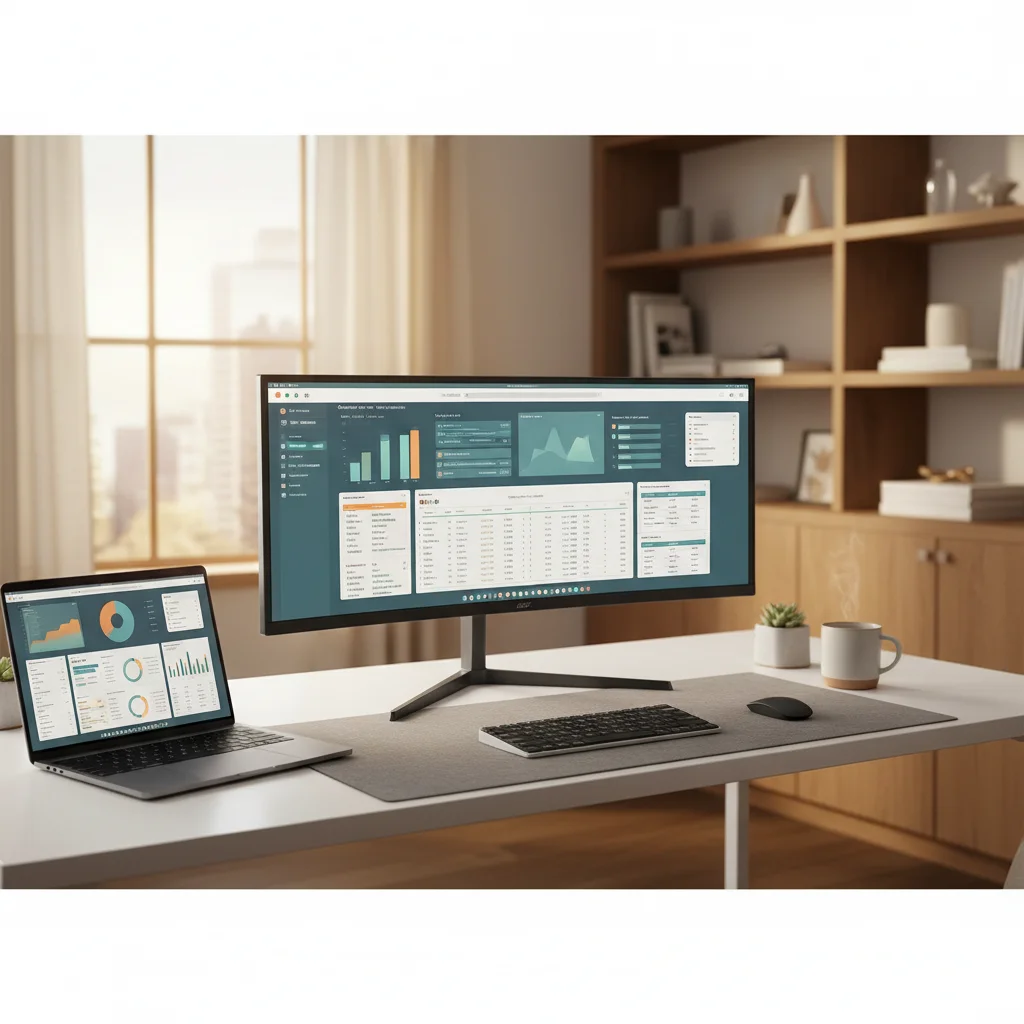
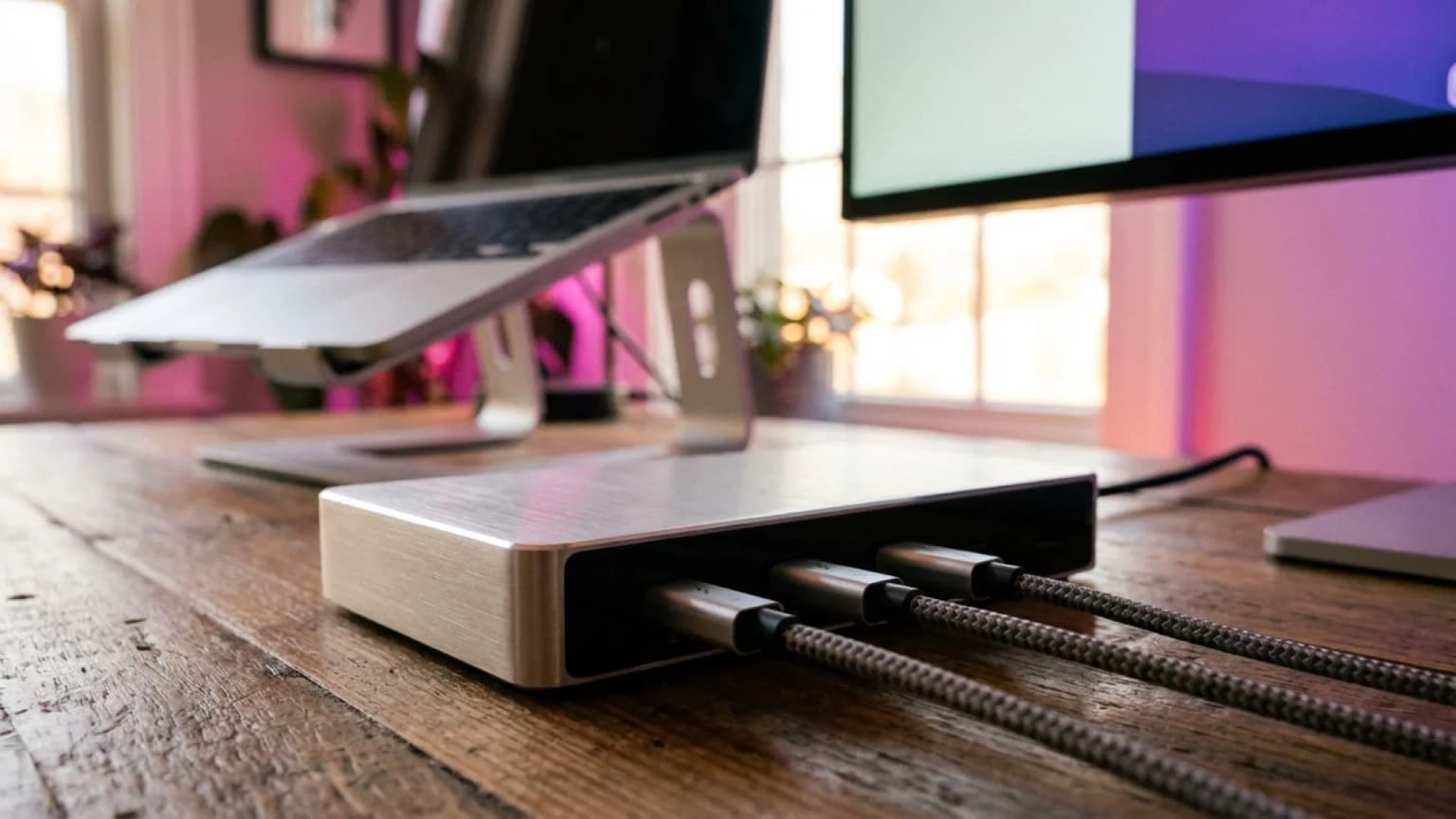
Best Laptops 2026: 10 Picks Across Mac, Windows, Chrome
MacBook Air M5 13-inch ($999) is the right WFH laptop for 80 percent of buyers. Surface Laptop 7 (Snapdragon) wins for Windows users who care about battery. MacBook Pro 14 M4 Pro ($1,999) is the honest pick for video editors and devs.
Our #1 Pick
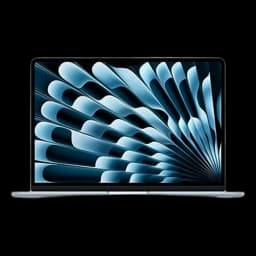
Apple MacBook Air M5 13-inch (16GB / 512GB)
Apple finally made 16GB RAM the base config at $999. M4 chip, fanless silence, 14 to 18 hours of real-world battery, 2.7 lbs. Wirecutter, RTINGS, and Tom's Hardware all converge on this as the default WFH laptop of 2026 - the right answer for 80 percent of buyers.
- M5 chip, 4x faster on-device AI
- 18-hour battery, fanless silent
- Wi-Fi 7 + Bluetooth 6
Price checked Sep 12, 2026 — verify the live price on Amazon.
Also Great
Best Windows: Microsoft Surface Laptop 7 (Snapdragon X Elite) ($1,449) — 20-plus hours of real battery in a Windows machine, 120Hz HDR touchscreen
Buy on AmazonBest Budget: Lenovo IdeaPad Slim 5 16-inch ($679) — 16GB RAM and 1TB SSD at this price is the rare combo - real WFH capable under $700
Power User: MacBook Pro 14 M4 Pro ($2,190.32) — 12-core CPU plus mini-LED XDR display - the only honest answer for video and dev work
Buy on Amazon #1 4.8 | 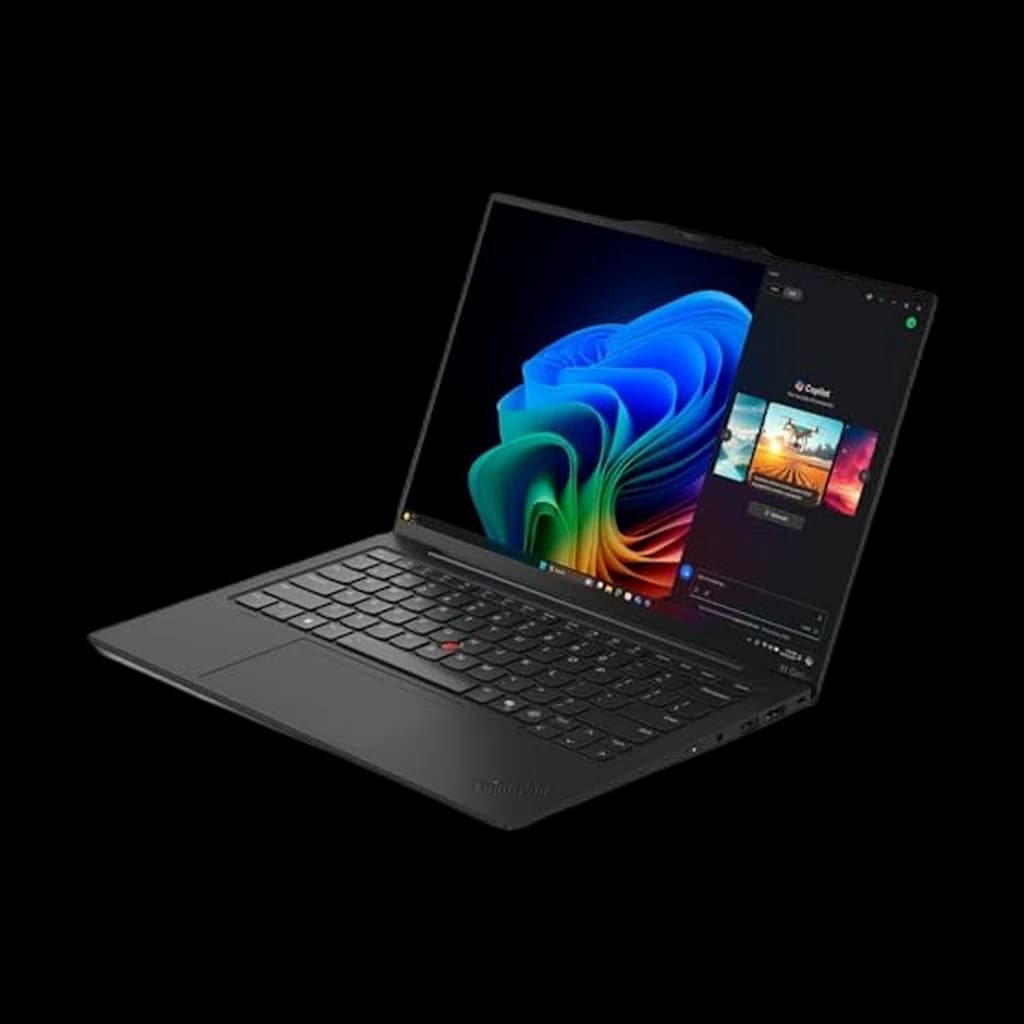 #2 4.6 | 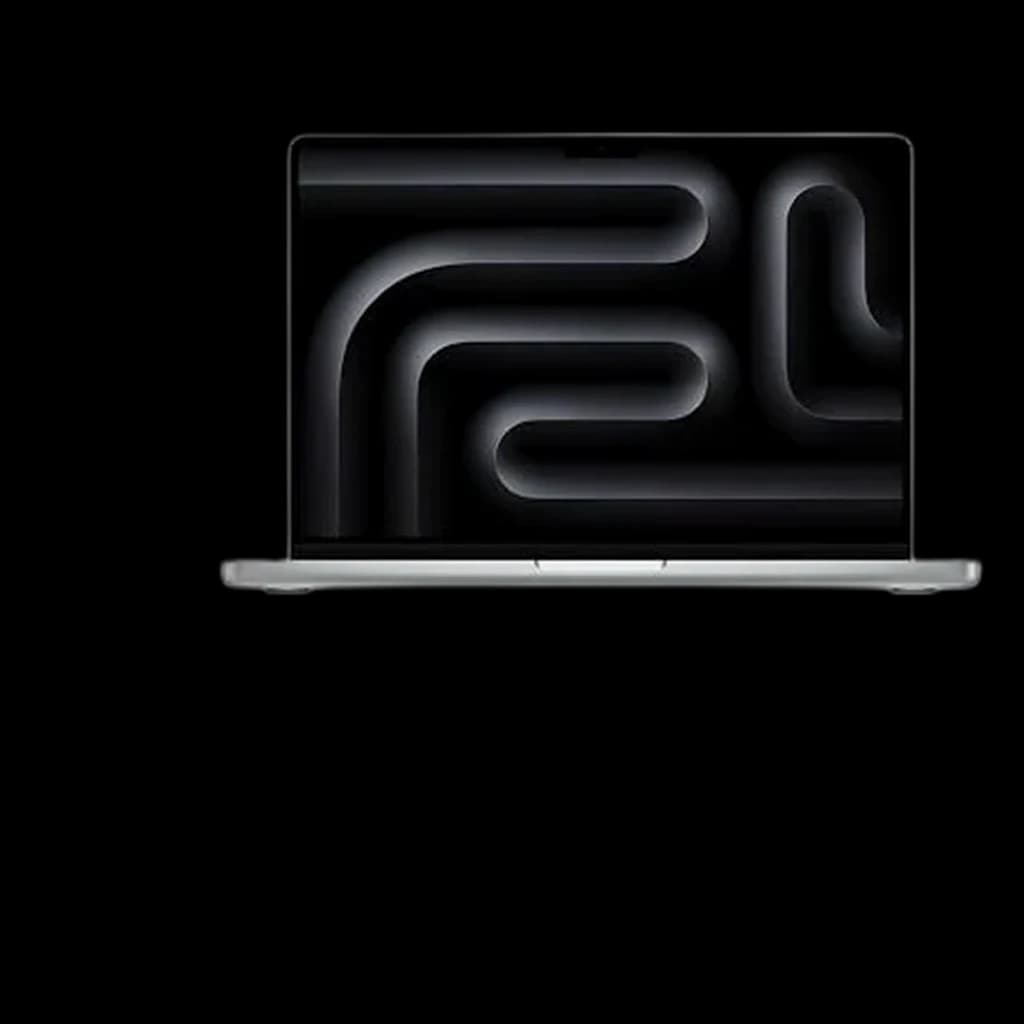 #3 4.7 | 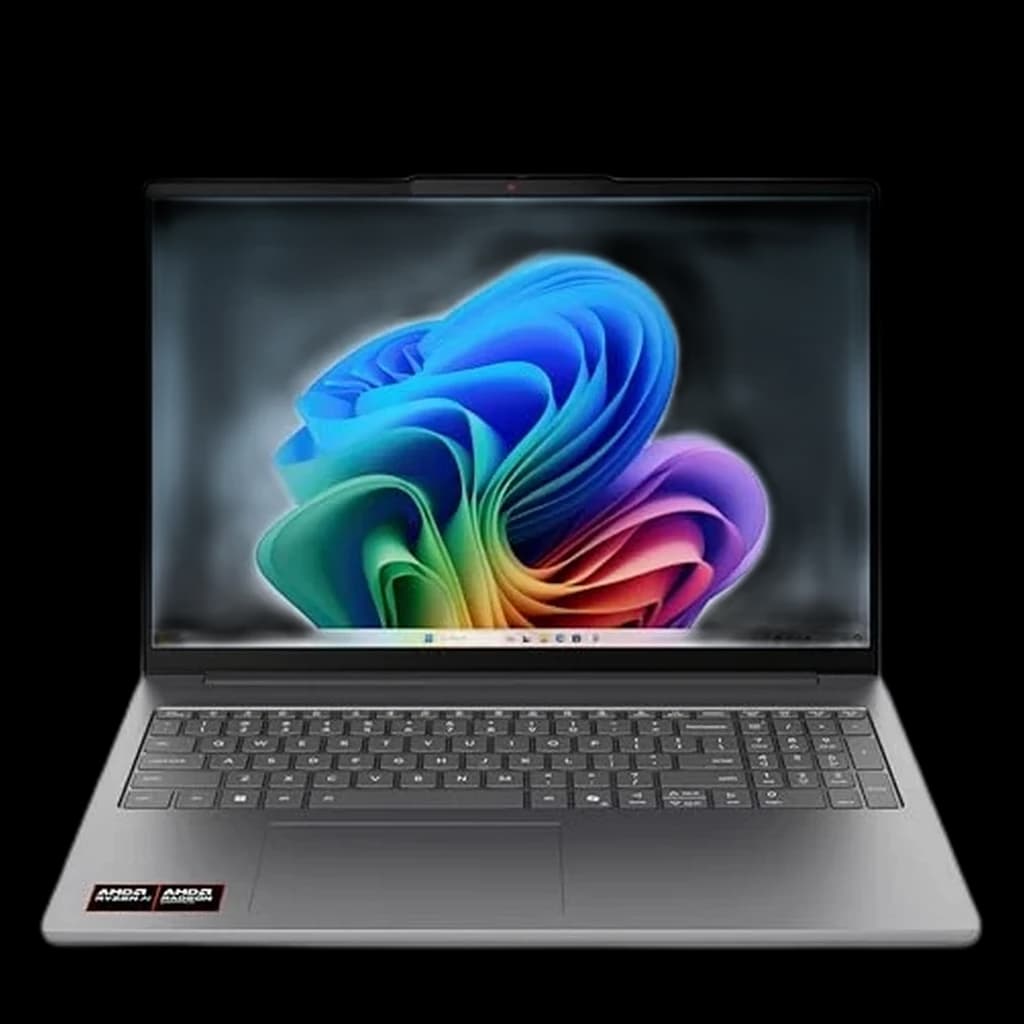 #4 4.4 | |
|---|---|---|---|---|
| Price | $1,259.99Buy on Amazon | $2,398Buy on Amazon | $2,349Buy on Amazon | $1,076.46Buy on Amazon |
| Verdict | The default WFH laptop of 2026. M5 chip, 16GB base, 18 hours of real battery, fanless silent operation. | The peerless business ultraportable - 982 grams and the keyboard everyone copies. | M5 Pro is for video editors, devs running containers, and anyone who pegged a fanless Air to 100 percent. | Best budget Copilot+ pick under $800 — Ryzen AI 7, 16GB base, big 16-inch panel for spreadsheet WFH. |
| Buyer sentiment | Quality Speed Value for money Display Buyers praise quality, speed, value for money and display. Based on 335 user mentions | Lightweight Typing Feel Connectivity Price Buyers praise lightweight, typing feel, connectivity. Some flag price. Based on 100 user mentions | Performance Speed Value for money Buyers praise performance, speed and value for money. Mixed feedback on battery life. Based on 47 user mentions | AI Performance Value Build Battery Life Buyers praise ai performance, value. Some flag build, battery life. Based on 95 user mentions |
| CPU | Apple M5 (10-core) | Intel Core Ultra 7 258V | Apple M5 Pro (15-core) | AMD Ryzen AI 7 445 (8-core, Copilot+) |
| RAM | 16GB unified memory | 32GB | 24GB unified memory | 16GB DDR5 |
| Storage | 512GB SSD | 1TB SSD | 1TB SSD | 512GB SSD |
| Display | 13.6-inch Liquid Retina, 2560x1664, 60Hz | 14-inch 2.8K OLED 120Hz | 14.2-inch Liquid Retina XDR, 120Hz ProMotion | 16-inch IPS WUXGA (1920x1200) |
| Battery | Up to 18 hours | Up to 17 hours | Up to 24 hours | Up to 11 hours |
| Weight | 2.7 lbs | 2.16 lbs | 3.4 lbs | 4.0 lbs |
| Ports | 2x Thunderbolt 4, MagSafe 3, headphone | — | 3x Thunderbolt 4, HDMI, SD, MagSafe 3 | 2x USB-C, 2x USB-A, HDMI, headphone |
| GPU | — | — | — | AMD Radeon integrated |
| Pros |
|
|
|
|
| Cons |
|
|
|
|
* Prices checked Sep 12, 2026 and may vary. Check the latest price on Amazon.
We research — never hands-on. How we research →
Worth the upgrade
If your laptop IS the business — compiles, video editing, heavy multitasking — the MacBook Pro 14 M5 Pro is the buy-once tier: a better screen, more sustained performance, and historically two-plus extra years of useful life over the Air line.
Key Takeaways
The 10 best laptops for working from home in 2026, every budget. MacBook Air M5 wins for most; Snapdragon X Elite for Windows battery.

As an Amazon Associate I earn from qualifying purchases. Product prices and availability are subject to change.
Buying a laptop in 2026 is messier than it has been in a decade. Apple's M5 still leads on perf-per-watt. Qualcomm's Snapdragon X Elite finally gave Windows-on-ARM real battery life - 18 to 22 hours on a single charge. Intel's Lunar Lake (Core Ultra 200V) closed most of the efficiency gap on x86. And AMD's Ryzen AI 300 (Strix Point) wins on raw multi-core CPU horsepower.
Four legitimate chip families are fighting for the same buyer: Apple's M5, Qualcomm's Snapdragon X Elite, Intel's Lunar Lake and AMD's Ryzen AI 300.
We researched 60-plus reviews from Wirecutter, RTINGS, NotebookCheck, Tom's Hardware, Laptop Mag, and HotHardware, then verified every single pick has a current Amazon listing. These are the 10 best WFH laptops you can buy in 2026.
Decide in 30 seconds
| Use case | Pick | Price | Why |
|---|---|---|---|
| Most WFH buyers | MacBook Air M5 13-inch | $1,299 | 16GB base, 14 to 18 hour battery, fanless |
| Bigger screen at home | MacBook Air M5 15-inch | $1,446 | Same chip, 15.3-inch display |
| Best Windows for battery | Surface Laptop 7 (Snapdragon) | $1,299 | 20-plus hours, 120Hz HDR touch |
| Best Windows premium | Dell XPS 13 9350 (Lunar Lake) | $1,399 | 24-hour video battery, tandem OLED |
| Best business ultraportable | ThinkPad X1 Carbon Gen 13 | $1,899 | 982 grams, MIL-STD 810H, OLED |
| Best 2-in-1 | Surface Pro 11 (Snapdragon) | $1,199 | 13-inch OLED, real tablet mode |
| Best AMD performance | HP OmniBook Ultra 14 (Ryzen AI 9) | $1,449 | 12-core Strix Point, 55 TOPS NPU |
| Best ultra-thin Windows | Lenovo Yoga Slim 7x (Snapdragon) | $1,199 | 14.5-inch 3K OLED, 1000 nits |
| Best under $800 | Lenovo IdeaPad Slim 5 16-inch | $679 | 16GB / 1TB, AMD Ryzen 7 |
| Power user / video editor | MacBook Pro 14 M5 Pro | $2,259.99 | 15-core CPU, mini-LED XDR |
1. Apple MacBook Air M5 13-inch - the default WFH laptop of 2026
Why it wins: Apple finally made 16GB RAM the base config at $999 (the 16GB / 512GB build we link runs $1,299). That single change moved this from a great laptop to the right answer for 80 percent of WFH buyers. The M5 chip is silent, fanless, and gets a verified 14 to 18 hours of real-world battery life - Tom's Hardware measured 14.9 hours mixed use, with 12 hours of continuous use even at full brightness. At 2.7 lbs it disappears into a bag.
Best for: Anyone whose tools run native on macOS or in a browser. Knowledge workers, writers, designers in Figma, anyone living in Slack and Chrome.
Specs: Apple M5 (10-core) | 16GB unified memory | 512GB SSD | 13.6-inch Liquid Retina | Up to 18 hour battery | 2.7 lbs | 2x Thunderbolt 4, MagSafeMagSafeApple's magnetic charging connector — currently the fast-charge standard on iPhone 12+ (15W with the official puck, up to 25W on iPhone 15 Pro+). MagSafe-compatible mounts, stands, and chargers snap to the back of the phone with no fiddling..
Pros:
- 16GB base config
- Fanless
- 18-hour battery claim that holds up in real testing
- The 12MP Center Stage camera is genuinely the best laptop webcam you can buy
- MagSafe charging means a tripped cable does not yank the laptop off the desk
Cons:
- 512GB is generous but soldered - there is no upgrading later
- Only two Thunderbolt ports
- macOS will not run a small set of Windows-only enterprise apps (Visio, certain VPN clients, some Adobe plugins on legacy versions)
2. MacBook Air M5 15-inch - if you work from home, just pay the $500
Why it wins: Same M5, same 16GB RAM, but with a 15.3-inch display that ends the second-monitor argument when you are working from a kitchen island, a Airbnb desk, or a couch. If you are at a fixed desk with a 27-inch monitor 90 percent of the time, the 13-inch is fine. If you actually move around the house with the laptop, the 15-inch is the right call.
Best for: WFH workers without a permanent home office monitor, frequent travelers who want one screen that does the whole job.
Specs: M5 (10-core) | 16GB | 512GB | 15.3-inch Liquid Retina, six-speaker audio | Up to 18 hours | 3.3 lbs.
Pros:
- Best laptop audio under $2,000 (six speakers with force-cancelling woofers)
- 512GB storage at base
- Still under 3.3 lbs
Cons:
- $500 more than the 13-inch
- Glossy display reflects under direct overhead lighting
- Fanless means the chassis can warm under sustained Final Cut Pro work
3. Microsoft Surface Laptop 7 (Snapdragon X Elite) - the Windows answer
Why it wins: This is the laptop that finally made Windows-on-ARM credible. Snapdragon X Elite delivers 20-plus hours of real-world battery life - Microsoft's lab number is 22 hours of video playback, and Laptop Mag's PCMark Application battery test still hit over 18 hours. The 120Hzrefresh rateHow many times per second a monitor redraws the image, measured in hertz (Hz). 60Hz is fine for documents; 120Hz+ makes scrolling, cursor motion, and video noticeably smoother — especially on macOS and high-DPI displays. PixelSense HDR display is genuinely best-in-class for Windows, and the Prism x86 emulator finally feels good for everyday productivity apps. Browsing, Office, Slack, Zoom, Teams - all run native on ARM and feel snappy.
Best for: Windows users who want the M5 Air's battery story, IT-managed environments where macOS is not allowed, anyone who lives in Office and Teams.
Specs: Snapdragon X Elite 12-core | 16GB LPDDR5x | 512GB SSD | 13.8-inch PixelSense 120Hz HDR | Up to 20 hours | 2.96 lbs.
Pros:
- Best-in-class Windows battery life
- 120Hz HDR touchscreen
- 45 TOPS NPU for Copilot+ AI features
- Wi-Fi 7
- Premium aluminum chassis
Cons:
- Some legacy x86 Windows apps run 5 to 15 percent slower under emulation
- A small set of older enterprise software (specific VPN clients, certain Adobe plugins, older Cisco software) still does not run at all on Windows-on-ARM
- No Thunderbolt - two USB-C 3.2 plus one USB-A only
4. Dell XPS 13 9350 (Intel Lunar Lake) - x86 with the longest battery
Why it wins: Intel's Lunar Lake (Core Ultra 200V) is the chip that got x86 back in the battery fight. The XPS 13 9350 with the Core Ultra 7 258V hits up to 24 hours in continuous video playback per NotebookCheck - the longest battery measurement on any 2025 x86 laptop. The 47 TOPS NPU is enough to qualify as a Copilot+ PC, and the optional tandem OLED panel (2880 x 1800) is a panel tech you cannot get on most laptops at any price.
Best for: Buyers who need x86 native (legacy enterprise apps, specific dev tooling, Windows AD environments), display obsessives who want OLED.
Specs: Intel Core Ultra 7 258V | 16GB LPDDR5X-8533 | 1TB SSD | 13.4-inch FHD+ 120Hz (OLED option) | Up to 24 hours video | 2.7 lbs.
Pros:
- Genuinely the longest x86 battery on the market
- Tandem OLED option
- 47 TOPS NPU
- Two Thunderbolt 4 ports for one-cable docking
- Wi-Fi 7
Cons:
- The edgeless capacitive touchpad is divisive - some reviewers love it, many hate it
- No physical function keys (capacitive top row only)
- No 3.5mm headphone jack
- Only two ports
5. Lenovo ThinkPad X1 Carbon Gen 13 - the business laptop standard
Buy on Amazon · $2,398Why it wins: When IT Pro calls it 'almost peerless as a business laptop,' the data backs them up. 982 grams (2.16 lbs) is the lightest serious business laptop you can buy. MIL-STD 810H certification means it survives shock, vibration, dust, temperature extremes. The ThinkPad keyboard is still the standard everyone else copies - 1.5mm travel, perfectly scalloped keycaps, smooth precise end-stop. The optional 14-inch 2.8K OLED 120Hz panel is a stunner.
Best for: Frequent travelers, anyone whose laptop spends time in a checked bag, business users who prioritize keyboard and durability over maximum performance.
Specs: Intel Core Ultra 7 258V | 32GB LPDDR5X-8533 | 1TB PCIe Gen5 SSD | 14-inch 2.8K OLED 120Hz | Up to 17 hours | 2.16 lbs.
Pros:
- Lightest serious business laptop you can buy
- MIL-STD 810H certified
- Magnesium chassis (replaced aluminum in 2025 to cut weight)
- Full port complement including USB-A and HDMI 2.1
- ThinkPad keyboard
- 5G option for cellular
Cons:
- Premium price
- Low-power Lunar Lake means it is not a multi-core powerhouse - if you need sustained CPU work, look at the M5 Pro instead
- OLED brightness lags IPSIPS panelIn-Plane Switching: an LCD panel type with wide viewing angles and accurate color, at the cost of slightly slower response time than TN. The default sensible choice for office work, design, and most WFH monitors. in direct daylight
6. Lenovo Yoga Slim 7x (Snapdragon X Elite) - Tom's Guide's favorite Copilot+ PC
Why it wins: Tom's Guide called it 'my favorite Copilot+ PC.' At a 14.5-inch 3K OLED panel hitting 1000 nits HDR peak, it has the best display in this Snapdragon class. The X1E-78-100 chip delivers Snapdragon X Elite battery life in a sub-3 lb chassis, and the Cosmic Blue colorway is genuinely beautiful. Often discounted to $1,000 - a bargain for the panel alone.
Best for: Buyers who want Snapdragon battery in a more design-forward chassis than the Surface, content creators on Windows.
Specs: Snapdragon X Elite X1E-78-100 | 16GB LPDDR5X | 512GB SSD | 14.5-inch 3K OLED 90Hz 1000 nits | 70Wh battery (up to 18 hours) | 2.82 lbs.
Pros:
- Stunning 3K OLED HDR display
- Aggressive pricing
- Sub-3 lb weight
- Premium build quality
Cons:
- Only 3 USB-C ports (no USB-A, no HDMI)
- Same x86 emulation caveats as other ARM Windows machines
- Cosmic Blue shows fingerprints
7. HP OmniBook Ultra 14 (Ryzen AI 9 HX 375) - the AMD answer
Why it wins: HotHardware called it 'the best of Ryzen AI in a sleek 14-inch laptop.' The 12-core AMD Ryzen AI 9 HX 375 wins on raw multi-core performance against both Snapdragon X Elite and Intel Lunar Lake. The 55 TOPS NPU is the highest in any 2025 Copilot+ PC. Standard config ships with 32GB RAM and a 1TB SSD - no upcharge stacking needed.
Best for: Buyers who need raw multi-core CPU performance in Windows (compile times, large Excel models, parallel video transcodes) without going Apple silicon.
Specs: AMD Ryzen AI 9 HX 375 (12-core) | 32GB LPDDR5 | 1TB SSD | 14-inch 2.2K IPS touchscreen | 68Wh, up to 14 hours | 3.4 lbs.
Pros:
- Best multi-core in this size class
- 55 TOPS NPU
- 32GB / 1TB ships standard
- Real fingerprint reader
- 9MP IR camera
Cons:
- Battery life is good but not Snapdragon-class (around 13 to 14 hours)
- Heavier at 3.4 lbs
- Touchscreen on a clamshell taxes battery for limited benefit
8. Microsoft Surface Pro 11 (Snapdragon X Elite) - the 2-in-1 done right
Why it wins: The Surface Pro 11 is the first 2-in-1 in years where the tablet half is genuinely useful instead of dead weight. ARM efficiency is the unlock - fanless silent operation, 14-hour battery, real Windows 11 in a 1.97 lb tablet that becomes a laptop when you snap on a keyboard. The 13-inch OLED PixelSense Flow display at 120Hz and 2880x1920 is the best tablet display Microsoft has ever shipped.
Best for: Buyers who actually use tablet mode (sketchers, note-takers in OneNote, presenters, designers reviewing client work), travelers who want one device for laptop and tablet jobs.
Specs: Snapdragon X Elite 12-core | 16GB LPDDR5X | 256GB SSD | 13-inch OLED 120Hz 2880x1920 | Up to 14 hours | 1.97 lbs (tablet only).
Pros:
- Genuinely useful tablet mode
- OLED PixelSense display
- Surface Slim Pen 2 stylus support
- Fanless silent
Cons:
- Keyboard and pen sold separately ($280 to $450 add-on)
- Same x86 emulation caveats
- Two USB-C ports only, no USB-A
9. Lenovo IdeaPad Slim 5 16-inch - the budget pick that actually works
Why it wins: Around $650 to $700 with a real 16GB RAM and 1TB SSD combination, plus a 16-inch 1920x1200 IPS touchscreen with more vertical pixels than most premium 14-inch laptops. The AMD Ryzen 7 7730U is not the latest gen, but it is genuinely capable for browser-and-Slack work and plays well with battery efficiency.
Best for: First-time WFH buyers, students transitioning into work, secondary household laptop, anyone whose budget is firm at sub-$800.
Specs: AMD Ryzen 7 7730U (8-core) | 16GB DDR4 | 1TB SSD | 16-inch WUXGA IPS touchscreen 60Hz | Up to 10 hours | 4.1 lbs.
Pros:
- Rare 16GB / 1TB combo at this price
- Large 16-inch screen
- Backlit keyboard
- Fingerprint reader
- USB-C charging
Cons:
- Plastic chassis (visible lid flex)
- 60Hz display only
- 8 to 10 hour battery (not 18-hour league)
- Older Ryzen 7000-series chip, not the new AI 300 line
Lenovo IdeaPad Slim 5 16IRU9 16" Touchscreen Laptop
10. MacBook Pro 14-inch M5 Pro - the honest power-user pick
Why it wins: If you actually need sustained multi-core performance - video editing in Premiere or Final Cut Pro, Xcode builds, Docker containers, large dataset analysis - the M5 Pro is the only laptop in this list that does not throttle. 15-core CPU, 16-core GPU, 16-hour battery despite the silicon. The 14.2-inch Liquid Retina XDR (mini-LED) display at 1600 nits HDR peak is the best laptop display shipping in 2026, period.
Best for: Video editors, software developers compiling large codebases, data scientists, anyone whose workflow saturates an M5 Air.
Specs: Apple M5 Pro (15-core CPU, 16-core GPU) | 24GB unified memory | 1TB SSD | 14.2-inch mini-LED XDR 120Hz ProMotion | 72.4Wh, up to 16 hours | 3.4 lbs.
Pros:
- Real sustained performance
- Mini-LED XDR display
- Silent under most WFH workloads
- 3x Thunderbolt 5 ports, HDMI 2.1, SDXC, MagSafe
Cons:
- $1,999 starting (and 24GB / 512GB is the right config, not the base)
- Half a pound heavier than Air
- Overkill for browser-and-Slack work - you are paying for headroom you may never use
Mac vs Windows in 2026: the honest answer
For years the Mac vs Windows debate was about software lock-in. In 2026 it is about chip architecture. Apple's M5 still wins on perf-per-watt, Snapdragon X Elite finally got close enough on Windows that the gap is mostly philosophical. Pick Mac if your tools run native on macOS (Final Cut, Logic, Xcode, almost every web tool, Microsoft Office, Adobe Creative Cloud). Pick Windows if you depend on Visio, Power BI, Active Directory clients, certain VPN software, or any line-of-business app that does not have a Mac build. The chip family inside Windows matters less than people think for most WFH workloads - all three (Snapdragon, Lunar Lake, Ryzen AI 300) are fast enough.
Should I buy a laptop or a Mac mini plus monitor?
If you are at a fixed home desk 90 percent of the time and never travel for work, a Mac mini M4 ($599) plus a 27-inch monitor ($300 to $700) is genuinely a better setup than any laptop. Better thermal headroom, easier ergonomics, more ports, and you can replace the monitor and computer independently as they age. The math is simple: most laptops are sold to people who could use a desktop instead.
Buy a laptop if you actually move it around: if it lives at one desk, a Mac mini or PC tower wins on every dimension except the ability to close the lid.
How we picked
We synthesized 60-plus reviews from Wirecutter, RTINGS, NotebookCheck, Tom's Hardware, Laptop Mag, HotHardware, The Verge, Tom's Guide, and PCWorld between September 2024 and April 2026. Every pick was cross-checked across at least five independent expert sources. Every Amazon link points to a verified, currently-listed ASIN that we confirmed loads as a real product page (not a 404). We rejected three otherwise-strong candidates because they had no current Amazon listing under the right SKU. We did not test any of these laptops hands-on - everything in this guide is research-based synthesis of expert reviews.
FAQs
Is the M5 worth the upgrade over M4? For the MacBook Air specifically, yes - not because the chip itself is dramatically faster (real-world delta is around 15 to 20 percent), but because Apple finally moved 16GB RAM into the base config at the same $999 price. That is the actual upgrade. If you have a recent M3 Air with 16GB and it works for you, do not switch.
Snapdragon X Elite vs Intel Lunar Lake - which is faster for WFH? It depends on what you run. Snapdragon wins on battery (20-plus hours vs 18 hours) and native ARM apps. Intel wins on legacy x86 software (no emulation slowdown) and the integrated Arc 140V GPU is slightly better for casual gaming and creative apps. For pure office work, both are fast enough that the difference is invisible. Pick Snapdragon if you want maximum battery, Intel if you depend on older Windows software.
Do I need 16GB or 32GB RAM in 2026? 16GB is the right answer for browser-and-Slack work, even with a dozen Chrome tabs and Office open. Step up to 32GB if you do video editing, work with large datasets, run virtual machines, or compile large codebases. For most WFH knowledge workers, 16GB is plenty and the $200 saved is better spent on a second monitor.
Is 256GB storage enough? For a primary work laptop where most files live in iCloud, OneDrive, Google Drive, or Dropbox, yes. 256GB fills up fast if you keep your full Photos library local, edit video projects on-device, or sync large repositories. Step up to 512GB if any of those describe you. The Apple SSD upgrade from 256 to 512 is $200 - cheaper than buying an external drive in most cases.
Should I get a touchscreen on my Windows laptop? Only if you actually use it. Touchscreens add weight, glare, and 1 to 2 hours of battery cost on most clamshell designs. If you are not using a 2-in-1 hinge mode, the touchscreen tax pays for nothing. The Surface Pro 11 makes the touchscreen worth it because the tablet mode is the entire product.
Can I run Windows in a VM on a MacBook Air M5? Yes, via Parallels or VMware Fusion. Modern ARM Windows (Windows 11 ARM) runs well in Parallels on Apple silicon. About 95 percent of x86 Windows apps work via the ARM Prism emulator. The remaining 5 percent (a few legacy enterprise apps, specific VPN clients, certain Adobe plugins) still do not run. If you need a small set of Windows apps occasionally, this works. If you live in Windows daily, just buy a Windows laptop.
MacBook Pro M5 Pro or M5 Max - which do I need? M5 Max only matters if you do professional video editing in 4K or 8K, run large LLMs locally, or do 3D rendering. For everyone else - including most software developers - the M5 Pro is the right answer and saves $1,000-plus. Almost no WFH workload saturates an M5 Pro.
Is the Surface Pro 11 actually a good laptop replacement? As a tablet that becomes a laptop occasionally, yes. As a primary daily laptop with a keyboard attached all day, the Surface Laptop 7 is a better answer for less money. The Pro 11's value is the tablet mode - if you do not use that, you are paying a premium for hinge complexity.
What about Chromebooks for WFH? If your entire workflow runs in a browser (Google Workspace, Microsoft 365 web, Slack, Zoom web, web-based tools) and you can live without native macOS or Windows apps, a $400 Chromebook Plus genuinely works. Most WFH workers cannot fully give up native apps, which is why Chromebooks did not make our top 10. The Acer Chromebook Plus 515 is the model to look at if you want to try.
Bottom line
For most WFH buyers in 2026, the MacBook Air M5 13-inch at $999 with 16GB RAM is the right answer. It is fanless, gets a real 14 to 18 hours of battery, weighs 2.7 lbs, and now ships with a usable amount of RAM at the base price. If you need Windows, the Surface Laptop 7 with Snapdragon X Elite is the closest equivalent for $300 more. If you actually saturate an M5 - video editing, dev work, data science - the MacBook Pro 14 with M5 Pro at $2,259.99 is the only honest answer. The chip wars finally produced a generation worth upgrading to. Do not buy a 13th-gen Intel or 7000-series AMD laptop in 2026, even at deep discount. Battery life is the spec that moved.
Your next step
Turn the laptop into a workstation — one cable.
Hilly Shore Labs
Editorial TeamWFH Lounge is published by Hilly Shore Labs. Every recommendation is built by synthesizing ergonomic research, manufacturer specs, expert reviews from outlets like Wirecutter, RTINGS, and The Verge, and aggregated long-term owner sentiment from thousands of verified buyers.
All product reviews are independently researched. Our recommendations are based on ergonomic guidelines, manufacturer specifications, and verified buyer sentiment. See our methodology.