Best Laptop Stand for Couch 2026: 4 Picks for Sofa Work
The LapGear Home Office Lap Desk is the best couch working solution for most people — comfortable, stable, and wide enough for a laptop plus mouse. For frequent couch workers, a floor-standing cart is more ergonomic.
Our #1 Pick
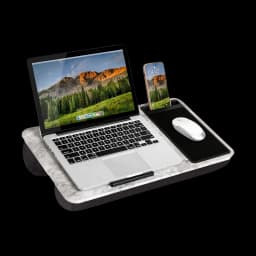
LapGear Home Office Lap Desk
Price checked Nov 1, 2026 — verify the live price on Amazon.
Cushioned bottom that doesn't slide off your lap, raised wrist pad, and a surface large enough for a laptop plus phone or notebook. The lap desk that actually stays stable on a couch.
- Cushioned non-slip base stays put on the couch
- Raised wrist pad protects against keyboard edge
- Phone/document slot and large workspace
Also Great
Most ergonomic: Seville Classics Mobile Laptop Desk Cart ($54.99) — Rolls in over your lap and lifts the screen far closer to eye level than any lap desk — the pick if looking down at a laptop is what hurts
Buy on AmazonAdjustable: SAIJI Adjustable Laptop Bed Table ($39.99) — Folding legs and a split, tilting top — the cheapest way to get an angled keyboard and a flat mouse area on a couch
Buy on Amazon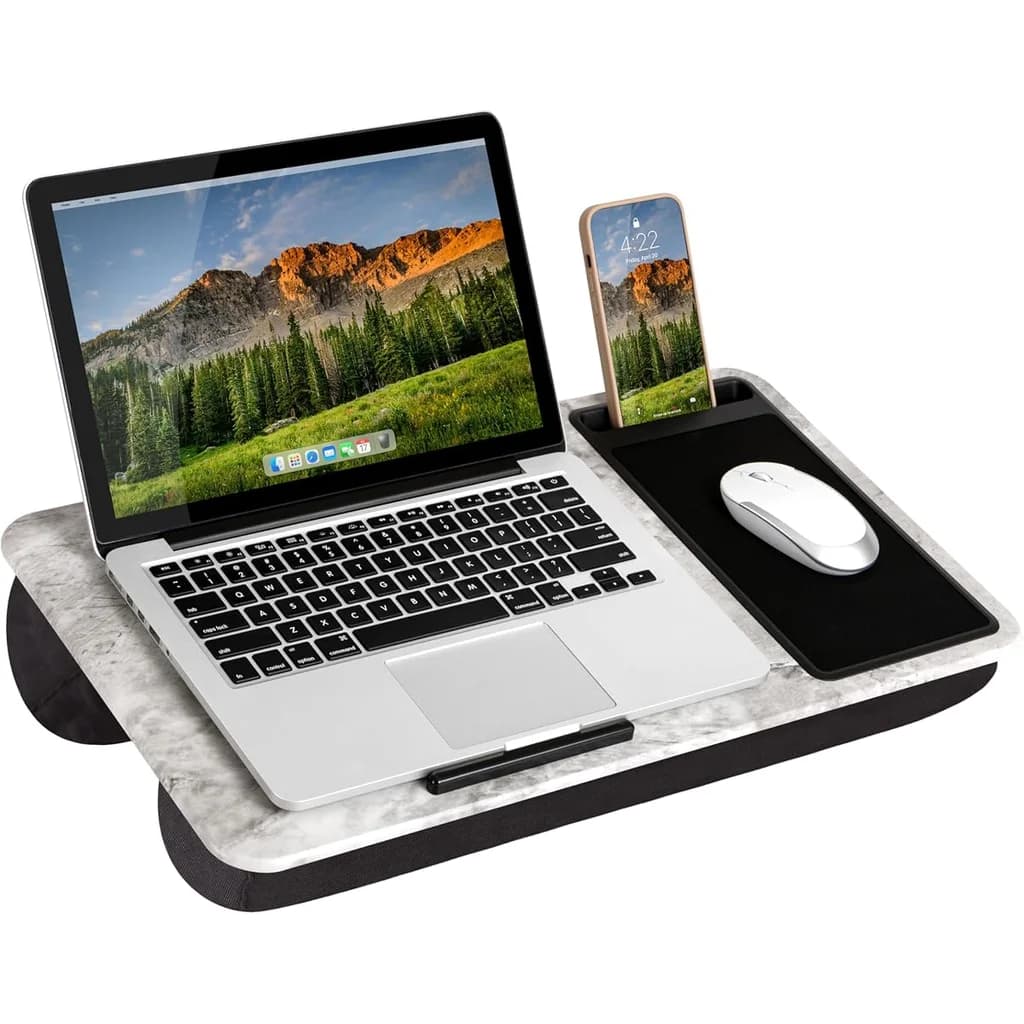 #1 Owner rating | 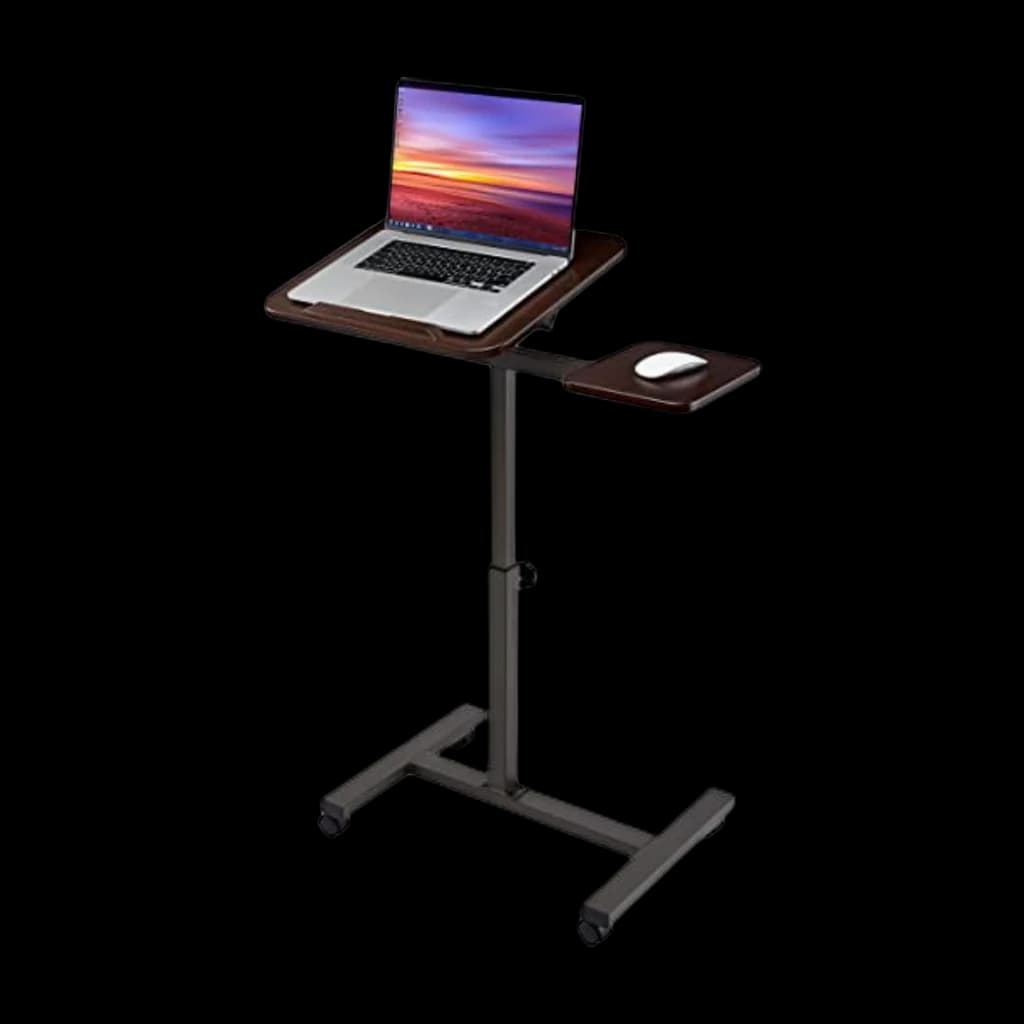 #2 Owner rating | 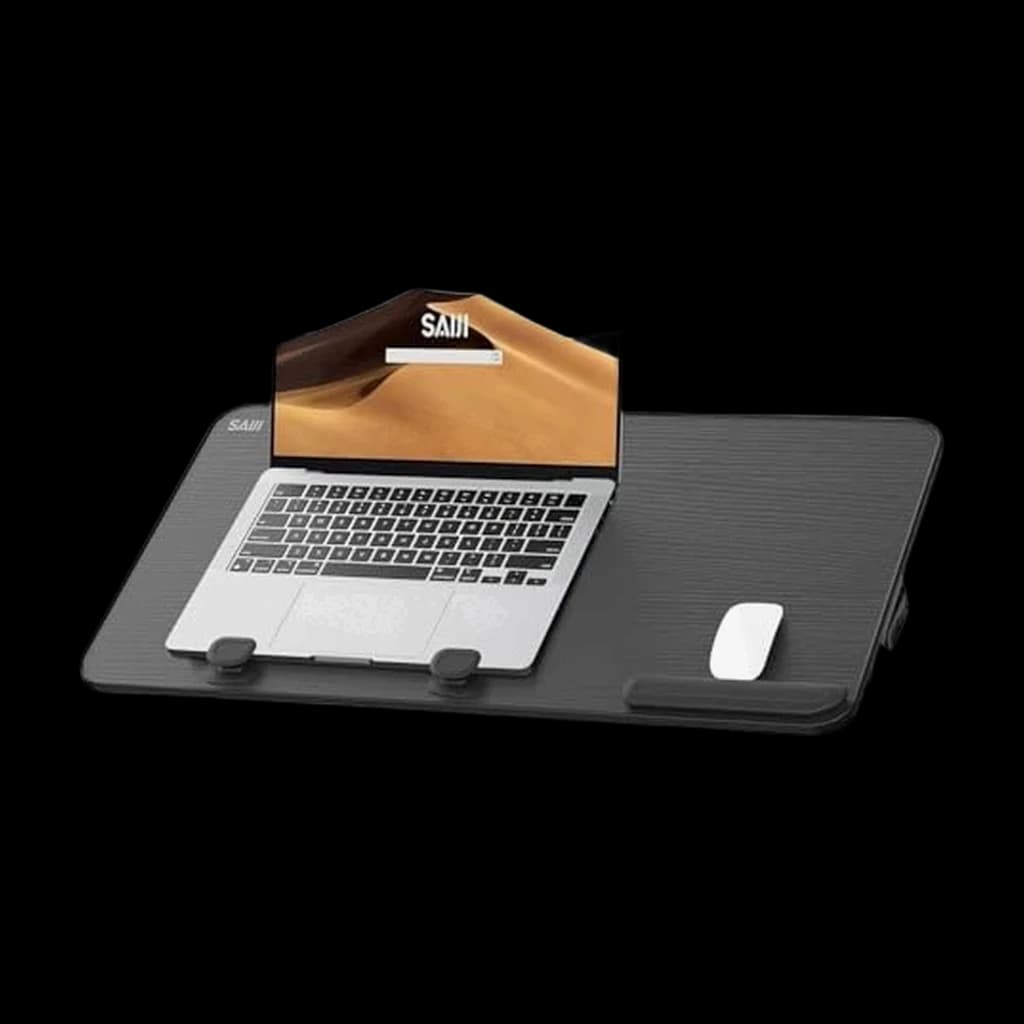 #3 Owner rating |  #4 Owner rating | |
|---|---|---|---|---|
| Price | $36.99Buy on Amazon | $54.99Buy on Amazon | $39.99Buy on Amazon | $44.90Buy on Amazon |
| Verdict | Best lap desk overall — cushioned base, wrist pad, fits laptop + phone | Best floor stand — wheels in next to the couch, leaves your lap free | Best adjustable lap desk — height + tilt for any posture | Best premium lap desk for MacBook owners — aluminum, ventilated, beautiful |
| Buyer sentiment | Quality Comfort Functionality Weight Buyers praise quality, comfort, functionality and weight. Mixed feedback on mouse sliding. Based on 5,970 user mentions | Quality Assembly Sturdiness Value for money Stability Buyers praise quality, assembly, sturdiness and value for money. Some flag stability. Based on 6,704 user mentions | Quality Functionality Adjustability Tilt Buyers praise quality, functionality, adjustability and tilt. Mixed feedback on sturdiness and stability. Based on 1,384 user mentions | Quality Cooling Comfort Design Buyers praise quality, cooling, comfort and design. Mixed feedback on value for money. Based on 644 user mentions |
| Type | Cushioned lap desk | Rolling floor cart | Adjustable folding tray | Aluminum lap stand |
| Surface | 21.1" wide | 23.6" x 15.4" | 23.6" x 15.4" | — |
| Weight | 2.2 lb | — | 6.6 lb | 1.6 lb |
| Best for | Couch & sofa work | Permanent couch workstation | Bed + couch flexibility | 13–15" MacBook owners |
| Height | — | Adjusts 22.75–33.5" | — | — |
| Material | — | — | — | Anodized aluminum + memory foam |
| Pros |
|
|
|
|
| Cons |
|
|
|
|
* Prices checked Nov 1, 2026 and may vary. Check the latest price on Amazon.
We research — never hands-on. How we research →
Key Takeaways
Four laptop stands ranked for couch work in 2026. LapGear Home Office Lap Desk is the top pick at under $40; the Seville Classics cart is most ergonomic.

As an Amazon Associate I earn from qualifying purchases. Product prices and availability are subject to change.
Let's be honest — sometimes you work from the couch. Maybe it's a Friday afternoon, maybe you're feeling under the weather, or maybe you just need a change of scenery from your desk. Working from the couch doesn't have to mean hunching over a laptop balanced on your knees. The right laptop stand makes couch working genuinely comfortable and surprisingly productive.
The key distinction is between lap desks (designed to sit on your lap) and adjustable floor stands (freestanding structures that position your laptop beside or over the couch).
| Lap desk | Floor stand | |
|---|---|---|
| Where it sits | On your lap or the cushion | On the floor, sliding under the couch |
| Screen height | Off your knees, still below eye level | The closest to eye level you'll get on a couch |
| Moves by | Picking it up — the LapGear is just over 2 pounds | Rolling away on casters to a corner |
| Best for | Occasional couch sessions | Hours on the couch, regularly |
Both have their place, and the best choice depends on how often you couch-work and what you're doing.
Why Your Posture Suffers on the Couch
When you place a laptop directly on your lap or on the couch cushion:
- Your neck flexes forward 45-65 degrees to see the screen, compared to the ideal 15-20 degrees at a desk
- Your wrists bend at an unnatural angle because the keyboard is too low
- Your lower back rounds because couches encourage slouching (they're designed for relaxation, not work)
- The laptop's heat transfers to your legs, which is uncomfortable and can restrict airflow, causing thermal throttling
The core problem: the couch pushes your neck to 45–65 degrees of forward flexion when a desk asks for 15–20. A stand's whole job is to close that gap.
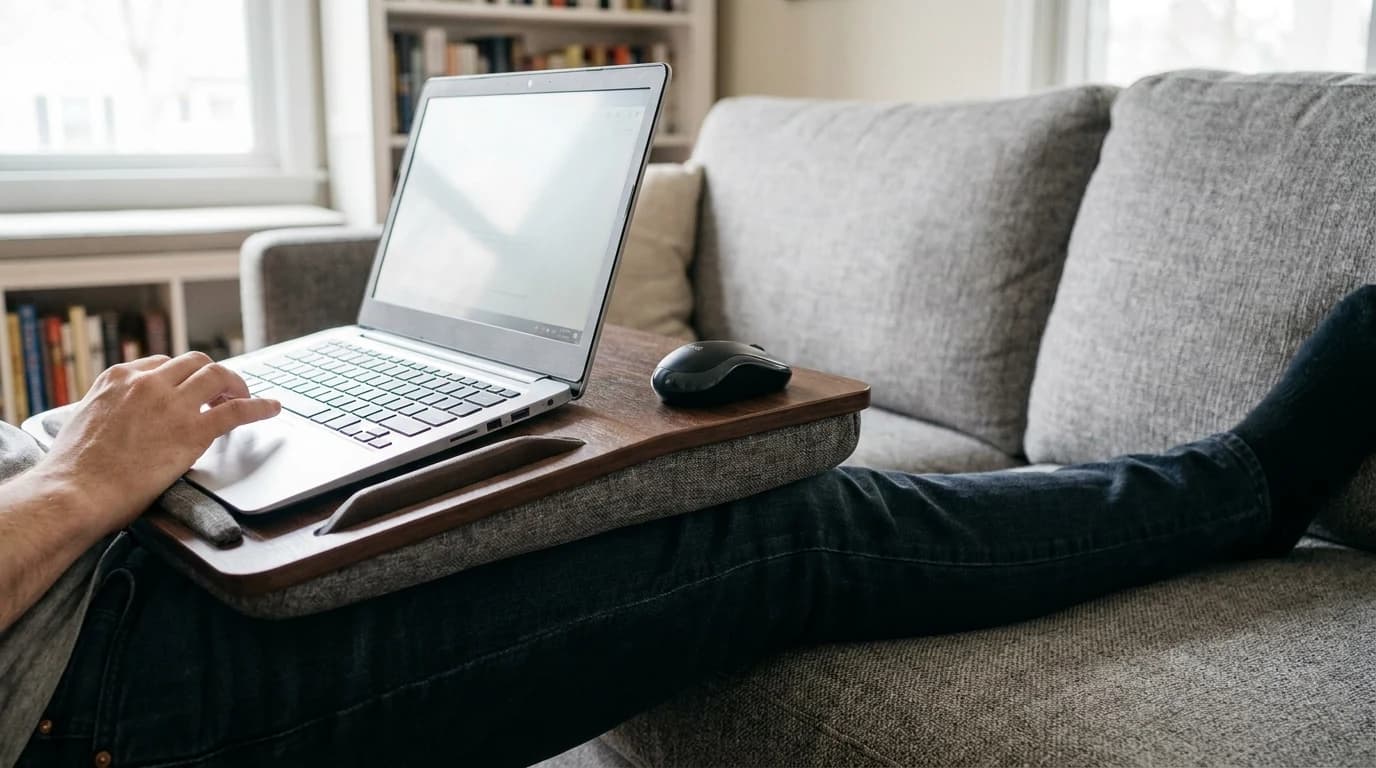
A good laptop stand addresses most of these issues by raising the screen, angling the keyboard, and creating airflow space.
Top Laptop Stands for Couch Working
1. LapGear Home Office Lap Desk — Best Lap Desk Overall
Buy on Amazon · $36.99Price: $36.99 on LAPGEAR Home Office Lap Desk (Espresso Woodgrain, fits 15.6" laptops)
The LapGear Home Office is the lap desk that gets everything right. The cushioned bottom conforms to your lap and provides a stable, comfortable base, and the top surface is wide enough for a 15.6-inch laptop plus a mouse pad area on the right — a feature that transforms couch productivity, because you can actually use a mouse.
- Built-in phone slot holds your phone upright for notifications or reference
- Wrist rest along the front edge reduces strain during typing
- Just over 2 pounds, so moving it around the house isn't a chore
- Subtle surface texture plus a lip at the top stop the laptop sliding away from you
2. SAIJI Adjustable Laptop Bed Table — Best Adjustable Lap Desk
Buy on Amazon · $39.99Price: $39.99 on SAIJI Adjustable Laptop Bed Table
If you want more flexibility than a flat lap desk provides, the SAIJI stands on small legs that rest on the couch cushion or your lap, creating an elevated and tiltable surface. The legs fold flat for storage and adjust from 9.4 to 12.6 inches in height.
The desktop splits into two sections — the left side tilts for your laptop, reducing wrist strain, while the right side stays flat for a mouse or notebook. That split design is the thoughtful part.
- Built-in drawer under the surface for small items
- USB fan models available if laptop heat is a concern
- Bamboo surface version looks significantly better than the plastic alternatives and adds barely any weight
3. Seville Classics Mobile Laptop Desk Cart — Best Floor Stand
Buy on Amazon · $54.99Price: $54.99 on Amazon
For serious couch workers — people who spend hours on the couch regularly — a floor-standing desk is the most ergonomic solution. The Seville Classics cart positions your laptop at the correct ergonomic height while you sit naturally, without anything on your lap.
- Height adjusts from 20.5 to 33 inches, covering low and high couches
- Table top tilts for comfortable typing angles
- H-shaped base slides under the couch so the surface sits directly over your lap, like a hospital bedside table
- Rolls away on casters when you're done
Worth knowing: this is the pick if looking down at a laptop is painful. It puts the screen much closer to eye level than any lap desk can.
4. Rain Design iLap — Best Premium Lap Desk for MacBook
Buy on Amazon · $44.90Price: $44.90 on Amazon
Designed specifically for MacBooks, though compatible with any laptop, the Rain Design iLap is an aluminum lap desk that matches Apple's aesthetic. The angled surface positions the keyboard at an ergonomic tilt, while the aluminum acts as a heat sink, drawing warmth away from the laptop and your legs.
The cushioned bottom is comfortable on bare legs — which matters more than it sounds like it should for couch working in shorts. The low profile, barely thicker than the MacBook itself, means it doesn't add bulk.
Couch Working Ergonomic Tips
Even with the best laptop stand, couch working requires more posture awareness than desk working.
What keeps you comfortable:
- A firm pillow or lumbar cushion behind your lower back
- A timer every 30 minutes to stand, stretch, and walk around
- An external keyboard and mouse whenever you're on a floor stand or elevated lap desk
- Airflow space under the laptop, which every stand here provides
What doesn't work, no matter how it feels in the moment:
- The laptop directly on a cushion or blanket — soft surfaces block the intake vents and cause overheating
- A cooling pad set straight on the couch, since the cushion blocks the pad's own fan intake
- Treating the couch as your primary workstation for full 8-hour days
A firm pillow behind your lower back fixes most of it
Couch cushions are designed for relaxation, not lumbar support. Placing a cushion behind your lower back to maintain the natural curve of your spine is the single adjustment that eliminates most couch-related back pain.
Separate the screen from your hands
If you're using a floor stand or elevated lap desk, pair your laptop with an external keyboard and mouse. That lets you put the screen at eye level (or closer to it) while keeping your hands at a comfortable typing height. It's the same ergonomic principle as a desk monitor arm setup — separating the screen from the input devices.
Frequently Asked Questions
Is it bad to work from the couch every day? Regular couch working without an ergonomic setup can cause neck and back problems over time. With a proper laptop stand and good posture habits, occasional couch work (a few hours per week) is fine. For full 8-hour days, a proper desk setup is strongly recommended.
Can I use a laptop cooling pad on the couch? Only on a flat surface like a lap desk. Cooling pads don't work well directly on couch cushions, because the cushion blocks the fan intake on the bottom of the pad.
What size laptop stand do I need? Measure your laptop's width. Most lap desks accommodate up to 15.6-inch laptops. If you have a 17-inch laptop, check the stand's dimensions carefully — some lap desks are too narrow for larger machines.
What is the most ergonomic laptop stand for working on a couch? A floor-standing cart, not a lap desk. The Seville Classics Mobile Laptop Desk Cart at $54.99 is the most ergonomic option here: its H-shaped base slides under the couch so the tilting top sits directly over your lap, and it adjusts from 20.5 to 33 inches, which puts the screen far closer to eye level than anything resting on your legs can. That matters because a laptop on your lap or a cushion pushes your neck to roughly 45-65 degrees of forward flexion, against the 15-20 degrees a desk asks for. If you only work from the couch occasionally, the LapGear Home Office Lap Desk at $36.99 is the simpler answer — it will not reach eye level, but it gets the laptop off your knees and gives you a flat mouse area.
Are lap desks bad for your laptop? No. A lap desk provides better ventilation than your lap, because it creates airflow space. The cushioned bottom also absorbs vibration, which is marginally better for your hard drive (if your laptop still has one).
The Bottom Line
For occasional couch working, the LapGear Home Office Lap Desk at $36.99 is the best balance of comfort, functionality, and portability. For regular couch workers who want the best ergonomics, the Seville Classics Mobile Cart at $54.99 positions your laptop at proper viewing height without putting anything on your lap.
Couch working is a reality of remote life, and there's nothing wrong with it — as long as you support your posture and don't make it your primary workstation. Pair a good laptop stand with regular breaks and a proper ergonomic setup at your main desk, and you get the best of both worlds.
Related Reading
- →Best Laptop Stands for WFHOur complete laptop stand roundup including desk options
- →Laptop StandsEvery laptop stand we rate, desk and couch
- →Best Ergonomic Laptop StandsDesk-based stands for your primary workstation
- →Best Ergonomic Mouse 2026Wrist-friendly mice for long couch sessions
- →How to Build an Ergonomic Home Office on Any BudgetUpgrade your main workspace
- →How to Stay Active When You WFHMovement breaks for couch-to-desk transitions
- →Office ChairsWhen you're ready to return to your desk
More WFH Setup Resources
Your next step
See every stand we've scored.
Hilly Shore Labs
Editorial TeamWFH Lounge is published by Hilly Shore Labs. Every recommendation is built by synthesizing ergonomic research, manufacturer specs, expert reviews from outlets like Wirecutter, RTINGS, and The Verge, and aggregated long-term owner sentiment from thousands of verified buyers.
All product reviews are independently researched. Our recommendations are based on ergonomic guidelines, manufacturer specifications, and verified buyer sentiment. See our methodology.