Do Acoustic Panels Help Home Office Calls?
Acoustic panels are a good WFH upgrade for echo and room reflections, not a cure for outside noise or poor mic placement.
Key Takeaways
A practical WFH guide to echo, background noise, and when acoustic wall panels actually improve video-call audio.
As an Amazon Associate I earn from qualifying purchases. Product prices and availability are subject to change.
If your voice sounds hollow on Zoom, acoustic panels can help. If the problem is a lawn mower, a loud roommate, or traffic leaking through the window, panels are the wrong first fix. The difference is simple: panels reduce reflections inside your room; they do not magically soundproof the room.
Quick answer: Buy acoustic panels only when your room sounds echoey after you clap or speak. Start with microphone position, curtains, rugs, and a few panels at reflection points. For outside noise, use a better mic setup, close the leak, or change rooms.
The Echo vs. Noise Decision Matrix
| What you hear on calls | Likely cause | Do panels help? | Better first move |
|---|---|---|---|
| Hollow, bathroom-like voice | Hard walls/floor reflecting your voice | Yes | Add soft absorption near the desk |
| Slapback after a clap | Reflections bouncing between parallel surfaces | Yes | Treat wall behind/near the mic |
| Keyboard clacks are loud | Mic is too far away or too sensitive | Sometimes | Move mic closer; lower gain |
| Neighbor, traffic, mower | Sound entering the room | No | Seal gaps, close windows, change room |
| Fan/AC rumble | Constant background noise | Not much | Move mic, use noise suppression, lower gain |
Cornell's ergonomics materials summarize the core physics neatly: a room's shape, dimensions, construction, and contents determine how sound is transmitted, reflected, and absorbed. Hard, bare surfaces give your voice extra reflected paths back into the mic. Acoustic panels reduce those reflected paths; they do not remove the original sound source.
When Panels Are Worth It
Acoustic panels make sense when your room has too many reflective surfaces close to the desk: bare drywall, uncovered windows, wood floors, glass doors, or a desk tucked into a square corner. In that setting, your microphone hears your direct voice plus delayed copies bouncing around the room. That delay is what makes calls sound roomy, harsh, or unfocused.
The most useful home-office target is not studio perfection. It is speech clarity. You want your voice to sound close and dry enough that meeting software is not fighting the room.
Use panels if three things are true:
- Your clap test rings. Clap once from your chair. If the room answers with a sharp tail, reflections are the issue.
- Your mic is already close. If the mic is across the desk, move it closer before buying anything.
- The echo is in your room. Panels help room tone, not noise coming through a wall.
Where to Put Panels First
Start where sound is most likely to bounce into the microphone, not where panels look symmetrical.
| Spot | Why it matters | Good enough version |
|---|---|---|
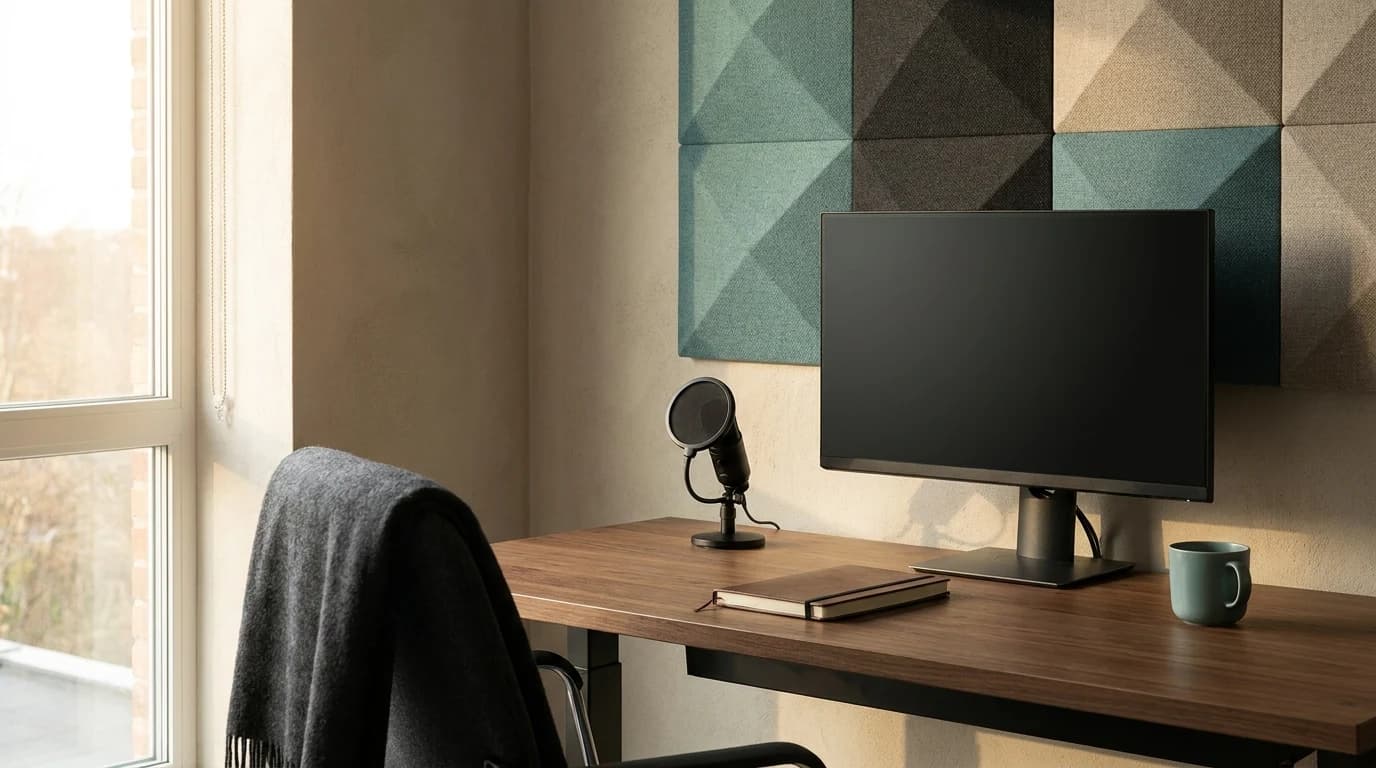
| Wall behind the monitor | Catches voice reflections near the mic | Two to four fabric panels |
| Side wall nearest the desk | Reduces early side reflections | One panel at seated head height |
| Bare corner beside the desk | Corners can send reflections back toward the source | Panel, bookshelf, curtain, or soft storage |
| Hard floor | Floor reflections brighten the room | Rug under chair and desk |
| Window beside the desk | Glass is reflective | Curtain or cellular shade |
A commercial acoustics guide from Soundproofing Store makes the useful distinction: soundproofing blocks sound transfer, while sound absorption improves internal room sound by reducing echo and reverberation. That distinction matters for WFH buyers because the cheapest mistake is buying foam for a noise problem it was never designed to solve.
What Panels Will Not Fix
Panels do not create privacy. They will not stop a neighbor's TV, construction noise, dog barking, or your own voice leaving the room in any serious way. For that you are dealing with isolation: mass, sealing, decoupling, and quieter sources.
They also do not solve unsafe loudness. OSHA notes that exposure over 85 dBA can damage hearing, and CDC/NIOSH defines hazardous noise as 85 dBA or higher. A typical home-office echo problem is usually about intelligibility on calls, not hearing conservation. If your workspace is actually loud enough that you have to raise your voice to speak to someone three feet away, treat that as a noise exposure issue rather than a decor upgrade.
The 10-Minute No-Purchase Test
Before buying panels, run this temporary version:
- Put a folded blanket or thick towel on the wall behind your monitor.
- Add a rug or heavy throw under the desk area if the floor is bare.
- Hang a curtain, even temporarily, over the largest nearby window.
- Move your mic 6 to 12 inches from your mouth and lower input gain.
- Record a 20-second voice memo before and after.
If the after recording sounds less hollow, permanent absorption will probably help. If the voice is still buried under traffic, HVAC, or another room, panels are not the highest-leverage fix.
A Practical Buying Framework
For a normal home office, avoid covering every wall. Start with a small set of fabric-wrapped panels or dense acoustic tiles at the first reflection areas, then listen again. The goal is a quieter, less reflective desk zone, not a dead room.
Choose panels that are:
- Thick enough to matter. Very thin decorative felt may soften brightness but will not do much for lower voice reflections.
- Easy to place cleanly. Removable mounting matters if you rent.
- Visually calm. Panels behind your desk are also your call background.
- Paired with mic discipline. A close mic beats a beautiful untreated room, and a close mic plus modest absorption is the sweet spot.
If you are still relying on a laptop mic, fix that first with the audio steps in why you sound bad on video calls. If your whole setup needs a reset, the broader WFH video call setup guide covers camera, lighting, and audio together.
Bottom Line
Acoustic panels help home office calls when the problem is echo from hard surfaces. They are much less useful when the problem is outside noise, bad mic placement, or an overly sensitive input. Do the clap test, record a before/after with temporary soft materials, then buy only enough absorption to make your desk area sound controlled.
Sources
- →Cornell Ergonomics Web: Acousticsroom contents, surfaces, reflection, absorption, and reverberation basics.
- →Soundproofing Store: How to Reduce Echo with Sound Absorptionpractical distinction between absorption and soundproofing.
- →OSHA: Occupational Noise Exposure85 dBA exposure guidance and hearing-risk context.
- →CDC/NIOSH: About Occupational Hearing Losshazardous noise definition and background-noise hearing context.
Your next step
Fix the sound at your end of the call too.
Hilly Shore Labs
Editorial TeamWFH Lounge is published by Hilly Shore Labs. Every recommendation is built by synthesizing ergonomic research, manufacturer specs, expert reviews from outlets like Wirecutter, RTINGS, and The Verge, and aggregated long-term owner sentiment from thousands of verified buyers.
All product reviews are independently researched. Our recommendations are based on ergonomic guidelines, manufacturer specifications, and verified buyer sentiment. See our methodology.