Best Key Lights for WFH 2026: 4 Picks for Real Calls
Our #1 Pick
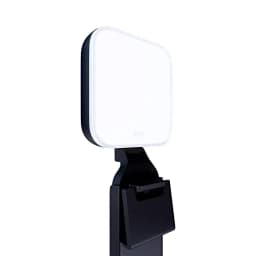
Logitech Litra Glow
Plug-and-play: monitor mount in the box, physical buttons, no app required.
- 3-way monitor mount included
- Physical brightness and color buttons
- 2700K–6500K, CRI 93 (Logitech)
Price checked Oct 17, 2026 — verify the live price on Amazon.
 #1 Owner rating | 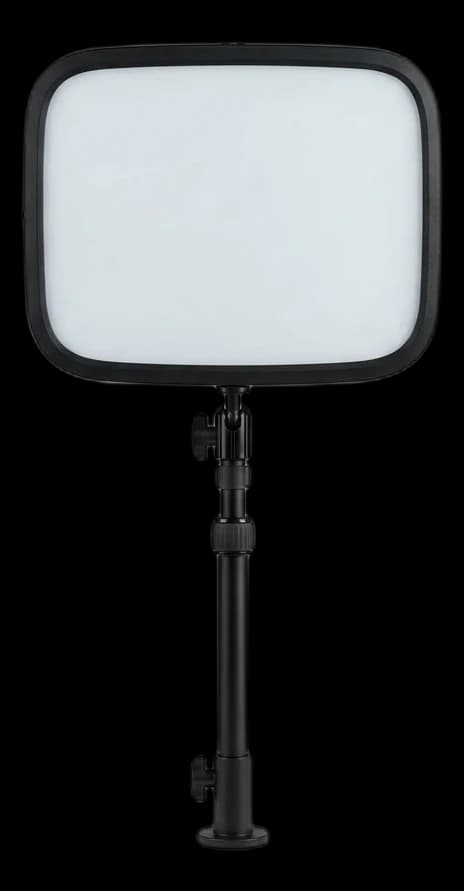 #2 Owner rating | 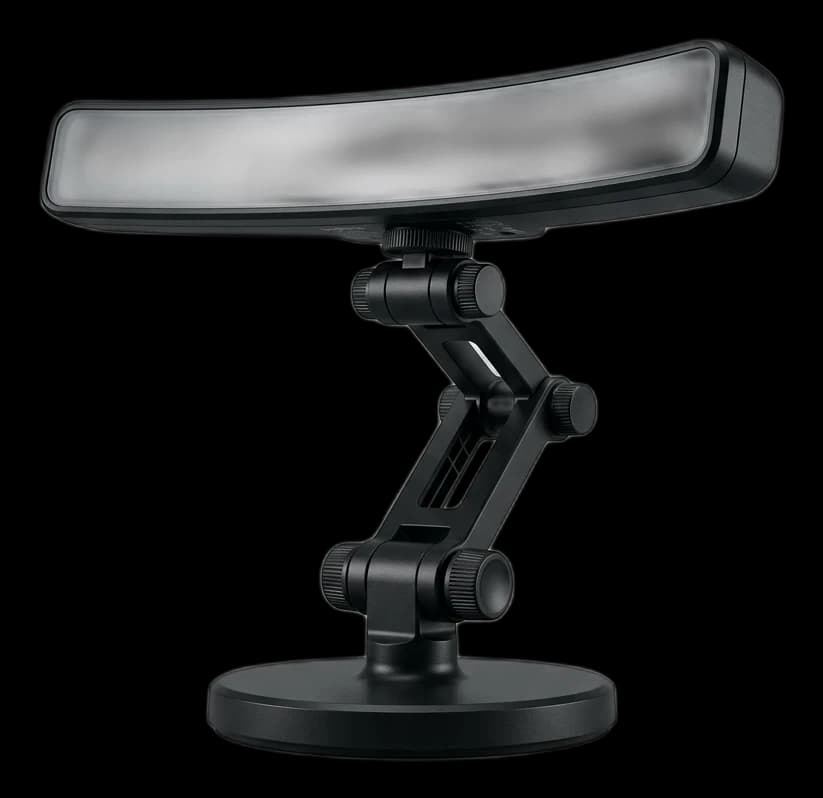 #3 Owner rating |  #4 Owner rating | |
|---|---|---|---|---|
| Price | $58.60Buy on Amazon | $56.14Buy on Amazon | $99.99Buy on Amazon | $33.59Buy on Amazon |
| Verdict | Plug-and-play: monitor mount in the box, physical buttons, no app required | Brightest panel here: edge-lit, up to 1000 lumens with external power, full app and Stream Deck control | Wide LED bar on a desk stand for broad, even facial fill | Budget phone-filming kit: 10.5-inch ring, 66-inch stand, phone holder and remote |
| Buyer sentiment | Effectiveness Buyers praise effectiveness. Mixed feedback on adjustability. Based on 11 user mentions | Brightness Lighting Quality Stability Buyers praise brightness and lighting quality. Mixed feedback on durability. Some flag stability. Based on 23 user mentions | Brightness Quality Functionality Temperature Control Buyers praise brightness, quality, functionality and temperature control. Mixed feedback on adjustability and value for money. Based on 81 user mentions | Rated 4.4★ across 8 reviews |
| Type | LED panel | LED panel, no-mount package | LED bar | 10.5 in LED ring |
| Lumens | 250 max (manufacturer) | Approx. 400 USB-A / 700 USB-C / 1000 external power | 400 max (manufacturer) | — |
| Color Temperature | 2700K–6500K | — | 2700K–6500K | 3000K / 4500K / 7000K |
| CRI | 93 (manufacturer) | — | 93 (manufacturer) | 85+ |
| Mount | Monitor mount | Not included | 3-way adjustable desk stand | — |
| Control | — | Dial, presets and Control Center | — | — |
| Illuminance | — | — | — | 598 lux at 0.5m (manufacturer) |
| Power | — | — | — | 5V 2A / 10W |
| Pros |
|
|
|
|
| Cons |
|
|
|
|
* Prices checked Oct 17, 2026 and may vary. Check the latest price on Amazon.
We research — never hands-on. How we research →
Key Takeaways
Four key lights ranked for WFH video calls. Elgato Key Light Neo is the brightest pick, Litra Glow the plug-and-play option, and NEEWER N43 the budget kit.
As an Amazon Associate I earn from qualifying purchases. Product prices and availability are subject to change.
Most lighting guides on the internet recommend a 10-inch ring light because it is the easiest thing to recommend. Ring lights are fine, but they are not what streamers and video professionals usually reach for, and for one specific reason: if you wear glasses, a ring makes a bright circular reflection in your lenses on every call.
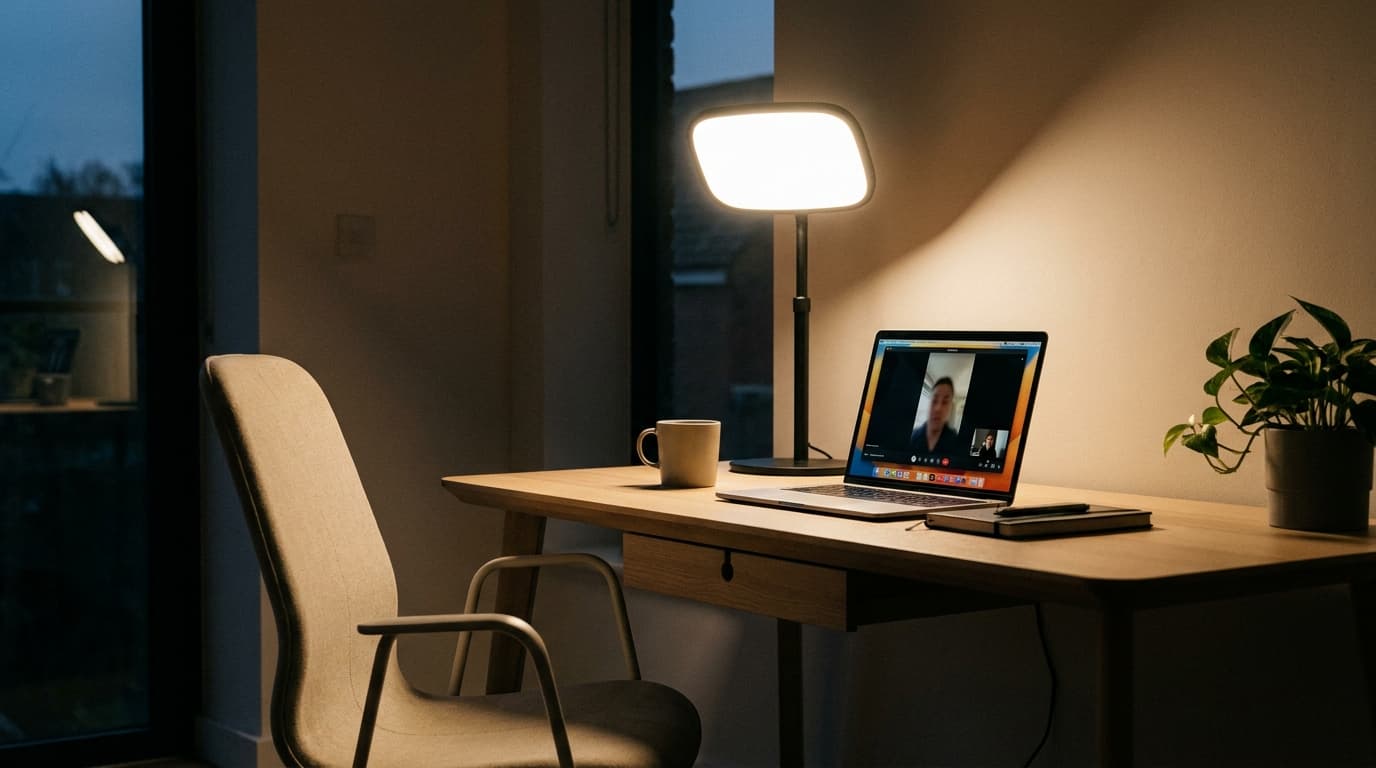
The pro answer is a key light: a single soft, rectangular light placed off to one side of the camera and slightly above eye level. A soft panel off to the side is far easier to keep out of your glasses than a ring centered on the lens.
This guide cuts through the ring-light orthodoxy. Four lights made the cut, covering the jobs a remote worker actually has: a bright main light for daily client video, a plug-and-play monitor light, a wide light bar for broad desks, and a budget ring-light kit for phone filming. We research rather than test: brightness, color and mounting specs below come from Elgato, Logitech and NEEWER documentation and the Amazon listings, checked in October 2026.
Decide in 30 seconds
| If you... | Pick |
|---|---|
| Run daily client video and want the brightest panel | Elgato Key Light Neo |
| Want full app and Stream Deck control | Elgato Key Light Neo |
| Want plug-and-play with a monitor clip in the box | Logitech Litra Glow |
| Have a wide desk and want broad facial fill | Logitech Litra Beam |
| Want a complete phone-filming kit under $40 | NEEWER N43 ring-light kit |
| Wear glasses and hate reflections | Any panel placed off to the side, not the ring |
How we picked
Every light on this list had to clear three bars:
- Accurate color. A manufacturer-rated color rendering index (CRI) high enough to keep skin tones natural on camera. The three panels here are rated CRI 93 or higher; the budget ring is CRI 85+.
- Adjustable color temperature. Enough range to match warm afternoon light and cool office lighting, so your face doesn't look orange or blue against the room.
- Controls that don't add friction. Physical buttons or a dial on the light, with optional software presets, so adjusting the light never becomes a task.
1. Best Overall: Elgato Key Light Neo
Buy on Amazon · $56.14The Elgato Key Light Neo is the most capable light here for the price. It is an edge-lit panel, so it spreads light across a soft, even surface rather than showing a grid of bright LED dots, which makes it far easier to keep out of glasses. Elgato rates its color rendering above CRI 94 and its color temperature from 2900K to 7000K, a range that matches everything from a warm desk lamp to cool daylight.
Brightness depends on how you power it. Elgato lists about 400 lumens from a computer's USB-A port, 700 lumens over USB-C, and up to 1000 lumens with a separate 3A (12 W) power supply, which is the brightest output in this guide. You can control it with the dial and preset buttons on the light, or over Wi-Fi from Elgato's Control Center app and a Stream Deck.
The package to know about: the Amazon listing linked here is the no-mount version. The light has a standard 1/4-inch thread, so it fits any compatible stand or clamp, but budget for one if you don't already own it.
Specs: Edge-lit panel. Up to 1000 lumens with external power (700 USB-C, 400 USB-A). 2900K–7000K. CRI above 94. Wi-Fi or USB-C. 1/4-inch mount thread. 246 g.
- Good for: Daily client video, glasses-wearers, anyone who wants app and Stream Deck control.
- Not good for: Buyers who want everything in one box; the mount and the 1000-lumen power supply are extra.
2. Best Plug-and-Play: Logitech Litra Glow
Buy on Amazon · $58.60The Logitech Litra Glow is the right pick if you want to plug something in and have it work. The monitor mount is in the box and adjusts for height, tilt and rotation, USB handles power, and physical buttons on the light change brightness and color temperature without any app. Logitech's free G HUB software adds saved presets if you want them.
Logitech rates it at up to 250 lumens, 2700K–6500K and CRI 93, and its frameless diffuser spreads that light softly enough to flatter a face at normal desk distance. It is also UL-tested for all-day use, which matters when the light runs through a full day of meetings.
The Glow's smaller panel means less coverage if you sit far from the camera, but for a standard monitor at a normal desk distance it is the simplest way to get good light on your face.
Specs: LED panel. Up to 250 lumens. 2700K–6500K. CRI 93. Physical buttons plus G HUB presets. 3-way monitor mount included. USB powered.
- Good for: First-time key-light buyers, anyone allergic to setup friction, small desks.
- Not good for: Wide desks where you sit well back from the camera.
3. Best Wide Light: Logitech Litra Beam
Buy on Amazon · $99.99The Logitech Litra Beam is an LED bar on a 3-way adjustable desk stand. The long, narrow shape spreads light across a wider area than a small panel, which softens shadows on both sides of the face and suits wide desks or people who shift position during long meetings. Three mount points on the light let you stand it horizontally or vertically.
Logitech rates it at up to 400 lumens, 2700K–6500K and CRI 93. On-board controls handle brightness and color, and G HUB connects over USB or Bluetooth for presets. For full brightness it needs a fast USB port or a 5V 1.4A adapter.
At about $100 it costs more than the Glow, but the wider light spread is a real upgrade if your face is not centered in the frame.
Specs: LED light bar. Up to 400 lumens. 2700K–6500K. CRI 93. On-board controls plus G HUB over USB or Bluetooth. 3-way adjustable desk stand.
- Good for: Wide desks, frequent position-shifters, anyone who wants no clamp on the monitor.
- Not good for: Cramped desks, since the stand base needs its own spot.
4. Best Budget Kit: NEEWER N43 Ring Light
The NEEWER N43 is the budget pick when you want a complete kit for under $40. It pairs a 10.5-inch ring light with a stand that extends to 66 inches, a flexible overhead phone holder and a Bluetooth shutter remote, so it works for phone filming and standing-desk shots as well as calls.
NEEWER lists 10 brightness levels, three color settings (3000K, 4500K and 7000K) and CRI 85+. Brightness is given as 598 lux at 0.5 m, a measurement of light reaching a surface, so it can't be compared directly with the lumen ratings of the panels above.
The ring-light caveat applies: if you wear glasses, the circular reflection will usually be visible. For everyone else, this is the budget kit that covers the most uses.
Specs: 10.5-inch LED ring. 598 lux at 0.5 m. 3000K / 4500K / 7000K. CRI 85+. 10 brightness levels. 66-inch stand, phone holder, Bluetooth remote. 5V 2A.
- Good for: Phone filming, standing-desk video, first-time buyers without glasses.
- Not good for: Glasses-wearers, color-critical work like design review.
Free fixes to try first
Before buying anything, turn your desk so a window is in front of you or off to one side rather than behind you, and switch off a harsh overhead light that casts shadows under your eyes. If your meeting preview still shows a shadowed face or a background brighter than you are, that's the problem a key light solves.
Setting up lighting correctly
The classic placement used in photography and video translates directly to a desk call. Three rules:
- Key light off to one side of the camera, slightly above eye level. Not directly in front of you, not directly to the side. The angle creates soft, flattering shadow under the jaw, and it keeps the reflection out of glasses.
- Optional fill on the opposite side at lower brightness. This softens the remaining shadow on the far side of your face. A second light handles it, or a bright wall bouncing ambient light.
- Separate yourself from the background. A lamp or a little light behind you on the wall adds depth so you don't blend into it.
Watch your meeting app's preview while you move the light; small changes in angle make a big difference. If glasses still reflect, raise the light or move it further to the side.
Rule of thumb: light your face from the side and slightly above, then lower the brightness before you add a second light.
Frequently asked questions
Why not just use a ring light if everyone recommends them? Ring lights work fine for people without glasses, but a ring centered on the camera puts a circular reflection right in your lenses. A panel placed off to the side is much easier to keep out of them.
Elgato Key Light Neo vs Logitech Litra Glow - which one? Neo if you want more brightness and full app control and don't mind adding a mount. Litra Glow if you want a monitor clip in the box and no app at all.
Do I need two lights? For most knowledge-worker video calls, no. One key light off to the side plus normal room light handles most situations. Two lights are worth it for podcasters, streamers and anyone whose face appears in marketing or sales videos.
What does CRI actually mean? Color Rendering Index measures how accurately a light renders colors compared with a reference source, on a scale up to 100. Higher numbers keep skin tones natural on camera; the panels here are rated CRI 93 to 94+, and the budget ring CRI 85+.
Where should I position the key light? Slightly above eye level and off to one side of the camera. If you imagine a clock face with the camera at 12, the light goes at about 1 or 11. Directly above is harsh; directly in front flattens your face and lights up your glasses.
Does a monitor light bar replace a key light? No. A monitor light bar lights your desk and keyboard, not your face. It can lift the overall brightness of the room, but it is not a face light. They serve different purposes and pair well together.
Are no-name $20 ring lights ever worth it? For occasional casual calls, sometimes. For daily WFH use, spend a little more on a known brand with published CRI and color settings, so you know what you're getting.
Bottom line
For most full-time remote workers, the right answer is the Elgato Key Light Neo if you want the brightest panel and full app control, or the Logitech Litra Glow if you want plug-and-play simplicity with a mount in the box. The Litra Beam is the upgrade for wide desks, and the NEEWER N43 is the budget kit when glasses aren't in the picture.
For the rest of the video-call stack, see our guides on the best webcams for WFH and the best USB microphones for WFH, plus our lighting placement guide. For the broader setup picture, see our best WFH setup for 2026 guide.
Your next step
Pair the light with a camera that uses it.
Hilly Shore Labs
Editorial TeamWFH Lounge is published by Hilly Shore Labs. Every recommendation is built by synthesizing ergonomic research, manufacturer specs, expert reviews from outlets like Wirecutter, RTINGS, and The Verge, and aggregated long-term owner sentiment from thousands of verified buyers.
All product reviews are independently researched. Our recommendations are based on ergonomic guidelines, manufacturer specifications, and verified buyer sentiment. See our methodology.