Best Webcams Under $100 (2026): Anker PowerConf C200 Wins
The Anker PowerConf C200 at $69.99 — 2K video, app-based framing and a privacy shutter — is the best webcam under $100. Skip it if you're on a 2024+ M-series MacBook.
Our #1 Pick
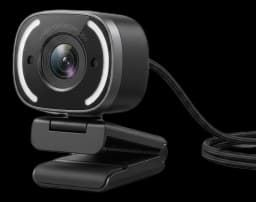
Anker PowerConf C200
The webcam to beat under $100. Genuine 2K resolution downsamples to a visibly sharper picture than the 1080p classics, AI framing in the AnkerWork app keeps you centered, and dual noise-cancelling mics handle keyboard noise without a separate mic. Built-in privacy shutter.
- 2K resolution looks notably sharper than typical 1080p
- Adjustable FOV (65°/78°/95°)
- Built-in privacy shutter
Price checked Sep 19, 2026 — verify the live price on Amazon.
Also Great
Best value: EMEET S600 4K ($59.49) — The cheapest pick here — 4K at 30fps or 1080p at 60fps, autofocus, an adjustable 40°–73° field of view and a tripod thread
Buy on AmazonProven classic: Logitech C920S Pro HD ($59.99) — A decade of reliability, mature autofocus, and a physical privacy shutter — just works on every OS
Buy on AmazonBest budget: Logitech Brio 101 ($24.99) — Logitech's cheapest current webcam — 1080p, auto light correction and a privacy shutter for half the C920S price
Buy on Amazon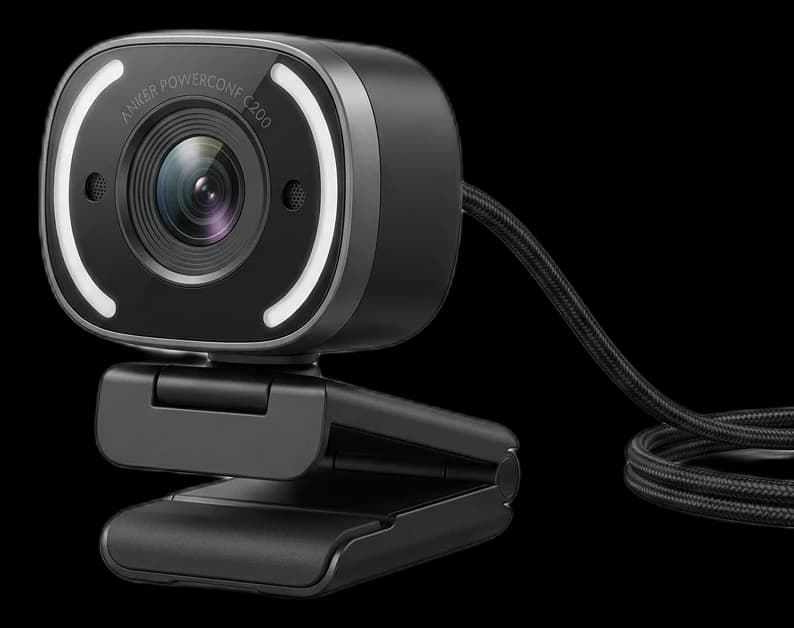 #1 4.1 | 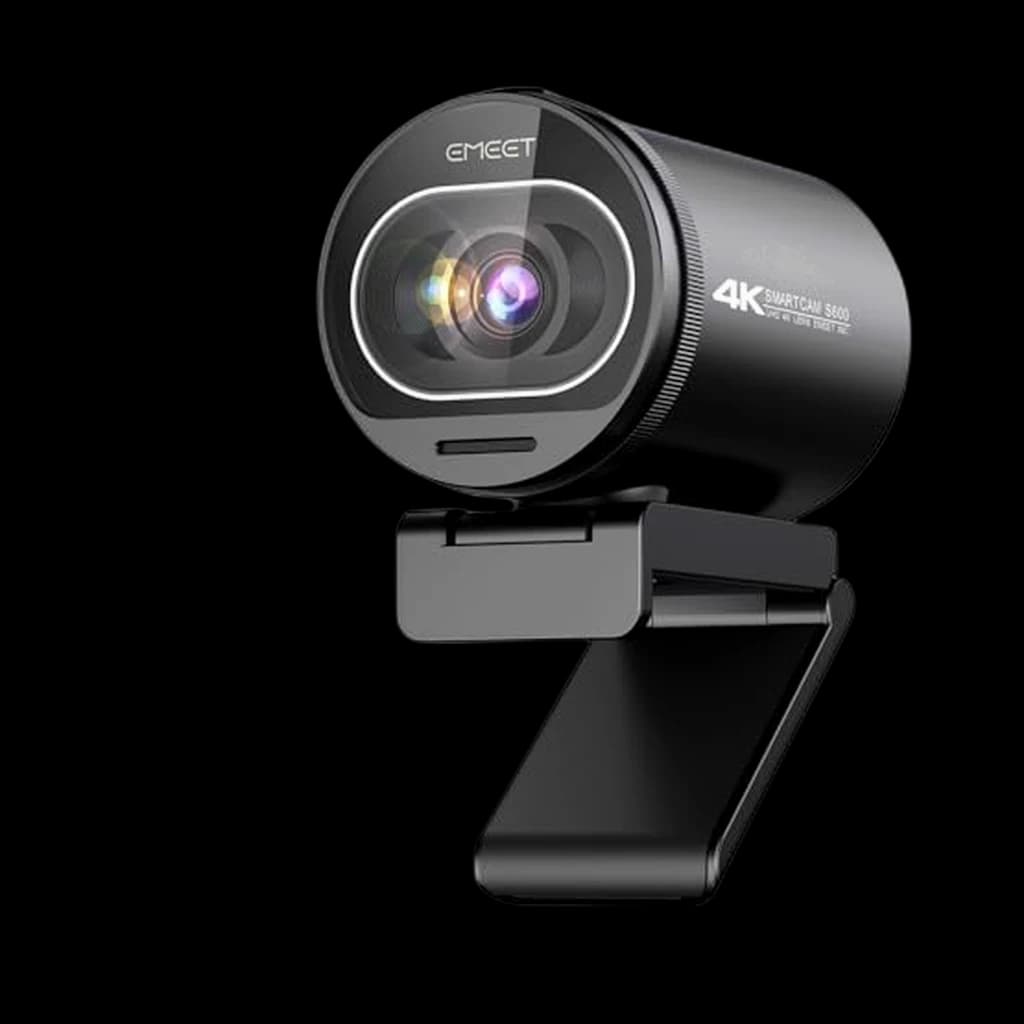 #2 4.5 | 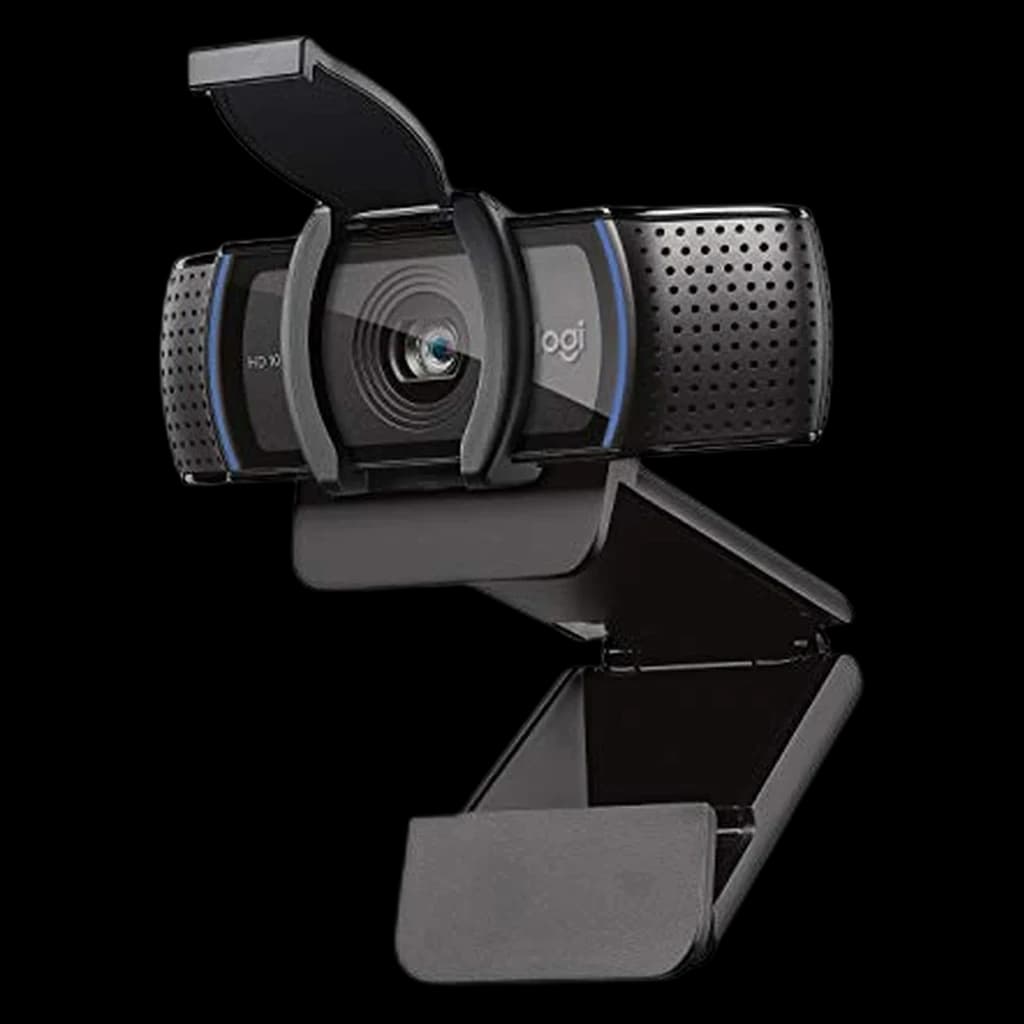 #3 4.6 | 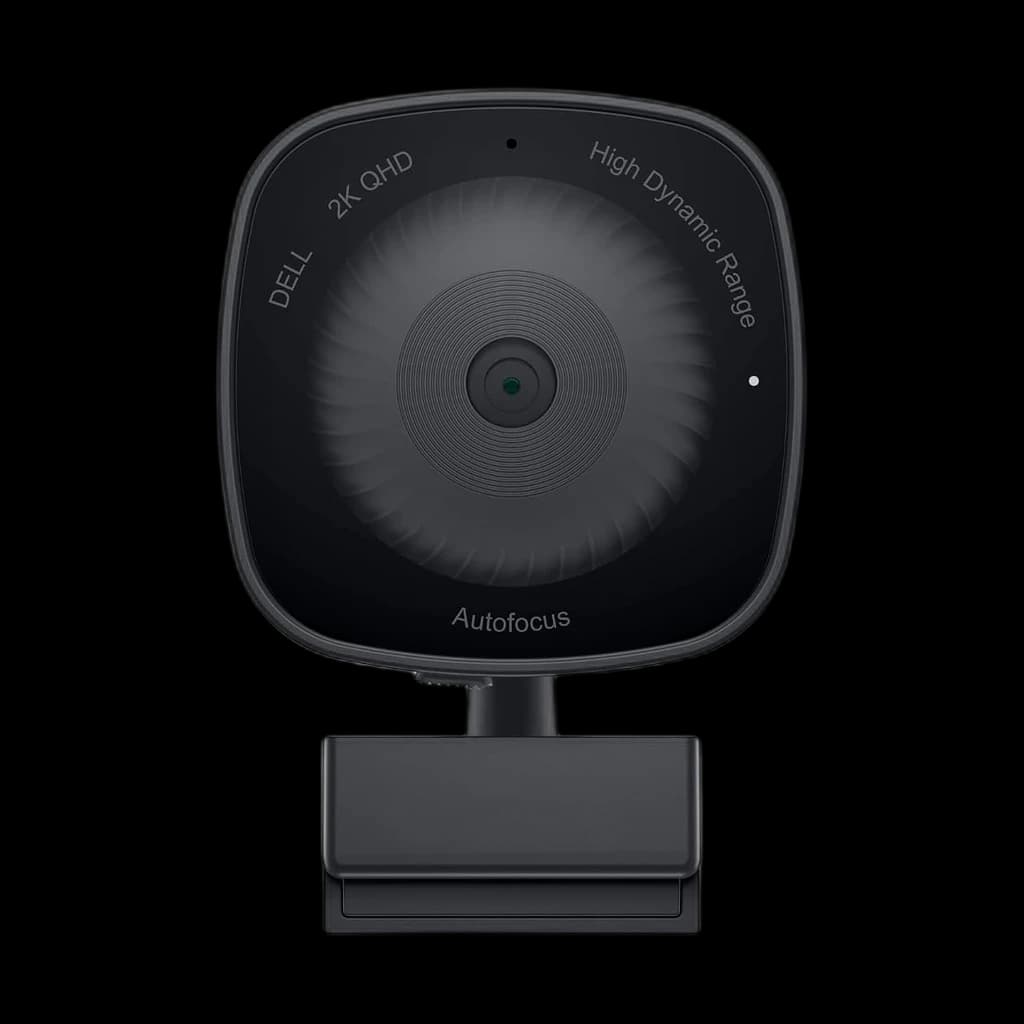 #4 4 | 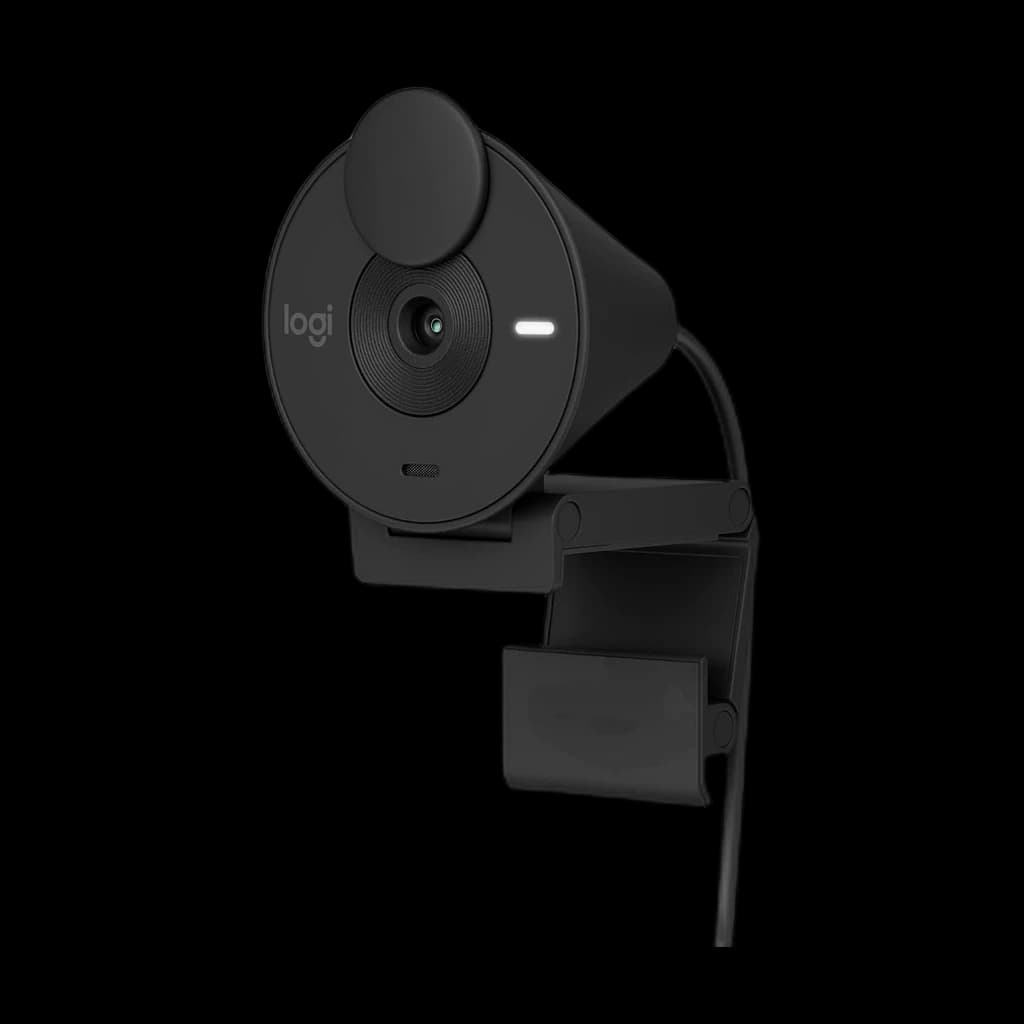 #5 4.3 | 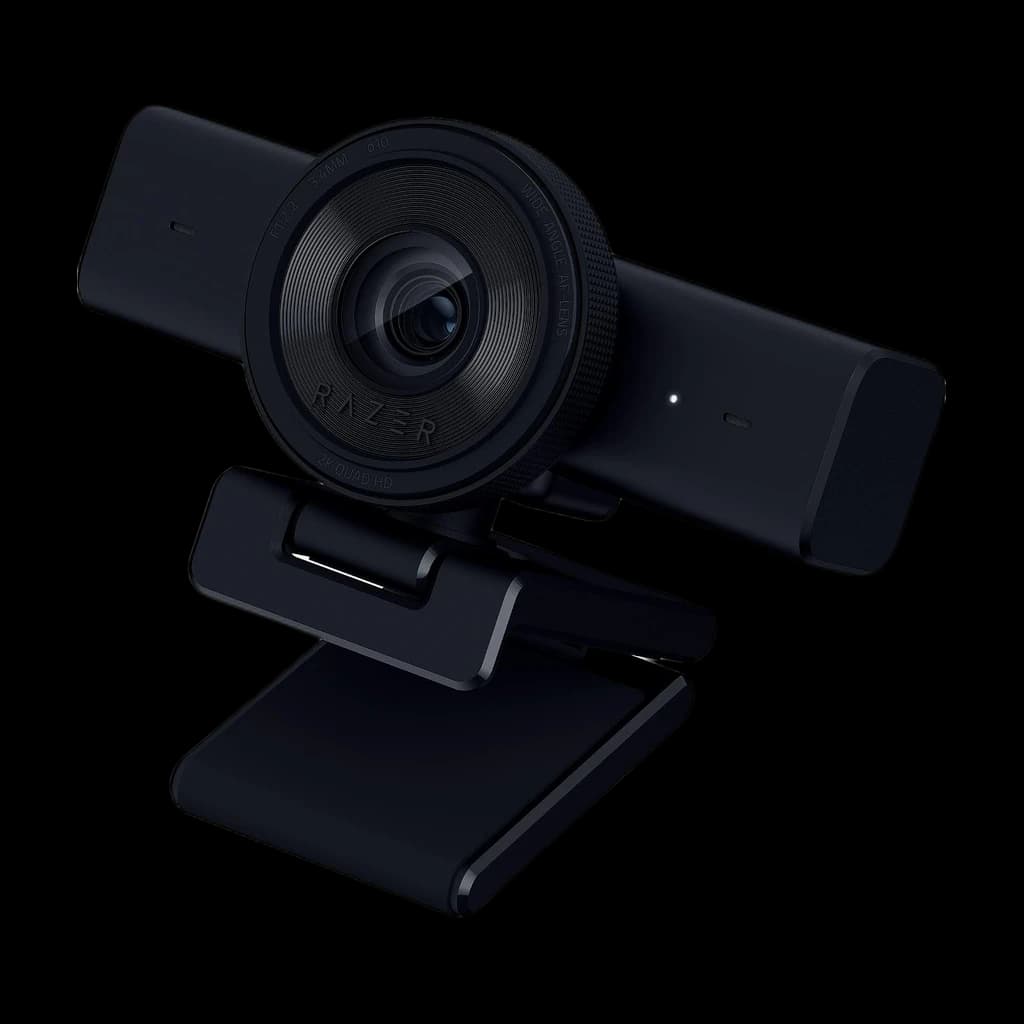 #6 4.3 | 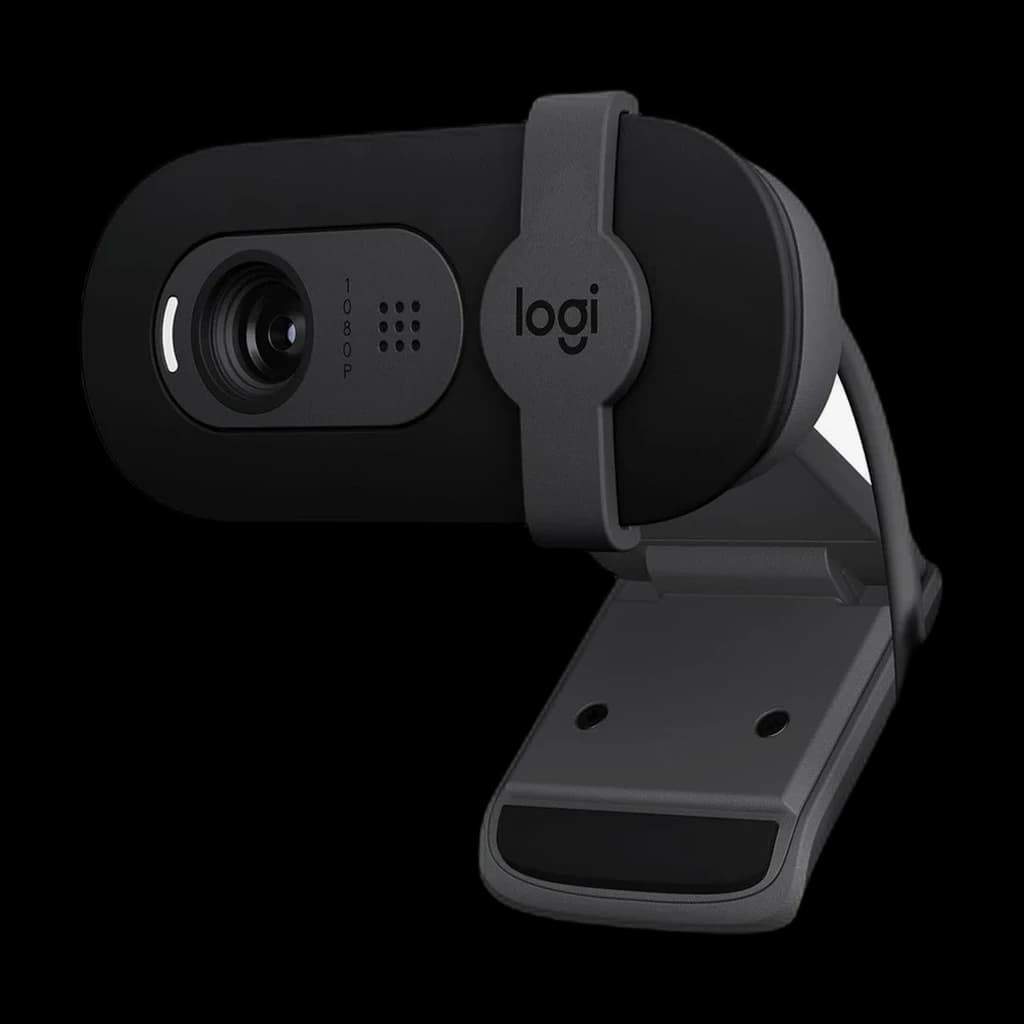 #7 4.3 | |
|---|---|---|---|---|---|---|---|
| Price | $69.99Buy on Amazon | $59.49Buy on Amazon | $59.99Buy on Amazon | $59.99Buy on Amazon | $74.99Buy on Amazon | $24.99Buy on Amazon | |
| Verdict | Sweet-spot pick under $75 — 2K is sharper than 1080p on bigger displays. | The most camera per dollar here — 4K/30, 1080p/60 and a tripod thread for less than any other pick. | Default answer when someone asks 'just give me a webcam that works'. | 2K, autofocus and Teams certification for $56.55 — but only 87 Amazon ratings stand behind it. | Buy it for the USB-C connector — on a USB-A machine the C920S autofocuses for the same $59.99. | The only 1440p/60 camera here — and the priciest, on the thinnest star average-to-sample ratio of any Logitech-class pick. | The cheapest Logitech here at $29.99, and the pick when you want the brand's RightLight 2 auto light balance and a real privacy shutter without paying C920S money. Logitech rate it at 1080p/30fps with a 58° field of view and fixed focus. |
| Buyer sentiment | Quality Picture Quality Value for money Ease Of Use Autofocus Buyers praise quality, picture quality, value for money and ease of use. Mixed feedback on reliability and adjustability. Some flag autofocus. Based on 2,664 user mentions | Quality Performance Ease Of Use Autofocus Buyers praise quality, performance, ease of use and autofocus. Mixed feedback on video quality and compatibility. Based on 595 user mentions | Quality Picture Quality Setup Value for money Autofocus Buyers praise quality, picture quality, setup and value for money. Mixed feedback on reliability. Some flag autofocus. Based on 662 user mentions | Easy To Install Picture Quality Buyers praise easy to install and picture quality. Mixed feedback on camera quality. Based on 17 user mentions | Quality Ease Of Use Buyers praise quality and ease of use. Mixed feedback on functionality and video quality. Based on 465 user mentions | Build Quality Value for money Ease Of Use Functionality Buyers praise build quality, value for money and ease of use. Mixed feedback on image quality and color quality. Some flag functionality. Based on 58 user mentions | Quality Functionality Picture Quality Easy To Set Up Zoom Adjustability Field Of View Buyers praise quality, functionality, picture quality and easy to set up. Mixed feedback on compatibility. Some flag zoom and adjustability. Based on 2,919 user mentions |
| Specs |
|
|
|
|
|
|
|
| Pros |
|
|
|
|
|
|
|
| Cons |
|
|
|
|
|
|
|
* Prices checked Sep 19, 2026 and may vary. Check the latest price on Amazon.
We research — never hands-on. How we research →
Key Takeaways
The 7 best webcams under $100 for 2026 — Zoom, Teams and Meet. Nothing over $75. Top pick: Anker PowerConf C200 ($69.99); best value: EMEET S600 ($53.17).
As an Amazon Associate I earn from qualifying purchases. Product prices and availability are subject to change.
Decide in 30 seconds:
- Most people: the Anker PowerConf C200, $69.99. Sharp 2K, AI framing and a privacy shutter — the best all-rounder under $100.
- The proven, no-surprises classic: the Logitech C920S, $59.99. Mature software, a physical shutter, a decade of working hours behind it.
- Spending as little as possible: the Logitech Brio 101, $29.99. 1080p, auto light correction and a shutter for half the C920S price.
- The most camera for the money: the EMEET S600 4K, $53.17. 4K/30 or 1080p/60, autofocus and a tripod thread, for the least money here.
- USB-C-only laptop: the Logitech Brio 301, $59.99. Certified for Zoom, Teams and Meet, and it plugs straight in with no dongle.
- 2K, and you live in Teams: the Dell WB3023, $56.55. 2K QHD with autofocus and Teams certification — but only 87 Amazon ratings back it.
- The sharpest spec sheet here: the Razer Kiyo V2 X, $74.99. 1440p/60 with autofocus, but the priciest pick and only 183 ratings behind it.
- You're on a 2024+ M-series MacBook: skip this post. Apple's Center Stage camera is genuinely fine now.
- You're on camera less than once a week: your built-in is good enough. Spend the $50 elsewhere.
The ceiling here is literal. All seven picks below were under $100 at their last price check on 2026-09-06, and the dearest is $74.99. Below: the specs that matter at this price, what you give up by staying under $100, whether the phone in your pocket is the better free answer, and the seven cameras ranked for daily Zoom, Teams and Meet calls.
What makes a good webcam under $100
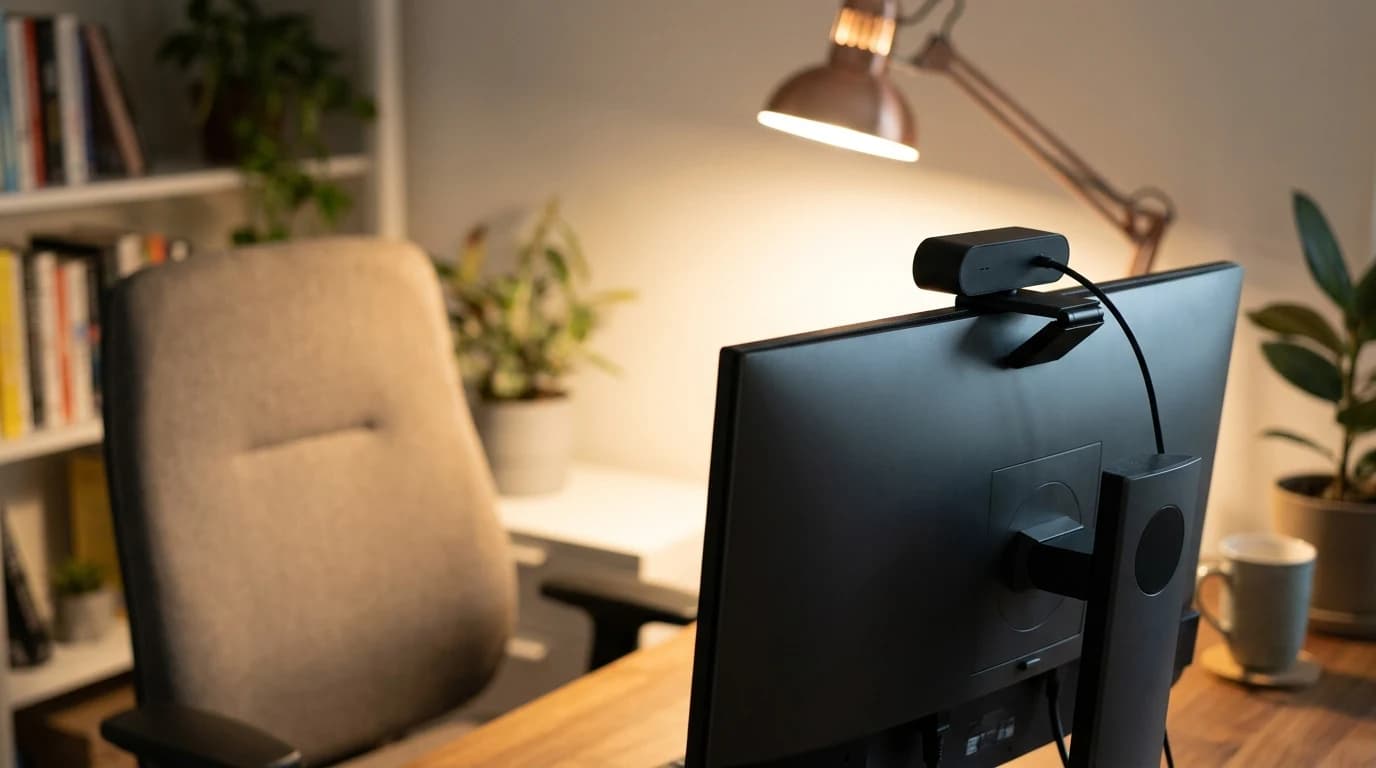
Resolution and frame rate
For video calls, 1080p at 30fps is the floor for a professional look. Zoom, Teams and Meet all cap sent video at 1080p, so 4K won't sharpen the call itself — though bigger sensors do tend to handle low light better.
The one spec you can feel: 60fps. Motion stays smooth instead of smearing. Two picks here reach it — the EMEET S600, whose spec sheet lists 4K at 30fps and 1080p at 60fps, and the Razer Kiyo V2 X, which Razer lists at 1440p/60. Every other camera on this list tops out at 30fps.
Low-light performance
This is where cheap webcams fail. Home-office lighting is uneven: overhead lights cast shadows, a window behind you makes a silhouette. A good sensor lifts sensitivity without turning your face into noise, and that is the single biggest quality gap between a $30 webcam and a $70 one.
Autofocus and field of view
Slow autofocus creates a distracting blur-then-snap when you lean in; a fixed focus tuned for desk distance has nothing to hunt for. Five of the seven picks below autofocus — the Anker C200, EMEET S600, Logitech C920S, Dell WB3023 and Razer Kiyo V2 X. A 78–80° field of view frames head and shoulders without showing the whole room; wider modes are for two people or a whiteboard.
What you give up under $100
None of the seven is a bad camera. But the ceiling buys a fixed set of compromises worth knowing before you accept them.
- Fixed focus instead of autofocus. Two of the seven, both Logitechs, focus at roughly desk distance and stay there. Nothing hunts mid-call, but a page held up to the lens will not sharpen.
- A 1080p pipe, whatever the sensor. EMEET's spec page lists the S600 at 4K/30fps and 1080p/60fps, and Razer lists the Kiyo V2 X at 1440p/60. Since the call itself caps at 1080p, that headroom buys a cleaner downsample and a sharper local recording, not a sharper meeting.
- Software light correction, not a bigger sensor. At this price the low-light answer is processing: EMEET lists auto light correction on the S600, Dell's guide lists HDR with 2D and 3D noise reduction on the WB3023, Logitech calls its version RightLight 2. It lifts a dim room; it cannot invent detail the sensor never caught.
- A narrow frame, adjusted in software or not at all. Field of view runs from 58° on the Brio 101 to 80° on the Razer. The Anker, Dell, EMEET and Razer change it in their apps; both Logitech Brios are fixed.
- A settings app with an OS catch. Razer's product page states the Kiyo V2 X "is supported by Razer Synapse 4 which is currently available only for PCs", with a Mac version promised but unshipped — on macOS you get the camera's defaults. Logitech's Brio support hub says Logi Tune, the app that changes field of view, digital zoom and image settings, runs on Windows and macOS but not ChromeOS. Dell publishes Display and Peripheral Manager for Windows 11 and 10, listing the WB3023 among supported webcams, plus a separate macOS build.
Rule of thumb: five of the seven picks autofocus, and all seven send 1080p to the call. The focus column deserves more of your attention than the resolution column.
Above the ceiling only: AI-tracking and gimbal webcams, the ones that physically pan to follow you, start around $130. For a seated desk call none of that matters.
Top webcams under $100
| Webcam | Price | Video | Focus | Built-in mic |
|---|---|---|---|---|
| Anker PowerConf C200 | $69.99 | 2K (2560×1440) / 30fps | Auto | Dual noise-reducing |
| EMEET S600 4K | $53.17 | 4K / 30fps · 1080p / 60fps | Auto | Dual noise-cancelling |
| Logitech C920S Pro HD | $59.99 | 1080p / 30fps | Auto | Dual stereo |
| Dell WB3023 2K QHD | $56.55 | 2K QHD / 30fps | Auto | Single, noise-reducing |
| Logitech Brio 301 | $59.99 | 1080p / 30fps | Fixed | Single, noise-reducing |
| Razer Kiyo V2 X | $74.99 | 1440p / 60fps | Auto | Stereo |
| Logitech Brio 101 | $24.99 | 1080p / 30fps | Fixed | Single (mono) |
1. Anker PowerConf C200 — best overall
Buy on Amazon · $69.99$69.99 on Amazon
The C200 is the webcam to beat under $100. It shoots genuine 2K (2560×1440) at 30fps — which downsamples to a noticeably crisper picture on 1080p calls — and its AI-enhanced low-light correction outperforms cameras costing twice as much. The AnkerWork app lets you switch field of view (65°/78°/95°), enable AI framing that keeps you centered, and tune exposure and white balance — features you'd normally only find on $150+ cameras. A physical privacy shutter and dual noise-reducing mics round it out.
- Good for: Almost everyone. For the price, nothing else is close.
- Not for: People who specifically need motorized tracking.
2. EMEET S600 4K — the most camera per dollar
$53.17 on Amazon
The S600 is the cheapest camera on this list and, on paper, the most capable. EMEET's spec page lists 4K at 30fps, 1080p at 60fps, an adjustable 40°–73° field of view, autofocus, two noise-cancelling microphones, a gear-driven privacy cover and a 1/4-inch tripod thread none of the Logitechs offer. That 60fps mode is the one spec you actually notice on a call, and only the $74.99 Razer Kiyo V2 X matches it. At 4.5 stars across 2,097 Amazon ratings it is the second-best-rated camera on the list, behind only the C920S — which is why it outranks the $29.99 Brio 101 despite costing $23 more.
- Good for: Anyone who wants 60fps, a tripod thread, or the most resolution headroom for the least money.
- Not for: People who want a household-name brand with a decade of driver history behind it.
3. Logitech C920S Pro HD — the proven classic
Buy on Amazon · $59.99$59.99 on Amazon
The Logitech C920 family has been the default webcam recommendation for a decade, and the C920S (the privacy-shutter revision) keeps that going. Reliable 1080p/30fps, Logitech's mature autofocus and auto-exposure, dual stereo mics, and the most stable software ecosystem in the category. It's not exciting — it's dependable, and on a work machine that's the point. The built-in privacy shutter is the upgrade over the old C920.
- Good for: Anyone who wants a camera that just works on every OS.
- Not for: People who want 2K sharpness or app-based framing.
4. Dell WB3023 2K QHD — the quiet 2K alternative
$56.55 on Amazon
Dell's product guide lists 2K QHD at 24 or 30fps, a Sony sensor, autofocus, a switchable 65°/78° field of view, HDR auto-light correction with 2D and 3D noise reduction, an f/2.0 aperture, an integrated privacy shutter and a tripod mount hole — essentially the C200's feature set for $13 less, with Microsoft Teams and Zoom certification on top. The catch is evidence, not hardware: it carries just 87 Amazon ratings at 4.0 stars against the C200's 9,301, so there is far less owner data behind it than behind anything else here. Its microphone is one noise-reduction mic rated to roughly 3 metres rather than a stereo pair.
- Good for: Windows and Teams-heavy setups, especially if you already run Dell Display and Peripheral Manager.
- Not for: Anyone who wants a deep pile of owner feedback before they buy.
5. Logitech Brio 301 — the USB-C plug-and-play pick
Buy on Amazon · $59.99$59.99 on Amazon
The Brio 301 is the only camera here that terminates in USB-C, which is the whole reason to choose it: on a laptop with no USB-A port, everything else on this list needs a dongle. Logitech's spec page lists 1080p/30fps, a 70° diagonal field of view, RightLight 2 auto light correction, a single noise-reducing mic good to about 4 metres, an integrated privacy shutter — and fixed focus, not autofocus. That is why it sits below the C920S at the identical $59.99: same money, simpler camera, newer connector. It is certified for Zoom, Microsoft Teams and Google Meet and rates 4.3 stars across 1,160 ratings.
- Good for: USB-C-only laptops that need a certified, no-driver webcam.
- Not for: Anyone on USB-A — the Brio 101 below is the same idea, narrower, for $30 less.
6. Razer Kiyo V2 X — the 1440p/60 spec sheet, on a thin review base
Buy on Amazon · $74.99$74.99 on Amazon
Razer's spec table lists 1440p at 60fps, an 80° wide-angle lens that is configurable in software, autofocus with a manual override in Synapse, a twist-to-close privacy shutter, a stereo omnidirectional microphone and a 1/4-inch tripod thread on its L-shaped mount. On paper that is the highest resolution-and-frame-rate pairing on this page. Two things keep it out of the top half. It is the most expensive pick here at $74.99, and it carries just 183 Amazon ratings at 4.3 stars — a sample small enough to move a long way, and image quality is the most divided topic in those reviews. Razer's table also lists no HDR and no mic noise cancellation, the connector is USB Type-A on USB 2.0, and its video-format row caps MJPEG at 1440p/30 and 1080p/60.
- Good for: Recording or streaming where the extra resolution is captured locally rather than squeezed through a call, and anyone who wants a tripod thread plus a stereo mic.
- Not for: Anyone who wants a large pile of owner feedback behind a $74.99 purchase, or a USB-C laptop with no spare adapter.
7. Logitech Brio 101 — the cheapest camera worth buying
$29.99 on Amazon
The Brio 101 is Logitech's entry-level current webcam and the pick when the budget is the constraint. Logitech state 1080p/30fps capture, automatic light correction and an integrated privacy shutter — the same fundamentals as the C920S, in a much smaller body, for roughly half the price. There is no 60fps mode and the field of view is narrower than the C920S, so it frames tighter. Note: this slot used to be the Elgato Facecam Neo, which Elgato has discontinued; its Facecam MK.2 successor sells for about $139, well over this guide's $100 ceiling. At its current $29.99, the Brio 101 costs half what the others do.
- Good for: Anyone who wants a current, warrantied Logitech webcam for the least money.
- Not for: People who need autofocus or shoot in dim rooms. The fixed focus is optimized for one distance, so it's less forgiving if you move far from the desk.
Or use the phone in your pocket
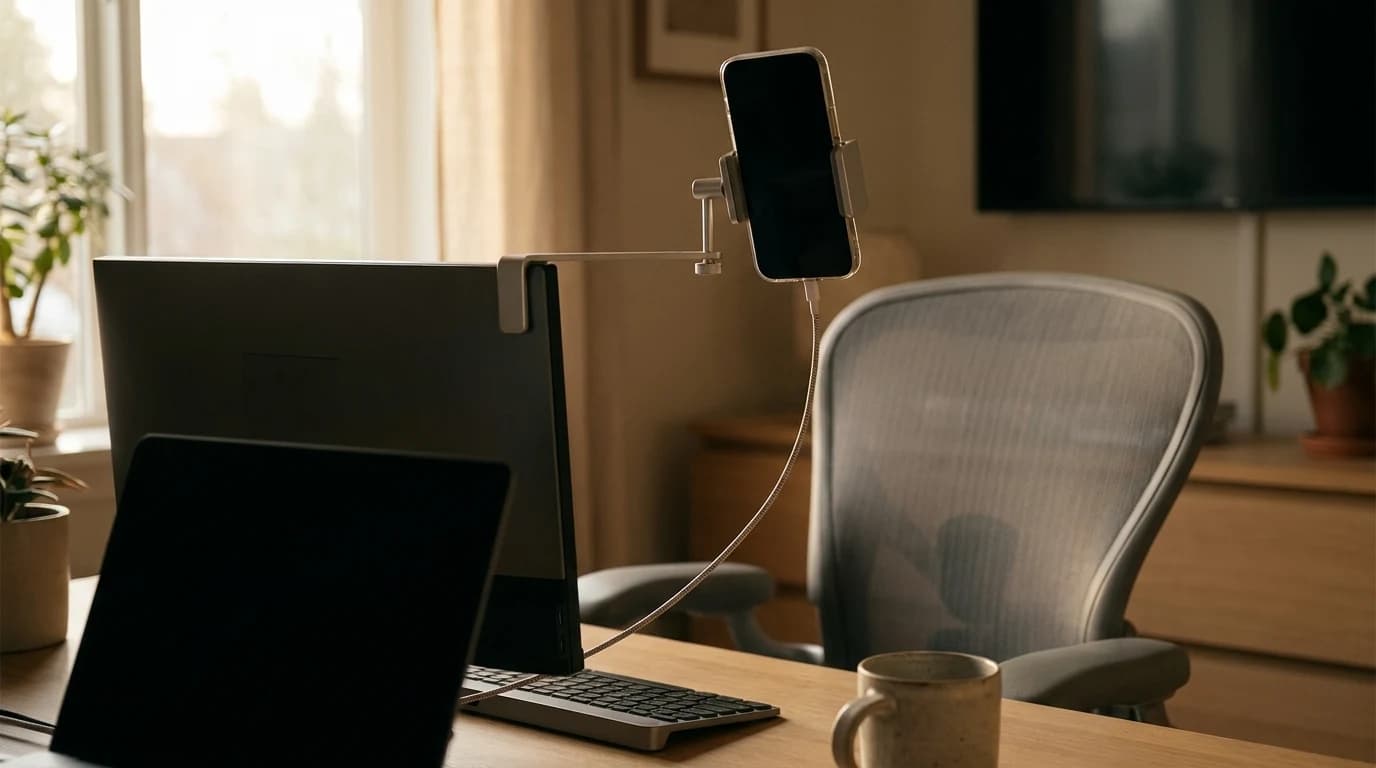
Before spending anything: both desktop platforms now take a phone as a webcam for free, and a modern phone camera generally beats a $60 webcam.
- iPhone to Mac (Continuity Camera). Apple's support page lists iOS 16 or later on an iPhone XR or later, plus macOS Ventura 13 or later, with both devices signed in to the same Apple Account using two-factor authentication. Apple says it works wired or wirelessly, and that the iPhone should sit near the Mac, locked, stable and in landscape with its rear cameras facing you: Apple Support.
- Android to Windows (connected camera). Microsoft lists a PC on Windows 11 or later, an Android device on Android 10 or later, and the Link to Windows app at 1.24022.0 or later. You enable it under Settings, Bluetooth and devices, Mobile devices, then "Use as connected camera": Microsoft Support.
The honest tradeoff: free, and usually the better image. But the phone is tied up for the whole call, it needs a mount that holds it at eye level, and Apple's page tells you to keep it plugged in so the battery lasts. A webcam's advantage is that it is simply always there.
Trying the phone route first? Our phone-as-webcam walkthrough covers the cross-platform app version, and the 90-second webcam test is where to start if your camera shows only a black preview.
Get the most out of any webcam
Even the best webcam cannot beat bad lighting. Two free fixes matter more than the camera:
- Light your face, not your back. A window behind you makes a silhouette; a light source in front of you is flattering. No natural light? A simple desk lamp behind your monitor works as a key light.
- Raise the camera to eye level. Clipped to the top of a properly height-adjusted monitor is ideal. Too low — looking up at you — is the most common WFH mistake; a small stand or a stack of books fixes it.
FAQ
What is the best webcam under $100? The Anker PowerConf C200 at $69.99 is the best webcam under $100 for most people — genuine 2K at 30fps that downsamples to a crisper 1080p call, switchable field of view and AI framing in the AnkerWork app, a physical privacy shutter and dual noise-reducing mics, with far more owner ratings behind it than anything else here. For the most camera per dollar, the EMEET S600 at $53.17 adds a 1080p/60fps mode and a tripod thread. For the no-surprises classic, the Logitech C920S at $59.99. Spending as little as possible, the Logitech Brio 101 at $29.99.
Is a 4K webcam worth it under $100? Not for the call itself. Zoom, Teams and Meet cap the video they send at 1080p, so a 4K sensor buys a cleaner downsample and a sharper local recording rather than a sharper meeting. The one 4K pick here, the EMEET S600 at $53.17, is worth buying for its 1080p/60fps mode, autofocus and tripod thread — not for the 4K. Do not pay a premium for the resolution alone; the C200's 2K sensor already gives you the downsampling benefit.
Is a 1080p webcam good enough for Zoom? Yes. Zoom, Teams and Meet cap the video they send at 1080p, so a 1080p camera already sends the most the call will carry. Three of the seven picks here are native 1080p, and one of them — the Logitech C920S at $59.99 — is the most-recommended webcam in the category for exactly that reason. A 2K or 4K sensor helps by downsampling to a cleaner 1080p, not by making the call sharper.
Do I need a webcam with autofocus for video calls? Only if you move. Fixed focus is tuned for one distance, roughly where your face sits at a desk, and it never hunts or pulses mid-call. If you hold documents up to the lens, lean far in and out, or present on your feet, autofocus earns its money. Five of the seven picks autofocus; the two that do not are both Logitechs, the Brio 101 and the Brio 301.
Is the built-in webcam mic good enough? On the C200, C920S, EMEET S600 and Razer Kiyo V2 X, yes — all four use a stereo or dual-mic array and are fine for everyday calls. The Brio 101, Brio 301 and Dell WB3023 each use a single mic: usable, but thin. For frequent calls or presentations, a dedicated headset delivers clearly better audio.
Do I need a webcam if I have an M-series MacBook? M3/M4 MacBook cameras improved a lot, but they still shoot from an unflattering low angle. If you are on camera often an external webcam is still worth it — and on an older Intel MacBook or any Windows laptop the upgrade is dramatic.
Is there a good wireless webcam under $100? No, and that is not a gap in the market. A webcam draws power and streams uncompressed video over USB, so every model under $100 — all seven here included — is USB-wired. Things sold as "wireless webcams" are either security cameras or phone-as-webcam apps. If cable clutter is the worry, route the cable behind the monitor arm.
What is the simplest webcam for a remote worker who does not want an app? The Logitech C920S Pro HD at $59.99 — plug-and-play UVC on Windows, macOS, Linux and ChromeOS with nothing to install, a physical privacy shutter, and the most mature autofocus and auto-exposure in the category.
Do these work with Teams and Google Meet, not just Zoom? Yes. All seven are standard USB UVC webcams and work identically across Zoom, Teams, Meet, Webex and anything else, with no extra drivers. Six connect over USB-A; only the Brio 301 uses USB-C.
Is a phone better than a cheap webcam? On image quality, usually yes — a modern phone camera generally beats a $60 webcam, and both desktop platforms now take one for free: Continuity Camera from an iPhone to a Mac, and connected camera from an Android phone to Windows 11. The costs are practical rather than optical: the phone is tied up for the whole call, it needs a mount that holds it at eye level and in landscape, and Apple's own page tells you to keep it plugged in so the battery lasts. A webcam's advantage is that it is always there and always aimed. To try the free route first, our phone-as-webcam guide covers the cross-platform app version.
The bottom line
For most remote workers the Anker PowerConf C200 at $69.99 is the best webcam under $100 — 2K video, app-based framing and the deepest owner-review record here. Most spec per dollar: the EMEET S600 ($53.17). Dependable classic: the Logitech C920S ($59.99). Cheapest that is still worth buying: the Logitech Brio 101 ($29.99). Pair any of the seven with a light in front of you and you will look better on camera than colleagues who spent three times as much.
Related Reading
- →Best Webcams for Video Calls 2026the full roundup including premium 4K and tracking options
- →Best Desk Lamps for Home Officebetter lighting beats a better camera
- →Best Headsets for Zoom Callspair your webcam with great audio
- →Home Office Lighting Guidemaster your on-camera appearance
- Browse all webcams
Your next step
See the full webcam field, all budgets.
Hilly Shore Labs
Editorial TeamWFH Lounge is published by Hilly Shore Labs. Every recommendation is built by synthesizing ergonomic research, manufacturer specs, expert reviews from outlets like Wirecutter, RTINGS, and The Verge, and aggregated long-term owner sentiment from thousands of verified buyers.
All product reviews are independently researched. Our recommendations are based on ergonomic guidelines, manufacturer specifications, and verified buyer sentiment. See our methodology.