The Smartest Way to Use Your Phone at Your WFH Desk
A phone is unbeatable at three desk jobs and terrible at a fourth. It is a better webcam than most laptops (Continuity Camera on Mac, connected camera on Windows 11), an excellent glanceable dashboard for your calendar and a focus timer, and a free call lifeline when your connection drops. The one thing it cannot do is be a second monitor: it is too small to read at OSHA's recommended 20-to-40-inch distance, and Apple's actual extend-your-desktop feature, Sidecar, is iPad-only. Mount it at eye level as a webcam, stand it upright to one side for two-second glances, keep it charged as insurance, and stop asking it to be a screen it was never going to be.
Quick Answer
Use your phone as a webcam, a glanceable dashboard (calendar, notifications, a focus timer), and a call lifeline when Wi-Fi or your headset fails. Do not use it as a second display for documents or code: the screen is too small to read at a healthy 20-to-40-inch viewing distance, and on a Mac the built-in second-screen feature (Sidecar) does not even support iPhone. Mount it at eye level, off to one side, and let it do glance-work, not stare-work.
Key Takeaways
Your phone is the most powerful computer on your desk. Here are the three WFH jobs it is unbeatable at, the one it is terrible at, and why.
As an Amazon Associate I earn from qualifying purchases. Product prices and availability are subject to change.
Your phone is already the most powerful computer on your desk, and most home-office workers either ignore it or use it wrong. The classic mistake is propping it up beside your laptop as a makeshift second monitor, squinting at a five-inch screen and slowly cranking your neck sideways all day. That is the one job a phone is genuinely bad at. The jobs it is great at, you are probably not using it for at all.
This is a role-assignment problem, not a gear problem. Give your phone the work it is built for, and take away the work that wrecks your posture or your focus.
Quick answer: Use your phone as a webcam, a glanceable dashboard (calendar, notifications, focus timer), and a call lifeline when Wi-Fi or your headset fails. Do not use it as a second display for documents or code: the screen is too small to read at a healthy viewing distance, and on a Mac the built-in second-screen feature (Sidecar) does not even support iPhone. Mount it at eye level, off to one side, and let it do glance-work, not stare-work.
The quick version
- Your phone is a better webcam than most laptops. Apple Continuity Camera (iOS 16+, macOS Ventura 13+) and Windows 11 connected camera (Android 10+) both turn your phone into a high-quality wireless webcam in any video app.
- A phone is a bad second monitor. Apple Sidecar, the official second-display feature, works with iPad only, not iPhone. Anything you would actually read for work needs a real screen.
- Eye level matters more than you think. OSHA puts the healthy viewing distance at 20 to 40 inches with the top of the screen at or slightly below eye level. A phone flat on the desk fails both.
- The phone is best at glance-work. Calendar, notifications, a focus timer, and a backup call line are all things you check for two seconds, not stare at for two hours.
Give Your Phone the Right Job
| Phone job | Verdict | Why |
|---|---|---|
| Webcam for calls | Use it | Phone cameras beat most laptop webcams; built into macOS and Windows |
| Glanceable dashboard (calendar, timer) | Use it | Two-second checks, keeps your main screen clean |
| Backup call line | Use it | Saves the meeting when Wi-Fi or your headset dies |
| Second monitor for docs/code | Skip it | Too small to read at a healthy distance; Sidecar is iPad-only |
| Notification firehose on the desk | Skip it | A buzzing phone in view is a focus tax, not a tool |
Job 1: The Best Webcam You Already Own
This is the single highest-value use, and it is now built into both major operating systems. On a Mac, Continuity Camera lets a recent iPhone act as your webcam wirelessly the moment you bring it near the Mac, with both devices on the same Apple Account and Bluetooth and Wi-Fi on. It even adds Desk View, which shows your face and a top-down view of your desk at once. On Windows 11, the connected camera feature does the same for an Android phone running Android 10 or later with the Link to Windows app (version 1.24022.0 or newer); the phone then shows up as a normal camera option in Teams, Zoom, Meet, and anything else.
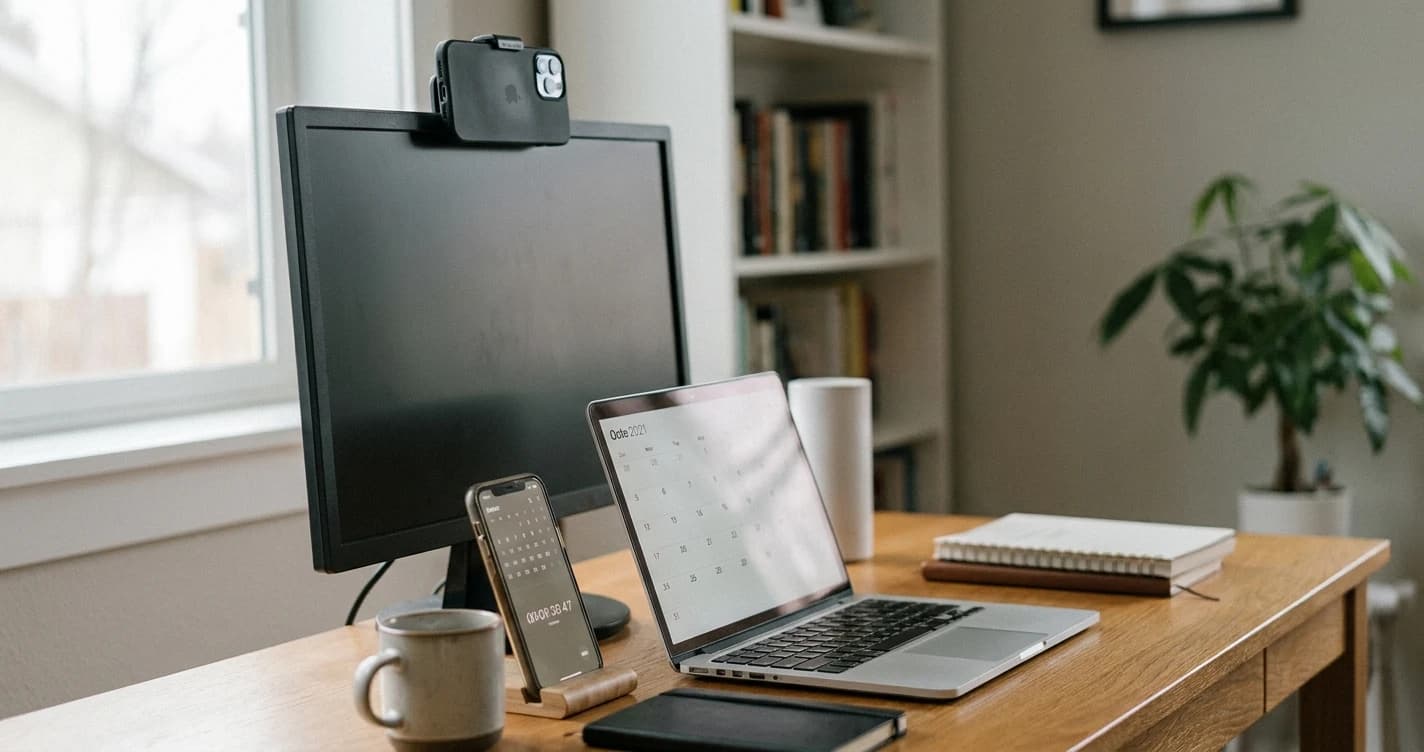
The reason this matters: phone sensors are simply better than the cheap modules in most laptops. You get a sharper image, better low-light handling, and features like Center Stage that keep you framed. The catch is mounting. Clip it to the top of your monitor, lens roughly at eye level, so you are looking into the camera, not down at a phone lying flat. A phone on a desk stand pointed up your nose undoes everything the better sensor gave you.
Job 2: A Glanceable Dashboard, Not a Second Screen
Here is where most "phone as second monitor" advice goes wrong. The instinct is right, you do want some information off your main screen, but the execution is backwards. A phone is too small to read a document or a code window at the 20-to-40-inch viewing distance OSHA recommends, and to read it you end up pulling it close and tilting your head down, which is exactly the neck position the same guidance warns against.
So do not put reading work on the phone. Put glancing work on it:
- Your calendar, so your next meeting is always visible without alt-tabbing.
- A focus timer. A Pomodoro app running on the phone keeps the timer out of your work screen, where it would otherwise nag you.
- A single chat or status app you need to monitor but not live in.
The test is simple: if you will look at it for two seconds, the phone is perfect. If you will look at it for two minutes, it belongs on a real screen. Mount it upright in a stand off to one side, not flat, so a glance is a glance and not a neck bend.
Job 3: The Call Lifeline
Every remote worker eventually has the meeting where the Wi-Fi drops or the headset dies mid-sentence. Your phone is the fix. Keep the dial-in number or the mobile app for your main meeting tool ready, and when your computer connection fails you can rejoin from cellular data in seconds without the whole call waiting on you. It is also a clean fallback for audio: if your Bluetooth headset disconnects, the phone's own mic and speaker get you through the call. This is insurance, and it costs nothing to set up in advance.
What Most People Get Wrong
The widespread tip to "use your old phone as a second monitor" sounds clever and is almost always a downgrade. It fails on two hard facts. First, ergonomics: a screen that small can only be read up close and angled down, violating both the distance and the eye-level rules that keep your neck out of trouble over an eight-hour day. Second, the software is not there: the headline feature people imagine, mirroring your Mac onto the phone like a real display, does not exist for iPhone at all. Apple's Sidecar, the actual extend-your-desktop feature, supports iPad and not iPhone. If you genuinely want a second display, a cheap real monitor or an iPad will serve you, and your phone is freed up to do the three jobs it is actually good at.
A phone that earns its place on your desk is mounted at eye level as a webcam, parked upright to one side for glances, and kept charged as your call insurance. A phone lying flat that you keep grabbing is just a distraction with a battery.
Bottom Line
Stop trying to make your phone a second monitor and start using it for what it is unbeatable at. Mount it at eye level as your webcam, both Mac and Windows now do this natively and the image beats your laptop. Stand it upright to one side for two-second glances at your calendar or a focus timer, never for reading. And keep it ready as the lifeline that saves the meeting when your main setup fails. Assign those three roles, put the device at eye level, and the most powerful computer on your desk finally pulls its weight instead of stealing your attention.
Sources
- →Apple — Use Continuity Camera to use iPhone as a webcamiOS 16+ and macOS Ventura 13+, wireless or USB, same Apple Account with two-factor, Desk View and Center Stage.
- →Apple — Use iPad as a second display for your Mac with Sidecarsupported devices are iPad models only; no iPhone is listed.
- →Microsoft — Use your mobile device's cameraWindows 11, Android 10 or later, Link to Windows app version 1.24022.0 or later; phone appears as a camera in any app.
- →OSHA — Computer Workstations eTool: Monitorsviewing distance 20 to 40 inches; top of monitor at or slightly below eye level; center 15 to 20 degrees below horizontal.
Hilly Shore Labs
Editorial TeamWFH Lounge is published by Hilly Shore Labs. Every recommendation is built by synthesizing ergonomic research, manufacturer specs, expert reviews from outlets like Wirecutter, RTINGS, and The Verge, and aggregated long-term owner sentiment from thousands of verified buyers.
All product reviews are independently researched. Our recommendations are based on ergonomic guidelines, manufacturer specifications, and verified buyer sentiment. See our methodology.