WFH in a Small Apartment: Setup Ideas for Tiny Spaces
You do not need a dedicated office room to have a great WFH setup — smart furniture choices, vertical storage, and clever space division can make any small apartment work.
Quick Answer
You don't need an office room — you need a defined zone: a wall desk, a closet office, or a dual-purpose table with an end-of-day reset. Go vertical for storage, keep cables disciplined, and choose gear that folds or tucks away. The separation ritual matters more than the square footage.
Key Takeaways
Working from home in a small apartment? These clever setup ideas maximize productivity without sacrificing your living space.
As an Amazon Associate I earn from qualifying purchases. Product prices and availability are subject to change.
Let us address the elephant in the room — or rather, the lack of room for an elephant. You live in a small apartment. Maybe a studio. Maybe a one-bedroom where the bedroom barely fits a bed. And you need to work from home full-time in this space without losing your mind.
Every WFH setup guide seems to assume you have a spare bedroom to convert into an office. You do not. You have a corner of your living room, a sliver of kitchen counter, or — if you are creative — a closet. And you know what? That is enough. Some of the most functional WFH setups we have seen come from people who had to get creative with 400 square feet.
Here is how to build a real, ergonomic, productive workspace in a tiny apartment.
The Golden Rule: Separate Work From Life
Before we talk about furniture and gear, let us talk about the single most important principle for small-space WFH: your work area needs to feel distinct from your living area, even if they are technically the same space.
This does not require walls or doors. It requires intentional design. People who successfully work from studios and tiny apartments use visual, physical, and psychological boundaries to create separation:
- A different rug under the desk area
- A small shelf or room divider between the workspace and the rest of the room
- A desk lamp that is only on during work hours
- A specific chair that is only used for work
These cues train your brain to shift into work mode when you enter the zone and shift out when you leave it. It sounds subtle but over weeks it makes an enormous difference.
Layout Strategy 1: The Wall Desk
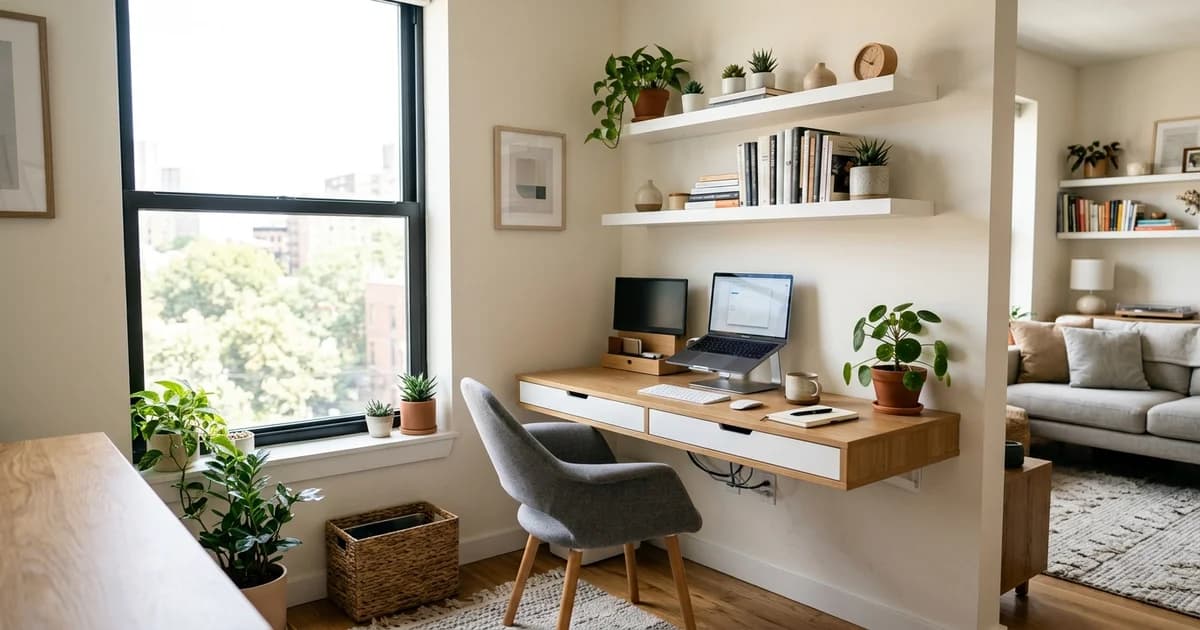
If you have any blank wall space — even 36 inches wide — you can create a functional desk setup. Wall-mounted folding desks have come a long way. The best ones fold flat against the wall when not in use, giving you back your floor space in the evening.
A wall-mounted desk paired with a wall-mounted monitor arm means your entire workspace can fold away to almost nothing. When it is time to work, you fold down the desk, swing out the monitor, and pull up your chair. When work is done, everything goes flat and your living room is a living room again.
The IKEA NORBERG wall-mounted drop-leaf table is a budget classic for this approach, and you can find sturdy floating desk options on Amazon that support up to 50 pounds — plenty for a monitor, keyboard, and laptop.
Layout Strategy 2: The Closet Office (Cloffice)
This one has become legendary in the small-apartment WFH community for good reason. If you have a closet you can sacrifice — even a shallow reach-in closet — you can convert it into a surprisingly complete office.
Here is the basic approach:
- Remove the closet rod and any shelving.
- Install a desk-height shelf or surface across the width of the closet.
- Mount a monitor above the desk surface using a wall mount.
- Add a small shelf above for supplies, a webcam light, or a plant.
- Install a power strip and route cables neatly along the back wall.
- When work is done, roll your chair out and close the closet doors.
The beauty of a cloffice is that it comes with a built-in shutdown ritual — you literally close the doors on work. Out of sight, out of mind.
For an ergonomic cloffice setup that does not break the bank, check out our guide to building an ergonomic home office on any budget. Many of the principles apply perfectly to closet conversions.
Layout Strategy 3: The Dual-Purpose Table
If folding desks and closet offices are not options, a well-chosen table can serve double duty as both your dining table and your desk. The key is making the transition deliberate.
Use a desk mat or large mousepad to define your work surface. When you sit down to work, the mat comes out. When work is done, the mat goes into a drawer and the table becomes a dining table again. This is a small ritual but it creates the mental separation you need.
A table that is 48 to 60 inches long gives you enough space for a laptop, an external monitor, and a keyboard while still leaving room for dinner plates later. Look for tables with clean lines and a surface you enjoy spending time at — you will be there a lot.
Essential Gear for Small Spaces
In a tiny apartment, every piece of equipment needs to earn its square footage. Here is what actually matters and what you can skip:
Worth the space:
- A good chair. Do not compromise here. Your back does not care how small your apartment is. Even a compact ergonomic chair makes a world of difference over a kitchen chair. Check out our budget-friendly setup ideas under $500 for chair recommendations that work in tight spaces.
- A laptop stand. This is the single best space-efficient ergonomic upgrade. Elevating your laptop to eye level prevents neck strain and takes up zero extra desk space. Pair it with an external keyboard and you have a proper ergonomic setup.
- A compact mechanical keyboard. A 65% or 75% layout keyboard saves several inches of desk width compared to a full-size keyboard. Those inches matter when your desk is 30 inches wide.
- Noise-canceling headphones. In a small apartment you are probably closer to street noise, neighbors, and roommates. Good headphones are not a luxury — they are infrastructure.
Skip it to save space:
- A desktop PC tower. Laptops or mini PCs (like the Mac Mini) take a fraction of the space.
- A printer. Use a nearby print shop or your library. Printers are huge, loud, and rarely needed.
- Multiple monitors. One good external monitor plus your laptop screen is plenty. A 27-inch monitor gives you massive screen real estate without the bulk of a dual-monitor arm.
Vertical Is Your Best Friend
When floor space is limited, go up. Vertical storage is the secret weapon of every small-apartment dweller:
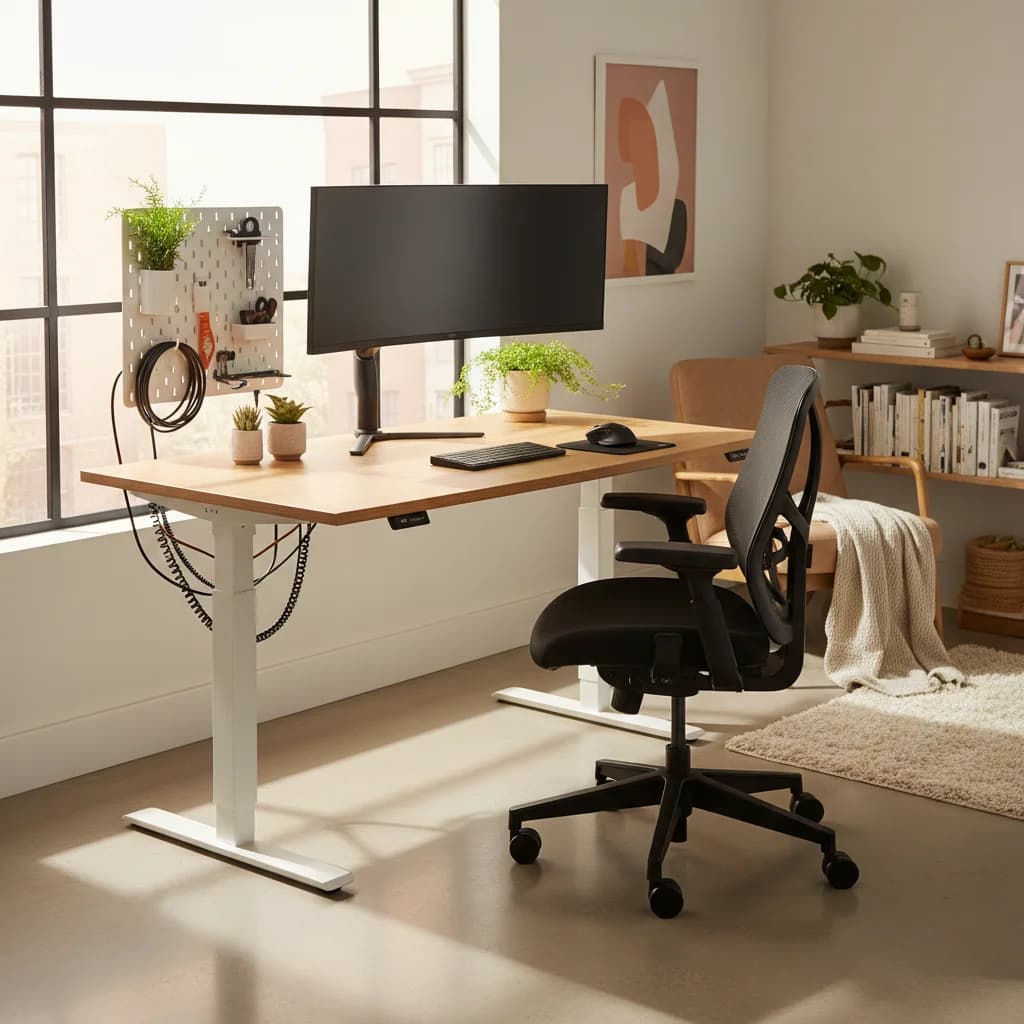
- Pegboards above your desk. Mount a pegboard on the wall above your workspace and hang headphones, cable organizers, small shelves, and supplies. Everything is visible and accessible without taking up desk space.
- Floating shelves. A single floating shelf above your monitor can hold books, a small plant, and a desk lamp, freeing up your actual desk surface.
- Monitor arms. A desk-clamp monitor arm lifts your screen off the desk and lets you push it back against the wall when you need the surface for other things. The Amazon Basics Monitor Arm is an affordable option that works with most desks.
- Under-desk hooks. Hang your headphones, cable management trays, and even a small bag under your desk to keep surfaces clear.
Cable Management in Small Spaces
In a small apartment, visible cable clutter is amplified because everything is closer together. A few cable management basics go a long way:
- Use adhesive cable clips to route cables along the back edge of your desk and down the wall.
- A single power strip mounted to the underside of your desk keeps charging cables accessible but invisible.
- Velcro cable ties (a few dollars for a pack) let you bundle cables neatly.
Clean cables make a small space feel significantly larger and more organized.
Lighting a Small Workspace
Natural light is your best asset. If possible, position your desk near a window — but not directly in front of one, as that creates glare on your screen and puts you in silhouette during video calls. Perpendicular to the window is ideal.
For artificial lighting, a compact desk lamp with adjustable color temperatureKelvinColor temperature, measured in Kelvin. ~2700K is warm/yellow (incandescent), ~4000K is neutral white, ~5000–6500K is cool/daylight. Match desk-lamp temp to your monitor's white point so your eyes don't constantly re-adapt. lets you shift from cool, focused light during work to warm, relaxed light in the evening. This is a simple environmental cue that helps your brain transition between modes — a principle we covered in depth in our guide to home office lighting.
Making It Work Long-Term
The biggest challenge of WFH in a small apartment is not the initial setup — it is sustainability. After six months of working and living in the same tiny space, cabin fever is real. A few strategies for the long haul:
- Get out regularly. Work from a coffee shop or library once or twice a week if you can. The change of scenery resets your relationship with your space.
- Rearrange quarterly. Moving your desk to a different wall or changing your layout every few months keeps the space feeling fresh.
- Invest in what you touch. A great keyboard, a comfortable chair, a beautiful desk mat — these small pleasures add up when you spend eight hours a day in a 400-square-foot apartment.
You do not need a sprawling home office to do great remote work. You need a setup that is intentional, ergonomic, and designed to disappear when the workday ends. Even the smallest apartment can deliver that.
Related Reading
Your next step
Small-space gear that earns its footprint.
Hilly Shore Labs
Editorial TeamWFH Lounge is published by Hilly Shore Labs. Every recommendation is built by synthesizing ergonomic research, manufacturer specs, expert reviews from outlets like Wirecutter, RTINGS, and The Verge, and aggregated long-term owner sentiment from thousands of verified buyers.
All product reviews are independently researched. Our recommendations are based on ergonomic guidelines, manufacturer specifications, and verified buyer sentiment. See our methodology.