Best Desk Chairs for Back Pain 2026: Ergonomic Picks
Branch Ergonomic Chair for most people — height-adjustable lumbar, seat depth, 3D armrests, about $389; step up to the Branch Pro (about $449) if you need lumbar depth adjustment. Herman Miller Aeron for serious back pain and long-term buyers. HON Ignition 2.0 under $300.
Our #1 Pick
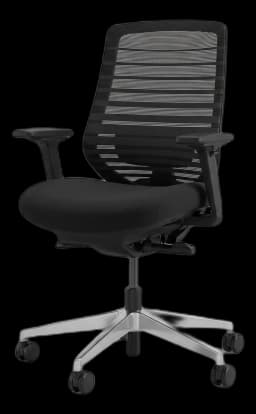
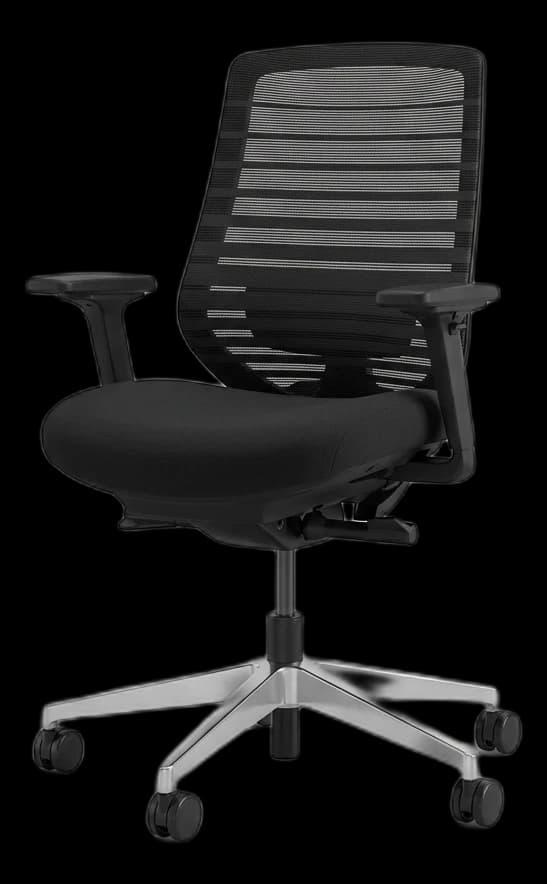
Branch Ergonomic Chair
Height-adjustable lumbar you can also remove, seat-depth adjustment and 3D armrests — the adjustments this guide puts first for back pain — with a 7-year warranty, at $389. If you need to set lumbar depth too, the Branch Ergonomic Chair Pro ($449) adds it.
Fits: 5'2"–6'2", up to 275 lb; seat height 17–21 in, seat depth 18–22 in- Height-adjustable, removable lumbar support
- Seat height and seat depth adjust (8 points of adjustment)
- Breathable double-layer mesh back
Price checked Oct 8, 2026 — verify the live price on Amazon.
Also Great
Step-up: Branch Ergonomic Chair Pro ($499) — Two-way lumbar (height and depth), 5D armrests and 14 points of adjustment.Fits: up to 275 lb; seat height 17–19.9 in (19.3–22.9 in tall cylinder), seat depth 16.7–19.7 in
Buy on AmazonUnder $150: HOLLUDLE Ergonomic Mesh Office Chair ($169.99) — Lumbar support shaped to the lower spine, built around all-day back support — the budget chair to try first if pain is your main reason for upgrading.
Buy on AmazonKneeling option: Dragonn Ergonomic Kneeling Chair ($100) — Forces anterior pelvic tilt and open hip angle — good for alternating posture every 30 min
 #1 Owner rating | 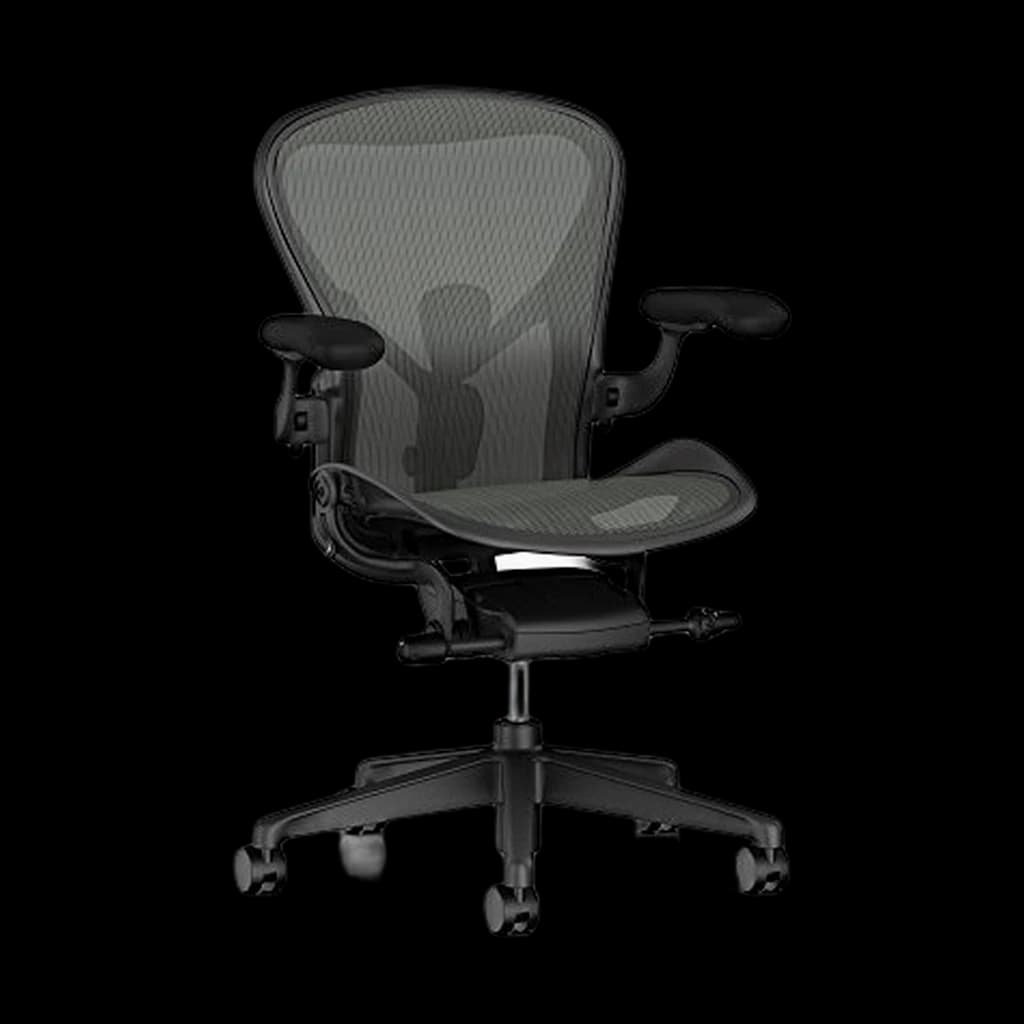 #2 Owner rating | 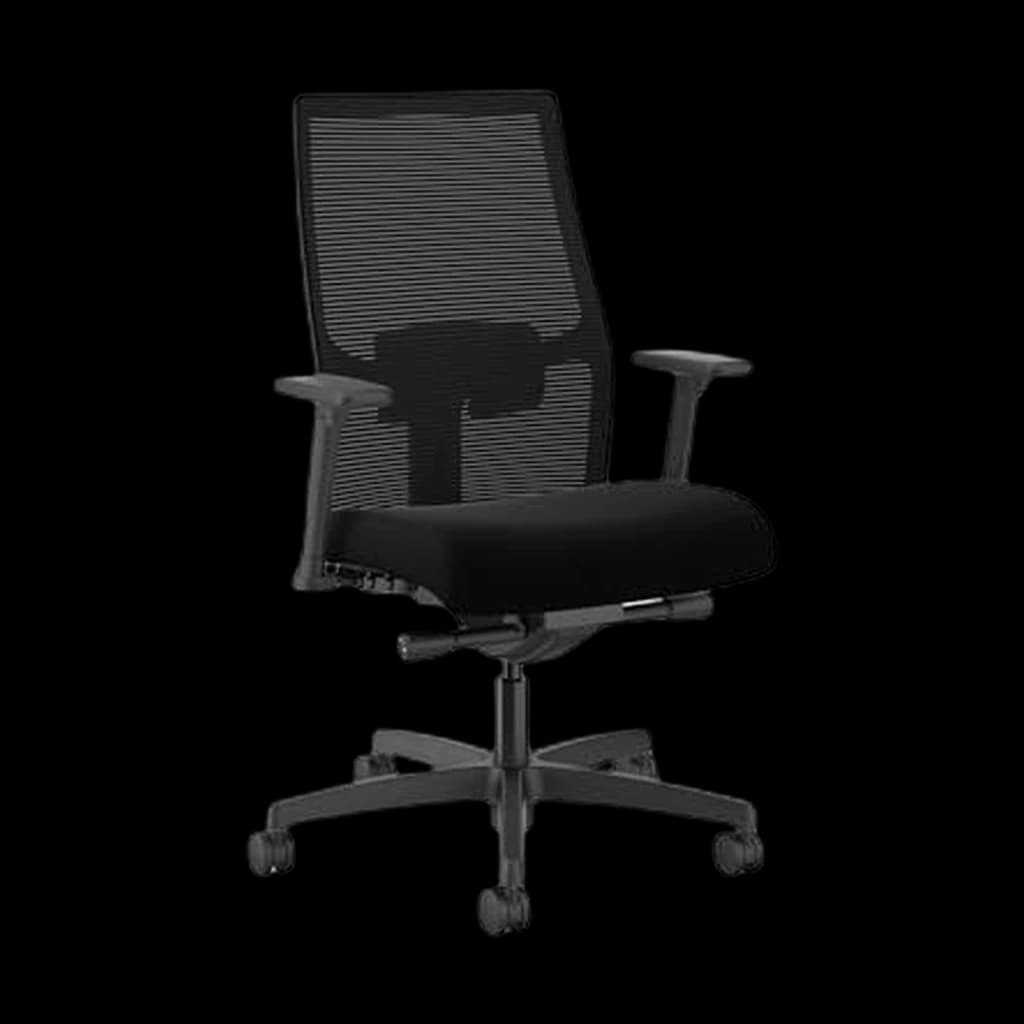 #3 Owner rating | 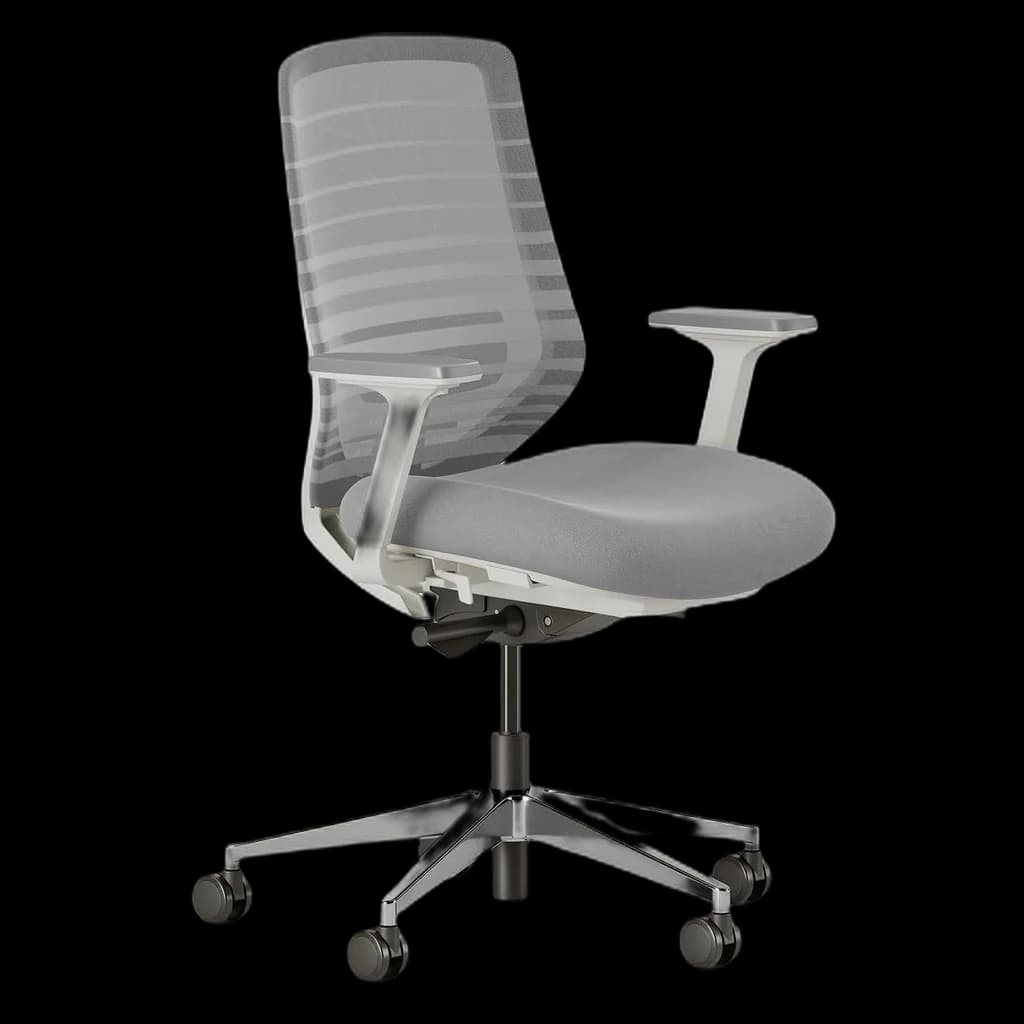 #4 Owner rating | |
|---|---|---|---|---|
| Price | $389Buy on Amazon | $1,612.50Buy Direct | $481Buy on Amazon | $499Buy on Amazon |
| Verdict | Best overall for back pain — height-adjustable lumbar and seat depth | Best premium — PostureFit SL is clinically superior for chronic pain | Best budget for back pain — commercial-grade at under $300 | Step-up — two-way lumbar and 5D arms under $500 |
| Buyer sentiment | Quality Assembly Adjustability Sturdiness Buyers praise quality, assembly, adjustability and sturdiness. Mixed feedback on comfort and adjustable lumbar support. Based on 407 user mentions | Quality Comfort Buyers praise quality and comfort. Mixed feedback on value for money and adjustability. Based on 329 user mentions | Quality Adjustability Build Quality Seat Cushion Buyers praise quality, adjustability and build quality. Mixed feedback on comfort and assembly. Some flag seat cushion. Based on 1,068 user mentions | Quality Assembly Versatility Appearance Seat Cushion Buyers praise quality, assembly, versatility and appearance. Mixed feedback on adjustability and value for money. Some flag seat cushion. Based on 202 user mentions |
| Lumbar | Height-adjustable, removable | PostureFit SL (dual pad) | Adjustable | Adjustable height + depth |
| Armrests | 3D | 4D | Height + width | 5D |
| Warranty | 7 years | 12 years | 12 years | 7 years |
| Weight Capacity | 275 lbs | — | 300 lbs | 275 lbs |
| Sizes | — | A, B, C (fit by height) | — | — |
| Pros |
|
|
|
|
| Cons |
|
|
|
|
* Prices checked Aug 28, 2026 and may vary. Check the latest price on Amazon.
We research — never hands-on. How we research →
Worth the upgrade
For persistent back pain specifically, the Leap V2's LiveBack system — the backrest changes shape as you move — is the feature the budget picks approximate but don't match. It's the chair physical therapists name unprompted.
Key Takeaways
Best desk chairs for back pain in 2026 — the Branch Ergonomic Chair, Herman Miller Aeron and budget picks compared for lumbar support and adjustability.
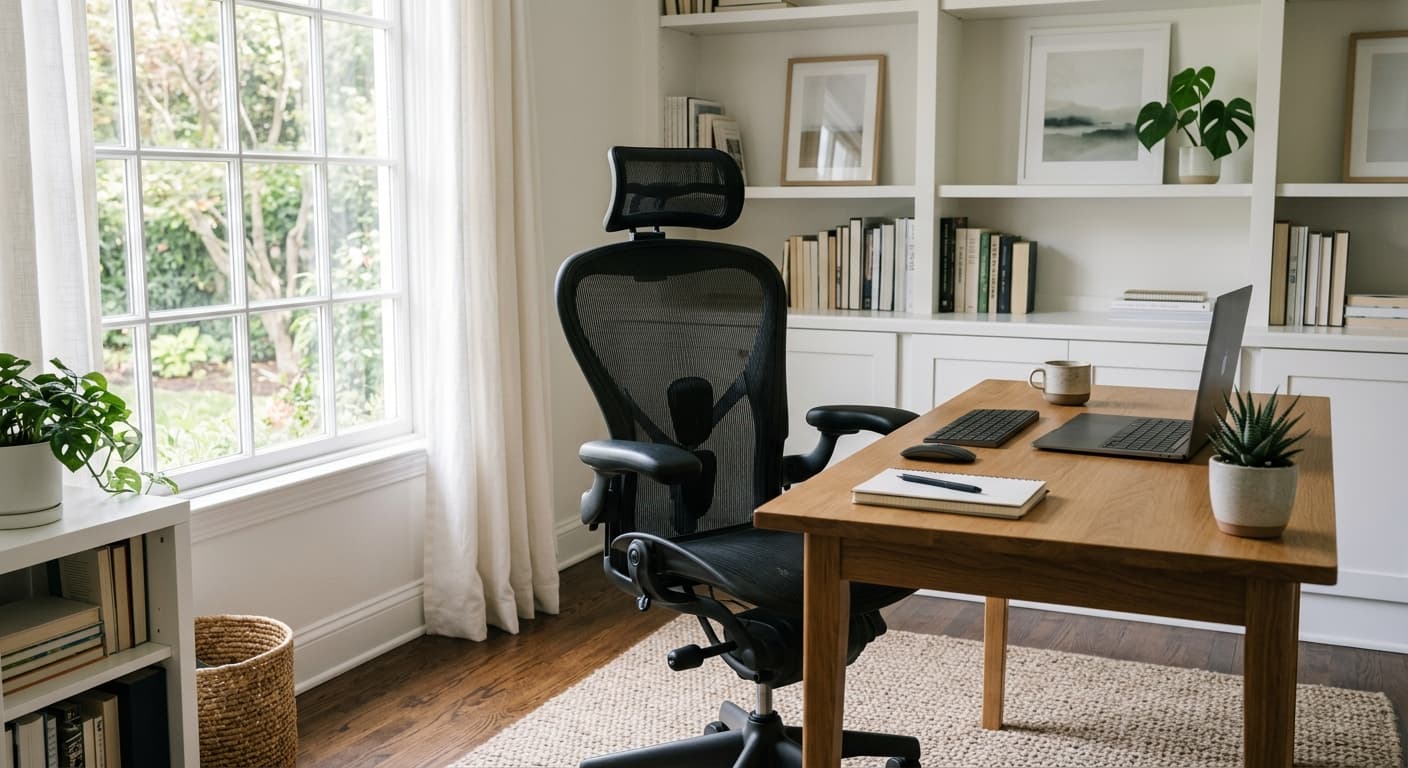
As an Amazon Associate I earn from qualifying purchases. Product prices and availability are subject to change.
Back pain is the most common complaint among knowledge workers — affecting 60–80% of remote workers at some point. The chair is responsible for a significant portion of this, but not in the way most people think. It's not just about cushioning — it's about adjustability, lumbar support, and whether the chair encourages a neutral spine position or fights against it.
The most expensive chair isn't automatically the best for your back. The best chair is the one that fits your body and adjusts to support your specific sitting posture.
What Actually Causes Desk Chair Back Pain
Insufficient lumbar support: When the lumbar spine (lower back) doesn't have support, it either slumps into a C-curve (flat-back sitting) or compensates with excess curve. Both are problematic over hours.
Fixed seat height: If the chair can't be adjusted to keep your feet flat and thighs parallel to the floor, you're working against your body's natural position.
Armrests at the wrong height: Armrests that are too low cause you to hunch your shoulders; too high forces the shoulders up. Either way the trapezius muscles are chronically tense.
No seat depth adjustment: If the seat pan is too long, you either sit on the edge (losing back support) or sit back and cut off circulation behind the knees.
Key Adjustments to Look For
Lumbar support (height-adjustable preferred)
Seat height (pneumatic adjustment, 4"+ range)
Armrest height, width, and depth (3D or 4D armrests)
Seat depth (fore-aft sliding)
Recline tension (adjustable resistance)
Our Top Picks
1. Best Overall: Branch Ergonomic Chair ($389)
Buy on Amazon · $389The Branch Ergonomic Chair is the chair we recommend first for back pain under $500 — a height-adjustable lumbar you can set at your curve or remove, seat height and depth adjustment, 3D armrests and tilt tension, eight adjustment points in all, in a polished, durable package. If you need to set lumbar depth as well, the Branch Ergonomic Chair Pro ($449) is the step-up: two-way lumbar (height and depth), 5D armrests, forward tilt and 14 adjustment points. For most remote workers who don't want to spend $1,000+ on a chair but want genuine ergonomic support, the Branch is the recommendation.
The 7-year warranty removes much of the risk from what is otherwise a hard-to-evaluate purchase.
Best for: Most home office workers, all-day sitting, first ergonomic chair purchase
Pros: Height-adjustable, removable lumbar; seat depth; 3D armrests; 7-year warranty
Cons: Lumbar does not adjust in depth (the Pro adds it); not as premium as Herman Miller or Steelcase; rated to 275 lb
2. Best Premium: Herman Miller Aeron ($1,400–$1,600)
The Herman Miller Aeron is the benchmark against which all ergonomic chairs are measured. The PostureFit SL lumbar support system addresses both the lower and sacral spine (something almost no other chair does), the mesh back maintains airflow during long sessions, and the eight-zone suspension distributes weight evenly across the sitting surface. In clinical studies, the Aeron reduces back muscle activity (EMG) compared to standard chairs.
The 12-year warranty effectively means this is a 15–20 year chair if cared for.
Best for: Serious back pain, 8+ hour daily sitting, long-term investment buyers
Pros: Dual-axis lumbar, mesh for airflow, 12-year warranty, clinical evidence for back support
Cons: Very expensive; requires a full fit session — measure your height and weight against their size guide
3. Best Budget: HON Ignition 2.0 ($481)
Buy on Amazon · $481The HON Ignition 2.0 is the best under-$400 ergonomic chair that doesn't compromise on essential adjustments. Adjustable lumbar, height, and armrests in a durable commercial-grade build. It's not as refined as the Branch or as functional as the Herman Miller, but for buyers watching budget, it's a significant upgrade over standard office chairs.
Best for: Budget-conscious buyers, second home office chairs, first ergonomic upgrade
Pros: Commercial grade durability, adjustable lumbar, affordable
Cons: Limited seat depth adjustment; less adjustable than Branch at similar price
Chair Comparison
| Chair | Lumbar | Armrests | Warranty | Price |
|---|---|---|---|---|
| Branch Ergonomic Chair | Height-adjustable, removable | 3D | 7 years | $389 |
| Branch Ergonomic Chair Pro (step-up) | Adjustable (height + depth) | 5D | 7 years | $449 |
| Herman Miller Aeron | Dual-axis SL | 3D | 12 years | $1,400–$1,600 |
| HON Ignition 2.0 | Adjustable | 4D | 5 years | $481 |
What Reviewers Across the Web Agree On
For back pain specifically, the outside consensus diverges from a straight price ranking — and the honest version of this page has to say so. Checked in August 2026.
The strongest area of agreement is that fit beats spec sheet. CNN Underscored's panel found the standard Branch Ergonomic Chair's lumbar (height-adjustable; the Pro adds depth adjustment) so uncomfortable for a tester just over 5'2" that no height setting worked, while a 5'5" tester reported none of that. TechGearLab, which named the same chair its Editors' Choice for most people, logged the opposite: its height-adjustable lumbar satisfied most of the panel. Same chair, opposite outcomes, driven by body dimensions.
The second point of agreement is that the money buys back-support headroom. BTOD — an office-furniture dealer that discloses it sells chairs it reviews — publishes a long-hours and back-pain shortlist that includes neither the Branch nor the HON, and recommends a remanufactured Steelcase Leap V2 to most people, with the Herman Miller Aeron Remastered as its mesh benchmark. That is a genuine disagreement with our ranking, and it is worth weighing if your pain is already chronic.
Where we differ from some of the marketing around these chairs: published reviews, ours included, are comfort and fit evaluations, not clinical trials. No buying guide can tell you a chair will treat back pain. If chair specs matter to you, ANSI/BIFMA X5.1 is the general-purpose office chair test standard, and X5.11 is the separate large-occupant standard built around a 400 lb user.
Getting the Most From Any Chair
Adjust your seat height first. Feet flat on the floor, thighs roughly parallel to the floor, 90° at the knees. This is the foundation of everything else.
Set lumbar support to the small of your back. The lumbar cushion should contact the inward curve of your lower back, not your mid-back.
Position armrests at elbow height. When your arms rest naturally, elbows should be at approximately 90° with no shoulder elevation.
Take movement breaks. Even the best chair isn't a substitute for getting up every 45–60 minutes. See our standing desk guide for alternating sit/stand options.
🏆 Bottom Line: The Branch Ergonomic Chair is the best pick for most home office workers — height-adjustable lumbar, seat depth and 3D armrests at about $389, with the Branch Pro (about $449) as the step-up for lumbar depth and 5D arms. Herman Miller Aeron for serious back pain and long-term investment. HON Ignition 2.0 if you're under $400.
Sources
- van Niekerk SM et al. — "Prevalence and characteristics of chronic low back pain and neck pain among office workers in South Africa." South African Journal of Physiotherapy, 2012.
- O'Sullivan P — "Diagnosis and classification of chronic low back pain disorders: Maladaptive movement and motor control impairments." Manual Therapy, 2005.
- Dainoff MJ et al. — "The effect of an ergonomic intervention on musculoskeletal, psychosocial, and visual strain of VDT data entry work." International Journal of Occupational Safety and Ergonomics, 2005.
- Herman Miller — Aeron clinical research and PostureFit SL documentation. hermanmiller.com.
- OSHA — Computer workstation ergonomics: chairs and posture. osha.gov.
Your next step
Compare every chair we've scored.
Hilly Shore Labs
Editorial TeamWFH Lounge is published by Hilly Shore Labs. Every recommendation is built by synthesizing ergonomic research, manufacturer specs, expert reviews from outlets like Wirecutter, RTINGS, and The Verge, and aggregated long-term owner sentiment from thousands of verified buyers.
All product reviews are independently researched. Our recommendations are based on ergonomic guidelines, manufacturer specifications, and verified buyer sentiment. See our methodology.