Best Laptop Cooling Pads for WFH 2026: 8 Picks
Our #1 Pick
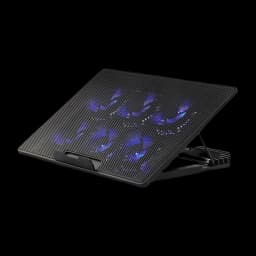
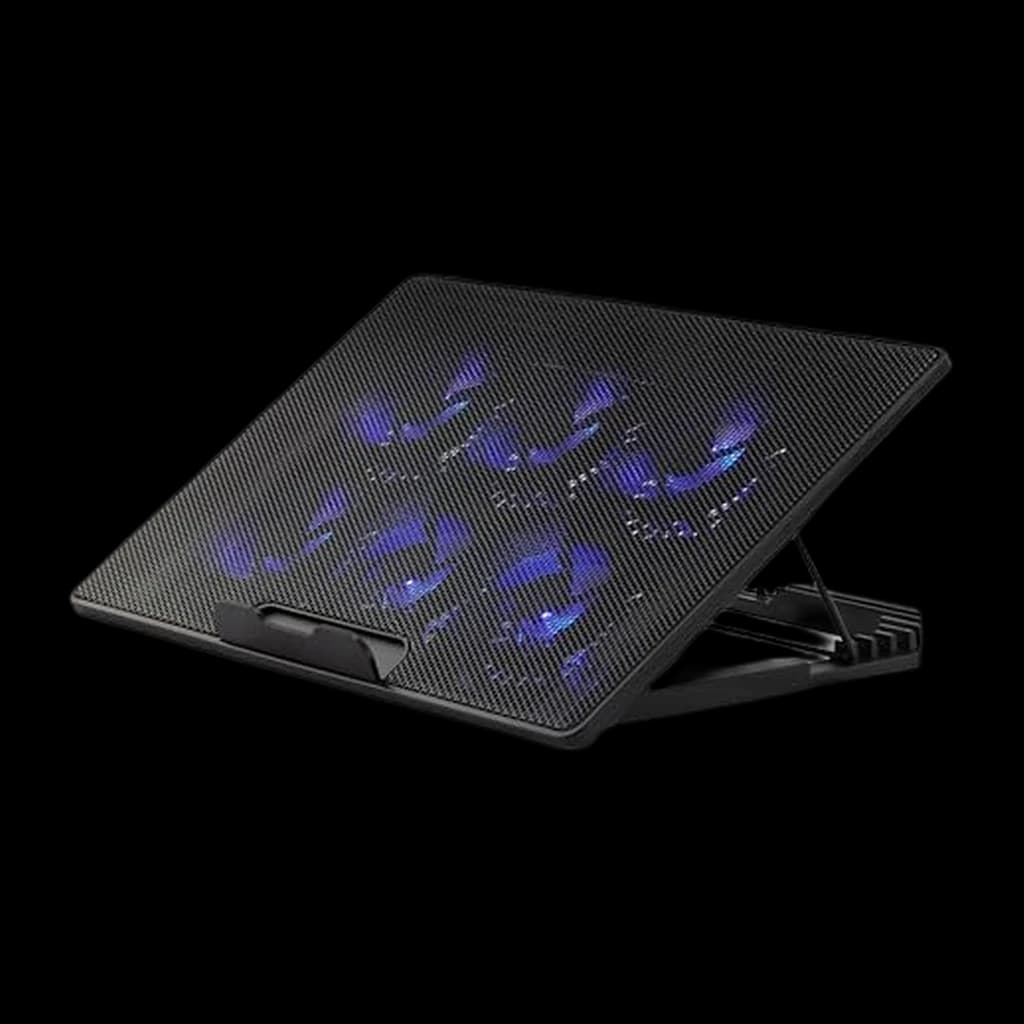
Amazon Basics Laptop Cooling Pad with 6 Quiet Fans
Cheapest pad here, and the only one that adds a USB-C passthrough
- Six fans with a variable-speed knob rather than a fixed on/off
- Six height settings, so it doubles as a typing riser
- USB-A and USB-C passthrough — the rest of this category is USB-A only
Price checked Oct 17, 2026 — verify the live price on Amazon.
 #1 Owner rating | 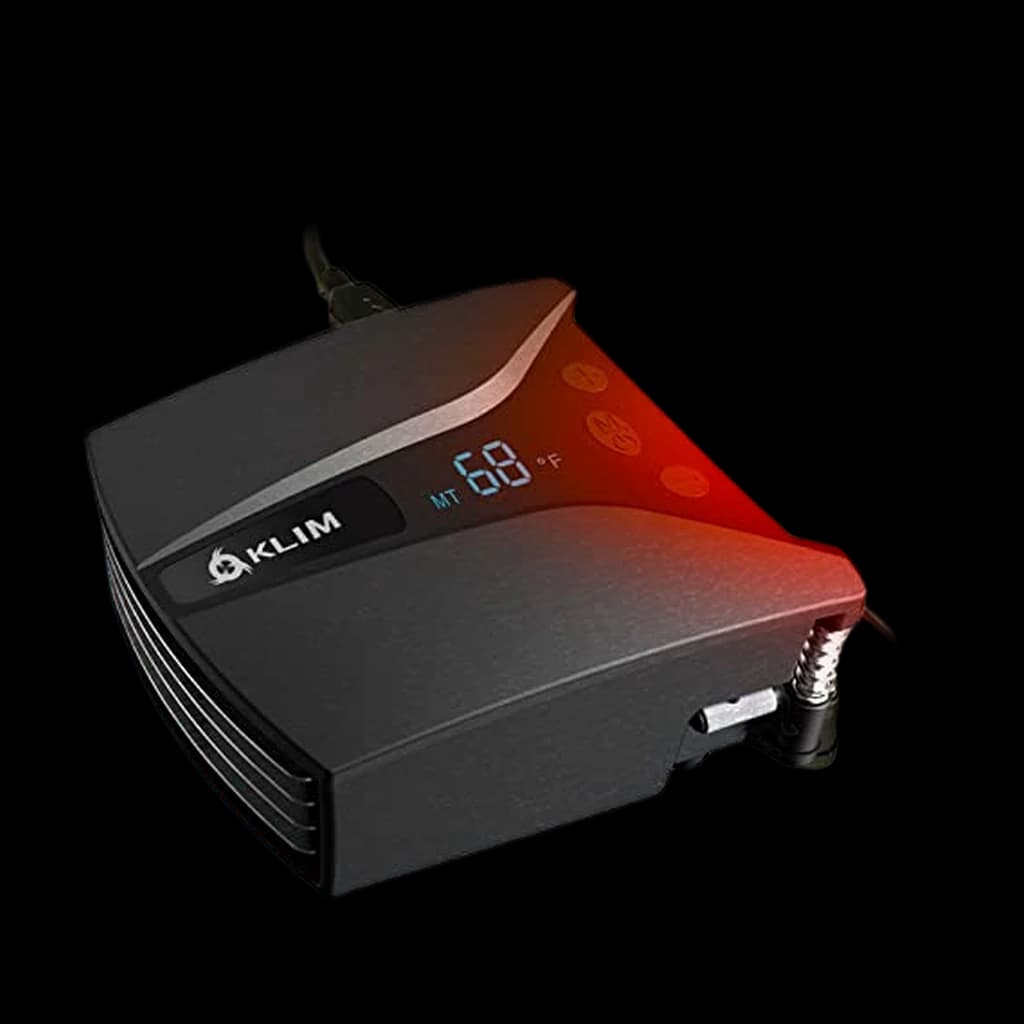 #2 Owner rating | 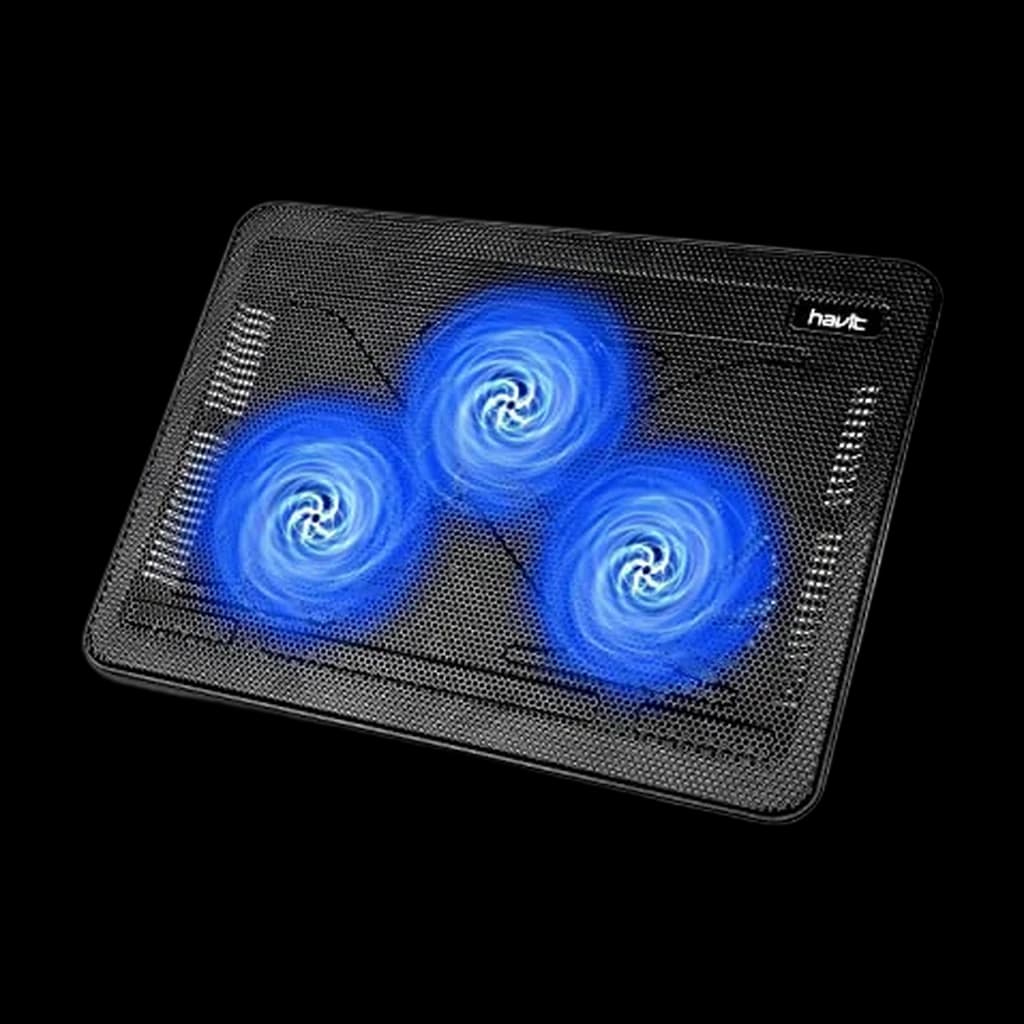 #3 Owner rating | 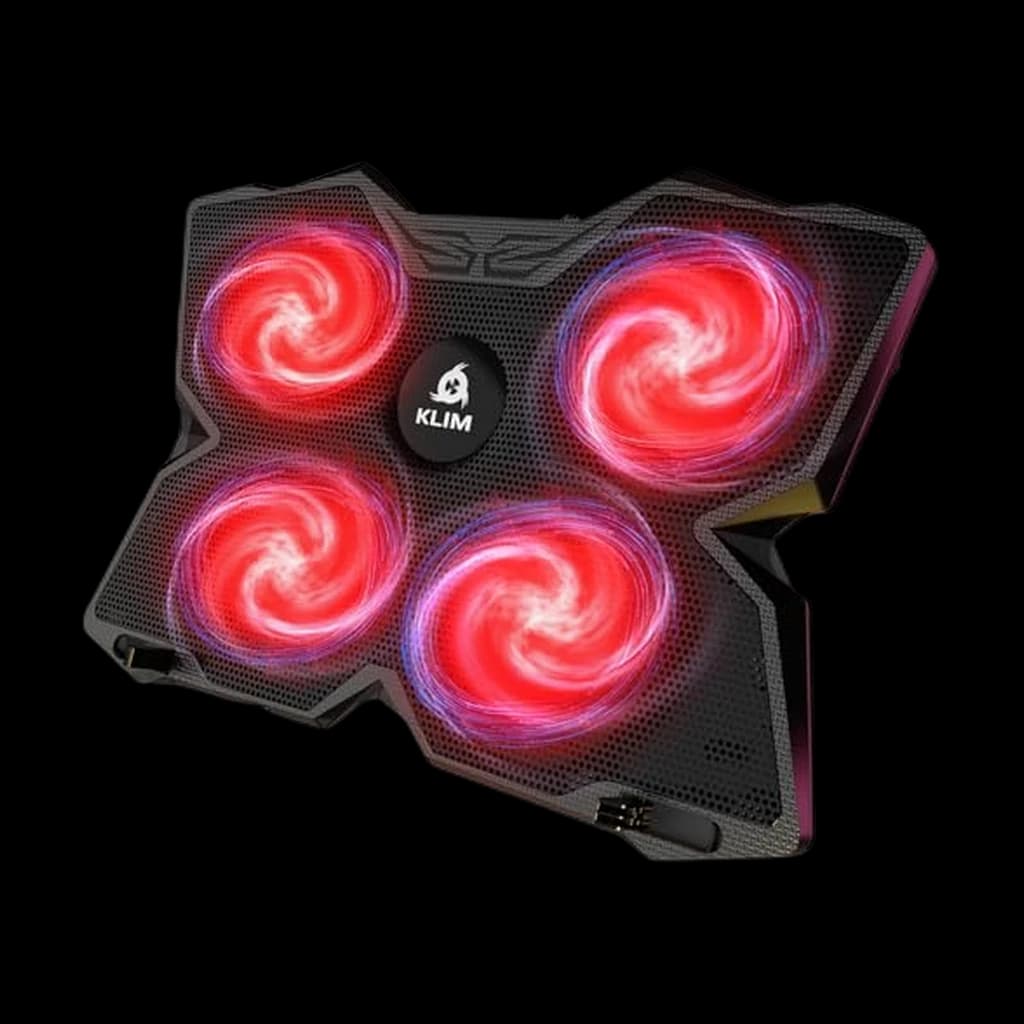 #4 Owner rating | 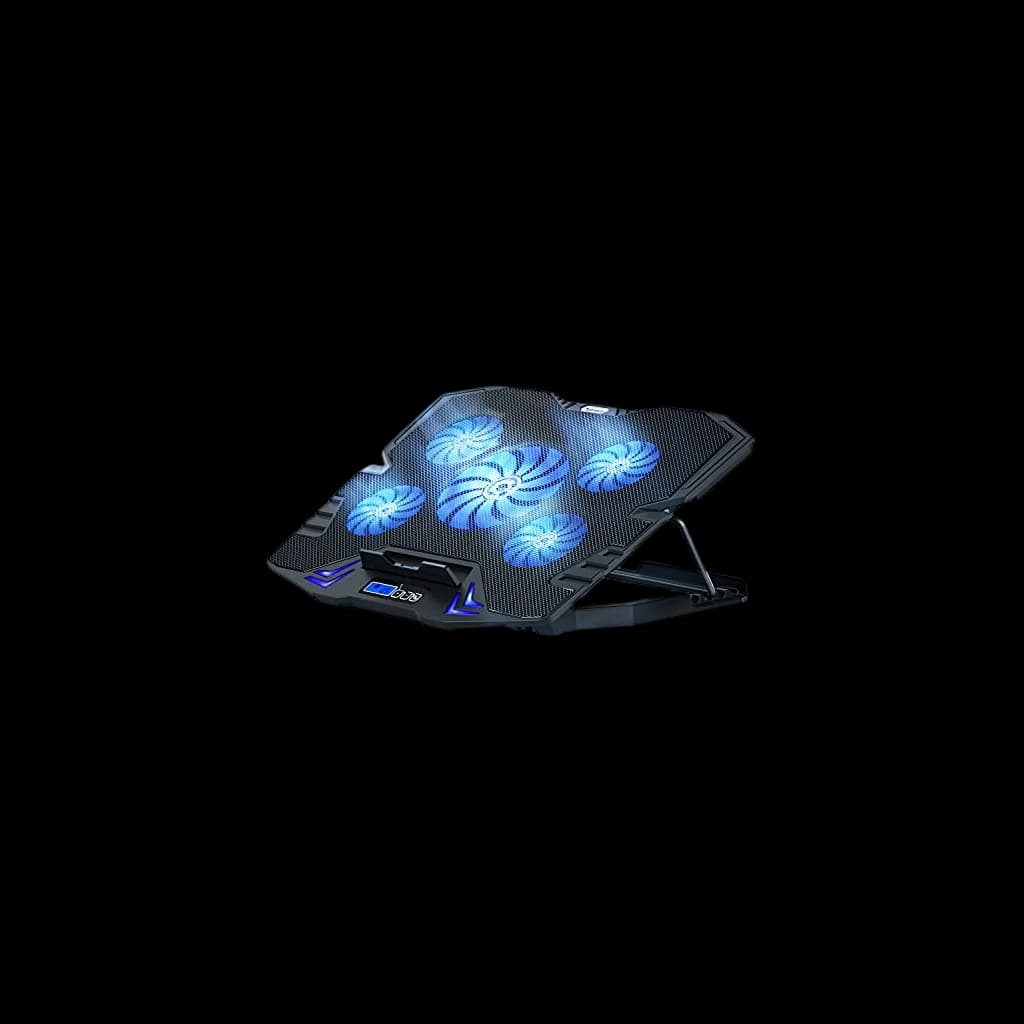 #5 Owner rating | 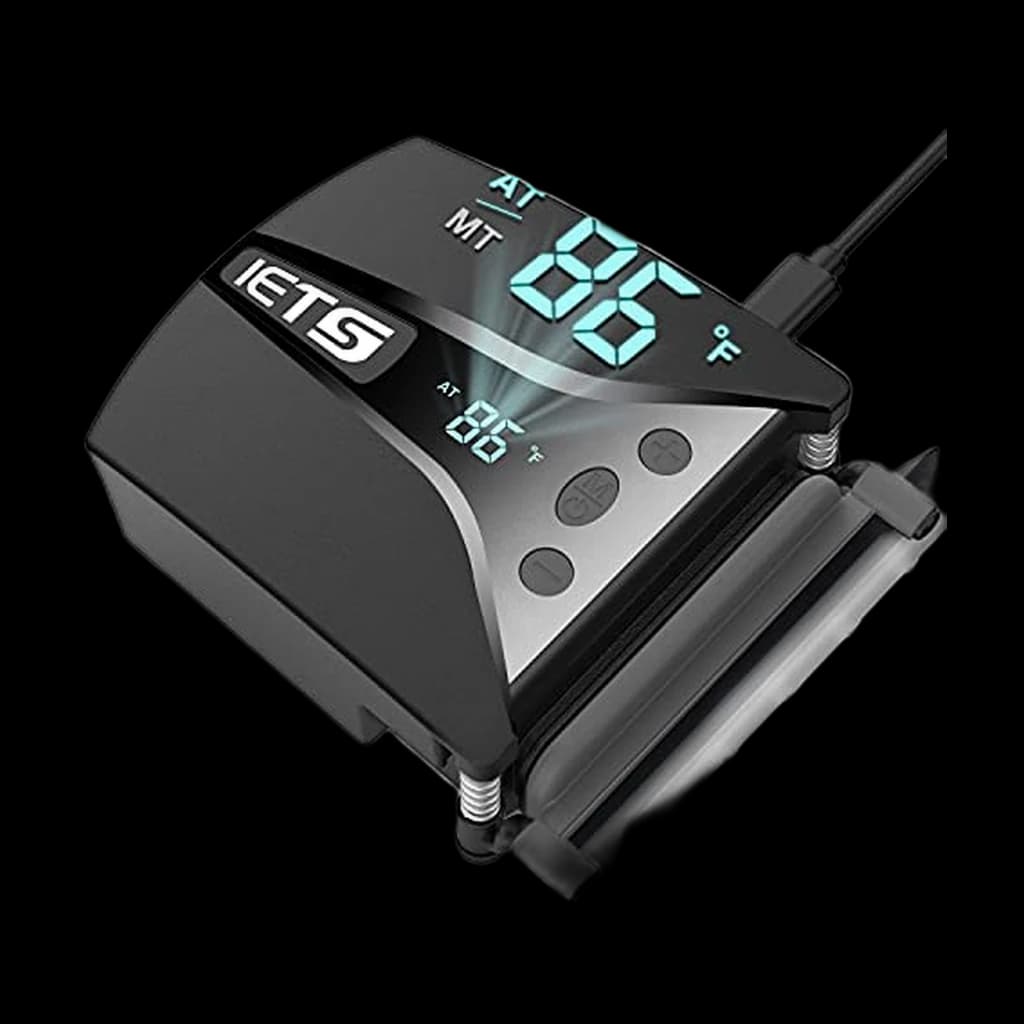 #6 Owner rating | |
|---|---|---|---|---|---|---|
| Price | $23.06Buy on Amazon | $26.97Buy on Amazon | $27.99Buy on Amazon | $27.97Buy on Amazon | $29.77Buy on Amazon | $32.99Buy on Amazon |
| Verdict | Cheapest pad here, and the only one that adds a USB-C passthrough | The vacuum cooler that actually moves the needle on thermal throttling | Notebookcheck-tested 12 degree CPU drop on RTX 2070 laptop | 500,000+ sold over 5 years - the safe budget gaming pick | Single 200mm fan - the quiet pick for video-call use | 13-speed vacuum cooler - the gaming-laptop alternative to KLIM Tempest |
| Buyer sentiment | Rated 4.5★ across 319 reviews | Cooling Performance Airflow Temperature Monitoring Compatibility Mounting Buyers praise cooling performance, airflow, temperature monitoring and compatibility. Mixed feedback on noise level and installation. Some flag mounting. Based on 211 user mentions | Cooling Noise Level Functionality Quality Reliability Buyers praise cooling, noise level, functionality and quality. Mixed feedback on airflow. Some flag reliability. Based on 16,708 user mentions | Cooling Noise Level Functionality Cooling Performance Reliability Buyers praise cooling, noise level, functionality and cooling performance. Mixed feedback on airflow. Some flag reliability. Based on 4,522 user mentions | Reliability Cooling Noise level Quality Durability USB ports Buyers praise reliability, cooling, noise level and quality. Some flag durability and usb ports. Based on 3,733 user mentions | Adjustability Noise Level Stability Instructions Buyers praise adjustability. Mixed feedback on cooling performance and temperature monitoring. Some flag noise level and stability. Based on 194 user mentions |
| Specs |
|
|
|
|
|
|
| Pros |
|
|
|
|
|
|
| Cons |
|
|
|
|
|
|
* Prices checked Oct 17, 2026 and may vary. Check the latest price on Amazon.
We research — never hands-on. How we research →
Key Takeaways
The 7 best laptop cooling pads for WFH in 2026: KLIM Tempest wins for thermal throttling, HAVIT HV-F2056 on a budget — plus the fan-pad mistake to avoid.
As an Amazon Associate I earn from qualifying purchases. Product prices and availability are subject to change.
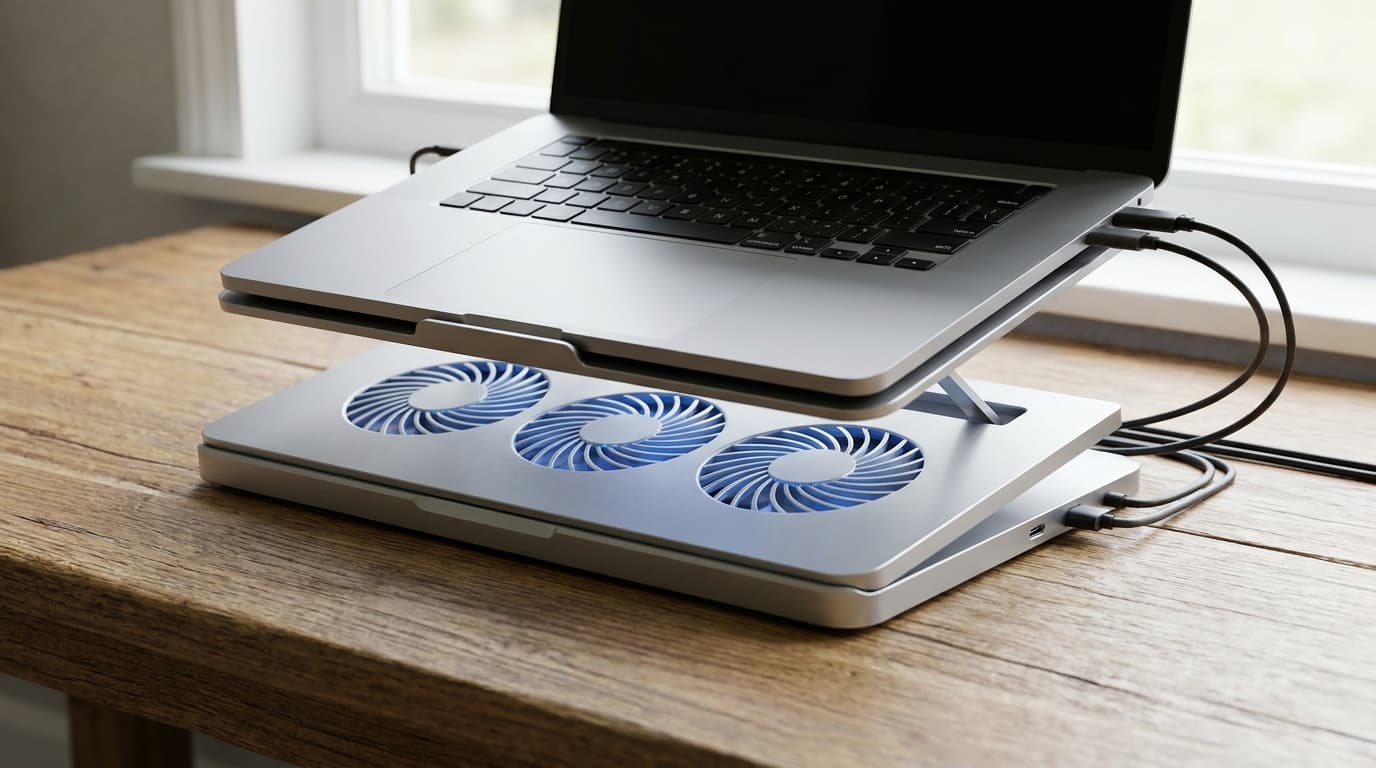
Most laptop cooling pads do not work the way buyers think. The fan blows room-temperature air at the bottom of the laptop, but a sealed laptop bottom does not let air pass through to the heatsink. Most of that airflow deflects sideways, and Notebookcheck's controlled testing puts the CPU drop at 2 to 5 degrees Celsius for the typical fan pad.
A real but small effect: roughly what you get for free by lifting the laptop on a stand to allow ambient airflow underneath.
The category that actually moves the needle on thermal throttling is vacuum coolers. They clip onto the laptop's side or rear exhaust vent and pull hot air out of the chassis directly. The geometry is reversed - instead of pushing cold air at a closed surface, you are extracting hot air from the chassis at the source. Independent tests put vacuum coolers at 8 to 12 degrees of CPU drop on thermally constrained gaming laptops.
The catch is fit: vacuum coolers only work on laptops with side or rear exhaust vents, which rules out most modern MacBooks.
This guide cuts through the noise. We researched the current top picks across Notebookcheck's thermal benchmarks, the long-running r/gaminglaptops and r/HomeOffice consensus threads, and Tom's Hardware coverage, then verified every Amazon listing by hand. Seven pads made the cut.
Decide in 30 seconds
| If you have... | Pick |
|---|---|
| Gaming laptop with side or rear exhaust, hits thermal throttling | KLIM Tempest Vacuum Cooler |
| Bottom-vent laptop, want the proven safe pick under $30 | HAVIT HV-F2056 |
| Bottom-vent gaming laptop, want budget-friendly | KLIM Wind |
| Standard laptop, care about Zoom-call quiet | TopMate C5 Laptop Cooling Pad |
| Heaviest thermal load, want max-RPM vacuum cooler | IETS GT202UB |
| Want quiet 200mm fan with RGB aesthetic | KLIM Ultimate |
| Broad multi-fan coverage for 12-17 inch laptops | Kootek Laptop Cooling Pad |
| MacBook Pro M-series | Skip cooling pads - use an open-frame stand instead |
Vacuum cooler vs fan pad: the airflow geometry difference
| Aspect | Vacuum Cooler | Fan Pad |
|---|---|---|
| How it works | Clips on exhaust, extracts hot air | Blows ambient air at chassis bottom |
| Typical CPU drop | 8-12 degrees Celsius | 2-5 degrees Celsius |
| Best for | Side/rear-exhaust gaming laptops | Bottom-vent intake laptops |
| MacBook compatible | No (slit exhaust) | Marginally (open-frame stand is better) |
| Portability | High (12-16 oz) | Low (24-33 oz) |
| Noise | High at peak RPM, low in auto mode | Constant low rumble |
How we picked
Every pad on this list had to clear three bars:
- Independently verified thermal benefit - Notebookcheck testing, controlled Reddit thermal logs, or manufacturer-disclosed RPM specs that match category norms
- 4+ star aggregate Amazon rating across at least 3,000 reviews
- A build that holds up past the 60-day mark - the point at which cheap sleeve-bearing fans typically develop a high-pitched whine
We also disqualified anything that blocks its own intake. Some sub-$20 pads have raised plastic edges that the laptop sits flat against, sealing off the fan column.
The fans then spin against zero airflow. Avoid.
Our current top pick: Amazon Basics Laptop Cooling Pad with 6 Quiet Fans
Buy on Amazon · $23.06Cheapest pad here, and the only one that adds a USB-C passthrough
Why it moved to the top of our category page:
- Six fans with a variable-speed knob rather than a fixed on/off
- Six height settings, so it doubles as a typing riser
- USB-A and USB-C passthrough — the rest of this category is USB-A only
Where it falls short:
- 319 reviews is the thinnest record in this category
- Powered from the laptop's own USB port, so it draws from the machine it cools
| Spec | Detail |
|---|---|
| Fans | 6, adjustable speed |
| Height settings | 6 |
| Fits | 12-17 in laptops |
| Ports | USB-A and USB-C passthrough |
| Indicator | Blue LED |
Buy the Amazon Basics Laptop Cooling Pad with 6 Quiet Fans on Amazon
The KLIM Tempest Laptop Vacuum Cooler, below, was our previous top pick here and remains a solid second option; the figures above come from the maker's listing and spec page, not our own testing.
1. Best Overall: KLIM Tempest Vacuum Cooler
The KLIM Tempest Vacuum Cooler is the answer for any gaming laptop or workstation that hits thermal throttling under sustained load. It clips onto the side or rear exhaust vent (KLIM ships rubber sleeves, fastening plates, hooks, and foam pads to fit most chassis shapes) and runs a vacuum-extraction fan at up to 4000 RPM. A small digital readout on the back shows CPU intake temperature in real time, and the auto mode adjusts fan speed based on heat - useful for office settings where you do not want it screaming during a Zoom call.
The trade-off is fit: it does not work on most modern MacBooks because Apple's exhaust is a thin slit behind the hinge that no clip-on cooler grips. For gaming laptops from Razer, MSI, ASUS ROG, Lenovo Legion, and Alienware, this is the upgrade.
- Specs: Vacuum extraction, up to 4000 RPM, digital temperature display, 12 oz.
- Good for: Thermally throttled gaming laptops, video rendering on workstation laptops, Linux compile sessions on hot chassis.
- Not good for: MacBook Pro, MacBook Air, ultrabooks with bottom-vent intakes only.
2. Best Budget Fan Pad: HAVIT HV-F2056
Buy on Amazon · $27.99Notebookcheck ran a controlled thermal test on the exact HAVIT HV-F2056 unit you can buy on Amazon. They measured a 12 degree Celsius CPU drop and 6 degree GPU drop on an MSI GP65 10SFK gaming laptop running an i7-10750H and RTX 2070 Max-P. That is real, repeatable thermal benefit at a $26 price point. Three fans, slim 1-inch profile, two USB passthrough ports.
The one quirk is a single power switch that controls both fans and lights together (no separate light toggle), and the noise climbs from 54 to 60 dB(A) at peak. For background office use, run it on its lower setting.
- Specs: Three fans, slim profile, 2 USB passthrough ports, 24 oz.
- Good for: Anyone with a 15-17 inch laptop with bottom-vent intakes who wants verified thermal benefit cheap.
- Not good for: MacBooks (Apple's bottom intake design does not match the pad's fan column geometry well).
3. Best Long-Running Pick: KLIM Wind
Buy on Amazon · $27.97The KLIM Wind has sold more than 500,000 units over a 5-year run and is the default r/gaminglaptops budget recommendation that keeps holding up. Four 1200 RPM fans cover laptops from 11 to 17 inches, two USB passthrough ports preserve your free port count, and the build is sturdy plastic that survives daily desk use.
It is not a thermal monster - expect 3 to 5 degrees of drop, not the double-digit you get from a vacuum cooler - but for the price and reliability it is the safe pick.
- Specs: Four 1200 RPM fans, 11-17 inch coverage, 2 USB passthrough, 26 oz.
- Good for: First cooling-pad buyers, students, anyone wanting a proven brand without overspending.
- Not good for: Anyone needing more than 5 degree drops on a fully thermally throttled chassis.
4. Best Quiet: TopMate C5 Laptop Cooling Pad
Buy on Amazon · $29.77The TopMate C5 Laptop Cooling Pad is the quiet adjustable pad pick. Five smaller fans spread airflow across the laptop base, and the LCD controller lets you drop fan speed during calls instead of being stuck at one constant RPM.
The trade-off is size: it is best with 12- to 15.6-inch laptops, not huge 17-inch gaming rigs. The flip-up height settings also make it more useful as a desk riser than the ultra-flat pads.
- Specs: Five fans, LCD speed controller, up to 15.6 inch laptops, adjustable height.
- Good for: Knowledge workers on calls all day, recording setups, anyone who wants adjustable airflow.
- Not good for: 17-inch laptops or heavy rendering loads where a vacuum cooler works better.
5. Best Heavy-Duty Vacuum Cooler: IETS GT202UB
Buy on Amazon · $32.99If the KLIM Tempest is the consumer vacuum cooler, the IETS GT202UB is the prosumer option. 13 speed settings from 2600 to 5000 RPM, retractable clip arm that secures to most chassis exhaust shapes, and an intelligent temperature mode that auto-adjusts fan speed based on real-time intake temp. Higher peak RPM than the Tempest for the most thermally constrained laptops.
It is bulkier and louder than the Tempest at the top of its speed range. Use auto mode in offices.
- Specs: Vacuum extraction, 2600-5000 RPM, 13 levels, digital display, 16 oz.
- Good for: Heavy-load gaming laptops, Linux compile farms on laptop, hot-running workstations.
- Not good for: Quiet office settings (run on auto mode), MacBooks.
6. Best Aesthetic: KLIM Ultimate RGB
The KLIM Ultimate RGB is a single 200mm fan running at 750 RPM with an RGB rim around the cooler edge. The 750 RPM speed makes it one of the quietest options at this airflow level, and the metal grid build holds up to heavy laptops (4 inclination levels with a frontal stopper to prevent slide). The RGB has 5 lighting effects and 7 colors with on-pad controls.
RGB adds nothing thermal. If you want pure cooling per dollar, the HAVIT HV-F2056 is the same airflow class for less money. If you want the gaming desk look, this is the pick.
- Specs: Single 200mm fan, 750 RPM, 10-17.3 inch coverage, 32 oz.
- Good for: Gaming desk aesthetics, anyone running a 17-inch gaming laptop in a setup with other RGB.
- Not good for: Minimalist desks, anyone shopping pure thermal performance per dollar.
7. Best Multi-Fan Coverage: Kootek Laptop Cooling Pad
The Kootek Laptop Cooling Pad is the five-fan pick: one 5.9-inch fan flanked by four 2.76-inch fans, with two on-pad switches so you can run one fan, four, or all five. A metal mesh contact surface dissipates heat better than plastic tops, and six height settings cover more seated positions than most pads.
The blue LEDs are not independently controllable, and the two-switch layout means you cannot fine-tune fans individually.
- Specs: Five fans (one 5.9-inch, four 2.76-inch), 12-17 inch coverage, six height settings, dual USB passthrough.
- Good for: 12-17 inch laptops with bottom-vent intakes that need broad airflow coverage across the chassis.
- Not good for: Users sensitive to LED lighting at night, anyone who wants per-fan speed control.
What about MacBook Pro?
This is the section we get the most pushback on.
The honest answer: most cooling pads do almost nothing for a MacBook Pro M-series.
Apple's chassis design seals the bottom and routes intake through small grilles in the rear corners; a fan blowing at the bottom panel mostly recirculates ambient air. And the slit exhaust behind the hinge is not compatible with vacuum coolers.
The upgrade that actually helps a MacBook Pro is an open-frame laptop stand that lifts the chassis off the desk and lets ambient air circulate underneath, paired with a small quiet desktop fan if you are running heavy sustained loads. See our best laptop stands for WFH guide for picks that handle the 16-inch MacBook Pro thermal envelope.
Frequently asked questions
Do laptop cooling pads actually work? Yes, but the gap between fan pads and vacuum coolers is large. Independent Notebookcheck testing puts fan pads at 2 to 5 degrees Celsius CPU drop on most laptops, with the HAVIT HV-F2056 reaching 12 degrees on a fully bottom-ventilated gaming laptop. Vacuum coolers consistently deliver 8 to 12 degree drops because they extract hot air at the source.
Vacuum cooler vs fan pad - which one? Vacuum cooler if your laptop has a side or rear exhaust vent and you hit thermal throttling. Fan pad if your laptop has a fully ventilated bottom panel and you want a 3-5 degree improvement at low cost.
Will a cooling pad help my MacBook Pro? Mostly no. Apple's sealed chassis and slit exhaust make MacBooks the worst case for both fan pads and vacuum coolers. An open-frame laptop stand plus ambient desk airflow is the better upgrade.
How loud are vacuum coolers? Quiet on auto mode, loud at peak RPM. Both KLIM Tempest and IETS GT202UB have auto modes that ramp up only when CPU temp climbs - keep them on auto for office use.
Do RGB lights help cooling? No. RGB is purely aesthetic. Skip it if you care about cooling per dollar.
Will a cooling pad damage my battery? No. Reducing thermal stress on the chassis extends battery life over the long run by keeping the cells cooler. The opposite is true: chronic thermal throttling is what shortens laptop battery life.
Can I use a cooling pad on a glass or polished desk? Yes, but check the pad's feet. The slim HAVIT has rubberized feet; the KLIM Ultimate has a wider base that does not slide.
Bottom line
For thermally throttled gaming laptops with side or rear exhaust vents, the KLIM Tempest Vacuum Cooler delivers 8 to 12 degrees of CPU drop - a category beyond what fan pads can do. For bottom-vent laptops, the HAVIT HV-F2056 has the only independent thermal-test data showing a 12 degree drop, at $28. For MacBook Pro users, skip this category and pair an open-frame laptop stand with ambient airflow instead.
For the ergonomic pairing that goes with any cooling setup, see our guides on best laptop stands for WFH and best mechanical keyboards for WFH.
Your next step
If the laptop itself is the bottleneck…
Hilly Shore Labs
Editorial TeamWFH Lounge is published by Hilly Shore Labs. Every recommendation is built by synthesizing ergonomic research, manufacturer specs, expert reviews from outlets like Wirecutter, RTINGS, and The Verge, and aggregated long-term owner sentiment from thousands of verified buyers.
All product reviews are independently researched. Our recommendations are based on ergonomic guidelines, manufacturer specifications, and verified buyer sentiment. See our methodology.