How to Arrange a Multi-Monitor Desk (Ultrawide + Vertical)
Place your screens by how you actually use them, not by symmetry. The busy screen goes in front of your nose; the glance screen goes to the side, angled in, inside 35 degrees, same height, same distance. Centering an unequal rig is the single most common multi-monitor mistake — it parks your dominant screen permanently off-axis and quietly costs you neck comfort all day. Fix the geometry first; a monitor arm only helps you hold the right positions, it can't choose them for you.
Quick Answer
Don't center the seam between your screens. Put the monitor you use most (usually the ultrawide) directly in front of you, and angle the secondary to one side — CCOHS reserves the centered, edges-touching layout only for people who use both screens equally. Keep every screen inside 35 degrees of straight-ahead (OSHA), at the same height, and about an arm's length away. A wide screen often needs to go a little farther back so its edges don't force a neck rotation.
Key Takeaways
Most people center two monitors and twist their neck all day. The CCOHS rule for placing an ultrawide plus a vertical secondary, free.
As an Amazon Associate I earn from qualifying purchases. Product prices and availability are subject to change.
You bought the ultrawide. You stood a second monitor up vertically for chat and docs. Now you've got two screens and a neck ache by 3pm — because nobody told you where on the desk the screens actually go.
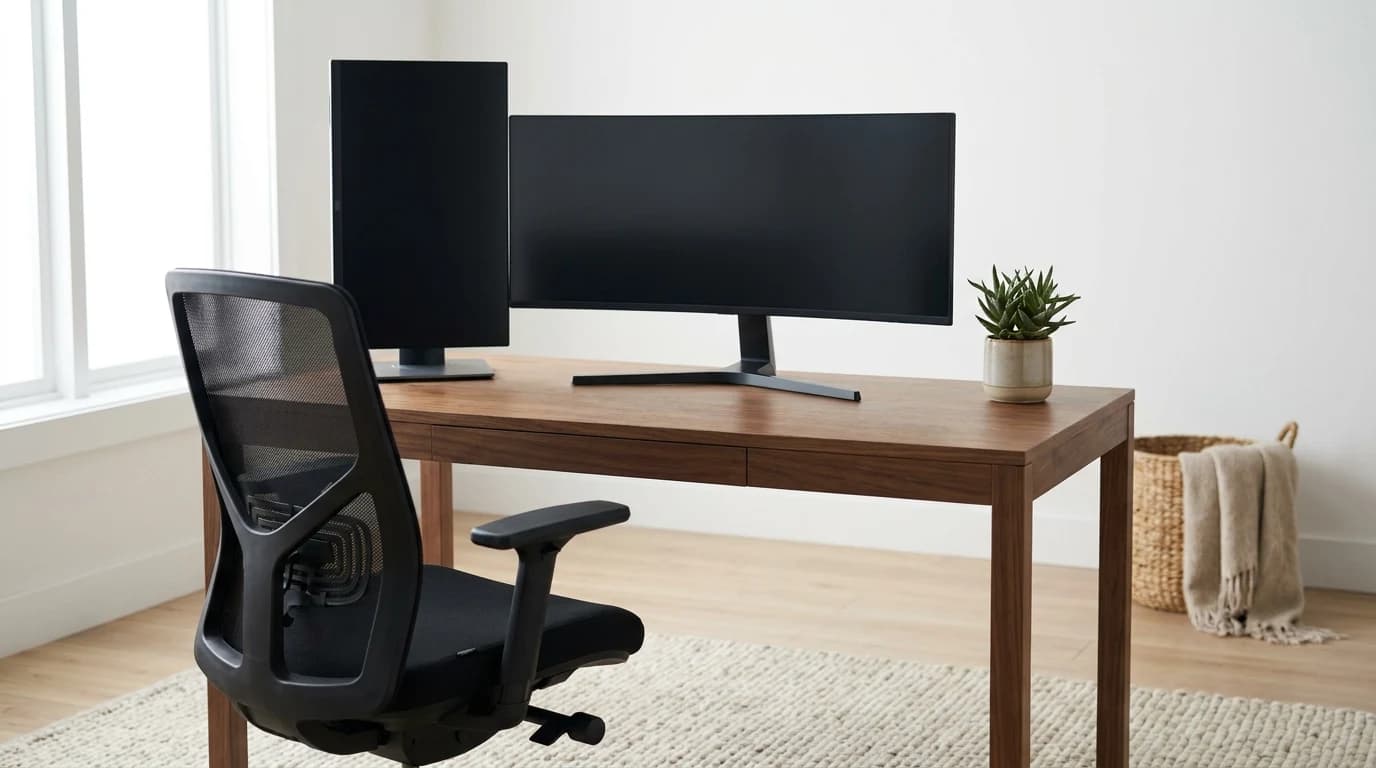
This isn't the "which monitor should I buy" question. It's the geometry of a mixed rig — a wide primary plus a portrait secondary — arranged so your neck and eyes don't pay for the extra real estate. OSHA and Canada's CCOHS both publish the rules, and they're free to apply.
Don't center the seam between your two screens. Put the monitor you use most directly in front of you, and angle the secondary to one side. Almost nobody uses two screens 50/50 — so splitting them down the middle forces a constant neck-twist toward whichever screen you actually work on. Both monitors stay about an arm's length away and at the same height.
The layout rules at a glance
- Place by usage, not symmetry. CCOHS says: if one screen is your main screen, put that one directly in front of you and angle the second to the side. Center the pair only if you truly use both equally.
- Keep everything inside 35°. OSHA caps how far a monitor sits to your left or right at 35° off straight-ahead — past that you're twisting your neck to read it.
- Same height, arm's length, both screens. Top of each panel at or just below eye level; center 15–20° below horizontal; 20–40 inches (50–100 cm) from your eyes.
- A wide screen often needs to go farther back. The more you scan, the more you push it away so the edges don't force a neck rotation.
Step 1: Decide which screen is your "main" screen
Before you slide anything around, answer one question: do you use one screen far more than the other? For most people the honest answer is yes — the ultrawide (or whichever holds your real work) gets most of your attention; the vertical screen holds Slack, a terminal log, reference docs, or a calendar you glance at.
That answer sets the whole layout. CCOHS splits it cleanly:
| Your usage | Where the main screen goes | Where the secondary goes |
|---|---|---|
| One screen most of the time (most people) | Directly in front of you, as if it were your only monitor | To one side, angled in toward you (a quarter-turn of a semi-circle) |
| Both screens roughly equally | Centered, with the inner edges touching | The pair angled into a shallow semi-circle around you |
The mistake almost everyone makes is defaulting to the second row — butting two screens together and sitting on the seam — when their actual behavior is the first row. Center a rig you use 80/20 and your head spends all day rotated toward the busy screen. Put the busy screen in front of your nose and the strain disappears.
Step 2: Position the ultrawide (the primary)
An ultrawide is the primary in almost every mixed setup, so it goes directly in front of you — your nose lined up with its center, head and torso facing forward.
The catch is width. OSHA notes very large monitors can push your downward viewing angle past the comfortable range, and CCOHS specifically warns a wide monitor can force you to rotate your neck to see the far edges — so it may need to be moved farther away than a normal screen. Practically:
- Push it back until the far edges of the panel sit inside roughly 35° of your straight-ahead line — not just the center. If you're craning to read a window pinned to the far left, the screen is too close or too wide for the distance.
- Top edge at or just below eye level; center the screen 15–20° below horizontal. Your resting gaze drifts slightly downward, so a screen aimed there is the least tiring.
- Tilt the panel back only 10–20° so it stays perpendicular to your line of sight; more than that and ceiling light bounces into your eyes as glare.
Step 3: Position the vertical secondary
A portrait monitor is tall, and that's exactly where it goes wrong: people mount the top way above eye level, then read the top third with their chin up. Treat the same-height rule as a ceiling.
- Set the top of the vertical screen at or just below eye level — same as your primary. That means the bottom of a tall portrait panel may sit lower than you expect; that's fine, your eyes drop more comfortably than they lift.
- Place it to one side of the ultrawide, angled in so its face is roughly perpendicular to your line of sight when you turn to it. Keep it inside that 35° window.
- Same arm's-length distance as the primary. A vertical screen pulled closer than the ultrawide creates two focus distances and tires your eyes switching between them.
If the top still ends up above eye level even mounted low, the monitor is too tall for your desk — drop it on an arm, or rotate it back to landscape.
What most people get wrong
The advice you'll see most — "center two monitors edge-to-edge, bezels touching" — is only correct for the minority who genuinely split attention 50/50. CCOHS reserves the centered layout for equal use. For everyone else it guarantees your dominant screen is permanently off-axis. Audit your behavior for a day: if one screen is clearly your workhorse, it belongs in front of your face, not beside a centered seam.
The second error is buying a monitor arm to fix a layout problem. An arm helps you hold a screen at the right height and distance — it doesn't tell you the right geometry. Get the placement rules right first (front/side by usage, 35° limit, same height, arm's length); add the arm to make those positions easy to hold, not to rescue a bad plan.
FAQ
Where should I put my ultrawide if I also have a vertical second monitor?
Put the ultrawide directly in front of you (it's almost always the primary), pushed back far enough that its far edges stay within ~35° of straight-ahead. Place the vertical monitor to one side, angled in, with its top edge at the same eye-level height as the ultrawide.
Should two monitors be centered or off to one side?
Depends on usage. CCOHS says center them (edges touching, angled into a semi-circle) only if you use both equally. If you use one screen most of the time, that one goes directly in front of you and the second goes to the side — centering an unequal rig forces a constant neck-twist.
How far away should a multi-monitor setup be?
About an arm's length — 20–40 inches (50–100 cm) from your eyes, per OSHA — and the same distance for every screen so you're not constantly refocusing. Wide and ultrawide panels often need to go a little farther back so their edges stay readable without a neck rotation.
How high should a vertical monitor sit?
The top of the screen at or just below eye level, the same ceiling as a landscape monitor. Because a portrait panel is tall, that puts its bottom fairly low — which is correct. If the top still lands above eye level when mounted as low as it goes, the monitor is too tall for the desk; use an arm or switch it to landscape.
Do I need a monitor arm for this?
Not to get the geometry right — the placement rules work on any stand. An arm just makes it easier to hold each screen at the right height, distance, and angle, especially a tall vertical secondary. Fix the layout first; add the arm to lock it in.
Sources
- →OSHA — Computer Workstations eTool: Monitorsdirectly in front, ≤35° off-center, 20–40 in viewing distance, center 15–20° below horizontal, large monitors increase downward angle.
- →CCOHS — Office Ergonomics: Positioning the Monitormultiple-monitor placement by usage (primary in front, secondary to the side; centered only for equal use), same height, arm's-length distance, wide-monitor neck-rotation caveat.
Hilly Shore Labs
Editorial TeamWFH Lounge is published by Hilly Shore Labs. Every recommendation is built by synthesizing ergonomic research, manufacturer specs, expert reviews from outlets like Wirecutter, RTINGS, and The Verge, and aggregated long-term owner sentiment from thousands of verified buyers.
All product reviews are independently researched. Our recommendations are based on ergonomic guidelines, manufacturer specifications, and verified buyer sentiment. See our methodology.