Best Ergonomic Mouse 2026: MX Vertical & 3 Rivals Ranked
Logitech MX Vertical for most wrist/forearm issues. Kensington Expert Trackball for severe RSI. MX Master 3S for comfort without the ergonomic learning curve.
Our #1 Pick
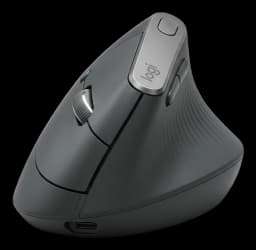
Logitech MX Vertical
MagSpeed scroll wheel, 8K DPI sensor, side thumb button for app switching, and electromagnetic scroll that lets you fly through long docs. The best all-day productivity mouse regardless of OS.
- Scientifically proven ergonomic design
- Reduces wrist pressure significantly
- Premium textured grip
Price checked Oct 8, 2026 — verify the live price on Amazon.
Also Great
Best trackball: Kensington Expert Wireless Trackball ($58.73) — A 55mm ball and scroll ring mean your arm never moves — the pick if shoulder strain, not wrist strain, is your problem
Buy on AmazonBudget pick: Logitech Ergo M575 Wireless Trackball ($42.20) — Thumb-operated trackball at under $50 — the cheapest way to stop moving your whole arm all day
Buy on Amazon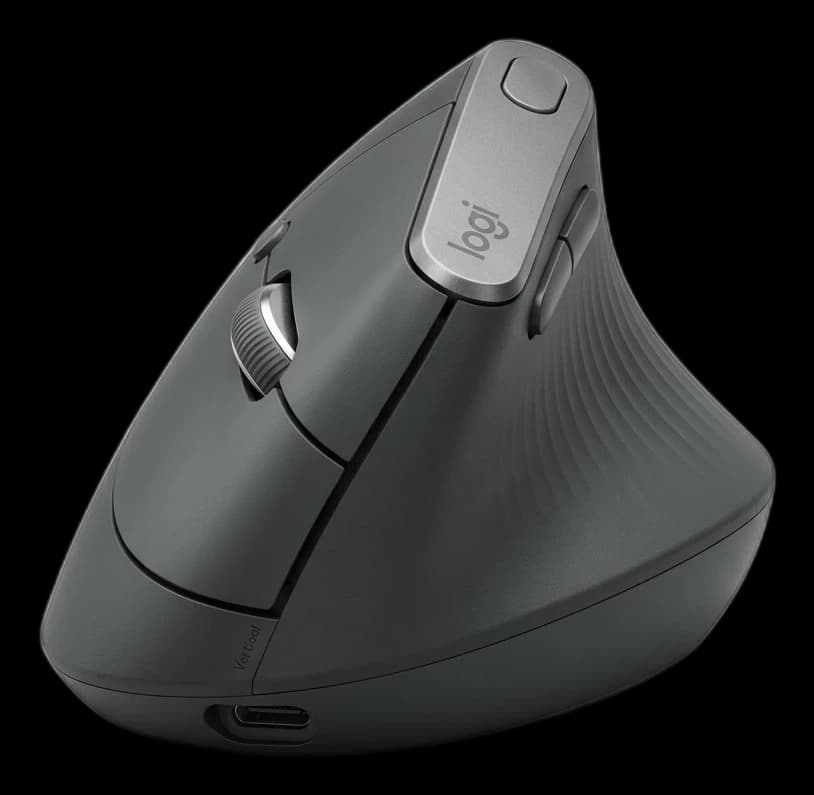 #1 Owner rating | 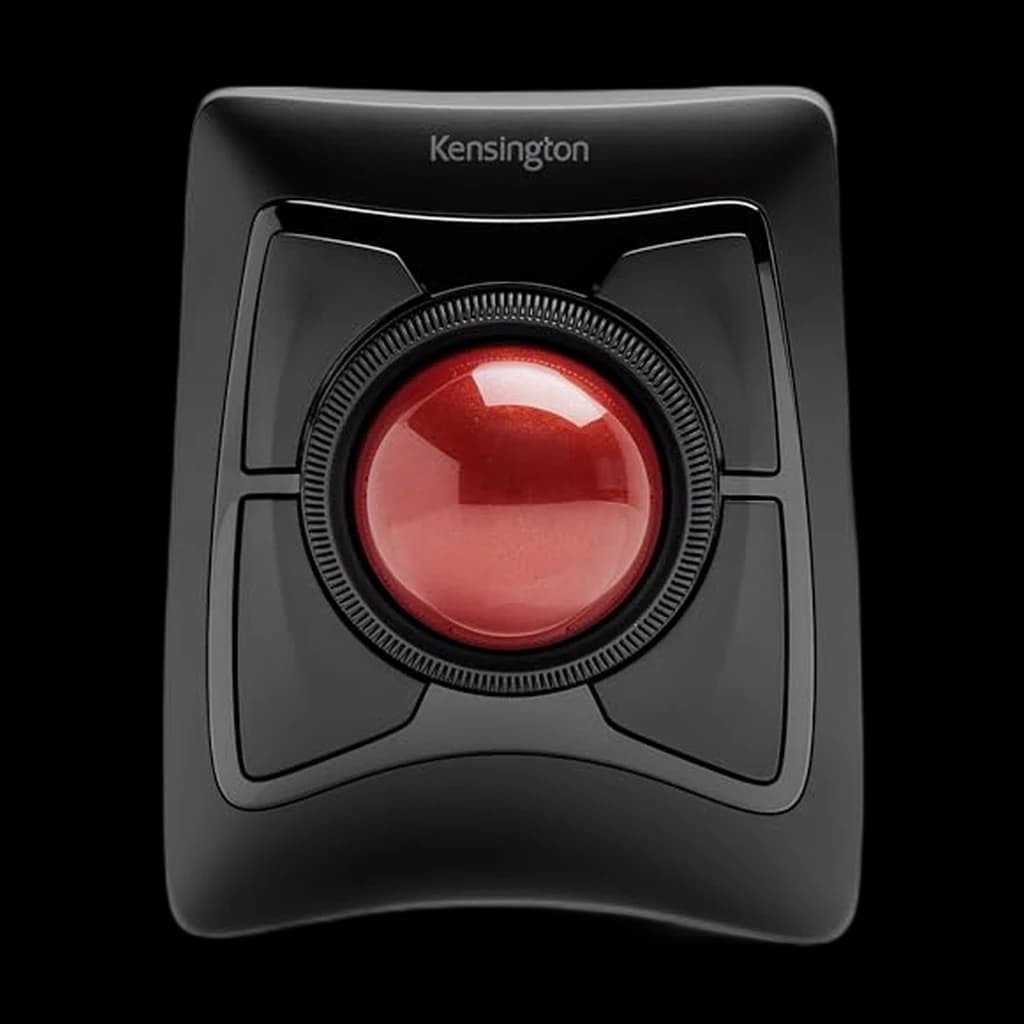 #2 Owner rating | 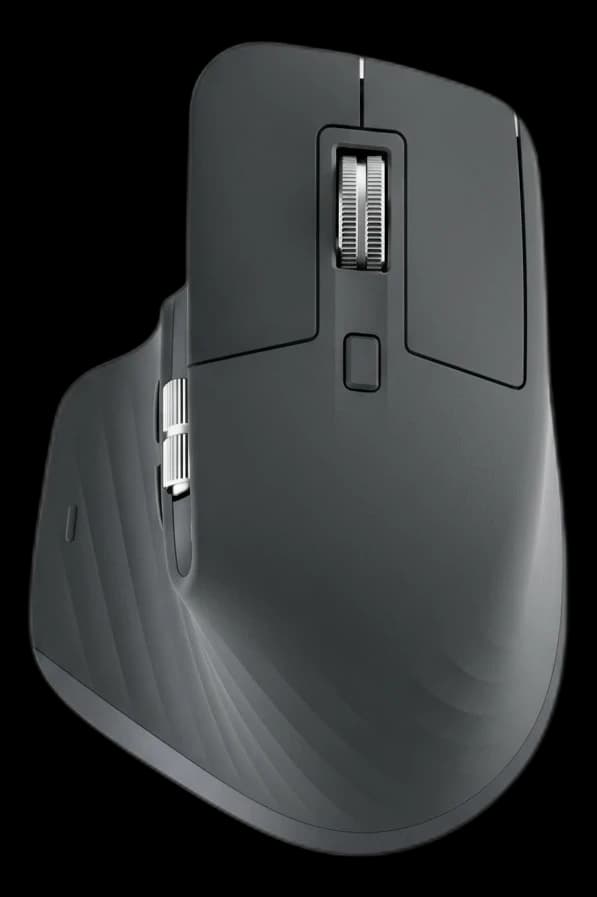 #3 Owner rating | 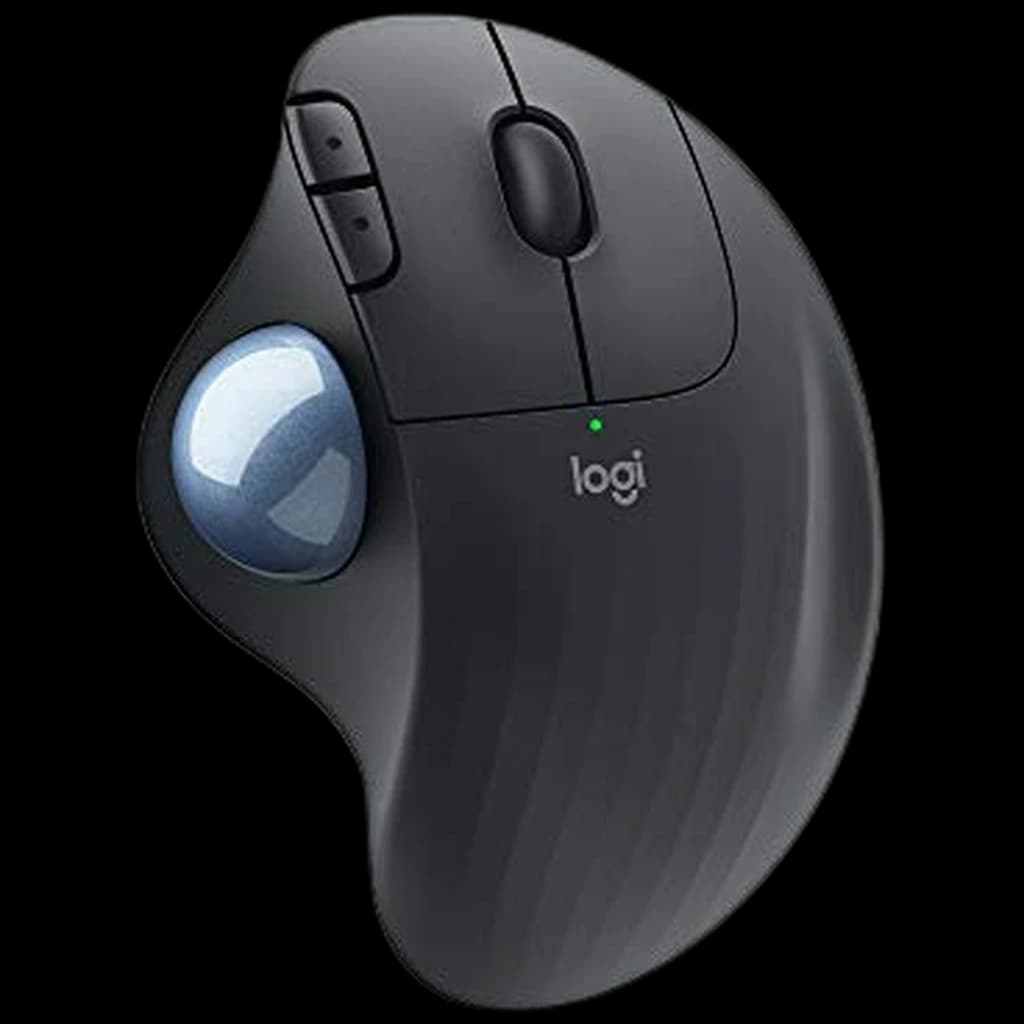 #4 Owner rating | |
|---|---|---|---|---|
| Price | $74.99Buy on Amazon | $58.73Buy on Amazon | $118Buy on Amazon | $42.20Buy on Amazon |
| Verdict | Best vertical mouse — genuine wrist pain relief for most users | Best trackball — zero arm movement, all-day wrist relief | Best ergonomic traditional shape — reduces strain without vertical adjustment — The MX Master 3S is no longer sold on Amazon; Amazon lists the MX Master 4 as its replacement, and that is what this link goes to. | Best budget trackball — thumb-operated, zero arm movement, frees up desk space |
| Buyer sentiment | Quality Comfort Wrist Comfort Battery Life Durability Value for money Buyers praise quality, comfort, wrist comfort and battery life. Mixed feedback on ergonomics and functionality. Some flag durability and value for money. Based on 4,365 user mentions | Quality Bluetooth Connectivity Scroll Wheel Performance Size Buyers praise quality. Mixed feedback on reliability and ergonomics. Some flag bluetooth connectivity and scroll wheel performance. Based on 2,104 user mentions | Quality Ergonomics Comfort Customizability Buyers praise quality, ergonomics, comfort and customizability. Mixed feedback on reliability and connectivity. Based on 3,166 user mentions | Quality Comfort Ease Of Use Bluetooth Connectivity Durability Button Responsiveness Buyers praise quality, comfort, ease of use and bluetooth connectivity. Mixed feedback on ergonomics and reliability. Some flag durability and button responsiveness. Based on 2,323 user mentions |
| Shape | Vertical (57° angle) | Trackball | Sculpted ergonomic | — |
| DPI | 400–4000 | — | 200–8000 | — |
| Battery | 4 months typical | — | 70 days typical | Up to 24 months (AA) |
| Connection | Bluetooth + USB | Bluetooth + USB | Bluetooth + USB | — |
| Ball | — | Large (55mm) | — | — |
| Scroll | — | Scroll ring | — | — |
| Type | — | — | — | Thumb trackball |
| Connectivity | — | — | — | Bluetooth + Unifying |
| Pros |
|
|
|
|
| Cons |
|
|
|
|
* Prices checked Oct 8, 2026 and may vary. Check the latest price on Amazon.
We research — never hands-on. How we research →
Cheaper alternative
Logitech MX Vertical $74.99is excellent — but if the price tag makes your stomach lurch, here’s the pick we’d quietly point most home-office buyers to instead.
Key Takeaways
Four ergonomic mice ranked for wrist pain in 2026. Logitech MX Vertical ($76.99) is our top pick; the Ergo M575 trackball is the budget WFH winner.
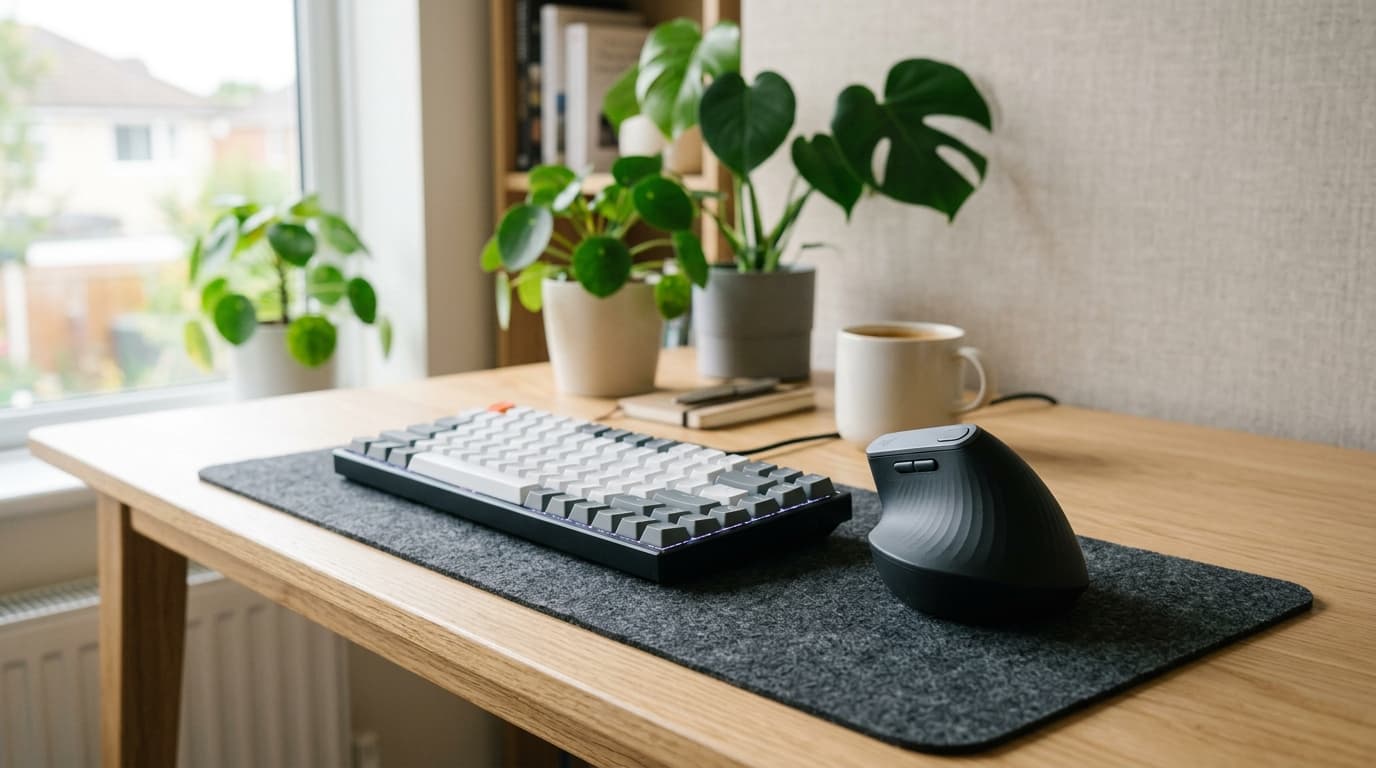
As an Amazon Associate I earn from qualifying purchases. Product prices and availability are subject to change.
Mouse-related repetitive strain injury (RSI) — carpal tunnel syndrome, ulnar deviation, forearm tendinitis — affects millions of knowledge workers. The cause is the same in most cases: holding the wrist in a pronated (palm-down) position for hours while making repetitive small movements. The right ergonomic mouse changes that posture and dramatically reduces cumulative strain.
Here's what actually works.
What the Research Says About Mouse Ergonomics
The American College of Occupational and Environmental Medicine reviewed the ergonomic mouse literature and concluded that switching to a vertical or trackball mouse measurably reduces forearm pronation — the rotation that puts pressure on the median nerve at the wrist.
The effect is meaningful, but the research has caveats: most studies run 4–12 weeks, many are funded by ergonomic-mouse manufacturers, and "mouse use" is one risk factor among many. Posture, desk height, and break frequency matter at least as much.
What the data does support:
- Wrist neutrality. Vertical mice (Logitech MX Vertical, Anker 2.4G) position the hand in a handshake grip at ~60–90 degrees of pronation, versus ~180 degrees on a flat mouse. This is the single largest ergonomic gain in the category.
- Reduced repositioning. Trackballs (Kensington Expert) eliminate shoulder repositioning entirely. The Cornell Ergonomics Group has estimated trackball users make roughly 20–25% fewer arm movements per hour vs flat-mouse users.
- Adaptation has a cost. Expect 1–2 weeks of slower cursor precision while your motor memory adapts. Push through it; the strain reduction kicks in around week three.
What the data does not support:
- That "ergonomic" gel wrist rests prevent carpal tunnel. NIOSH guidance recommends against resting your wrist on anything while typing or mousing.
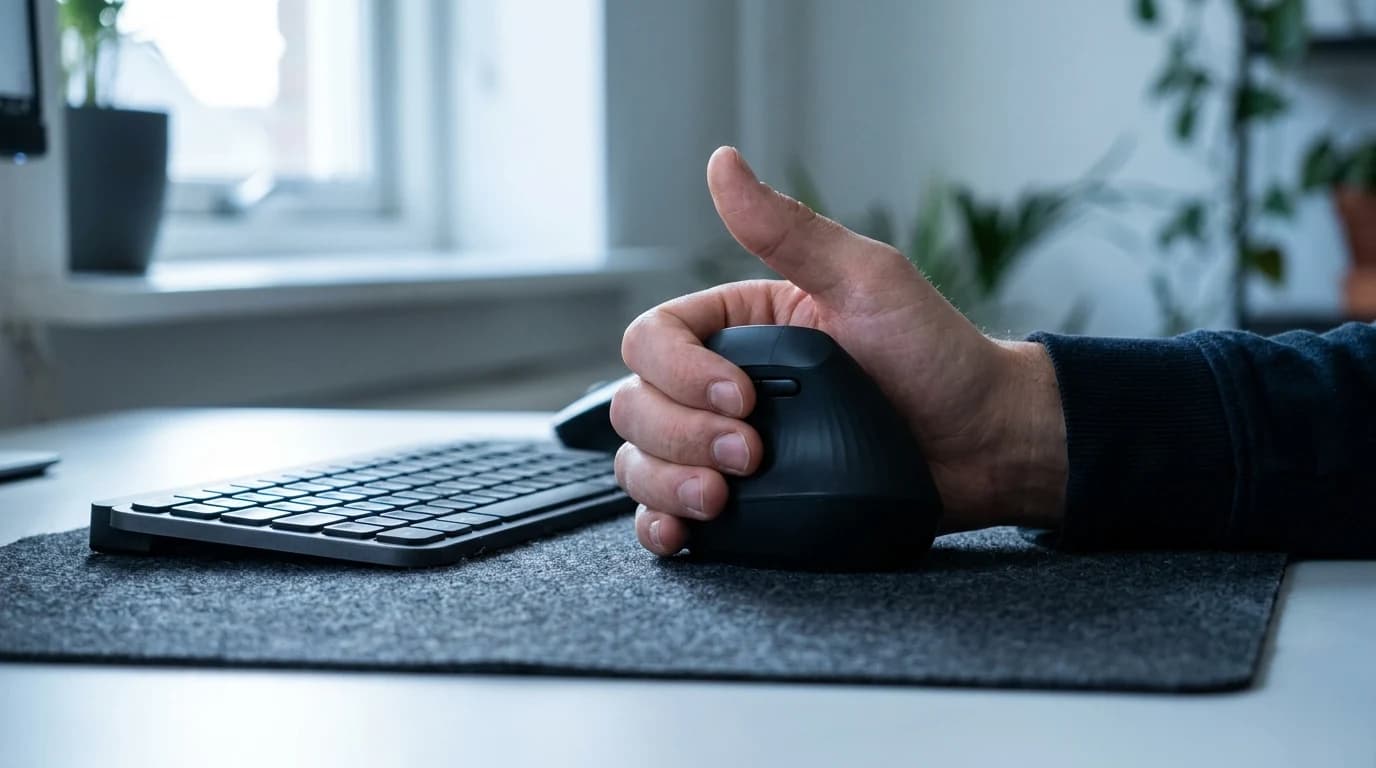
Rule of thumb: the target is a floating hand, not a supported one. Use a wrist rest during pauses, not while you're actively mousing.
Types of Ergonomic Mice
| Type | How it works | Best suited to |
|---|---|---|
| Vertical | Hand sits in a handshake, thumbs-up grip instead of palm-down | Preventing and recovering from wrist and forearm issues |
| Trackball | Mouse stays still; thumb or fingers roll a ball to move the cursor | Severe RSI, or limited desk space |
| Ergonomic shape | Standard mouse with contoured grip and thumb rest | An upgrade with no learning curve |
Vertical mice eliminate forearm pronation, the primary driver of mouse-related RSI. That single change is what makes them the default recommendation for anyone with existing wrist pain.
Trackballs ask nothing of your wrist at all — the hand doesn't move. Ergonomic shape mice reduce grip tension without asking you to relearn how to point.
Our Top Picks
1. Best Overall: Logitech MX Vertical ($76.99)
Buy on Amazon · $74.99The Logitech MX Vertical is the most popular ergonomic mouse on the market for good reason. The 57° vertical angle puts the wrist in a near-neutral position, the rechargeable battery lasts 4 months, and the 4000 DPI sensor reduces hand movement needed by approximately 4x compared to a standard mouse.
It connects via USB receiver or Bluetooth and supports Logitech's multi-device Flow to move between computers. The learning curve is approximately 1–2 weeks before vertical mousing feels natural, and most users with mouse-related RSI report significant improvement within 2–4 weeks of switching.
- Best for: Most office workers with wrist or forearm discomfort, daily 8+ hour computer use
- Pros: 57° neutral wrist position, rechargeable, multi-device support, excellent sensor
- Cons: Adjustment period of 1–2 weeks; right-hand only
2. Best Trackball: Kensington Expert Wireless Trackball ($58.73)
Buy on Amazon · $58.73The Kensington Expert Trackball uses a large 55mm ball controlled by the fingers (not thumb) for precise cursor control with zero wrist movement. The 4-way scroll ring removes the need for a scroll wheel gesture entirely.
It's the standard recommendation for people with significant RSI who can't use a mouse at all without pain. The learning curve is steeper than a vertical mouse — expect 2–4 weeks before productivity returns to normal. The payoff is complete elimination of wrist and arm movement from mousing.
- Best for: Severe RSI, limited desk space, users who can't tolerate any wrist movement
- Pros: No wrist movement required, finger-controlled for precision, ambidextrous
- Cons: Steeper learning curve, requires regular ball cleaning
3. Best Ergonomic Shape: Logitech MX Master 3S ($119.99)
Buy on Amazon · $118For users who don't have active RSI but want a more comfortable standard mouse, the Logitech MX Master 3S (no longer sold on Amazon — this link goes to its successor, the MX Master 4) is the best ergonomic-shape conventional mouse. The sculpted right-hand form, thumb rest, and magnetic scroll wheel — whisper-quiet, with electromagnetic resistance for precise control — make extended use notably more comfortable than a standard flat mouse. Multi-device Bluetooth, rechargeable, works on any surface.
- Best for: Users without active RSI who want comfort improvement over a standard mouse
- Pros: Best scroll wheel available, multi-device, excellent build quality
- Cons: Right-hand only, not as ergonomically impactful as vertical design
Ergonomic Mouse Comparison
| Mouse | Type | Wrist Position | Price |
|---|---|---|---|
| Logitech MX Vertical | Vertical | 57° neutral | $76.99 |
| Kensington Expert Trackball | Trackball | Stationary hand | $90.35 |
| Logitech MX Master 3S (now the MX Master 4) | Ergonomic shape | Slight improvement | $119.99 |
| Logitech Ergo M575 | Thumb trackball | Stationary hand | $42.20 |
Which One Should You Actually Buy?
Take the adjustment period and go vertical or trackball if:
- You already have wrist, forearm, or shoulder discomfort
- You're at the desk 8+ hours a day
- Shoulder strain is the issue — that's the trackball's specialty
Stay with an ergonomic shape if:
- You have no active RSI and want comfort, not rehabilitation
- You can't afford 1–2 weeks of slower cursor precision right now
- Scroll-heavy work is most of your day
What to Skip in Ergonomic Mice
- Gel-pad wrist rests bundled with "ergonomic mouse pads." NIOSH guidance is explicit: resting your wrist while mousing increases compression at the carpal tunnel rather than reducing it.
- Sub-$25 vertical mice from unfamiliar brands. Build quality is the failure mode — wobbly buttons, sensor drift, plastic that creaks. The category genuinely needs ~$50 to be worth the switch.
- Gaming mice with 16,000+ DPI sensors for office work. Past ~3,000 DPI everything is marketing. Flagship gaming mice cost more, weigh more, and have worse battery life than equivalent productivity mice.
- Apple Magic Mouse for 6+ hour days. The shape forces wrist pronation back to nearly 180 degrees, and the charging port on the bottom means you can't use it while it charges.
- Trackpads as a primary pointer device. Fine on a laptop in transit, brutal for full-time desktop work. Get a real mouse.
The Desk Mat Factor
An ergonomic mouse is only part of the solution. A wrist rest keeps the wrist elevated and reduces pressure on the carpal tunnel during pauses. A large desk mat provides a smooth, consistent surface that reduces grip tension.
For complete ergonomic setup guidance, see our WFH posture fix guide and ergonomic home office guide.
🏆 Bottom Line: Logitech MX Vertical is the best ergonomic mouse for most people with wrist or forearm discomfort — the 57° angle makes a real difference. Kensington Expert Trackball for severe RSI. MX Master 3S for comfort improvement without the ergonomic adjustment period.
Frequently Asked Questions
Does an ergonomic mouse actually help with wrist pain?
It can. Occupational-health reviews find that vertical and trackball mice measurably reduce forearm pronation — the wrist rotation that loads the median nerve. It is one factor among several, though; posture, desk height, and break frequency matter at least as much.
Vertical mouse or trackball — which is better?
A vertical mouse (our pick: the Logitech MX Vertical) keeps your hand in a natural handshake grip and is the easiest switch for most people. A trackball (like the Kensington Expert) eliminates arm repositioning entirely, which helps most if shoulder strain is your issue.
How long does it take to get used to an ergonomic mouse?
Expect 1–2 weeks of slower cursor precision while your motor memory adapts; the strain reduction usually becomes noticeable around week three. Push through the adjustment period.
What is the best budget ergonomic mouse?
The Logitech Ergo M575 at $42.20 is the budget pick: a thumb-operated trackball that removes arm movement entirely, with Bluetooth or Unifying and up to 24 months on one AA. It is the cheapest option here that changes how your arm works rather than just reshaping the grip.
Do ergonomic wrist rests prevent carpal tunnel?
No. NIOSH guidance actually recommends against resting your wrist on a pad while actively mousing or typing — the goal is a floating hand, not a supported one. Use a wrist rest only during pauses.
Sources & Research
- NIOSH — Ergonomics and musculoskeletal disorders (resource hub)
- OSHA — Computer workstation eTool
- Cornell University Ergonomics Web — ergonomics resource hub
- Logitech Ergo Lab — ergonomic design research (manufacturer)
- American College of Occupational and Environmental Medicine (resource hub)
Related Reading
- →Best Mouse for Remote Work 2026Productivity-first mice ranked
- →Logitech MX Master 3S vs MX Keys MiniCompare Logitech's flagship combo
- →Best Mouse Pads for Home Office 2026Pair an ergonomic mouse with the right surface
- →Best Ergonomic Chairs Under $500Sit better while your wrist heals
Sources
- Andersen JH et al. — "Computer use and carpal tunnel syndrome: a 1-year follow-up study." JAMA, 2003.
- Gerr F et al. — "A prospective study of computer users: I. Study design and incidence of musculoskeletal symptoms and disorders." American Journal of Industrial Medicine, 2002.
- Logitech — MX Vertical ergonomic research and 57° angle rationale. logitech.com.
- Cornell University Ergonomics Web — Mouse and keyboard ergonomics. ergo.human.cornell.edu.
- NIOSH — Ergonomics and musculoskeletal disorders in computer work. cdc.gov/niosh.
Your next step
Find the shape that fits YOUR hand.
Hilly Shore Labs
Editorial TeamWFH Lounge is published by Hilly Shore Labs. Every recommendation is built by synthesizing ergonomic research, manufacturer specs, expert reviews from outlets like Wirecutter, RTINGS, and The Verge, and aggregated long-term owner sentiment from thousands of verified buyers.
All product reviews are independently researched. Our recommendations are based on ergonomic guidelines, manufacturer specifications, and verified buyer sentiment. See our methodology.