Best Monitor Arms for WFH 2026: 7 Picks for Real Desks
Our #1 Pick
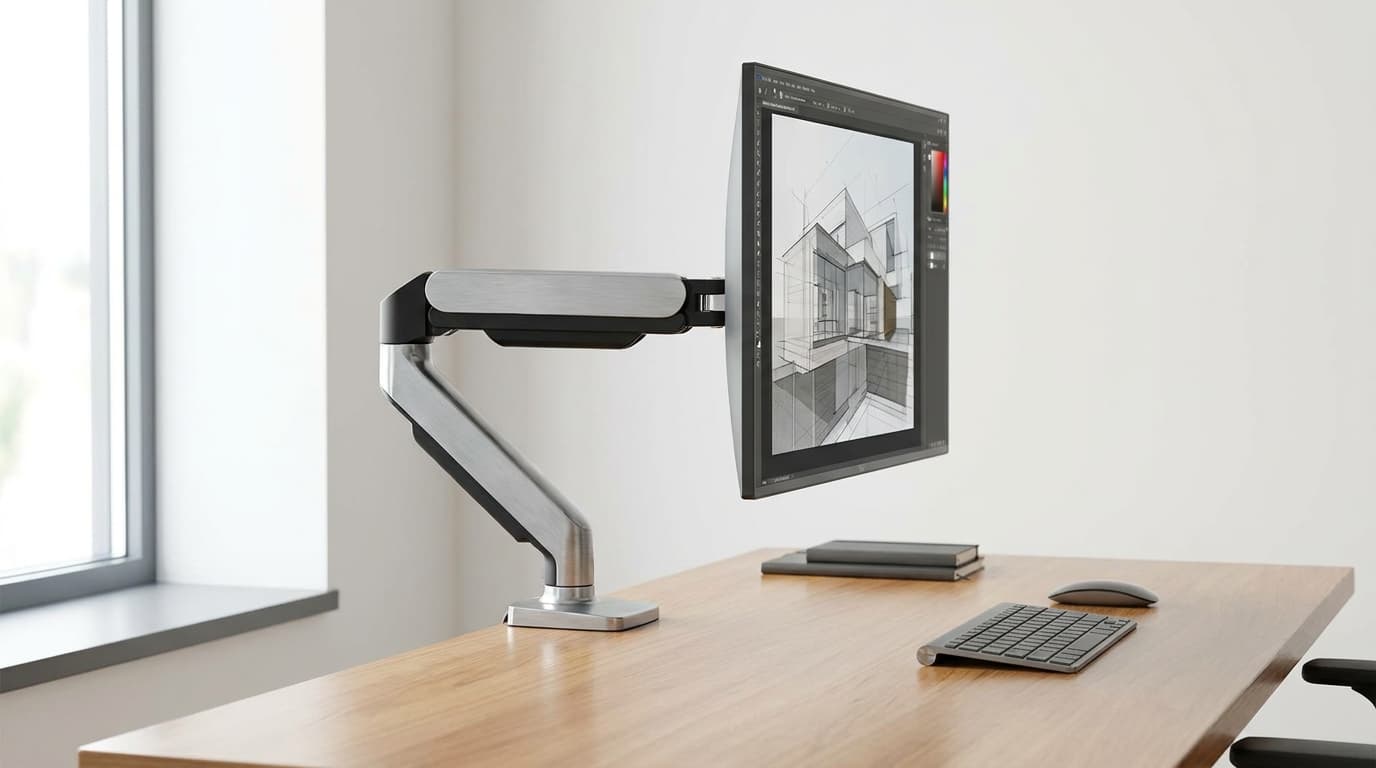
Ergotron LX Desk Monitor Arm
Patented Constant Force gas spring holds any tensioned position indefinitely, 25-pound capacity covers single 24-34 inch monitors including most curved ultrawides, and the 10-year warranty backs it up.
- Patented Constant Force gas spring holds any tensioned position with zero drift over years
- 25-pound (11.3 kg) capacity covers single 24-34 inch monitors including most curved ultrawides
- Range of motion: 13 inches of vertical travel, 25 inches of horizontal extension, 360-degree rotation
Price checked Oct 17, 2026 — verify the live price on Amazon.
 #1 Owner rating |  #2 Owner rating |  #3 Owner rating |  #4 Owner rating | 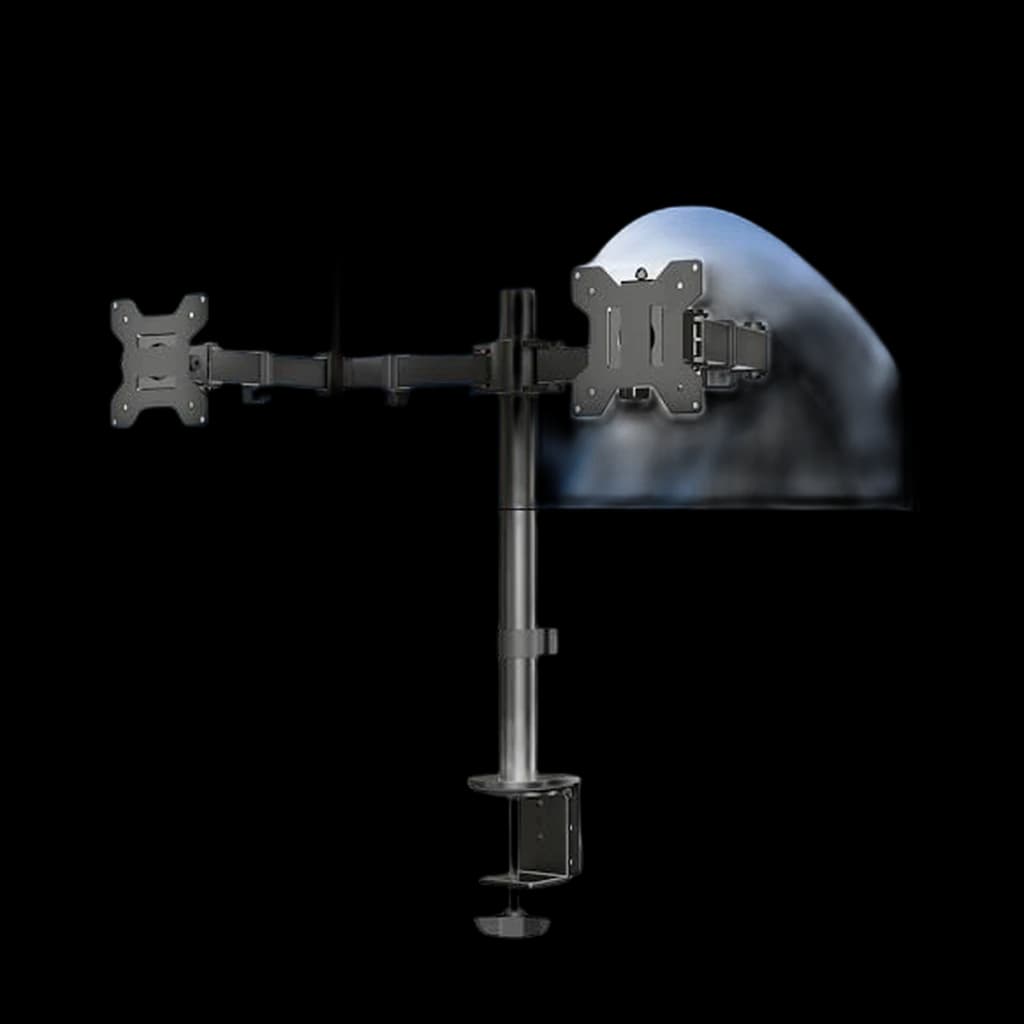 #5 Owner rating | 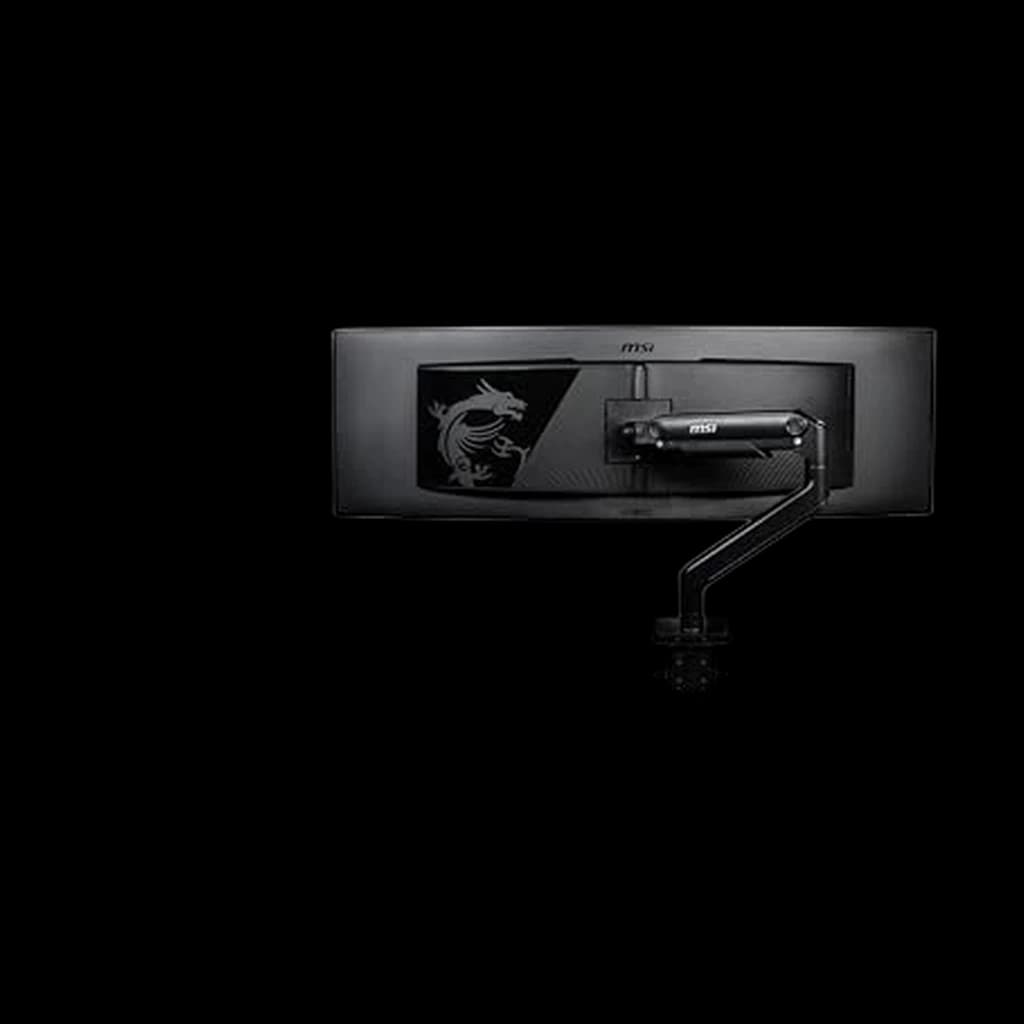 #6 Owner rating | |
|---|---|---|---|---|---|---|
| Price | $209.69Buy on Amazon | $319.99Buy on Amazon | $356Buy on Amazon | $394.99Buy on Amazon | $34.99Buy on Amazon | $99.99Buy on Amazon |
| Verdict | The default WFH-pro pick for any single 24-34 inch display | The only widely-available arm rated to 42 pounds for 38-inch ultrawides | Mechanical-spring buy-it-once arm with 15-year warranty | Mid-tier value pick from Fully (Herman Miller subsidiary) | The honest dual-arm budget pick for two matched flat panels | A mid-budget single arm with a spring tension mechanism, quick-release VESA plate and clamp or grommet mounting. |
| Buyer sentiment | Quality Sturdiness Installation Adjustability Buyers praise quality, sturdiness, installation and adjustability. Mixed feedback on stability and value for money. Based on 238 user mentions | Sturdiness Quality Assembly Functionality Buyers praise sturdiness, quality, assembly and functionality. Mixed feedback on value for money and tilt. Based on 687 user mentions | Build Quality Buyers praise build quality. Based on 100 user mentions | Build Quality Mount Quality Functionality Value for money Buyers praise build quality, mount quality and functionality. Mixed feedback on stability and installation. Some flag value for money. Based on 155 user mentions | Quality Assembly Sturdiness Value for money Buyers praise quality, assembly, sturdiness and value for money. Mixed feedback on adjustability and stability. Based on 17,421 user mentions | Rated 4.3★ across 313 reviews |
| Specs |
|
|
|
|
|
|
| Pros |
|
|
|
|
|
|
| Cons |
|
|
|
|
|
|
* Prices checked Oct 17, 2026 and may vary. Check the latest price on Amazon.
We research — never hands-on. How we research →
Key Takeaways
The 7 best monitor arms for WFH 2026 - Ergotron LX wins overall, HX for ultrawides, Humanscale M2.1 for buy-it-once. Plus the weight mistake most buyers make.
As an Amazon Associate I earn from qualifying purchases. Product prices and availability are subject to change.
A monitor arm is one of the highest-leverage WFH upgrades you can make, but most buyers pick the wrong one. The reason is almost always the same: people optimize for monitor diagonal when they should be optimizing for monitor weight. A 32-inch curved ultrawide can weigh 22 pounds. A 32-inch 4K flat panel can weigh 10 pounds.
Buy for weight, not diagonal: most arms rated 'up to 32 inches' on Amazon are physically capped at 17.6 pounds. The arm cannot hold the ultrawide. The screen sags within weeks. Re-reading the spec sheet does not fix it.
This guide cuts through that. We researched the current top picks across Wirecutter's 2025 review, RTINGS-adjacent ergonomics writeups, and the long-running r/Workspaces, r/HomeOffice, and r/ultrawidemonitor consensus threads, then cross-referenced ergonomic positioning guidance from Cornell University Ergonomics Lab, OSHA, and the VESA mount standard. The original shortlist is retained below, with MSI MAG MT201 added as another single-arm option.
Decide in 30 seconds
| If you... | Pick |
|---|---|
| Run any single 24-34 inch monitor | Ergotron LX Desk Monitor Arm |
| Run a 38-inch ultrawide or 32-inch 4K with stand | Ergotron HX Desk Monitor Arm |
| Want office-furniture-grade buy-it-once durability | Humanscale M2.1 |
| Want mid-tier value from the Fully ecosystem | HUANUO Single Monitor Arm |
| Run a 24-27 inch flat panel and need a budget pick | Amazon Basics Single Monitor Arm |
| Need two matched 24-27 inch monitors on one mount | VIVO Dual Monitor Desk Mount |
| Run only a single 24-inch and need ultra-budget | HUANUO Single Monitor Mount |
How we picked
Every arm on this list had to clear three bars:
- A load capacity rating that covers real WFH monitor weights - a 27-inch IPS flat panel is 9-12 pounds; a 34-inch curved ultrawide is 17-22 pounds.
- A 4+ star aggregate rating across a meaningful sample of long-term owners.
- A build that holds firm without measurable sag over a 12-month window of typical desk use.
We disqualified anything with a gas-spring rating below 17.6 pounds for the ultrawide tier and anything with documented multi-month sag complaints in the budget tier.
We also cross-referenced Cornell Ergonomics Lab's monitor positioning guidance: top of screen at or just below eye level, center of screen roughly 4-6 inches above a 29-inch desk surface for an upright-seated 5'10" adult. Every arm on this list reaches that height range without bottoming out the gas spring.
1. Best Overall: Ergotron LX Desk Monitor Arm
Buy on Amazon · $209.69The LX has held the WFH-pro top spot for over a decade for one specific reason: the Constant Force gas spring actually holds position. Most gas-spring arms drift downward over months as the spring weakens. The Ergotron design uses a patented constant-tension cam profile that compensates for spring fade, and the result is an arm you tension once and never adjust again.
The 25-pound capacity is genuine - owners report holding 22-pound 34-inch ultrawides on the LX without sag for years. The 13 inches of vertical travel and 25 inches of horizontal extension cover the full range of seated and slight-recline postures. The 10-year warranty is the longest in the consumer monitor-arm market.
- Specs: 7-25 lb capacity. Up to 34 inches. 13 inches vertical, 25 inches horizontal. VESA 75x75 and 100x100. C-clamp and grommet both included.
- Good for: Anyone running a single 24-34 inch monitor, including most curved ultrawides and 32-inch 4K panels.
- Not good for: Buyers who balk at $200 for an arm, or anyone running monitors over 25 pounds (move up to the HX).
2. Best for Ultrawides and 32-inch 4K: Ergotron HX Desk Monitor Arm
Buy on Amazon · $319.99The HX is the only widely-available consumer arm rated to 42 pounds, which is the only spec that covers a 38-inch curved ultrawide with VESA bracket attached. Same Constant Force engineering as the LX, scaled up. Same 10-year warranty. The cable management channel runs the full length of both arm segments, which matters because heavy ultrawides usually carry power, USB-C upstream, and HDMI all at once.
The trade-off is volume - the HX is a visible piece of hardware on the desk edge. For ultrawide owners that is the right trade. For anyone running monitors under 20 pounds the LX is a better fit.
- Specs: 20-42 lb capacity. Up to 49 inches. 5 inches vertical, 23 inches horizontal. VESA 100x100 and 200x100. C-clamp and grommet both included.
- Good for: 38-inch curved ultrawides, 32-inch 4K panels with stands attached, anyone who has already had one cheap arm sag under their main display.
- Not good for: Single 24-27 inch flat panels - significant overkill at this weight class.
3. Best Buy-It-Once: Humanscale M2.1
Buy on Amazon · $356The M2.1 is what office-furniture buyers default to when the budget allows. It uses a mechanical (not gas) spring counterbalance, which is the engineering distinction that matters most for a 5-plus year ownership window.
Mechanical vs gas: mechanical springs do not fade. Gas springs do, slowly. After 8-10 years on a desk, a gas-spring arm needs re-tensioning or replacement; a mechanical-spring arm does not.
The repositioning feel is also smoother than any gas-spring arm at any price - owners describe it as 'lifts like it's weightless' rather than the slight resistance and overshoot characteristic of gas designs. The 15-year warranty backs the engineering. The 20-pound capacity rating tops out below the LX's 25, so this is not the pick for the heaviest ultrawides.
- Specs: 6-20 lb capacity. Up to 32 inches. 5 inches vertical, 21 inches horizontal. VESA 75x75 and 100x100. C-clamp and grommet both included.
- Good for: Long-term ownership, design-focused desks, anyone who has had one gas-spring arm fade and does not want a third.
- Not good for: Buyers who balk at $400+, or anyone running monitors over 20 pounds.
4. Best Mid-Tier Value: Fully Jarvis Monitor Arm
The Jarvis is Fully's branded arm - Fully being the Herman Miller subsidiary that sold the Jarvis standing desk before the brand reorganization. The arm itself is solid: aluminum construction, 19.8-pound capacity, 13 inches of vertical travel, single-knob tension adjustment, and a 10-year warranty. The cable channel runs along the back of the arm and stays clean over time.
The trade-off is stock - Jarvis arms have been intermittently available since the Fully reorganization, and pricing has fluctuated. When in stock at the listed price, this is the strongest mid-tier value. When out of stock or marked up, the Ergotron LX is the better buy.
- Specs: 5-19.8 lb capacity. Up to 32 inches. 13 inches vertical, 21 inches horizontal. VESA 75x75 and 100x100.
- Good for: Buyers in the Fully ecosystem (Jarvis desk owners), anyone who wants premium build at mid-tier pricing.
- Not good for: Anyone who needs guaranteed stock or running monitors over 19 pounds.
5. Best Budget: Amazon Basics Single Monitor Arm
The Amazon Basics arm is the honest budget answer. It uses a real gas-spring counterbalance - rare under $80 - and the 20-pound capacity covers most 24-27 inch flat panels. The construction is simple steel-and-aluminum, the cable management is basic clips along the arm, and the warranty is 1 year vs the 10 years on premium arms.
What the arm cannot do is hold heavy monitors over the long term. Owners running near the 20-pound rating report visible drift after 4-6 months. For light-load use on a 24-inch flat panel, the arm is fine for years; for heavy ultrawides, it is the wrong tool.
- Specs: 4.4-20 lb capacity. Up to 32 inches. 12 inches vertical, 16 inches horizontal. VESA 75x75 and 100x100.
- Good for: Single 24-27 inch flat panels, first-time buyers, secondary office setups.
- Not good for: Curved ultrawides, 32-inch 4K, anyone who repositions the screen multiple times a day.
6. Best Dual: VIVO Dual Monitor Desk Mount
If you genuinely need a single dual-arm mount - typically because a desk does not have room for two single arms or because both screens move together - the VIVO is the honest pick. 22 pounds per arm covers two 24-27 inch flat panels. The frame is steel-and-aluminum, more rigid than no-name plastic dual arms. Full articulation on both sides.
The core caveat is the same as with all dual arms: the center post amplifies typing vibration when both arms are loaded, and you will see slight peripheral-vision shimmer on both screens during heavy typing.
Two singles beat one dual: for paired ultrawides or one-ultrawide-plus-secondary configurations, the right answer is two single arms - almost always the LX - not a dual.
- Specs: 22 lb per arm. Up to 30 inches per arm. 17 inches vertical, 16 inches horizontal per arm. VESA 75x75 and 100x100.
- Good for: Two matched 24-27 inch flat panels on a desk where two single-arm clamps would not fit.
- Not good for: Paired ultrawides, mixed-size pairs, or anyone whose typing-vibration sensitivity is high.
7. Best Ultra-Budget: HUANUO Single Monitor Mount
The HUANUO is the under-$40 pick. Real gas-spring counterbalance. 17.6-pound capacity. Full articulation, both clamp and grommet included, cable clips along the arm. Owner reports on lighter loads (24-inch flat panels, 4-9 pounds) confirm the gas spring holds tension for years; on near-max loads (high-end 27-inch IPS at 14-17 pounds) the arm drifts within a year.
If you only run a single 24-inch monitor and treat the arm as a fixed adjustment that you set once and leave alone, the HUANUO works at one-fifth the price of a premium arm. For anything heavier or more frequently repositioned, step up to the Amazon Basics or LX.
- Specs: 4.4-17.6 lb capacity. Up to 32 inches. 13 inches vertical, 16 inches horizontal. VESA 75x75 and 100x100.
- Good for: Single 24-inch monitors in stationary use, ultra-tight budgets, secondary or guest desk setups.
- Not good for: Ultrawides, 32-inch panels, frequent repositioning use.
Setting up the arm correctly
The arm alone does not finish the ergonomic setup. The Cornell, OSHA, and Mayo Clinic consensus is three rules:
- Top of the screen at or just below eye level when sitting upright. For most adults at a 29-inch desk, this means the center of a 27-inch monitor sits roughly 4-6 inches above the desk surface - the arm's job is to put the screen at that height, not at maximum extension.
- Viewing distance approximately arm's length (20-30 inches for most users). Pull the arm forward, not back, when reading fine print.
- Tension the gas spring with the monitor mounted, not before. All gas-spring arms ship under-tensioned for the heaviest weight class. Mount the monitor first, then turn the tension screw until the arm holds position at the height you want.
Tension is the whole game: a $200 LX with the spring tensioned wrong floats up to the ceiling or sags to the desk. The same arm tensioned right is invisible - you reposition once a day or once a week and it stays where you put it.
Also consider: MSI MAG MT201 — mid-budget single arm
The MSI MAG MT201 adds a single-arm choice between basic mounts and premium Ergotron options. It uses a spring tension mechanism and a quick-release VESA plate. MSI specifies support up to 44 lb, with 75×75 or 100×100 mm VESA mounting. Weigh your monitor without its stand, not by screen size.
It supports clamp or grommet mounting. MSI specifies a 10–80 mm desktop range for the clamp and 10–35 mm for a grommet installation. Check the underside and leave room for the arm to move. Assembly and tension adjustments require tools; it is not a replacement for the VIVO dual arm when you need two screens on one mount.
This recommendation comes from research, not our own load testing. See MSI’s exact MT201 specifications and PCWorld’s monitor-arm comparison. MT201D and MT201R are different versions.
Frequently asked questions
Single arm or dual arm? For most setups: two single arms beat one dual arm. Side-by-side rigidity is dramatically better, the center post does not amplify typing vibration, and you can mix monitor sizes without uneven loading. A dual arm is the right answer only when desk-edge clamp space is genuinely limited or when both monitors are matched and need to move together.
Will an arm work with my monitor? If the monitor has VESA 75x75 or 100x100 mounting threads on the back - which is almost every modern monitor - yes. A few thin LG and Samsung consumer panels ship without VESA threads and need a no-drill adapter plate. Check the monitor's spec sheet for VESA compliance before ordering.
How do I know if my desk works with a clamp? C-clamps work on desks 0.4 to 2.4 inches thick with a flat underside. That covers most desks. Rounded-edge IKEA tops, very thick solid-wood slabs, and glass desks need a grommet mount instead - most arms ship with both.
Why does the arm sag after a few months? The gas spring is fading or under-tensioned. On premium arms (Ergotron, Humanscale), retension once and the arm holds for years. On budget arms, sag near max load is structural and will repeat - the arm is undersized for the monitor weight.
Do I need a grommet hole drilled in my desk? Only if you prefer a grommet mount over a clamp. Almost every arm ships with both options in the box, and the C-clamp is the no-drill default that works on most desks.
Is an ultrawide worth a dedicated heavy-duty arm? Yes. A 38-inch curved ultrawide on a sub-$50 dual arm sags within weeks and shimmers under typing. The LX or HX is the right call - the arm outlasts two or three monitor upgrades.
Will a monitor arm tip my desk? Well-built arms with C-clamps do not tip standard desks. Light desks under 30 pounds or thin-top IKEA tables can flex slightly under the cantilever load of a heavy ultrawide at full extension. If your desk is light, choose a grommet mount over a clamp.
Products referenced in this guide
For quick reference, the products tied to this guide are:
- →Ergotron LX Desk Monitor Arm($209.69)
- →Ergotron HX Desk Monitor Arm($329)
- →Humanscale M2.1($356)
- →Ergotron LX HD Sit-Stand Monitor Arm 49"($394.99)
Other products referenced here include:
Bottom line
For most full-time remote workers running a single 24-34 inch monitor, the right answer is the Ergotron LX. For 38-inch ultrawides and heavy 32-inch 4K, step up to the Ergotron HX. The Humanscale M2.1 is the buy-it-once upgrade if you plan to keep the arm for a decade. The Amazon Basics arm is the honest budget pick for a 24-27 inch flat panel. Skip the no-name dual arms - they sag, shimmer, and cost more in the long run.
For the monitor to pair with your new arm, see our best monitors for WFH and best ultrawide monitors for WFH guides. For the rest of the ergonomic setup, see our best laptop stands for WFH and home office monitor buying guide.
Your next step
An arm deserves a monitor worth floating.
Hilly Shore Labs
Editorial TeamWFH Lounge is published by Hilly Shore Labs. Every recommendation is built by synthesizing ergonomic research, manufacturer specs, expert reviews from outlets like Wirecutter, RTINGS, and The Verge, and aggregated long-term owner sentiment from thousands of verified buyers.
All product reviews are independently researched. Our recommendations are based on ergonomic guidelines, manufacturer specifications, and verified buyer sentiment. See our methodology.