WFH Gear Worth Buying Again (and Skipping): 2026
Quick Answer
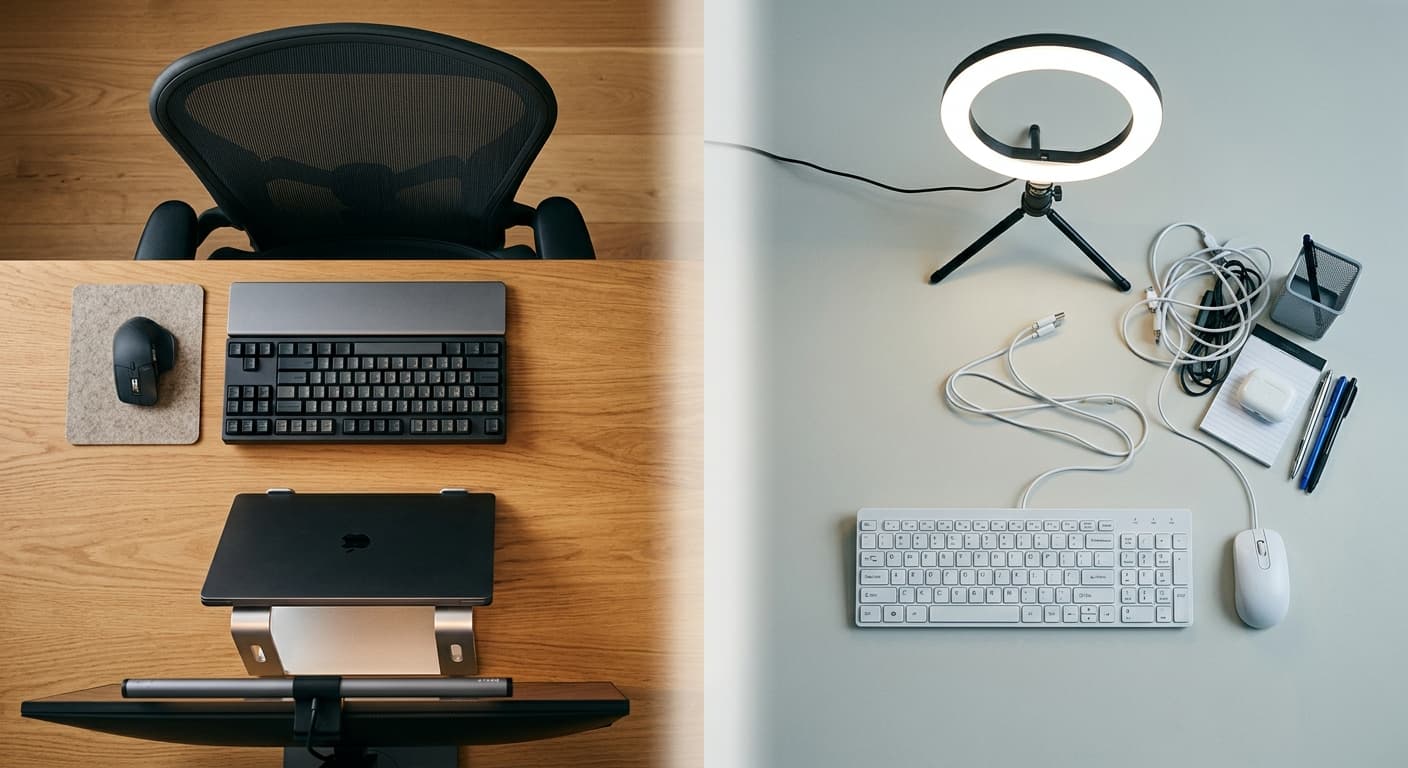
The buy-again list is short and unglamorous: a used or refurbished Herman Miller Aeron, Logitech MX Keys S, MX Master 3S, an Ergotron LX arm, and a Rain Design mStand. The regret list is louder: standing desks most owners stop raising, ring lights, and sub-$80 mechanical keyboards. Durability and daily use decide value — not launch-day excitement.
 #1 Owner rating | 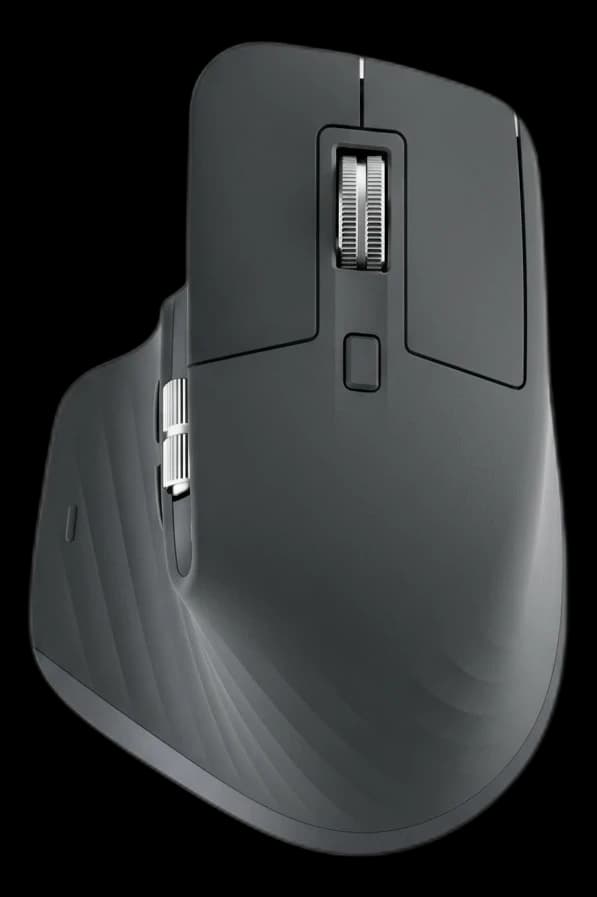 #2 Owner rating |  #3 Owner rating | 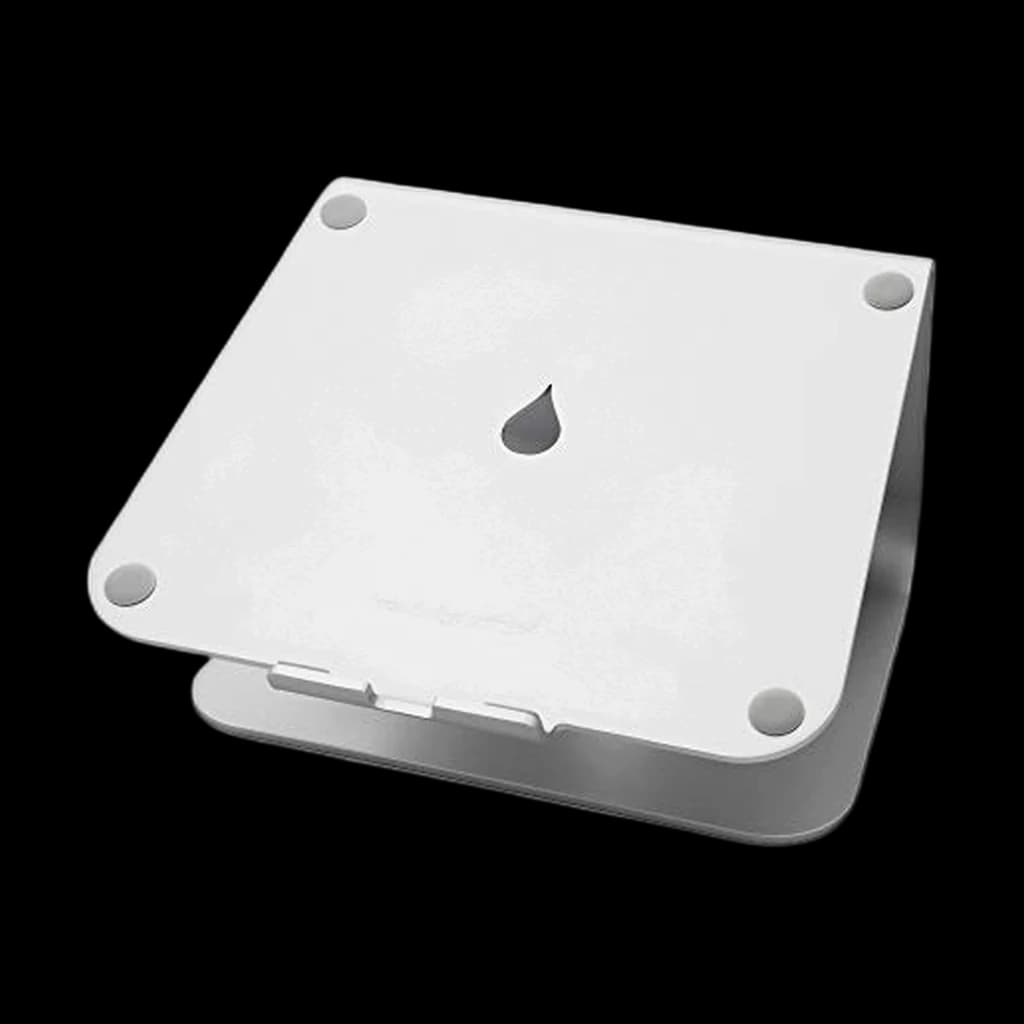 #4 Owner rating | |
|---|---|---|---|---|
| Price | $129.99Buy on Amazon | $118Buy on Amazon | $209.69Buy on Amazon | $39.90Buy on Amazon |
| Verdict | Buy-again keyboard — quiet, durable, and the one owners replace with the same model | Buy-again mouse — the default serious WFH mouse for a reason — The MX Master 3S is no longer sold on Amazon; Amazon lists the MX Master 4 as its replacement, and that is what this link goes to. | Buy-again monitor arm — holds position for years without drift | Buy-again laptop stand — one piece of aluminum, nothing to break |
| Buyer sentiment | Build Quality Key Feel Backlighting Quiet Buyers praise build quality, key feel, backlighting and quiet. Mixed feedback on connectivity and reliability. Based on 2,150 user mentions | Quality Ergonomics Comfort Customizability Buyers praise quality, ergonomics, comfort and customizability. Mixed feedback on reliability and connectivity. Based on 3,166 user mentions | Quality Sturdiness Installation Adjustability Buyers praise quality, sturdiness, installation and adjustability. Mixed feedback on stability and value for money. Based on 238 user mentions | Quality Design Sturdiness Ergonomics Buyers praise quality, design, sturdiness and ergonomics. Mixed feedback on value for money. Based on 5,918 user mentions |
| Specs |
|
|
|
|
| Pros |
|
|
|
|
| Cons |
|
|
|
|
* Prices checked Oct 8, 2026 and may vary. Check the latest price on Amazon.
We research — never hands-on. How we research →
Key Takeaways
After 5 years of remote work, which WFH gear earned its place and which you'd skip — what holds up, what disappoints, what we'd buy again.
As an Amazon Associate I earn from qualifying purchases. Product prices and availability are subject to change.
There's a genre of WFH content that's always aspirational — "here's the perfect setup if you have $5000 and a dedicated room." This isn't that. This is the opposite: a candid look at what gear has actually held up after years of use, what broke or disappointed, and which items we'd genuinely buy again.
We synthesized this from owner-feedback patterns across:
- r/WFH, r/battlestations, and long-term Wirecutter follow-up reviews
- The Reddit threads where people get blunt about their regret purchases
No hype. Just synthesized owner feedback and honesty about what the long-term ownership experience looks like.
The category winners (buy again without hesitation)
Chairs: Herman Miller Aeron (used or refurbished)
Retail new: $1400. Used: $500–$800. The used Aeron market is massive, and a 10-year-old Aeron in Good condition will outlast a brand-new $600 chair by a decade. Owner reports on r/HermanMiller consistently confirm 15+ years of daily use with minimal wear.
Why it wins:
- The mesh keeps its tension
- The tilt mechanism stays smooth
- The lumbar adjustment stays where you put it
None of these are true for sub-$400 chairs.
Would buy again: yes. A refurb Aeron for $600 is the single best WFH purchase we can think of.
See best ergonomic chair under $500 guide if you want new options at lower prices.
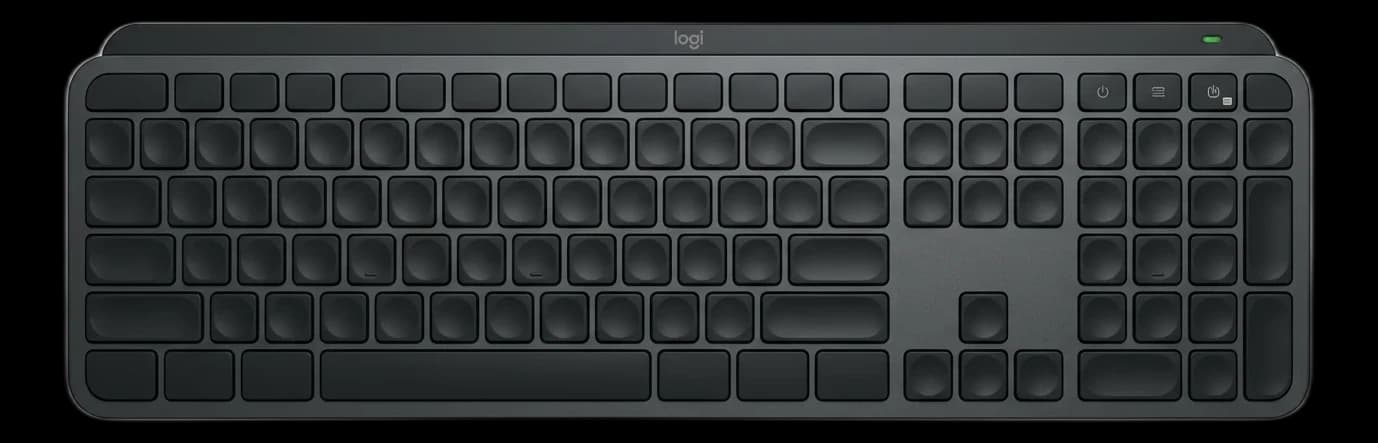
Keyboards: Logitech MX Keys S
Retail: $100. Five years of daily use across multiple users in owner feedback: keys don't wear, backlight still works, battery life still holds up to the advertised weeks-per-charge.
Why it wins:
- Low-profile scissor switches are surprisingly durable
- The software (Logi Options+) still gets updates
- Pairing across 3 devices remains the single most useful productivity feature for anyone with a work laptop + personal device
Would buy again: Yes. First in line when the current one eventually wears out.
Mouse: Logitech MX Master 3S
Buy on Amazon · $118Retail: $100. Holds up very well over years. The only common failure mode is the rubber grip getting worn/shiny after 3–4 years of heavy use, but the mouse itself keeps working.
Why it wins:
- The horizontal scroll wheel is impossible to give up once you've used it
- The button layout is programmable, and the software remembers settings across updates
- Long battery life (months per charge)
Would buy again: Yes. We'd buy this twice to leave one permanently in a travel bag.
Monitor arm: Ergotron LX Single/Dual
Retail: $180–$300. Lifetime warranty. Owner reports of 10–15 year lifespans are common. Unlike cheap monitor arms, these maintain position without sag forever.
Why it wins: You can treat it roughly, repurpose it to new monitors every few years, and it keeps working. The investment pays back the first time you move apartments and just unclip + reinstall in the new place.
Would buy again: Yes. The right move for anyone with a single-monitor WFH setup.
Laptop stand: Rain Design mStand
Buy on Amazon · $39.90Retail: $50. All-aluminum, no moving parts, impossible to break. Some owners report 8+ years on the same stand.
Why it wins:
- It's so simple there's nothing to fail
- It's heavy enough that your laptop doesn't wobble
- Compare to the foldable/adjustable stands, which develop play in the hinges within a year
Would buy again: Yes. The adjustable ones are tempting but the fixed-height mStand is the one you'll still be using in a decade.
The surprising disappointments (would NOT buy again)
Standing desks (for most people)
We're including this even though it's a broad category.
The honest truth from owner reviews: most people who buy standing desks use them standing less than 10% of the time.
r/standingdesks is full of "I paid $700 for a sit desk that goes up sometimes" posts.
Why the disappointment: Standing feels like work the first week, then normal the second week, then you realize you prefer sitting for focus tasks (which is most of your day). The premium you paid for the sit-stand mechanism goes largely unused.
What to buy instead: A high-quality fixed desk (IKEA Bekant, Fully Jarvis Fixed) + walking breaks every hour. You'll get the health benefits without the standing desk tax.
Caveat: Standing desks are worth it for specific users — people with chronic lower back issues who know from experience that standing alleviates it, and sales/customer success reps who walk during calls. For everyone else, skip.
Ring lights for WFH video calls
Retail: $30–$200. They look great on YouTube and for Instagram selfies. On Zoom, they look weird. The circular reflection in your eyes is a dead giveaway. The lighting is harsh and unflattering compared to soft panel lights or monitor light bars.
What to buy instead: A BenQ ScreenBar Halo 2 ($199) or an Elgato Key Light ($179.99). These look natural on video calls in a way ring lights don't.
Cheap mechanical keyboards (under $80)
The problem: switches degrade within 1–2 years of heavy use. Keycaps get shiny. Budget mechanical keyboards save money up front but don't hold up.
What to buy instead: Either go with the Logitech MX Keys (non-mechanical, lasts forever) or spend the extra for a quality mechanical ($120+, Keychron K2 Pro or better). Don't buy the middle tier.
"Productivity" apps and subscriptions
The WFH-adjacent purchase most often regretted. Notion, Obsidian, Todoist, Roam — you don't need them all, you probably don't need most of them. Many WFH workers stack 5+ productivity apps at $5–$15/month each and use each one for a week before switching.
What to do instead: Pick one system and use it for 3 months before switching. Or use plain text files and Apple Notes. See best WFH productivity apps 2026 if you want the research-based pick.
Gimmicky desk accessories
The thing nobody talks about: most "desk accessories" you see on YouTube are props. The wireless charger pad, the aesthetic pen holder, the tiny plant, the desk organizer with a hidden drawer — people buy them, arrange them for a week, then they become dust collectors.
What to buy instead: Be honest about what you'll actually use daily. A pen and a notebook. A water bottle. A phone stand. Skip the rest.
Basic webcams under $30
The auto-exposure on sub-$30 webcams is uniformly bad. Your face will be orange in one light condition and blue in another. The 720p resolution is fine for most use but the color will always look off.
What to buy instead: Logitech C920 ($60–$80) is the cheap standard. Anything less expensive is false economy.
The "it depends" tier
Some purchases are worth it for some people and not for others.
4K monitors at 27"
- Worth it for: Designers, photo/video editors, anyone who works with fine detail.
- Not worth it for: Coders, spreadsheet warriors, most general WFH. The text is sharper than 1440p but not meaningfully sharper in normal use.
Premium headsets ($250+)
- Worth it for: Sales reps, customer success, managers, anyone on 4+ hours of video calls daily.
- Not worth it for: Engineers with occasional calls, most text-based roles.
Electric sit-stand desks
- Worth it for: Sales, creative pros who pace while thinking, people with specific back conditions.
- Not worth it for: Focused knowledge workers (they sit 95% of the time anyway).
Premium webcams ($150+)
- Worth it for: Sales, creators, YouTubers who want cinematic Zoom calls.
- Not worth it for: Engineers, analysts, most non-camera-facing roles.
Ultrawide monitors
- Worth it for: Traders, coders who hate app switching, analysts.
- Not worth it for: Designers (the extra width creates design awkwardness), writers (overwhelming).
The underrated purchases
Some WFH buys get less attention than they deserve:
A second laptop charger ($30–$60)
The single cheapest upgrade that makes WFH feel smooth. Keep one at the desk, one in your travel bag. Never again hunt for a charger mid-morning.
Good Ethernet cable ($8–$15)
If you work in a city apartment with crappy WiFi, a Cat 6 cable from your router to your desk fixes Zoom call drops permanently. Under $10 solution to a chronic problem.
Air purifier
Runs 24/7 quietly, makes your air measurably cleaner, and the HEPA filter eventually pays for itself in reduced allergy meds. Winix and Levoit both make solid ~$130 options. See best air purifiers for home office.
Acoustic treatment
A single acoustic panel behind your desk ($30–$50) reduces echo on video calls noticeably. Most people don't realize their sales calls sound echoey until they hear a recording. A cheap fix.
Timer device
Not a phone timer — a physical Pomodoro timer ($20–$35). Removes the temptation to unlock your phone to check the time. The Time Timer Plus is the research-community favorite.
The honest cost-per-year analysis
If you want to think about WFH gear like an investment, here's how we'd rank it by cost-per-year of expected usable life:
| Item | Price | Expected life | Cost/year |
|---|---|---|---|
| Refurb Herman Miller Aeron | $600 | 15 years | $40 |
| Ergotron LX monitor arm | $200 | 15 years | $13 |
| Rain Design mStand | $39.90 | 10 years | $4 |
| Logitech MX Master 3S | $127.74 | 5 years | $26 |
| Logitech MX Keys S | $118 | 5 years | $24 |
| 27" 1440p monitor | $300 | 7 years | $43 |
| BenQ ScreenBar Halo 2 | $199 | 6 years | $33 |
| Logitech C920 | $70 | 7 years | $10 |
| Second laptop charger | $40 | 5 years | $8 |
Total cost per year for this full "buy again" kit: roughly $200/year. Amortized over the 8+ hours a day you'll use it: under $0.07 per hour. Cheaper than a daily coffee.
Frequently asked questions
What's the single best WFH purchase? A refurbished Herman Miller Aeron, if you can find one. Your back will thank you for 15 years.
What's the single worst WFH purchase? Usually the first standing desk someone buys without knowing whether they'll use it standing. That $600 goes mostly to a sit-stand mechanism that sees 5% use.
What's the best "under $50" upgrade? Toss-up between the Rain Design mStand ($50) and a dedicated Ethernet cable ($8). Both are high-leverage cheap purchases.
What about ergonomic keyboards? Split ergonomic keyboards (Kinesis Advantage, ErgoDox) are worth it if you already have wrist pain. If you don't, the learning curve is weeks and the productivity loss during retraining is real.
Is a sit-stand converter better than a standing desk? For most people, yes. A $150 VariDesk or FlexiSpot converter lets you test whether you'll actually stand. If you end up using it 20%+ of the time after a month, upgrade to a full standing desk. If not, you saved $500.
Would you buy a treadmill desk again? Honestly, probably not. The research on them is thin, the setup is awkward, and most people end up selling them within a year. See best under-desk treadmills for 2026 if you're still curious.
Bottom line
After years of owner feedback, the honest list is boring: a great chair, a great monitor, a great keyboard and mouse, a laptop stand, a solid monitor arm, decent lighting. Nothing fancy. Nothing trendy. The products that keep showing up in "I'd buy this again" lists are the same reliable workhorses that have dominated their categories for years.
The gear that disappoints is almost always the trendy or gimmicky stuff:
- Ring lights
- Standing desks for non-standers
- Cheap mechanical keyboards
- Subscription productivity apps
- Aesthetic desk accessories
The hype cycle and the long-term satisfaction curve rarely align.
Buy the boring stuff. Skip the trendy stuff. Your 5-years-from-now self will thank you.
For individual category deep-dives, see our guides on best ergonomic chairs under $500, best monitors for home offices, best mechanical keyboards for WFH, and the full $1000 WFH starter kit.
Your next step
The full reference setup, piece by piece.
Hilly Shore Labs
Editorial TeamWFH Lounge is published by Hilly Shore Labs. Every recommendation is built by synthesizing ergonomic research, manufacturer specs, expert reviews from outlets like Wirecutter, RTINGS, and The Verge, and aggregated long-term owner sentiment from thousands of verified buyers.
All product reviews are independently researched. Our recommendations are based on ergonomic guidelines, manufacturer specifications, and verified buyer sentiment. See our methodology.