5 WFH Setup Mistakes That Wreck Your Back in Year 1
Quick Answer
The five back-wrecking first-year mistakes: using the laptop as the monitor, wrong chair height, missing or misplaced lumbar support, keyboard and mouse too far from your body, and never standing up. All five are fixable in a 60-minute checklist session — screen to eye level and elbows at your sides solve most of the damage.
Key Takeaways
Most WFH back pain traces to the same 5 setup mistakes. What Cornell, OSHA, and BIFMA research says — plus fixes that take under an hour.
As an Amazon Associate I earn from qualifying purchases. Product prices and availability are subject to change.
When we looked through owner-feedback patterns across Reddit's r/WFH, r/ergonomics, and Wirecutter's long-term chair coverage, the same five setup mistakes kept appearing as the root cause of Year 1 back pain. None of them require buying premium gear to fix. Most are fixed with adjustments you can make in under an hour.
This isn't medical advice — if you have sharp or radiating pain, see a doctor. This is setup-level guidance, backed by Cornell Ergonomics Lab research, OSHA home-office guidelines, and BIFMA X5.1 chair certification requirements.
Mistake #1: The laptop is the monitor
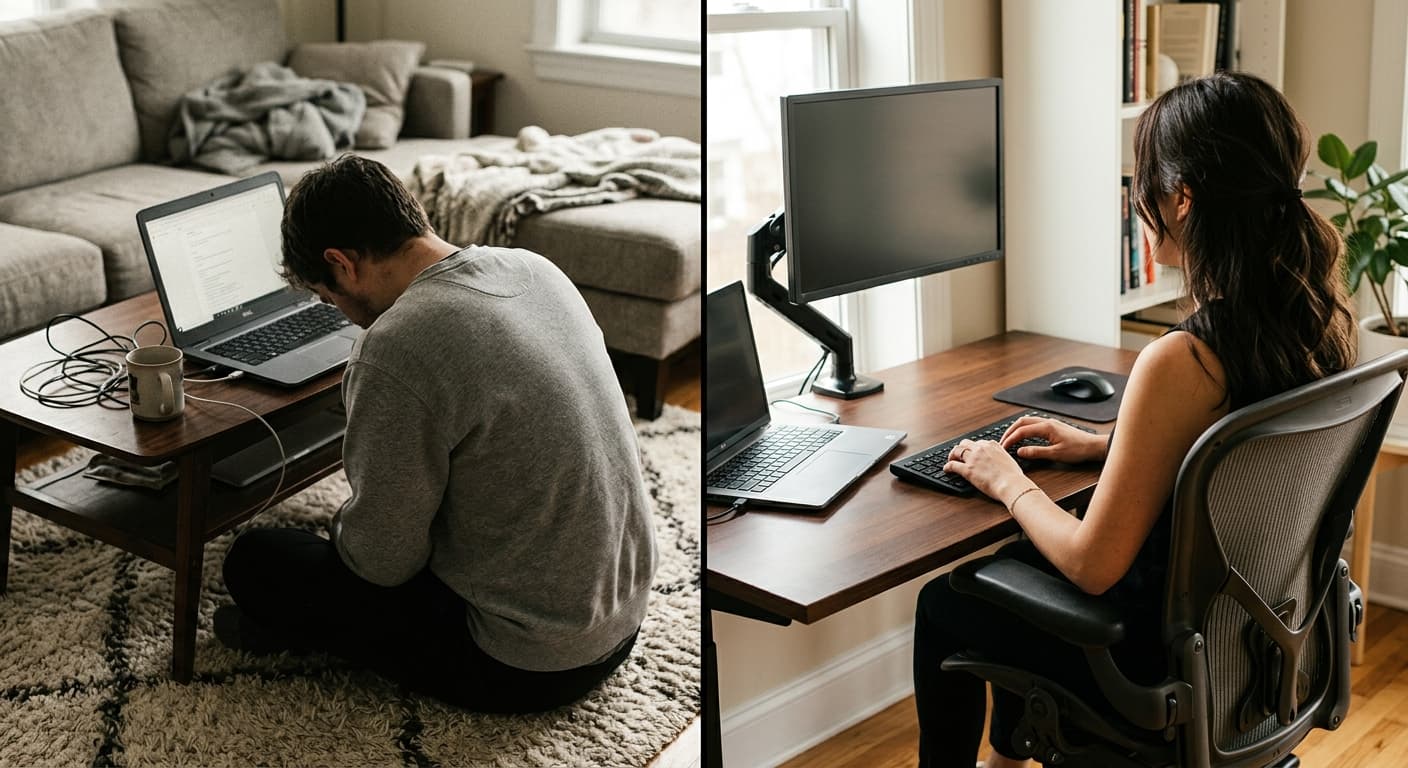
- What it looks like: You're hunched over a laptop on a kitchen table, neck angled 30 degrees down, for 8 hours a day.
- Why it wrecks you: Cornell Ergonomics Lab research identifies monitor height as the #1 predictor of neck strain in knowledge workers. Every inch your screen is below eye level, the muscles in your upper trapezius and levator scapulae work harder. At a laptop default (screen 8–12 inches below eye level), the neck muscles work roughly twice as hard as with proper monitor height.
You'll feel it first as tightness between the shoulder blades, then as a headache that starts around 3pm and persists after work. By month six, it's chronic.
- The fix (two options):
- Cheap: A $30 laptop stand (Lamicall) + a separate keyboard + mouse ($50 for Logitech MK270). Total: $80. Elevates the laptop screen to near eye level; external keyboard means you can type at desk height.
- Better: A $250–$300 27" external monitor + laptop stand. The external screen becomes your primary, the laptop screen becomes a secondary or closed-lid setup. See our best monitors for home office guide.
- Rule of thumb: The top of your active monitor should be at or just below eye level when you're sitting upright. If you're looking down at it, it's too low.
Mistake #2: The chair height is wrong
- What it looks like: Your feet dangle, or your knees are higher than your hips, or your thighs are pressed into the desk edge.
- Why it wrecks you: OSHA's computer workstation guidelines specify that thighs should be parallel to the floor, feet flat, knees at roughly 90 degrees. Anything else compresses nerves in the thighs, reduces circulation, and forces your lower back to hold positions it wasn't designed for.
The most common variant of this mistake: the chair is at "default" height for when someone 5'10" uses it, you're 5'3" or 6'2", you never adjusted it, your whole skeletal alignment is wrong from the base up.
The fix (takes 5 minutes):
- Sit in your chair with your back against the backrest.
- Adjust the seat height until your feet are flat on the floor and your knees are at 90 degrees (or slightly more, but never less than 85).
- If the chair won't go low enough for your feet to reach, get a footrest ($30 for a basic Humanscale or Kensington).
- If the chair won't go high enough that your thighs are parallel to the floor, get a cushion or replace the chair.
Bonus fix: Your desk should then be at elbow height when you're seated properly. If the desk is too high, you're shrugging your shoulders to type — which wrecks your neck and upper back. A desk 2 inches higher than optimal is a 1-inch shoulder shrug 8 hours a day.
Mistake #3: No lumbar support (or wrong lumbar support)
- What it looks like: You slouch. By 11am your lower back is arched forward, your chin is jutted out, and your pelvis is rotated backward (posterior pelvic tilt). You don't notice until your lower back aches.
- Why it wrecks you: The lumbar spine has a natural forward curve (lordosis). When you sit for hours without support for that curve, the spinal discs compress unevenly and the muscles that hold the curve fatigue. Cornell researchers note lumbar support is the second-most-important chair feature (after seat height adjustability) for preventing lower-back pain in sitters over 4 hours a day.
- The fix:
- If your chair has built-in lumbar support: Adjust it. Most people never do. The lumbar pad should hit the small of your back — that's the inward curve just above your belt line. If it's too high, it pushes your mid-back forward. If it's too low, it doesn't support anything.
- If your chair has no lumbar support: Add a lumbar cushion ($20–$40 on Amazon for a memory-foam one from LoveHome or TushGuard). This is the highest-ROI fix in this entire article. $30 for a problem that could otherwise cost you thousands in physical therapy.
- If your chair lets you sag into a C-curve no matter what: Replace the chair. A BIFMA X5.1 certified chair ($300+) is an investment in your body. See our best ergonomic chair under $500 guide for picks.
Mistake #4: Mouse and keyboard are too far from your body
- What it looks like: You reach forward to use your mouse. Your shoulders are rounded forward all day. Your upper arm is lifted away from your torso when typing.
- Why it wrecks you: When your input devices are more than a few inches past the desk edge, your trapezius (upper shoulder/neck muscle) is constantly holding your arm forward. OSHA workstation guidance specifies that elbows should be at roughly 90 degrees and upper arms should hang naturally at your sides when typing.
Reaching forward all day is the single biggest cause of rounded shoulders and the upper-back "knot" sensation that haunts remote workers around month three.
The fix:
- Slide your keyboard and mouse to the front edge of the desk, as close to your body as comfortable.
- Your elbows should be at your sides, bent at about 90 degrees.
- If your desk is too deep to let your keyboard reach you, consider an under-desk keyboard tray ($80–$120) or pulling your chair closer (most chairs roll too far back by default).
- If you use a trackpad on your laptop while the external monitor is elevated, the laptop should sit directly in front of you at a comfortable reach, not off to the side.
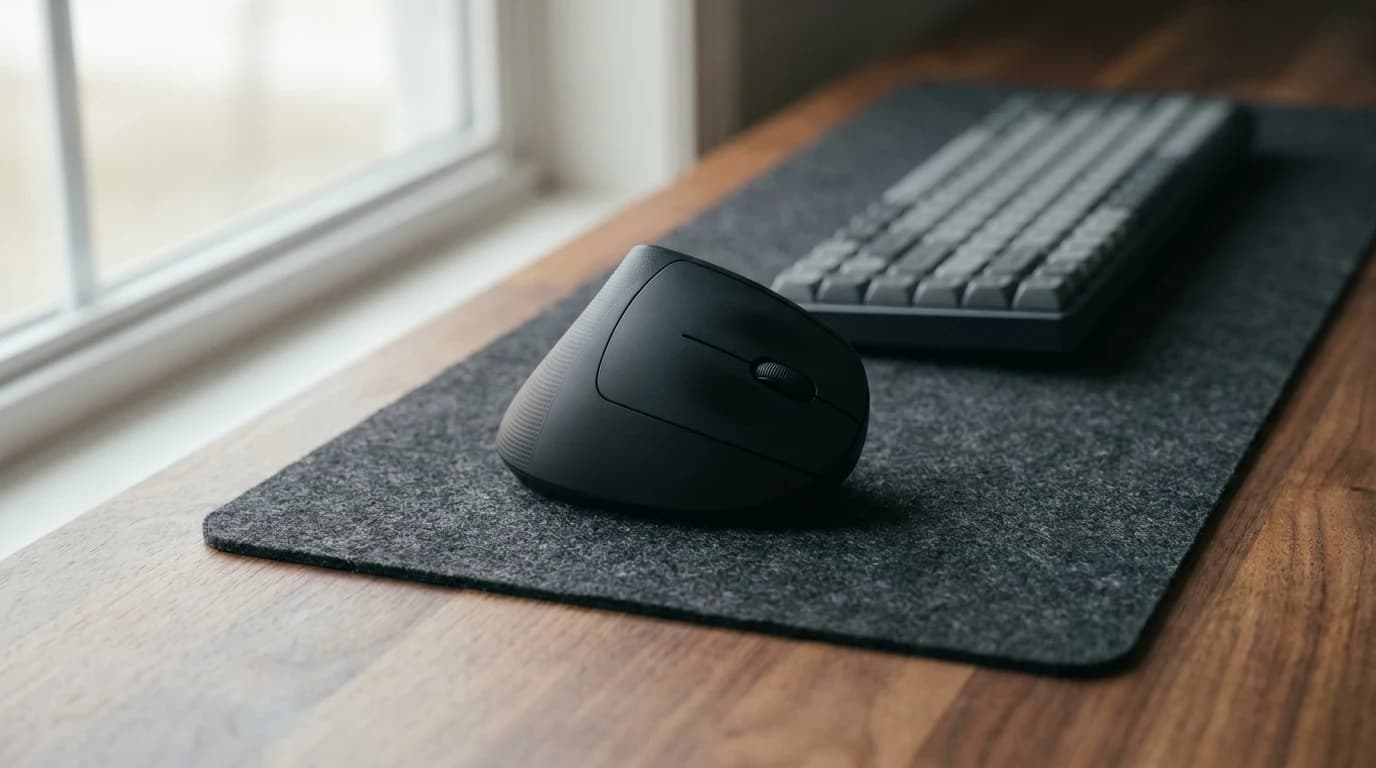
Related fix: Consider a vertical mouse if you're already having wrist pain. The Logitech MX Vertical rotates your forearm into a more neutral handshake position. It takes a week to get used to but eliminates wrist strain for a lot of people.
Mistake #5: You never get up
- What it looks like: You sit for 4+ hours without standing. You eat lunch at your desk. Your only movement is when you walk to the fridge.
- Why it wrecks you: Even the best ergonomic chair, adjusted perfectly, will wreck you if you don't move. The American Academy of Orthopaedic Surgeons notes that static postures — even "good" ones — cause muscle fatigue, reduced circulation, and disc compression. Movement is what keeps the back healthy, not the chair.
Research on sedentary remote workers consistently shows that brief movement every 30–60 minutes is more important than chair quality for long-term back health.
The fix (free, starts today):
- Set a timer. Every 45 minutes, stand up. Walk to the kitchen. Get water. Stretch for 90 seconds.
- Take walking meetings. If a meeting is audio-only or you don't need to share your screen, walk around your house or step outside.
- Standing desk? Use it. Only if you actually will. Most people who buy standing desks use them sitting 95% of the time. If you can't commit to standing at least an hour a day, skip the upgrade and focus on walking breaks.
- Stretch at the end of every work block. The "chin tuck" (pulling your chin back toward your neck), the shoulder blade squeeze, and the seated cat-cow stretch take 60 seconds and are researched-backed fixes for knowledge-worker neck/back tension.
The "fix everything" 60-minute checklist
If you want to address all five mistakes in one session:
- Measure monitor height. Stack books or buy a laptop stand until the screen top is at eye level. (10 min)
- Adjust chair height. Feet flat, knees 90 degrees, thighs parallel to floor. (5 min)
- Find and adjust lumbar support. Or add a cushion. (10 min, $25 if buying)
- Move input devices closer. Slide keyboard and mouse to front of desk. (5 min)
- Set a standing timer. Phone, smartwatch, or dedicated Pomodoro timer. (2 min)
- Try a 5-stretch routine at the end of your next work block. (10 min)
- Reassess in a week. Which fix made the biggest difference? Invest more there.
Total time: under 60 minutes. Total cost: $25 (lumbar cushion) to $150 (laptop stand + keyboard/mouse combo). Compared to the $500–$5000 you'd spend on physical therapy for a chronic back issue, this is the highest-ROI hour you'll spend all year.
What to watch for in months 2–6
Even with a perfect setup, some issues take time to develop. Things to monitor:
- Morning neck stiffness. Likely monitor height (Mistake #1).
- Afternoon headaches starting around 3pm. Usually eye strain + monitor height.
- Lower back pain that gets worse over the day. Chair lumbar or chair height.
- Wrist tingling or numbness. Input device position (Mistake #4) or mouse shape.
- Shoulder "knots" between the blades. Rounded shoulders from reaching (Mistake #4) plus sitting too long without movement (Mistake #5).
If any of these persist for two weeks after applying the fixes, escalate. See a physical therapist. A $100 PT visit can diagnose what a $2000 chair won't.
Frequently asked questions
Do I need a $1000 chair to fix my back? No. Cornell's ergonomics research shows that a well-adjusted $300 chair outperforms a poorly-adjusted $1500 chair for preventing back pain. Adjustment matters more than price at the entry level. See our ergonomic chair under $500 guide for good starting points.
Is a standing desk actually good for your back? Only if you alternate. Standing for 8 hours straight is worse than sitting for 8 hours straight. The research supports 20–30 minutes of standing per hour, not continuous standing. See our standing desk vs sitting science article.
How do I know if my monitor is at the right height? Sit up straight. Close your eyes. Open them looking at a comfortable forward position. The top of your monitor should be at or just below where your eyes naturally land.
Can I fix a bad setup without spending money? Mostly yes. Stacking books for the monitor, adjusting the chair you own, moving the keyboard closer, setting a timer to stand — all free. The only "spend" upgrade we'd insist on is a lumbar cushion if your chair has no support (~$25).
How long until I notice improvement? Usually within a week for the acute issues (afternoon headaches, shoulder tension). Chronic lower-back pain can take 4–6 weeks to fully resolve even with perfect setup.
Bottom line
Year 1 back pain from WFH is almost always the same five mistakes: screen too low, chair wrong height, no lumbar, inputs too far, no movement. Each has a fix that costs $0–$50 and takes under 15 minutes. Fix them early, before the pain becomes chronic, and you avoid the downward spiral of progressively worse posture + progressively worse pain.
For the hardware side, see our $1000 WFH starter kit and best ergonomic chair under $500 guide. For the posture science, see the WFH posture fix products breakdown.
Your next step
Skip the mistakes — start from the proven setup.
Hilly Shore Labs
Editorial TeamWFH Lounge is published by Hilly Shore Labs. Every recommendation is built by synthesizing ergonomic research, manufacturer specs, expert reviews from outlets like Wirecutter, RTINGS, and The Verge, and aggregated long-term owner sentiment from thousands of verified buyers.
All product reviews are independently researched. Our recommendations are based on ergonomic guidelines, manufacturer specifications, and verified buyer sentiment. See our methodology.