Best Ergonomic Laptop Stands 2026: 10 Posture-Fixing Picks
The Rain Design mStand is the most reliable laptop stand for permanent desk setups, while the Nulaxy C1 offers 90% of the experience at 60% of the price.
Our #1 Pick
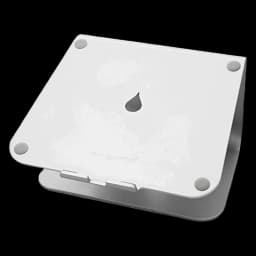
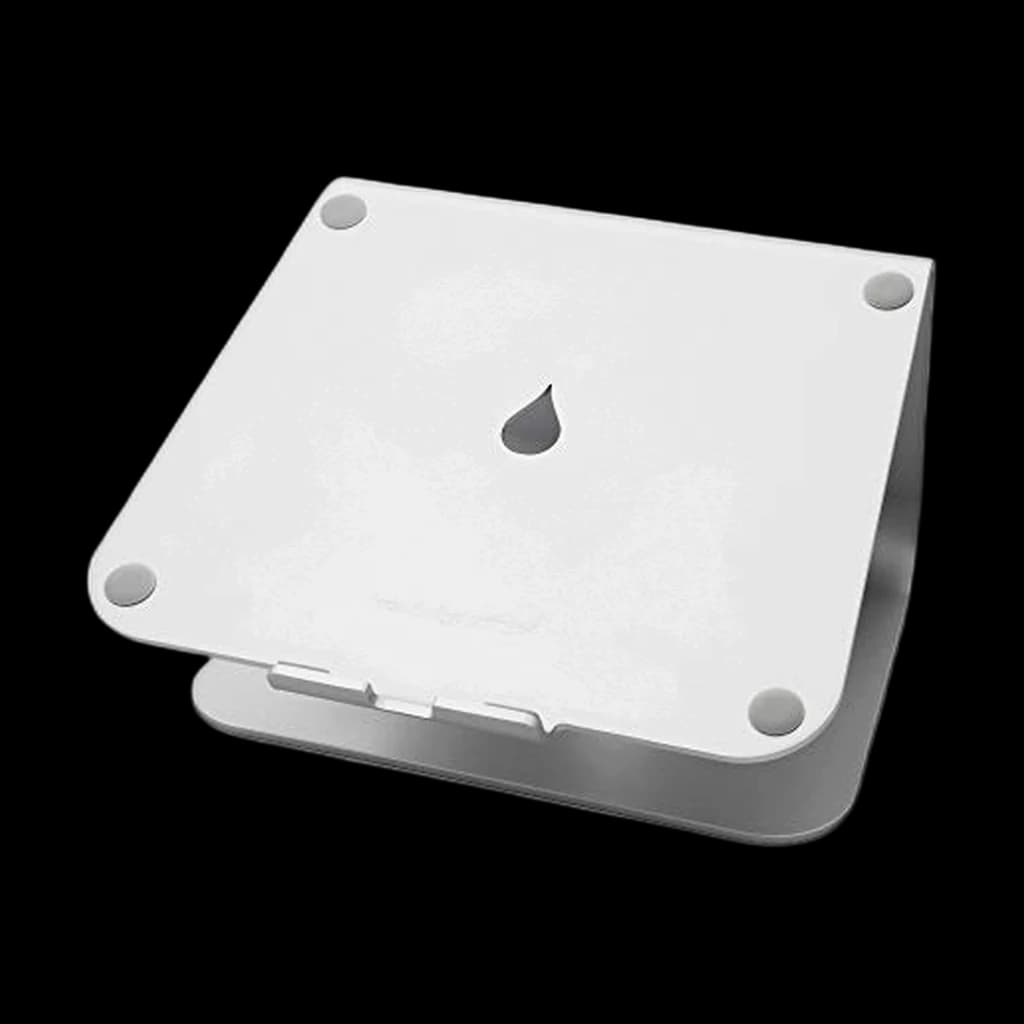
Rain Design mStand
Solid aluminum sled that lifts your laptop screen to eye level and matches the MacBook finish. Doesn't wobble, doesn't slip, doesn't scratch. The classic for a reason.
- Solid one-piece aluminum construction with zero flex under typing
- Built-in cable channel keeps charging cables clean
- Color-matched to MacBook silver for an aesthetically clean desk
Price checked Sep 12, 2026 — verify the live price on Amazon.
Also Great
Desk-anchored: Rain Design mStand ($39.80) — Solid aluminum, stays on your desk — premium look for permanent desk setups
Buy on AmazonAdjustable height: Nulaxy LS10 Laptop Stand ($25) — 6 adjustable heights and folds flat — best value if you want height adjustment
 #1 4.8 | 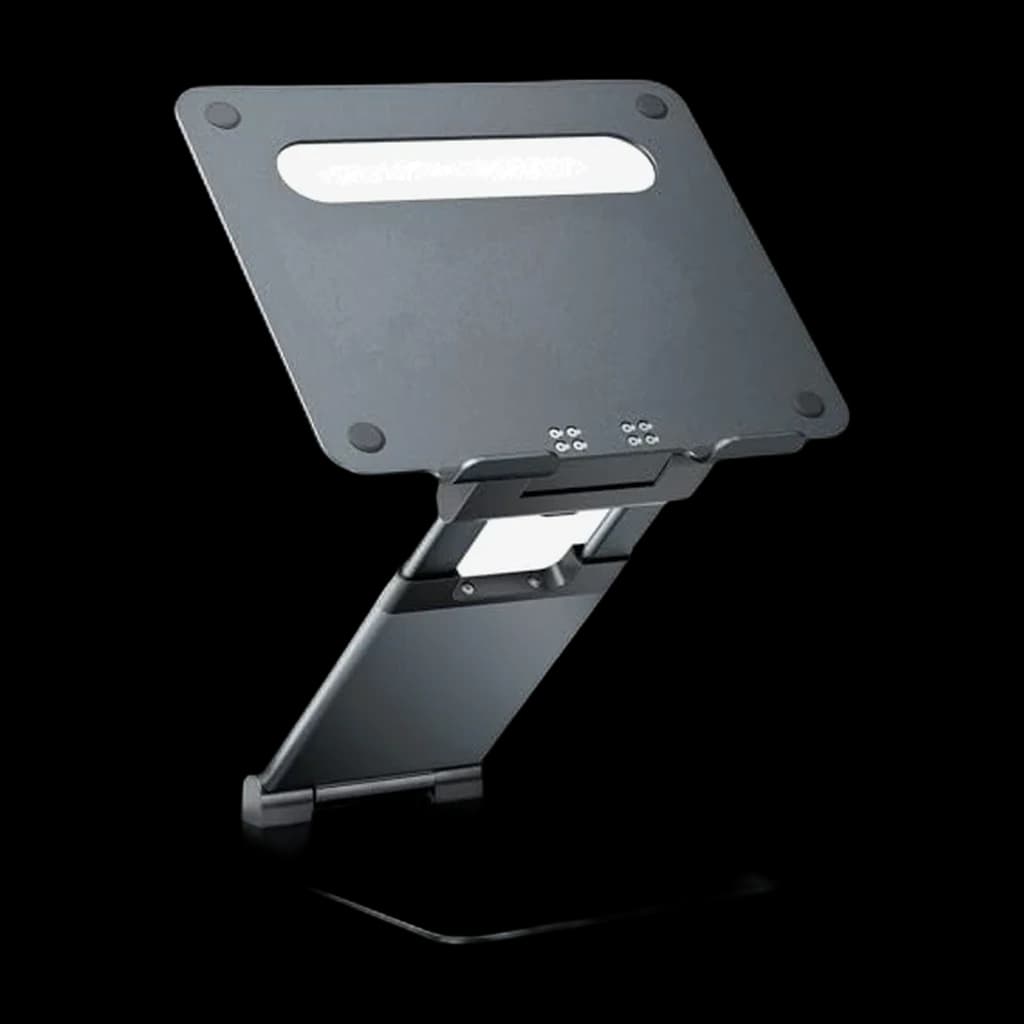 #2 4.7 | 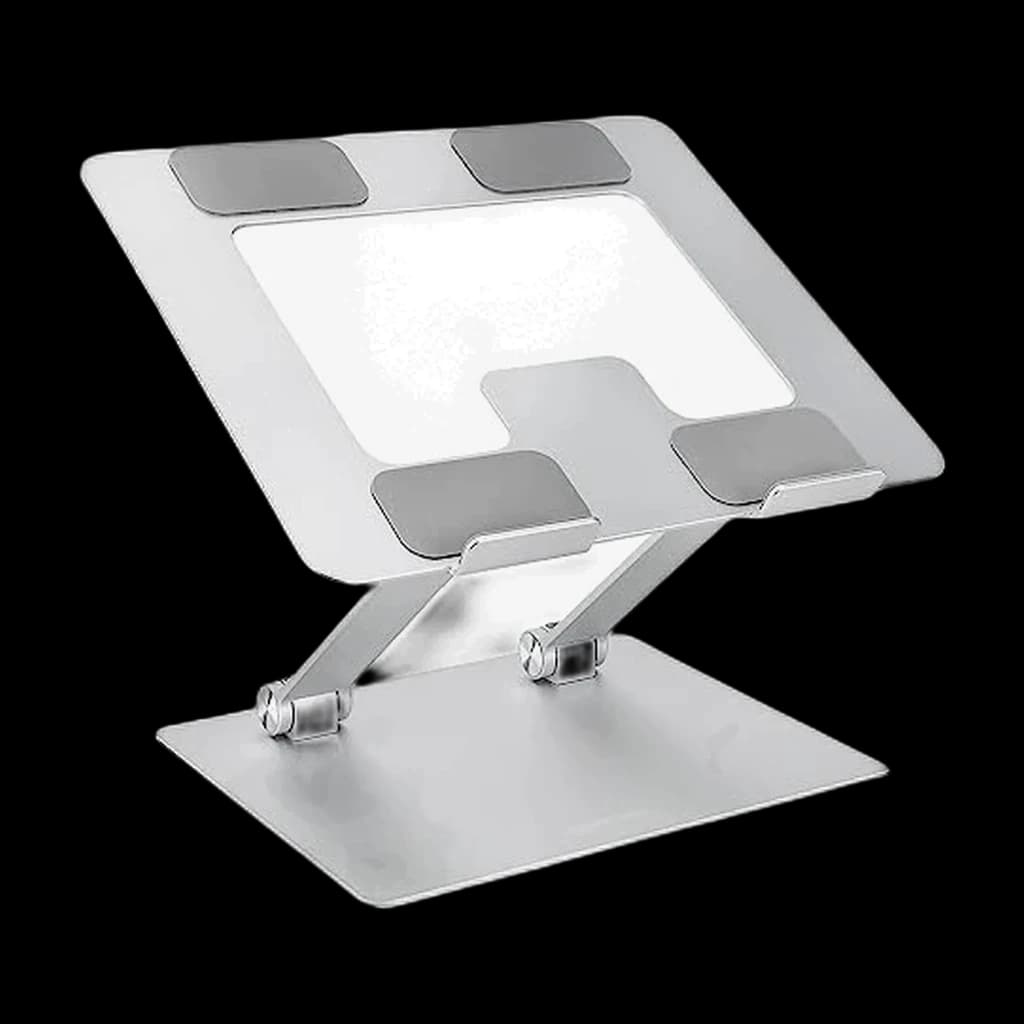 #3 4.6 |  #4 3.9 | 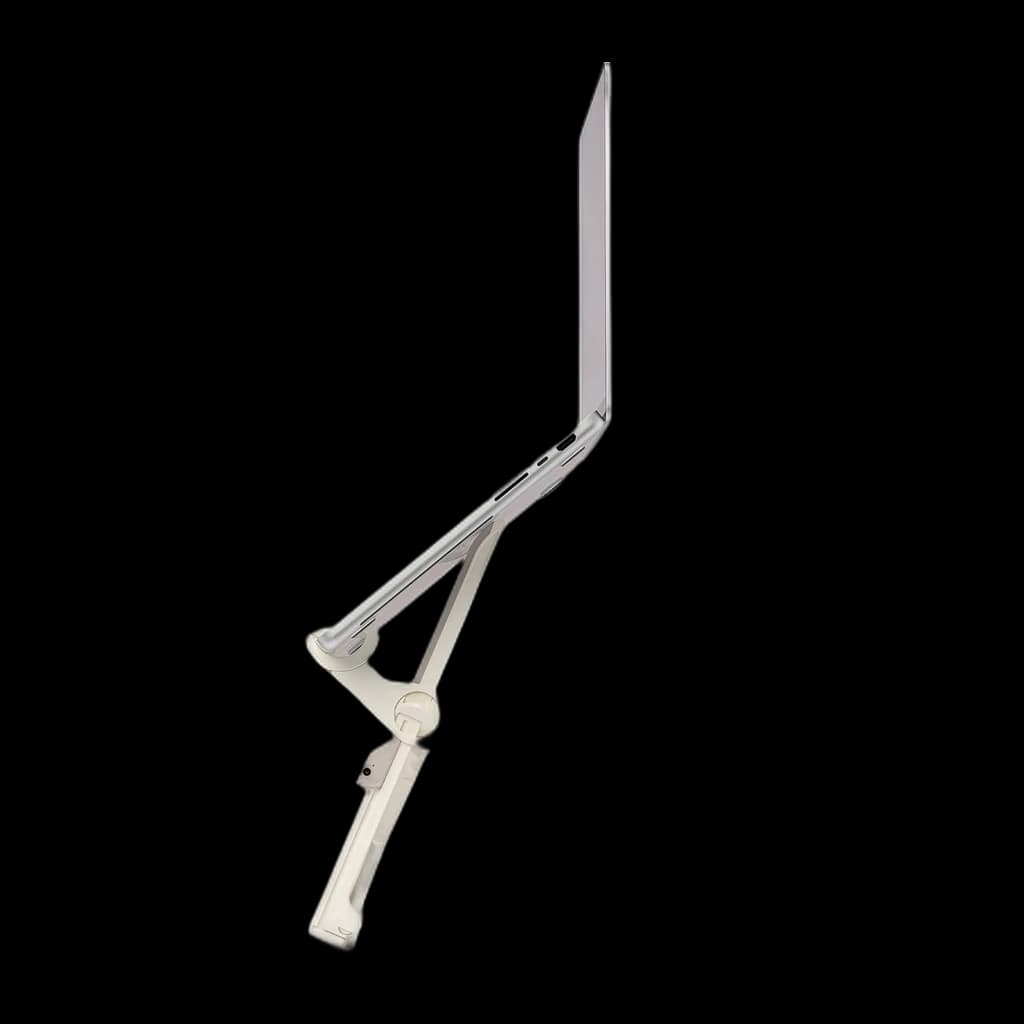 #5 4.4 | |
|---|---|---|---|---|---|
| Price | $39.80Buy on Amazon | $46.99Buy on Amazon | $29.99Buy on Amazon | $59.95Buy on Amazon | $99.95Buy on Amazon |
| Verdict | Best overall — bombproof aluminum build with perfect 5.9" elevation | Best value with adjustable height at 60% of the mStand price | Cheapest functional stand with the highest weight capacity on the list | Best for standing desks with MagSafe shelf and premium build | Best portable stand — folds to magazine size at just 0.5 lbs |
| Buyer sentiment | Quality Design Sturdiness Ergonomics Buyers praise quality, design, sturdiness and ergonomics. Mixed feedback on value for money. Based on 5,918 user mentions | Sturdiness Quality Adjustability Versatility Buyers praise sturdiness, quality, adjustability and versatility. Based on 2,827 user mentions | Quality Portability Value for money Design Buyers praise quality, portability, value for money and design. Mixed feedback on stability and adjustability. Based on 1,095 user mentions | Quality Stability Design Adjustability Buyers praise quality, stability, design and adjustability. Mixed feedback on value for money. Based on 386 user mentions | Stability Build quality Lightweight Portability Value for money Buyers praise stability, build quality, lightweight and portability. Some flag value for money. Based on 93 user mentions |
| Material | Single-piece aluminum | Aluminum alloy | Aluminum + steel | Aluminum + leather inlay | Nylon + polycarbonate |
| Elevation | 5.9" | — | 5" | — | — |
| Weight Capacity | 15 lbs | 17.6 lbs | 22 lbs | 10 lbs | 8.8 lbs |
| Laptop Size | Up to 15" | 10–16" | Up to 15.6" | — | — |
| Height Range | — | 2.1–6.7" | — | — | 5.5–9.4" |
| Heights | — | — | — | 5.5" or 6.5" | — |
| Feature | — | — | — | MagSafe charger shelf | — |
| Weight | — | — | — | — | 0.5 lbs |
| Pros |
|
|
|
|
|
| Cons |
|
|
|
|
|
* Prices checked Sep 12, 2026 and may vary. Check the latest price on Amazon.
We research — never hands-on. How we research →
Key Takeaways
Ten laptop stands ranked for posture, not Instagram. Rain Design mStand is the top pick, Nulaxy C1 the adjustable budget runner-up for remote work.
As an Amazon Associate I earn from qualifying purchases. Product prices and availability are subject to change.
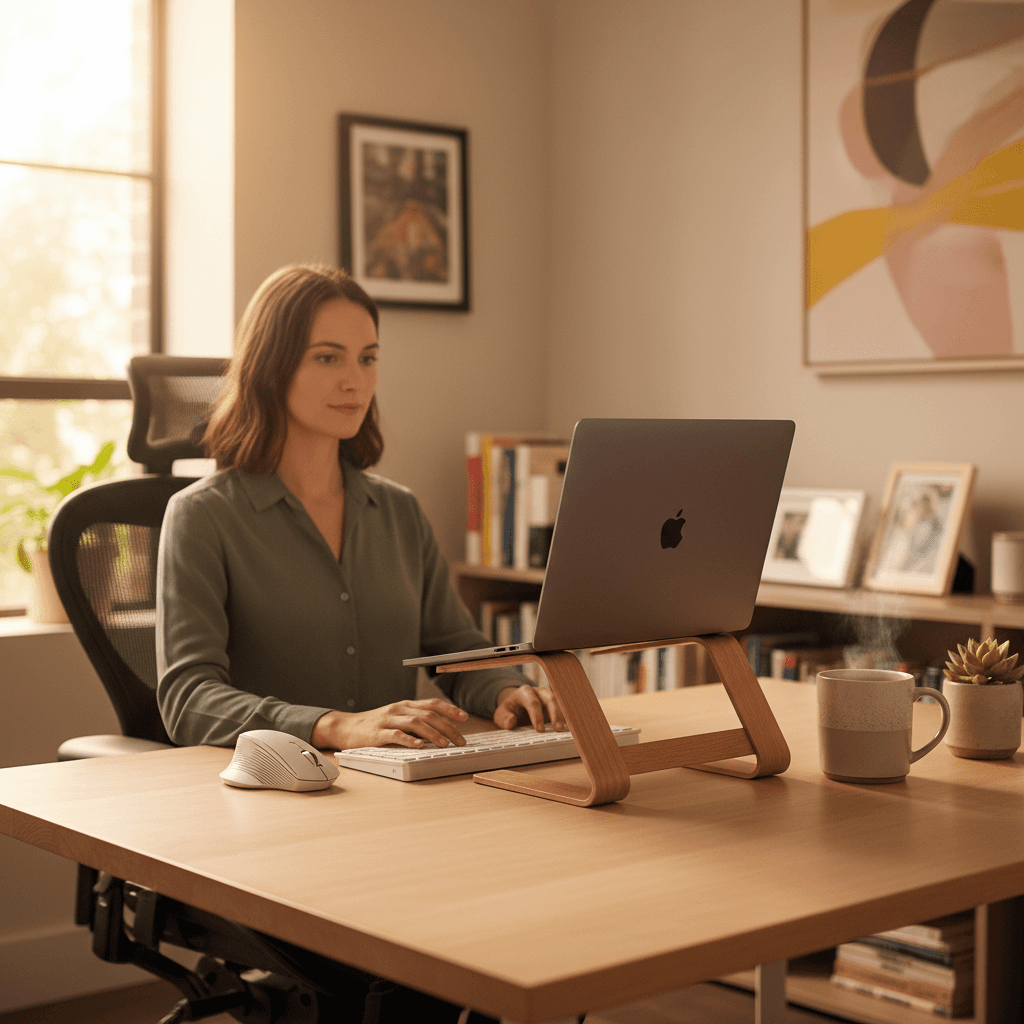
Here's an uncomfortable truth: if you're working on a laptop without a stand, you're slowly destroying your neck. The average laptop screen sits 8–10 inches below the ergonomically recommended eye level, which means you're tilting your head forward by 30–45 degrees for every hour of your workday. That's 15–25 pounds of extra force on your cervical spine. Do that for months, and you'll end up with "tech neck" — the chronic neck and upper back pain that has become the defining occupational injury of the remote work era.
The number that matters: the average laptop screen sits 8–10 inches below recommended eye level, which tips your head forward 30–45 degrees all day.
Decide in 30 seconds
| Your situation | The pick |
|---|---|
| Use one laptop on one desk all day | Rain Design mStand |
| Need adjustable height for a sit-stand setup | Nulaxy C1 |
| Travel weekly, value packability | Lamicall |
| Standing desk, want height to match | Twelve South Curve |
| Cheapest stand that is still solid | Amazon Basics Ergonomic Laptop Stand |
A laptop stand is the cheapest, simplest ergonomic fix you can make. For as little as $25, you can raise your screen to eye level, improve your posture, and potentially avoid hundreds of dollars in chiropractic bills. The catch is that you'll need an external keyboard and mouse to make it work properly — if the laptop is at eye level, the built-in keyboard is too high to type on comfortably.
We evaluated 10 laptop stands using expert reviews, verified owner feedback, and ergonomics research, weighing stability, height adjustability, build quality, portability, and how much screen elevation each one actually delivers. Here are the ones worth buying.
What to Look for in a Laptop Stand
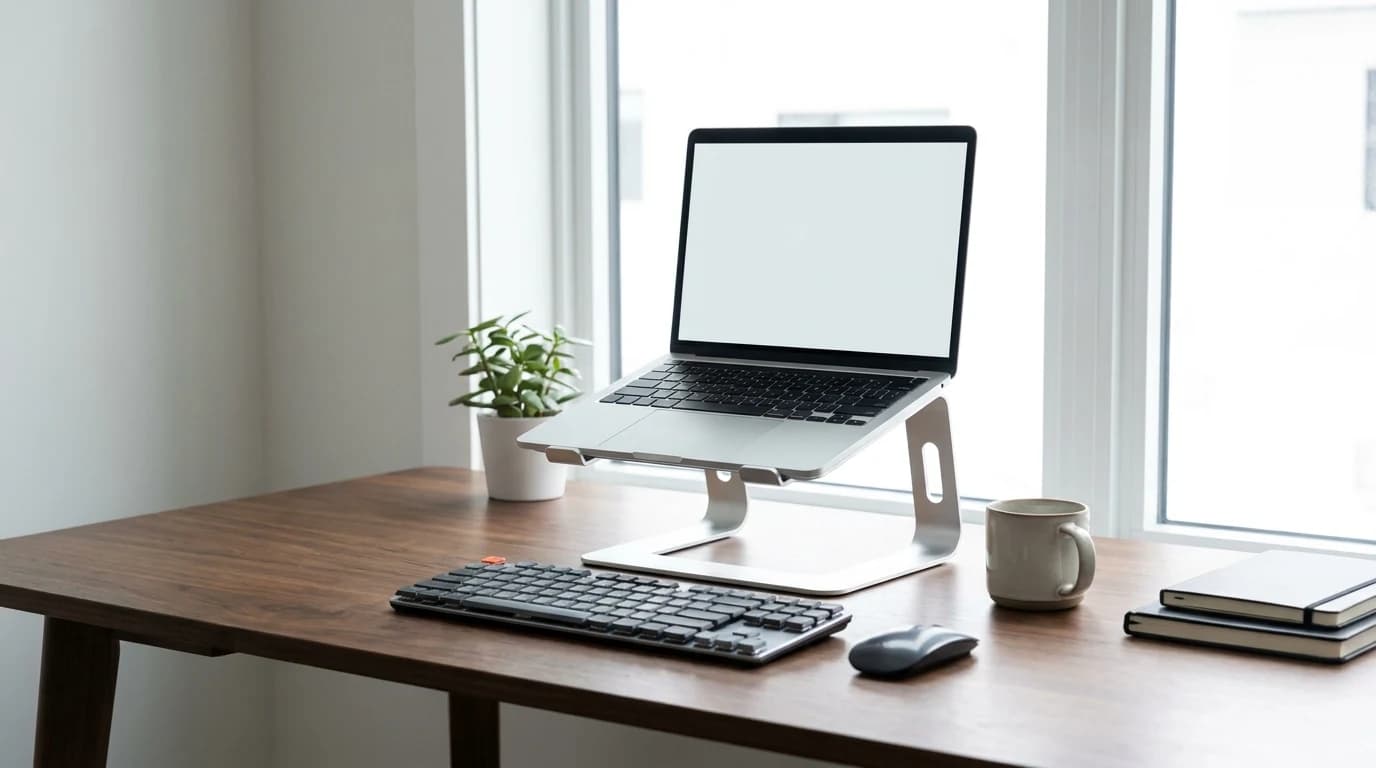
- Height is the most important spec, and most brands get it wrong. Your screen's top edge should be at or slightly below eye level when you're sitting upright. For most people that means raising the laptop 5–8 inches above the desk. Many stands top out at 4–5 inches, which is better than nothing but still too low.
- Stability determines whether you'll actually use it. A stand that wobbles when you type — vibrations travel through the desk even with an external keyboard — is a constant annoyance. Weight and a wide base are your friends.
- Ventilation matters more than you think. Many stands trap heat against the bottom of the laptop. Look for open designs or ventilation cutouts. A stand that runs your laptop 5-10 degrees cooler can measurably extend its lifespan and prevent thermal throttling.
- Adjustability vs. simplicity is a real trade-off. Fixed-height stands are rock-solid and dead simple but lock you into one height. Adjustable stands offer flexibility and often sacrifice some stability for it.
- Compatibility with your laptop size. Most stands accommodate 10–15.6 inch laptops. If you have a 16-inch MacBook Pro or a 17-inch workstation, double-check the dimensions and the weight rating — some lightweight stands max out at 10 pounds.
Rule of thumb: the top of your screen belongs at or just below eye level. For most people that's 5–8 inches of lift, and it's the spec that matters most.
Choose a fixed-height stand if:
- You use one laptop at one desk all day
- Rock-solid stability matters more to you than flexibility
- You'd rather have no moving parts that can loosen over time
Choose an adjustable stand if:
- You use a standing desksit-stand deskA desk whose surface raises and lowers (electric or crank) so you can alternate sitting and standing through the day. Cornell ergonomics research recommends ~30-min sitting / ~10-min standing / ~2-min walking cycles, not all-day standing. and need to change height through the day
- You're notably taller or shorter than average
- You travel, and want something that folds flat
Our Top Picks
| Pick | Stand | Price | Elevation | Weight capacity |
|---|---|---|---|---|
| Best overall | Rain Design mStand | $39.90 | 5.9 in, fixed | 15 lbs |
| Best value | Nulaxy C1 | $56.99 | 2.1–6.7 in | 17.6 lbs |
| Best for standing desks | Twelve South Curve | $79.99 | 5.5 or 6.5 in | 10 lbs |
| Best portable | Lamicall | $24.95 | 5.5–9.4 in | 8.8 lbs |
| Best budget | Amazon Basics Ergonomic Laptop Stand | $16.99 | 5 in, fixed | 22 lbs |
1. Best Overall: Rain Design mStand
Buy on Amazon · $39.80Price: $39.90 | Material: Single-piece aluminum | Height: Raises screen 5.9 inches | Weight Capacity: 15 lbs | Laptop Size: Up to 15 inches
The Rain Design mStand has been a desk staple for over a decade, and for good reason — it's essentially bulletproof. Machined from a single piece of aluminum, it feels like it could survive being thrown out a window. The curved design is both aesthetic and functional, channeling airflow under the laptop and providing a stable, wide base that never wobbles.
At 5.9 inches of elevation, the mStand puts most laptop screens within 1–2 inches of ideal ergonomic height for average-height users (5'6" to 6'0"). The silver aluminum matches Apple laptops beautifully, but it looks equally at home under a ThinkPad or Dell XPS. A built-in cable management hole in the back keeps your charging cable routed neatly.
The main limitation is the lack of adjustability. For most desk setups with a standard chair height, 5.9 inches is close enough to ideal that it's not an issue. If you're particularly tall or short, or you use a standing desk, you'll want an adjustable option.
Pros:
- Exceptional build quality — single-piece aluminum, no moving parts
- Rock-solid stability with zero wobble
- Elegant minimalist design with integrated cable management
- 5.9-inch elevation hits the sweet spot for most users
- Open design provides excellent laptop ventilation
- 10-year+ track record of durability
Cons:
- Fixed height — no adjustability
- $50 is premium for a non-adjustable stand
- Only officially supports laptops up to 15 inches
- Silver only — no color options
- Relatively heavy at 3.35 lbs — not ideal for travel
2. Best Value: Nulaxy C1 Laptop Stand
Buy on Amazon · $46.99Price: $56.99 | Material: Aluminum alloy | Height: Adjustable, raises screen 2.1–6.7 inches | Weight Capacity: 17.6 lbs | Laptop Size: 10–16 inches
The Nulaxy C1 is the stand we recommend to anyone who asks "what laptop stand should I get?" without further context. It offers adjustable height — a feature the mStand lacks — solid aluminum alloy construction, and compatibility with laptops up to 16 inches. The hinge lets you dial in anything between 2.1 and 6.7 inches, which covers the ergonomic sweet spot for virtually any body height and desk configuration.
Stability is very good for an adjustable stand, though not quite mStand-level. The rubber feet grip the desk firmly and the silicone padding stops the laptop sliding. Owner reports describe minimal wobble, mostly at maximum height with a heavier 16-inch-class laptop.
Worth knowing: the thermal benefit of any stand comes from lifting the laptop clear of the desk and leaving its underside exposed to airflow. How much that lowers chassis temperature depends on the machine and the workload.
Pros:
- Height adjustability the fixed-height picks don't offer
- Aluminum alloy construction feels premium for the price
- Wide height range (2.1–6.7 inches) accommodates any setup
- Supports laptops up to 16 inches and 17.6 lbs
- Excellent ventilation with open-air design
- Foldable for travel — weighs just 0.57 lbs
Cons:
- Slight wobble at maximum height with heavy laptops
- Hinge mechanism may loosen over time with frequent adjustment
- Silicone pads can collect dust and lint
- Not as aesthetically refined as the mStand
- Plastic hinge components are the likely failure point
3. Best for Standing Desks: Twelve South Curve
Price: $79.99 | Material: Gunmetal or silver aluminum | Height: 2 fixed heights (5.5 or 6.5 inches) + MagSafeMagSafeApple's magnetic charging connector — currently the fast-charge standard on iPhone 12+ (15W with the official puck, up to 25W on iPhone 15 Pro+). MagSafe-compatible mounts, stands, and chargers snap to the back of the phone with no fiddling. charger shelf | Weight Capacity: 10 lbs | Laptop Size: Up to 15.6 inches
The Twelve South Curve was designed for people who pair a laptop with an external display on a standing desk, and it shows. There's a built-in ledge that holds a MagSafe charger for your iPhone, a leather inlay that protects your laptop's bottom, and a height-adjustable front lip that accommodates different laptop thicknesses.
What makes it right for standing desks is elevation. Even at its lower setting (5.5 inches) it brings screens higher than most competitors, which matters when standing puts your eye level 4–6 inches above where it sits when you're seated. The 6.5-inch setting works well for taller users, and the weighted base — 2.2 lbs for the base alone — keeps it planted when the desk is at full height and prone to vibration.
Pros:
- Purpose-built for standing desk environments
- Built-in MagSafe charger shelf for iPhone
- Premium leather inlay protects laptop bottom
- Two height settings accommodate sitting and standing
- Heavy weighted base prevents wobble on standing desks
- Beautiful design that elevates desk aesthetics
Cons:
- $80 is steep for a stand with only 2 height options
- MagSafe shelf is Apple-specific — less useful for Android users
- 10 lb weight capacity excludes heavier workstation laptops
- Not foldable or portable
- Leather inlay may show wear over time
4. Best Portable: Lamicall
Price: $24.95 | Material: Nylon and polycarbonate | Height: Adjustable, raises screen 5.5–9.4 inches | Weight Capacity: 8.8 lbs | Laptop Size: 11.6–15.6 inches
For remote workers who split time between home, coffee shops, coworking spaces, and travel, the Lamicall is the go-everywhere laptop stand. It folds down to the size of a rolled-up magazine (1.5 x 2 x 11 inches) and weighs just 0.5 lbs — you can toss it in a laptop bag and forget it's there until you need it.
Don't let the lightweight construction fool you: it's surprisingly stable when deployed. The X-frame distributes weight effectively and the rubber feet grip most desk surfaces. There is more flex than on aluminum stands, especially at maximum height, but it's stable enough for comfortable use with an external keyboard and mouse.
The height range is the widest on our list — 5.5 to 9.4 inches — which makes it versatile across desk heights and user preferences.
Worth knowing: at the top of its travel the Lamicall puts the screen at genuine eye level, which many fixed-height stands can't achieve at all.
Pros:
- Ultra-portable: folds to magazine size, weighs 0.5 lbs
- Widest height range on our list (5.5–9.4 inches)
- $25 price point is excellent for an adjustable stand
- 8 height settings for precise ergonomic adjustment
- Works with laptops from 11.6 to 15.6 inches
- Fits easily in any laptop bag or backpack
Cons:
- Plastic construction has more flex than aluminum options
- 8.8 lb weight capacity excludes heavier laptops
- Less stable than desk-dedicated stands at maximum height
- Rubber feet can slide on very smooth surfaces
- X-frame design blocks some bottom ventilation
5. Best Budget: Amazon Basics Ergonomic Laptop Stand
Price: $16.99 | Material: Aluminum and steel | Height: Fixed, raises screen 5 inches | Weight Capacity: 22 lbs | Laptop Size: Up to 15.6 inches
If you want a functional laptop stand for as little money as possible, this is the floor for acceptable quality. At about $17 it's built from aluminum and steel, offers 5 inches of elevation, and has a weight capacity of 22 lbs — the highest on our list by a significant margin. It's not pretty, it's not adjustable, and it won't win design awards, but it raises your screen to a much better height without wobbling.
Ventilation is adequate, with mesh-style cutouts in the platform. Two hooks at the front prevent your laptop sliding off, though they extend slightly above the platform edge and can interfere with larger laptops.
Pros:
- Cheapest stand on our list at about $17
- Highest weight capacity at 22 lbs — handles any laptop
- Aluminum and steel construction is sturdy
- Zero wobble at its fixed height
- Ventilation cutouts prevent heat buildup
- Simple, no-nonsense design
Cons:
- Fixed height with no adjustability
- Only 5 inches of elevation — below ideal for many users
- Front hooks can interfere with larger laptop bases
- Aesthetic is purely functional — not a desk centerpiece
- No cable management solution
- Rubber feet are thin and may not prevent sliding on very smooth desks
The External Keyboard and Mouse Requirement
A laptop stand is only ergonomic if you use an external keyboard and mouse. Raising your laptop screen to eye level puts the built-in keyboard at shoulder height, which is terrible for your wrists. Budget at least $40–60 for a decent external keyboard and mouse — or check our guides for specific recommendations.
The trap: a laptop stand without an external keyboard trades neck pain for wrist pain. That isn't an improvement.
How We Researched
Stands were assessed against the criteria that decide whether one works for all-day use:
- Screen elevation relative to typical seated eye height
- Load rating against the weight of common 14–16 inch laptops (roughly 3.5–5 lbs)
- Base stability and wobble
- Adjustability
- How much of the laptop's underside stays exposed for airflow
Dimensions, materials and load ratings come from manufacturer documentation; reports of wobble, flex and long-term durability come from aggregated owner reviews.
Products referenced in this guide
For quick reference, the products tied to this guide are:
Other products referenced here include the Amazon Basics Sturdy Ergonomic Laptop Stand 15.6" ($16.99).
Frequently Asked Questions
Do laptop stands actually help with posture?
Yes, significantly. Owner reviews consistently report reduced neck and upper back discomfort within the first week of pairing a stand with an external keyboard. The mechanism is simple: raising the screen to eye level eliminates the forward head tilt that causes neck strain. Research from the American Journal of Industrial Medicine confirms that screen height is one of the most impactful ergonomic factors for computer workers.
What height should my laptop stand be?
The top of your screen should be at or slightly below your natural eye level when sitting upright with your feet flat on the floor.
- Most people: 5–8 inches of lift above the desk surface
- Under 5'5": you may need less elevation
- Over 6'1": you may need more, or may be better served by a monitor arm
Can I use a laptop stand without an external keyboard?
You can, but you shouldn't. If the laptop is raised to proper screen height, the built-in keyboard will be at an awkward, elevated angle that forces your shoulders up and your wrists into extension — a recipe for repetitive strain injury.
Is an aluminum or plastic laptop stand better?
Aluminum stands are heavier, more stable, and act as passive heat sinks that help cool your laptop. Plastic stands are lighter and more portable. For a permanent desk setup, aluminum is better. For travel or hybrid work, the weight savings of plastic may be worth the trade-off in stability.
Should I get a laptop stand or an external monitor?
Ideally, both. An external monitor gives you more screen real estate and can be positioned at perfect ergonomic height with a monitor arm. A laptop stand lets you use the laptop as a secondary display at the correct height. If you can only afford one, an external monitor is the bigger productivity upgrade, while a laptop stand is the bigger ergonomic upgrade.
The Bottom Line
A laptop stand is one of the simplest, most cost-effective ergonomic improvements you can make to your home office. The Rain Design mStand ($39.90) is our top pick for its bombproof build quality, perfect elevation height, and timeless design. The Nulaxy C1 is the pick if you want adjustable height rather than a fixed riser, in the same aluminium-alloy build. And if portability matters, the Lamicall ($25) folds down to nothing and still delivers excellent ergonomic improvement.
Remember: a laptop stand is only half the equation. Pair it with an external keyboard and mouse for the full ergonomic benefit. For more on building a healthy workspace, check out our standing desk vs. sitting guide and our ergonomic home office on any budget guide.
Your next step
Complete the posture fix — keyboard at elbow height.
Hilly Shore Labs
Editorial TeamWFH Lounge is published by Hilly Shore Labs. Every recommendation is built by synthesizing ergonomic research, manufacturer specs, expert reviews from outlets like Wirecutter, RTINGS, and The Verge, and aggregated long-term owner sentiment from thousands of verified buyers.
All product reviews are independently researched. Our recommendations are based on ergonomic guidelines, manufacturer specifications, and verified buyer sentiment. See our methodology.