Iriun Webcam Setup: Use Your Phone as a Real Webcam
Iriun's real value is coverage rather than image quality. It is the only one of the main options shipping a standalone Windows, Mac and Linux client, which makes it the practical answer for the iPhone-to-Windows and Android-to-Mac pairings neither Apple nor Microsoft supports. Expect a watermark until you pay, and run it over USB.
Quick Answer
Install the Iriun desktop client and the phone app, put both devices on the same Wi-Fi network, then choose Iriun Webcam in your meeting app. It is worth doing when your phone and computer are different brands: Continuity Camera only covers iPhone to Mac, and Windows Phone Link only covers Android to Windows. The free tier watermarks the video, and a USB cable is steadier than Wi-Fi.
Key Takeaways
Iriun turns any phone into a webcam on any OS. The setup steps, the free-tier watermark, and the two pairings Apple and Microsoft leave uncovered.
As an Amazon Associate I earn from qualifying purchases. Product prices and availability are subject to change.
Your phone almost certainly has the best camera in the room. The catch: the two free, built-in ways to point it at a video call each cover only half the people who want them. Iriun exists to cover the other half.
First, check whether you need Iriun at all
Apple and Microsoft both ship a phone-as-webcam feature, and neither crosses the aisle. Apple's Continuity Camera needs iOS 16 or later on an iPhone XR or newer, macOS Ventura 13 or later, and both devices on the same Apple Account with two-factor authentication. Microsoft's connected camera needs Windows 11, Android 10 or later, and Link to Windows version 1.24022.0 or later.
Line them up and the gap is the whole story:
| Your phone | Your computer | Built-in option | Third-party app needed? |
|---|---|---|---|
| iPhone | Mac | Continuity Camera | No |
| Android | Windows | Phone Link connected camera | No |
| iPhone | Windows | None | Yes |
| Android | Mac | None | Yes |
The bottom two rows are the entire reason this category exists. In the top half, use the feature you already own — no install, no drivers, no second app holding a Wi-Fi connection open.
The honest framing: Iriun is not better than Continuity Camera. It is what you use when Continuity Camera is not offered to you.
The install step people skip
Iriun is two pieces, and missing either causes most failures: the desktop client creates the virtual camera Zoom, Teams and Meet can see, and the phone app feeds it. Take the desktop client from iriun.com first. It currently lists Windows v2.9.8 (Windows 7+), Mac v2.9.1 (macOS 12.3+) and Linux v2.9.3 (Ubuntu 22.04+).
- Install the desktop client and reboot if prompted. Windows adds a camera driver; Mac adds a system extension you must approve in System Settings.
- Install the phone app — Iriun 4K Webcam for PC and Mac on Google Play, Iriun Webcam for PC and Mac on the App Store.
- Put both devices on the same Wi-Fi network — not the same password, the same network. A phone on a guest SSID will not find a computer on the main one.
- Open the phone app, then the desktop app. They pair themselves; there is no code.
- In your meeting app, pick "Iriun Webcam" from the camera list.
A black preview is almost always a network problem, not an install problem — different SSIDs, a guest network with client isolation, or a work VPN. Check that before reinstalling.
What the download pages leave out
The free tier is genuinely usable, and it is also watermarked. Google Play's listing sells the upgrade on four things: no watermark, manual ISO, exposure and white balance, desktop-side camera control, and no ads. Everything else — 4K, USB or Wi-Fi, pinch zoom, running with the screen off — is in the free build.
The rest of the trade-offs are physical, and no app fixes them:
- Battery. Camera plus radio is a heavy load. Assume it stays plugged in beyond half an hour.
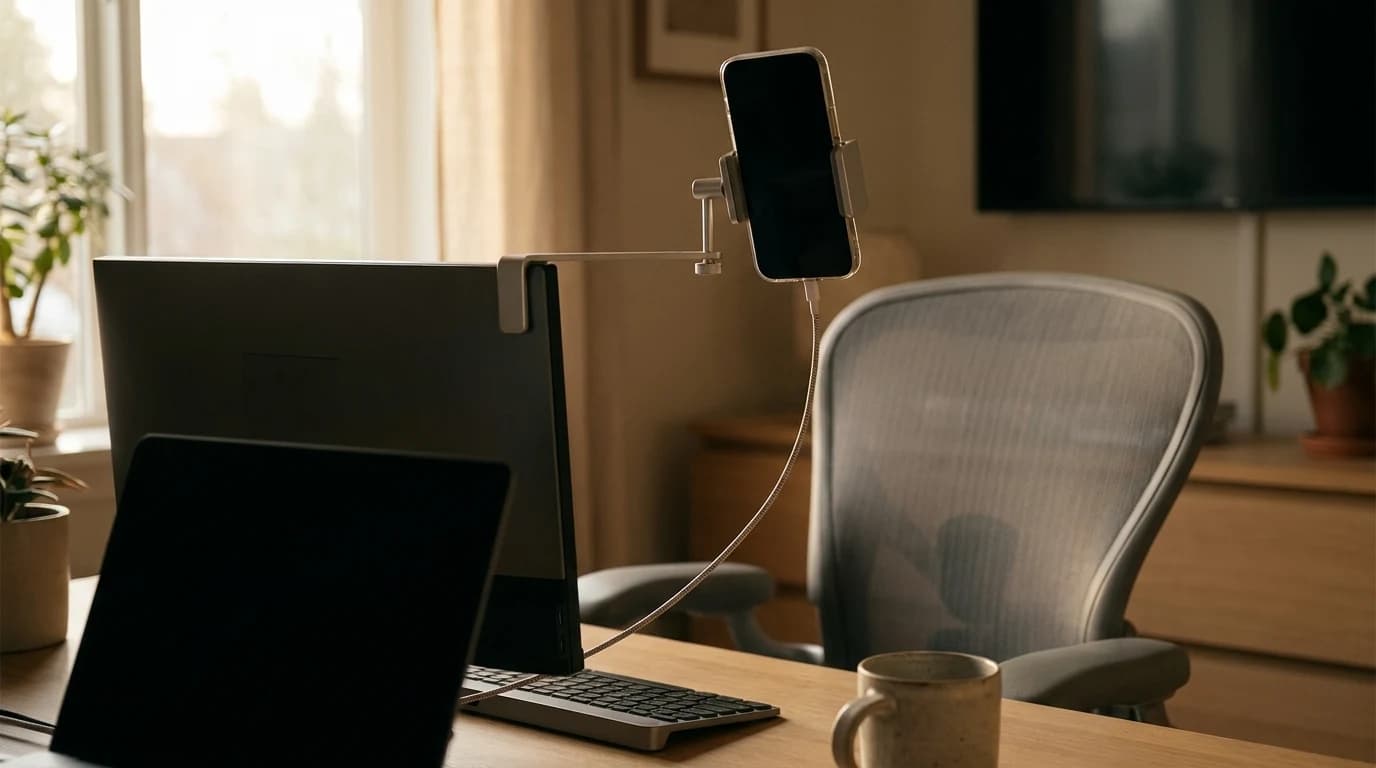
- Mounting. A phone flat on the desk points up your nose. It needs to sit near eye level — in practice, clamped to the monitor.
- Interruptions. An incoming call takes the camera in a way a webcam never can. Do Not Disturb is part of the setup.
- Latency. USB is steadier than Wi-Fi. If audio and video drift apart, that is the fix.
Iriun runs over USB as well as Wi-Fi, and USB solves battery and latency in one move. If the phone already charges at your desk, send video down the same cable.
Iriun versus the alternatives
The odd thing about this category: the most-installed option is also the worst-reviewed. Iriun has passed 10 million Google Play installs, more than either rival, yet rates below both on both stores.
| App | Google Play | App Store | Standalone desktop clients | Free tier |
|---|---|---|---|---|
| Iriun | 3.6 (15.5K) | 3.2 (345) | Windows, Mac, Linux | Watermarked, ads |
| DroidCam | 4.0 (12.7K) | 4.6 (2.2K) | Windows, Linux | Classic: standard definition |
| Camo | 4.2 (5.5K) | 4.6 (7.2K) | Windows, Mac | Limited, Pro upgrade |
Read that for fit, not for a winner. DroidCam reviews better and its classic build is free without a watermark, but its standalone client is Windows and Linux only — the macOS route is an OBS Studio plugin, so OBS sits in the middle. Camo is the most polished, though its free tier is the most limited. Iriun's real pitch is coverage: it is the only one with a standalone Windows, Mac and Linux client — which is why it keeps surfacing for an Android phone paired with a Mac.
When a real webcam still wins
A phone beats a cheap laptop camera on sensor size and loses on everything about being a phone. Buy a dedicated camera once you take more than a couple of calls a day, need the phone in your hand during them, or want video that works without a second device, a network and an app all cooperating.
If that is you, our webcam picks under $100 cover the best-value range and the full roundup goes up from there; the webcams category has the rest. For everything else the phone should do at your desk, see using your phone at your WFH desk.
Bottom line: if your phone and computer share a brand family, use the built-in feature and skip all of this. If not, Iriun is the widest-covering free option — run it over USB, mount it at eye level, expect a watermark until you pay.
FAQ
Is Iriun Webcam free?
Yes, with ads and a watermark on the video. The paid upgrade removes both and adds manual ISO, exposure and white balance plus desktop-side camera control.
Does Iriun work without Wi-Fi?
Yes. It connects over USB too, which holds latency down and keeps the phone charged.
Does Iriun work on a Mac?
Yes — Iriun publishes a Mac client requiring macOS 12.3 or later. That is why it is the common answer for an Android phone with a Mac, which neither Apple nor Microsoft supports natively.
Why is my Iriun preview black?
Almost always a network mismatch: different Wi-Fi networks, or a guest SSID that isolates clients. Put both on one network, or use USB.
Sources
- →Iriunclient versions and OS requirements.
- →Google Play — Iriun 4K Webcamfree-tier features, the four Pro additions, rating and installs.
- →Apple — Continuity CameraiOS 16+, iPhone XR+, macOS Ventura 13+, same Apple Account with two-factor.
- →Microsoft — Use your mobile device's cameraWindows 11, Android 10+, Link to Windows 1.24022.0+.
- →Dev47Apps — DroidCamWindows and Linux clients; free standard-definition use on the classic build.
- →Reincubate — CamomacOS and Windows clients plus iOS and Android apps.
Hilly Shore Labs
Editorial TeamWFH Lounge is published by Hilly Shore Labs. Every recommendation is built by synthesizing ergonomic research, manufacturer specs, expert reviews from outlets like Wirecutter, RTINGS, and The Verge, and aggregated long-term owner sentiment from thousands of verified buyers.
All product reviews are independently researched. Our recommendations are based on ergonomic guidelines, manufacturer specifications, and verified buyer sentiment. See our methodology.